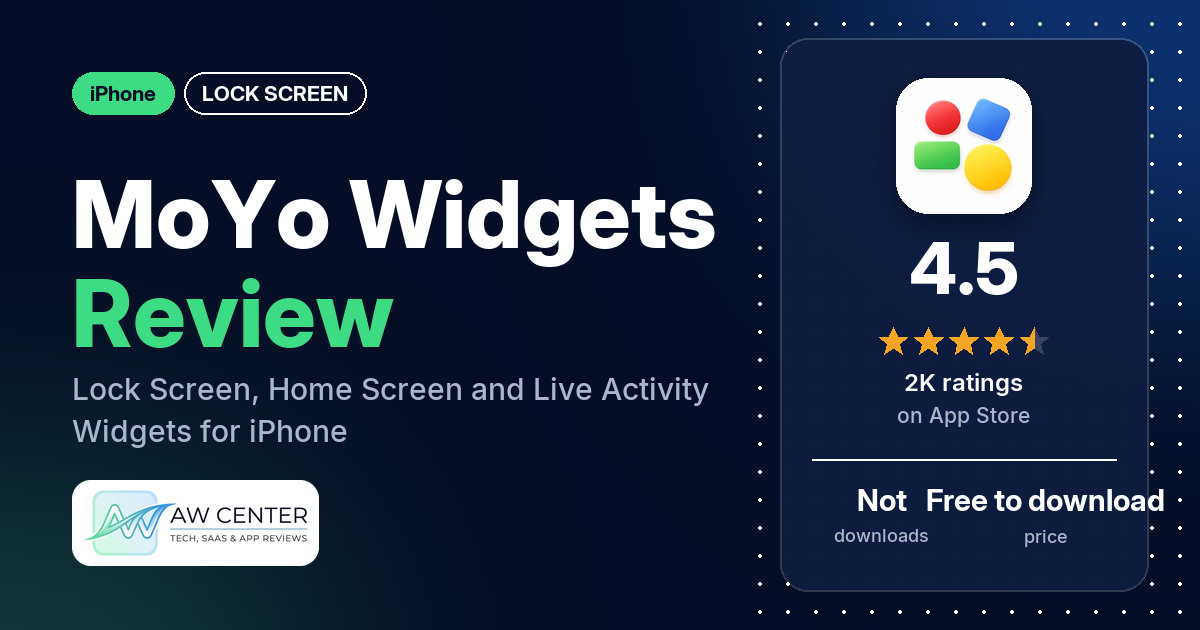
MoYo – widgets & wallpaper is a free iPhone app that puts widgets on the Lock Screen, the Home Screen, Control Center, the Dynamic Island and even CarPlay. It holds 4.5 stars from 1,964 App Store ratings. The newest written review in our data is from November 2024, and the icon launcher draws the most complaints: reviewers say it didn’t work properly, left out some of their apps or paused on a Shortcuts screen.
Quick verdict
If you want one app that covers nearly every widget spot on an iPhone, MoYo lists a lot of them: Lock Screen, Home Screen, Live Activities, Control Center, the Dynamic Island and CarPlay. Several reviewers call it fantastic, a favorite or an app they love. More than half of the reviews in our sample are 1 or 2 stars, though, and the complaints cluster around the icon launcher, a short list of apps you can pick for launcher icons, and the app or its widgets never showing up. Two reviewers say they had to pay before they could try anything. The newest review we have is almost two years older than the current version (7.3.3, October 22, 2026), so some of these problems may be fixed.
MoYo at a glance
| Developer | MoYo Technology Co., Ltd. |
|---|---|
| Store listing | MoYo on the App Store |
| Price | Free to download; in-app prices not in our data (reviewers mention $1, $3.99 and $4.99 payments) |
| Ads | Not stated in the listing; one reviewer complains about ads |
| App Store rating | 4.5 stars from 1,964 ratings |
| Downloads | Not in our data |
| Version / last updated | 7.3.3 / October 22, 2026 |
| Requires | iOS 17.0 or later |
| First released | October 31, 2023 |
| Data checked | October 26, 2026 |
What is MoYo?
MoYo is an all-in-one widget app for iPhone. The listing calls it “an innovative All-in-One widget app” with widgets for “your home screen, lock screen, control center, and live activities,” plus a set of curated HD wallpapers. Its icon launcher widgets let you tap a custom icon to open another app, and the listing says the latest version “Supports quick app launch without redirecting.”
Key features
- Lock Screen widgets: app launch, weather, to-do list, animated clock, device info, battery percentage, calendar, countdown, health data, creative widgets, and text and pinwheel widgets.
- Home Screen widgets: scrolling and rotating photos, calendar, schedule, exercise (steps and workout distance, with charts), clocks, countdown, an “X-Panel” device status widget, weather, to-do list, a “Desktop Fish” widget and creative widgets with animations and transparent photos.
- Icon launch widgets: customizable icon shortcuts that the listing says support “global popular apps.”
- Live Activities: shortcut launches, to-do lists, schedules and upcoming weather on the Lock Screen.
- Dynamic Island: animation, date and weather widgets.
- Control Center: control widgets made for iOS 18, including patterned controls and icon launch controls.
- CarPlay: the listing names CarPlay widget support.
- iOS 26 support: a transparency mode for widgets and support for the new iOS 26 lock screen wallpapers.
- Wallpapers: curated HD wallpapers.
MoYo vs. what a lock screen app should have
“Listed” means the App Store listing names the feature, “Partial” means it covers part of it, and “Reviews only” means reviewers describe it but the listing doesn’t. “Not listed” means neither the listing nor the reviews in our sample show it. The newest review in our data is from November 2024, so the notes may describe older versions.
Must have
| Feature | Status | Notes |
|---|---|---|
| Lock Screen widgets | Listed | A few reviewers say MoYo or its widgets didn’t show up or couldn’t be used at all |
| Time, date, weather, battery and calendar | Listed | Two reviewers say device info such as battery or storage was wrong; one wants a 12-hour time format |
| Countdowns, photos and quotes | Partial | Countdowns and photos are listed, quotes aren’t; one reviewer couldn’t get the photo widget to work |
| Ready-made designs or themes | Partial | The listing names creative widgets and curated wallpapers, not themes |
| Style options (fonts, colors, opacity) | Partial | The listing mentions “various customization options” and an iOS 26 transparency mode; one reviewer says there are no customization options |
| Lock Screen wallpapers | Listed | Including the iOS 26 lock screen wallpapers |
| Usable free tier | Partial | Free to download; two reviewers say they had to pay before trying anything, while one says the app marks which widgets are free |
Should have
| Feature | Status | Notes |
|---|---|---|
| Home Screen widgets, themes or icons | Listed | Home Screen widgets and icon launch widgets |
| Launcher shortcuts | Listed | Several reviewers say the icon launcher didn’t work properly, and several say some of their own apps weren’t on the list |
| Health and fitness data | Listed | Steps and workout distance, plus Lock Screen health data |
| Animated widgets | Listed | Animated clock, creative widgets and Dynamic Island animation |
| Widgets shared with a friend or partner | Not listed | |
| Help or setup instructions | Reviews only | One reviewer calls the tutorials old; another followed the instructions and still couldn’t get the photo widget working |
| Clear pricing | Reviews only | The listing has no prices; reviewers mention $1, $3.99 and $4.99 |
Nice to have
| Feature | Status | Notes |
|---|---|---|
| iPad support | Not listed | |
| Playful extras | Listed | “Desktop Fish” and pinwheel widgets |
| Moon phase, lunar calendar, world clock, to-do list | Partial | To-do lists only |
| No sign-in required | Not listed | Two reviewers mention invite rewards (credit or membership) |
| No ads or an ad-free option | Not listed | One reviewer complains about “spam and invasive ads” |
MoYo reaches further than this checklist asks: Live Activities, Control Center, the Dynamic Island and CarPlay get widgets too. Quotes, themes and moon or world-clock widgets are missing from the listing.
Common problems reviewers report
The data we collected doesn’t include developer replies, so this table shows the problem and when it was reported, not a fix. The newest report is from November 2024, so every one describes an older version of the app. Version 7.3.3 may behave differently.
| Problem | What reviewers report | When |
|---|---|---|
| Icon launcher doesn’t work | Several reviewers; one says tapping an icon opened a different app, and two name the gravity launcher | November 2023 to September 2024 |
| Apps missing from the launcher list | Several reviewers; one says YouTube and Gmail couldn’t be selected | November 2023 to May 2024 |
| Widgets don’t appear | A few reviewers say MoYo or its widgets never showed up or couldn’t be used; one couldn’t find MoYo when searching for widgets | November 2023 to August 2024 |
| Launching goes through Shortcuts | A few reviewers describe a pause or a Shortcuts screen before the app opens | December 2023 to September 2024 |
| Widgets broke after an update | Two reviewers after an app update; one paid member says widgets turned white after an iOS update, and advises turning tinted icons off if restarting or reinstalling doesn’t help | November 2023 to September 2024 |
| Wrong device info | Two reviewers say battery, brightness, volume or storage readings were wrong | November 2023 |
| Invite rewards not credited | Two reviewers invited friends and didn’t get the promised credit or membership | March and May 2024 |
MoYo shows weather on the Lock Screen, Home Screen and Dynamic Island. Don’t rely on a single app for severe weather warnings.
Pros (from user reviews)
- Liked by its fans: several reviewers call MoYo fantastic, a favorite or an app they love. One found it on TikTok and had no issues three months in.
- Works for some: a few reviewers say it works well for them, including one who says the icons work “great” and one who says everything except the icon launcher works.
- Easy to start with: two reviewers call it easy to use or easy to install. One other reviewer finds the interface clunky.
- Quick support: two reviewers praise the developer’s support. One got an email reply within a few hours; the other says support kept working on a white-widget problem until it was solved.
- Honest about paid widgets: one reviewer, writing in Spanish, likes that the app tells you which widgets need payment and which don’t.
- Small touches: one reviewer likes that the widget name can be hidden, and one says the widgets look cool.
Cons (from user reviews)
- The icon launcher: several reviewers say it doesn’t work properly. One set up the large widget with spinning circles and says each tap opened a different app than the icon showed. Two say the gravity launcher doesn’t work, and another says saving a launcher keeps only a picture of the icons, so you can’t edit it later.
- Too few apps to choose from: several reviewers say some of their own apps weren’t on the launcher list. One, writing in Chinese, says only preset common apps can be chosen and names YouTube and Gmail as missing. Another saw apps they had never heard of.
- Slow launches through Shortcuts: a few reviewers describe a pause, a screen with the app icon or the Shortcuts app before the target app opens. One asks for the shortcut screen to close by itself. The current listing says the app now “Supports quick app launch without redirecting.”
- Widgets that never show up: a few reviewers say MoYo or its widgets didn’t appear or couldn’t be used at all, including one who bought a “$1 premium” option and then couldn’t find MoYo when searching for widgets.
- Paying before trying: two reviewers object to paying before they could test anything. One says a $4.99 unlock appeared when they tried to save an icon launcher. A few who paid say it didn’t work, and a few ask for a refund.
- Updates that broke things: two reviewers say an app update stopped their widgets from working, in November 2023 and January 2024.
- Wrong readings: two reviewers say battery, brightness, volume or storage figures were incorrect.
- Invite rewards: two reviewers invited friends and say they didn’t get the credit or membership they expected.
- Other complaints: one reviewer each mentions “spam and invasive ads”, old tutorials, a photo widget that won’t work, a flip clock that stops, no 12-hour time option, and the MoYo name showing under launcher icons.
The data we collected doesn’t include a star breakdown of the 1,964 ratings, which average 4.5 stars, so we can’t say how common these complaints are across all of them.
Pricing
MoYo is free to download. The listing doesn’t describe what is paid, and our data has no in-app prices. Reviewers mention a “$1 premium” option (November 2023), a $3.99 payment (January 2024) and a $4.99 unlock for everything (February 2024), and one reviewer calls themselves a paid member. Two reviewers also describe inviting friends for credit or membership. These reports are old, so check the App Store listing for current prices before you pay.
Privacy and permissions
We couldn’t read the App Store privacy label for MoYo, so we make no claim about what data it collects. The listing links to a privacy policy and a user agreement, both hosted on mp.weixin.qq.com. The listing names Lock Screen health data and an exercise widget for steps and workout distance; it doesn’t say which permissions those widgets need.
Who it’s for
MoYo suits you if you want a single app for widgets in many places at once (Lock Screen, Home Screen, Live Activities, Control Center, the Dynamic Island and CarPlay) and you’re willing to pay for the parts you use. It’s a weaker fit if you mainly want an icon launcher for your own apps, since that is where reviewers report the most trouble, or if you want to try everything before paying. With no reviews newer than November 2024 in our data, check that MoYo’s widgets show up on your phone before you buy anything.
FAQ
Is MoYo free?
MoYo is free to download, but the listing doesn’t say what is paid and our data has no in-app prices. Reviewers from 2023 and 2024 mention payments of $1, $3.99 and $4.99. Two say they had to pay before trying anything, while one says the app marks which widgets are free.
Why does the MoYo icon launcher open the wrong app or a Shortcuts screen?
Several reviewers say the icon launcher didn’t work properly, and one says taps opened a different app than the icon showed. A few others describe a pause or a Shortcuts screen before the app opened. These reports are from 2023 and 2024, and the current listing says MoYo now “Supports quick app launch without redirecting.”
Why are my apps missing from MoYo’s launcher list?
Several reviewers say some of their own apps weren’t on the list, and one says YouTube and Gmail couldn’t be selected. The listing says the icon launch widgets support “global popular apps.” The data we collected doesn’t include developer replies, so we can’t say whether that list has grown.
What can I do if MoYo widgets show only white?
One paid member reported this in September 2024 after an iOS update. They say MoYo support kept working on it until it was solved. Their advice: if restarting or reinstalling doesn’t help, turn tinted icons off.
How this review was put together
We haven’t tested MoYo. This review is based on public information from official sources: the app’s Google Play or App Store listing and rating breakdown, the developer’s website when there is one, and recent user reviews on the store with the developer’s replies. Features and claims are the developer’s own descriptions; what users like and dislike comes from the store reviews. Everything was checked on October 26, 2026. Apps change with every update, so check the store listing before you install.