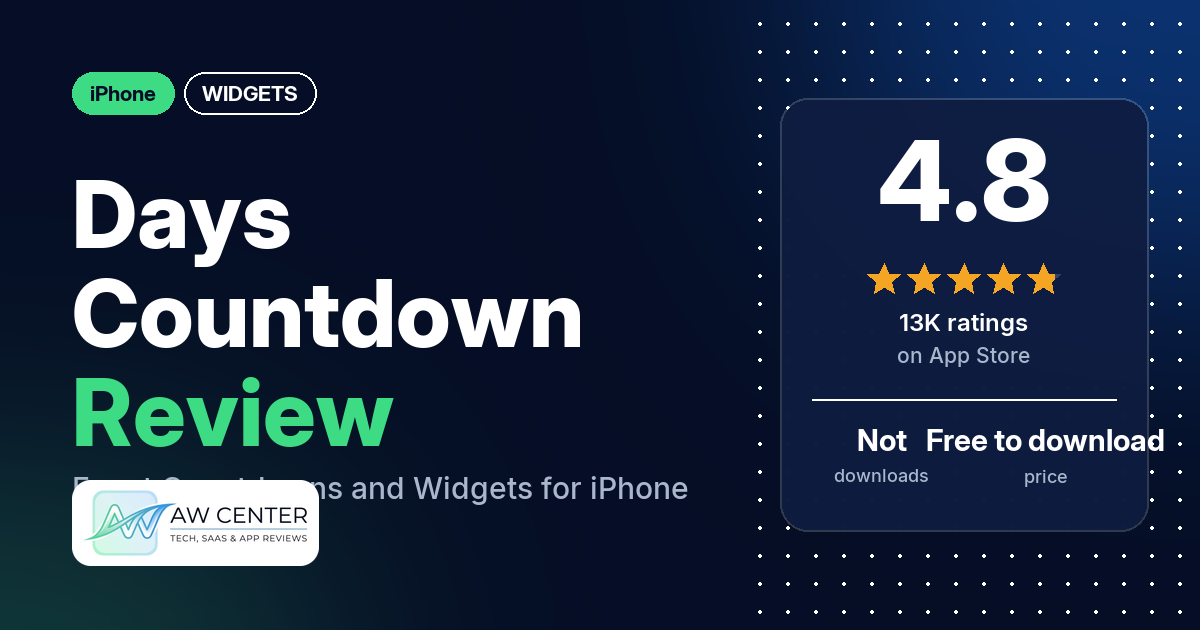
Days • Countdown & Widgets is a free iPhone app that counts down to birthdays, trips and other events, with a photo behind each one and widgets for the Home Screen and Lock Screen. It has 4.8 stars from 12,702 App Store ratings, and the complaint reviewers raise most is having to pay, usually to keep more events.
Quick verdict
If you want a good-looking countdown on your Home Screen with your own photo behind it, Days fits. Many reviewers call it easy to use, many like the photos and backgrounds, and several say it lets you add the widget without paying, where other countdown apps they tried charged for it. Most reviews in our sample are 5 stars. The pushback is about money: many reviewers complain about paying or about free-version limits, several say the free version stops at five events, and a few say they couldn’t add more than one event, or any, without paying. Several also report widgets that greyed out, stopped updating or vanished.
Days at a glance
| Developer | MD Apps LTD |
|---|---|
| Store listing | Days on the App Store |
| Price | Free to download; in-app prices not in our data (one reviewer in 2023 mentions plans from $0.99 a month) |
| Ads | Not stated in the listing; a few reviewers say there are no ads, two report ads |
| App Store rating | 4.8 stars from 12,702 ratings |
| Downloads | Not in our data |
| Version / last updated | 3.40 / September 15, 2026 |
| Requires | iOS 17.0 or later |
| First released | February 17, 2015 |
| Data checked | October 26, 2026 |
What is Days?
Days is a countdown app. You add an event, such as a vacation, a birthday or a wedding anniversary, pick a photo, and the app shows how long is left. It can also count up from past events. The listing says you can “Countdown to the special moments that matter to you” and see “all of your life events on one screen” with full-screen event photos. With a widget, the countdown sits on your Home Screen or Lock Screen.
Key features
- Countdowns and count-ups: count down to an event, or look back at how long ago it was.
- Countdown Calendar: all your events on one screen, with full-screen photos you swipe through.
- Home Screen widgets: countdowns on the Home Screen.
- Lock Screen widgets: the listing says they are available on iOS 16.
- Recurring events: events that repeat yearly, monthly or weekly, such as birthdays and anniversaries.
- Countdown reminders: the listing says the app lets you know how far away an event is “without even opening the app.”
- Design: the listing mentions subtle animations and swiping between events.
Days vs. what a widget app should have
“Listed” means the App Store listing names the feature, “Partial” means it covers part of it, and “Reviews only” means reviewers describe it but the listing doesn’t. “Not listed” means neither the listing nor the reviews in our sample show it. Days is a countdown app, so rows about weather, music, health and custom data sources are left out.
Must have
| Feature | Status | Notes |
|---|---|---|
| Home Screen widgets in several sizes | Partial | Home Screen widgets are listed, sizes aren’t; one reviewer asks for large widgets |
| Lock Screen widgets | Listed | One reviewer in 2023 says a Lock Screen widget always showed “8 days ago” |
| Design editor | Partial | Event photos are listed; reviewers describe choosing photos, fonts and colors, and a few say fonts and colors are limited |
| Ready-made designs | Reviews only | Reviewers describe a built-in photo library; one names Unsplash |
| Common data (time, date) | Partial | Countdowns only; several reviewers say the widget shows too few units or no live seconds |
| Widgets stay up to date | Not listed | Several reviewers report widgets that greyed out, stopped working or didn’t update |
| Transparent backgrounds | Not listed |
Should have
| Feature | Status | Notes |
|---|---|---|
| Smartwatch complications | Reviews only | One reviewer in 2025 says the complications are cut off on a watchOS 26 photo watch face; another in 2023 found no Apple Watch feature |
| Tap actions that open apps | Not listed | |
| Sharing | Reviews only | One reviewer shares countdowns with family; another says shared links opened a broken page |
| Help or support contact | Reviews only | A few reviewers praise quick replies from the developer; two say they couldn’t reach the developer |
| Usable free tier | Partial | Free to download; reviewers disagree on how much is free (see Pricing) |
| Restoring purchases on a new device | Reviews only | One reviewer says the app stopped recognizing their subscription after a reinstall |
Nice to have
| Feature | Status | Notes |
|---|---|---|
| Live Activities or Dynamic Island | Not listed | |
| iPad support | Reviews only | Two reviewers report trouble on iPad, including grey widgets after buying premium |
| Shortcuts or automation | Not listed | |
| One-time purchase | Reviews only | A few reviewers mention a lifetime or one-time option; several mention a subscription |
| No ads | Reviews only | A few reviewers say there are no ads; two report ads |
Days does one job, countdowns, and the listing sticks to it. The widget rows are where reviewers report problems.
Common problems reviewers report
The data we collected doesn’t include developer replies, so this table shows each problem and when it was reported, not an official fix. No reviewer names an iOS version except where noted. Older reports may describe earlier versions, and version 3.40 may behave differently.
| Problem | What reviewers report | When |
|---|---|---|
| Widgets grey out or stop working | Several reviewers; in 2026, one says all widgets went grey after an update, one says premium widgets were grey on iPad, and one says a second widget wouldn’t work | January 2022 to July 2026 |
| Widget missing from the widget list | A few reviewers; one on iOS 17.3.1 says the widget appeared after reinstalling and waiting a day, as the developer had suggested | April 2022 to January 2025 |
| Several widgets show the same event | A few reviewers report trouble with more than one widget; one says a stack stops at 10 widgets and resets to the first event | March 2022 to May 2026 |
| Countdown shows only two units | Several reviewers say the widget shows only two units or no live seconds | May 2022 to September 2026 |
| Can’t reach support | Two reviewers got errors when trying to contact the developer | January 2025 and May 2026 |
Pros (from user reviews)
- Easy to use: many reviewers call Days easy, simple or quick to set up. A few disagree: one took a while to get the hang of it, and one couldn’t find instructions for adding widgets.
- Photos behind every event: many reviewers like adding pictures. Several use their own photos, and several mention the built-in library, which one describes as “hundreds of high quality pictures.” Two older reviews from 2022 and 2023 found the picture choice limited or generic.
- A free widget: several reviewers say you can put a countdown widget on the Home Screen without paying, and several of them say other countdown apps charged for that.
- Looks good: several reviewers praise the design, using words like “Stunning UI,” “elegant” and “phenomenal design.” Two like the haptic feedback, and one of them also likes the sounds.
- Reliable for some: several reviewers say it has never glitched or caused issues, including one who has used the widget for years.
- No ads: a few reviewers say they see no ads. Two disagree: one in 2022 says there are “so many ads,” and one in May 2026 says an ad popped up on their widget countdown.
- A responsive developer: a few reviewers, all before mid-2024, say the developer replied quickly or fixed a bug.
- Smaller things: one reviewer switched to Days for its iCloud backup after another app lost their events, and one likes counting down in months, days, hours or minutes. One describes referral rewards: app icons, an extra event slot and free months of Pro.
Cons (from user reviews)
- The free version is tight: many reviewers complain about paying or about free-version limits. Several say the free version stops at five events, and one in August 2026 says the same thing more cheerfully. A few say they couldn’t add a second event, or any event, without paying, in reports from November 2023 to May 2026. A few feel the “free” label is misleading, including one who calls it a “bait and switch.”
- Features behind Pro: a few reviewers say fonts, colors, dark mode or showing hours and minutes need Pro. A few, including one with a lifetime premium account, find the font options small.
- Widgets that break: several reviewers say widgets greyed out, stopped working, flickered or stopped updating. A few of those reports are from 2026. One says a support reply came, but the problem got worse after the next update.
- Trouble with more than one widget: a few reviewers say a second widget didn’t work or showed the same event as the first. A lifetime premium user says they bought it to stack widgets but can only stack 10, and some reset to the first event.
- Countdown too coarse: several reviewers say the countdown shows only two units at a time, no live seconds or not the full countdown. One who bought Pro expected a ticking clock and calls what they got “static.”
- Can’t add the widget: a few reviewers couldn’t find Days in the widget list.
- Support hard to reach: two reviewers got errors when trying to contact the developer. One of them also says a shared countdown link opened a broken page and the app stopped recognizing their subscription after a reinstall.
- Other complaints: two reviewers in 2026 dislike being asked for a review, two report trouble on iPad, and two ask for custom repeat schedules. Individual reviewers ask for large widgets, calendar sync, a Chinese calendar, louder reminders and showing an event in weeks.
Most reviews in our sample are 5 stars, and under a quarter are 1 or 2 stars. The data we collected doesn’t include a star breakdown of all 12,702 ratings, so we can’t say how common these complaints are across all of them.
Pricing
Days is free to download, and the listing says “you can download it for free” without naming prices; our data has none. Reviewers describe a Pro upgrade with more events, fonts, colors and dark mode. Several mention a subscription, and one in October 2023 says plans start at $0.99 a month with a 3-day trial. A few others mention a lifetime or one-time payment. How much is free depends on who you ask: several reviewers say five events, while a few say they couldn’t add more than one, or any, without paying. Check the listing for current prices and limits before you buy.
Privacy and permissions
We couldn’t read the App Store privacy label for Days, so we make no claim about what data it collects. The listing links to the developer’s terms, conditions and privacy page at daysapp.co/privacy and to Apple’s standard license agreement. One reviewer says Days has iCloud backup.
Who it’s for
Days suits you if you want one or a few good-looking countdowns on your Home Screen or Lock Screen, with your own photo or one from the app’s library, and you’re willing to pay if you need more. It’s a weaker fit if you want lots of events for free, a live countdown to the second, or several widgets showing different events, since reviewers report trouble with all three. If your widgets are the main reason to install it, add one first and check it updates before you pay.
FAQ
Is Days free?
Days is free to download, but our data has no in-app prices. Several reviewers say the free version stops at five events, and a few say they couldn’t add more than one, or any, without paying. Reviewers mention both a subscription (one quotes plans from $0.99 a month in 2023) and a lifetime option.
Can I put a Days countdown on my Home Screen without paying?
Several reviewers say yes, and several of them say other countdown apps charged for widgets. The listing names Home Screen and Lock Screen widgets. A few reviewers report trouble adding more than one widget.
Why are my Days widgets grey or not updating?
Several reviewers report widgets that greyed out, stopped working or didn’t update, a few of them in 2026. One on iOS 17.3.1 says reinstalling and waiting a day made a missing widget appear. The data we collected doesn’t include developer replies, so we can’t give an official fix.
Does Days show hours, minutes and seconds?
One reviewer likes counting down in months, days, hours or minutes. Several others say the widget shows only two units at a time or no live seconds, and one says hours and minutes need Pro.
How this review was put together
We haven’t tested Days. This review is based on public information from official sources: the app’s Google Play or App Store listing and rating breakdown, the developer’s website when there is one, and recent user reviews on the store with the developer’s replies. Features and claims are the developer’s own descriptions; what users like and dislike comes from the store reviews. Everything was checked on October 26, 2026. Apps change with every update, so check the store listing before you install.