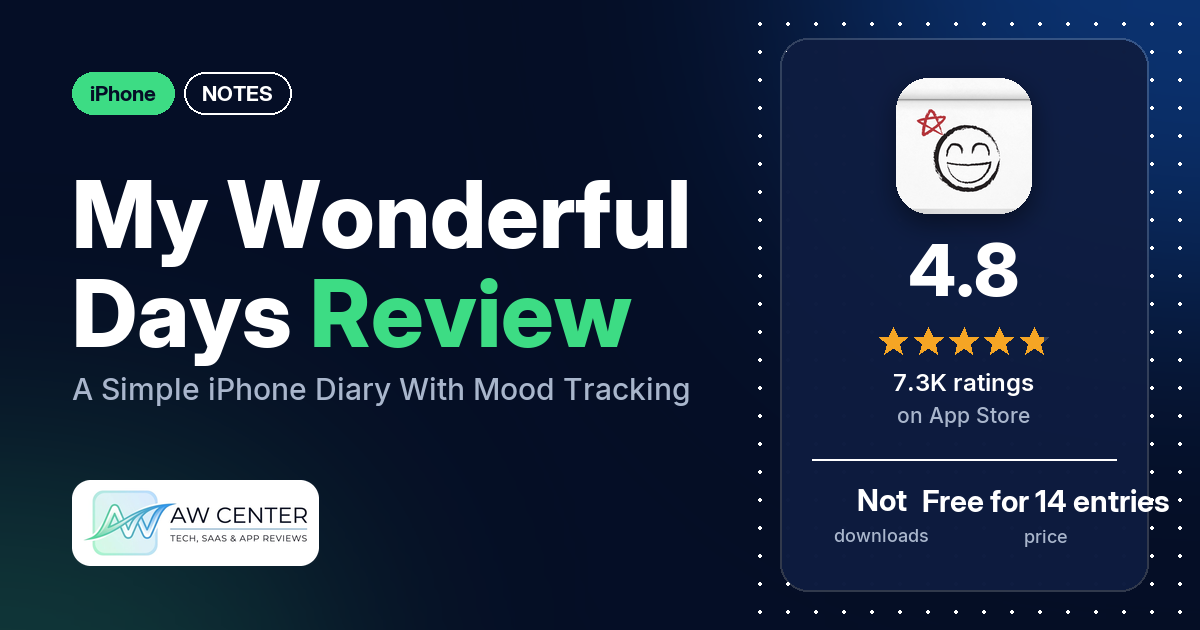
My Wonderful Days is a diary app for iPhone and iPad: you pick a face for your mood, write a few words or a few pages, and add photos. It holds 4.8 stars from 7,286 App Store ratings, and the free version lets you write 14 entries before a one-time unlock.
Quick verdict
If you want a plain, private diary you can keep for years, My Wonderful Days has a loyal following. Many reviewers say they have used it for years, several for a decade or more, and many call it easy to use. Several like the mood tracking, the photos and the passcode. The serious complaints are about lost entries: several reviewers say entries disappeared after an update, a phone reset or an iCloud problem, though the newest of those reports is from April 2024. Most reviews in our sample are from before 2024, so they describe older versions.
My Wonderful Days at a glance
| Developer | haha Interactive |
|---|---|
| Store listing | My Wonderful Days on the App Store |
| Price | Free for 14 entries; one-time in-app unlock and an optional yearly supporter subscription (prices not in our data) |
| Ads | Not stated in the listing; two reviewers say there are no ads, one reported ads in January 2022 |
| App Store rating | 4.8 stars from 7,286 ratings |
| Downloads | Not in our data |
| Version / last updated | 5.5.2 / October 19, 2026 |
| Requires | iOS 15.0 or later |
| First released | May 2, 2011 |
| Data checked | October 26, 2026 |
What is My Wonderful Days?
My Wonderful Days is a personal diary for iPhone and iPad. The listing says “You don’t need a long story to keep a meaningful journal”: you pick a mood face, write as much or as little as you like, and add photos, videos and stickers. It aims for “the warmth of a paper diary,” with page-turning sounds and pages that age as you revisit them. Entries sync between iPhone and iPad with iCloud, and a passcode locks the app.
Key features
- Mood faces: pick a face for each day, then look back with mood reports and happiness graphs.
- Writing habit: a daily reminder at a time you choose, and a writing streak after three days in a row.
- Photos, videos and stickers: add them to entries, with bold, italic, underline and highlight formatting.
- Finding entries: browse by date, On This Day, multi-word search that jumps to matches, favorites, sticker filters, and sorting by happiness or most viewed.
- Reflection: turns a month or year of entries into a full-screen slideshow and a magazine-style story, which you can save or share as a PDF or long image. Videos appear as still images in exports.
- Privacy and sync: passcode lock and iCloud sync between iPhone and iPad.
- Export: entries as PDFs, or print with AirPrint.
My Wonderful Days vs. what a notes app should have
“Listed” means the App Store listing names the feature, “Partial” means it covers part of it, and “Reviews only” means reviewers describe it but the listing doesn’t. “Not listed” means neither the listing nor the reviews in our sample show it. My Wonderful Days is a diary, so the notes-app checklist fits only in part.
Must have
| Feature | Status | Notes |
|---|---|---|
| Fast note creation | Partial | The listing says you can write as much or as little as you like; one reviewer says you just tap today and start writing |
| Organization (tags, folders or flags) | Partial | Starred favorites, sticker filters and sorting; no tags or folders listed |
| Search or filtering | Listed | A few reviewers praise the search |
| Sync across devices | Listed | iCloud between iPhone and iPad; a few reviewers report sync problems |
| Sharing or exporting | Listed | PDF export, AirPrint, and reflections as PDF or long image |
| Home Screen widget | Not listed | |
| Backup or recovery | Partial | iCloud sync is listed; reviewers describe backups to iCloud and Dropbox, and several report lost entries |
Should have
| Feature | Status | Notes |
|---|---|---|
| Text formatting | Listed | Bold, italic, underline and highlight; one reviewer wants color highlights |
| Dictation or voice capture | Reviews only | A few reviewers say they use voice to text |
| Themes and dark mode | Reviews only | One reviewer mentions dark and light mode and wants more colors |
| Font and layout customization | Reviews only | One reviewer changes fonts; another wants adjustable margins |
| Share-extension capture | Not listed | |
| Siri or Shortcuts support | Not listed | |
| Smartwatch capture | Not listed | One reviewer can’t use it on Apple Watch and thought they once could |
Nice to have
| Feature | Status | Notes |
|---|---|---|
| Automation or scripting | Not listed | |
| AI integration | Not listed | |
| Images or attachments | Listed | Photos and videos; a few older reviews say photos turned black or wouldn’t show |
| Collaboration | Not listed | |
| Web or desktop access | Reviews only | The listing names iPhone and iPad only; one reviewer in 2022 says they use a Mac version and one in 2024 a laptop, while a few ask for a computer version |
| Note lock or encryption | Listed | Passcode lock; two reviewers mention fingerprint unlock |
| Accessibility | Not listed | One reviewer finds the controls too small for modern screens |
As a journal it covers the basics well: search, sync, export, formatting and a lock. The listing doesn’t mention widgets, Shortcuts or tags.
Common problems reviewers report
The data we collected doesn’t include developer replies, so this table shows each problem and when it was reported, not an official fix. Older reports may describe earlier versions, and version 5.5.2 may behave differently.
| Problem | What reviewers report | When |
|---|---|---|
| Entries lost | Several reviewers; causes they name include an update, a phone reset, turning iCloud off and moving to a new iPad. One recovered entries with the app’s monthly backups and a desktop tool, and one says support helped restore them | October 2019 to April 2024 |
| Sync problems | A few reviewers; in August 2025 one says an iCloud sync pop-up blocked the app on the latest iOS | February 2019 to August 2025 |
| Passcode problems | A few reviewers say the passcode stopped working or they couldn’t get in on a new phone | February 2019 to July 2022 |
| Photos turn black or don’t show | A few reviewers | December 2018 to August 2020 |
| Smaller bugs | A star on an entry that disappears (February 2026), text duplicated when editing (February 2025) | February 2025 and February 2026 |
One reviewer whose update wiped their entries advises making a backup in the app before you update. That is a reviewer’s tip from May 2021, not developer advice.
Pros (from user reviews)
- Years of use: many reviewers have kept the diary for years. One has used it for 13 years, another writes a “decade anniversary” review, and several started in 2012 or 2013.
- Easy to use: many reviewers call it simple or easy. A few found parts confusing, such as how to add a photo, and one says the controls are too small for modern screens.
- Entries that follow you: several reviewers say their entries survived new phones, a crash or a move to the iPad, and several say sync works. Reviewers name iCloud and Dropbox.
- Private: the passcode matters to several reviewers, who say it keeps their private thoughts private. Two use fingerprint unlock.
- Mood tracking: several reviewers like the mood faces and the graphs of good and bad days. One says the smiley face slider is their favorite part and helps them see their growth over the years.
- Photos and videos: attaching pictures to a day gets praise from several reviewers.
- Worth the money: several reviewers say the full version was worth paying for, and a few are glad it isn’t a subscription.
- Reminders and memories: several reviewers like the daily reminder to write, and a few like seeing old entries from the same date come back.
- Smaller things: a few reviewers each praise the search, the templates and prompts, voice to text, PDF export and the paper-diary feel, including an extra-crinkly sound on the entries you visit most. Several say the developer keeps improving the app, and a few praise quick help from support.
Cons (from user reviews)
- Lost entries: several reviewers lost some or all of their entries, after an update, a reset, an iCloud problem or a device change. One says an update deleted seven years of entries and the in-app backups only ran on the first of each month. The newest of these reports is from April 2024. Two more lost a single entry, one because there is no undo.
- The 14-entry limit: several reviewers object to paying after 14 entries, and a few say they didn’t realize the app wasn’t fully free. These reports are from 2019 to 2022; the current listing states the limit and the one-time unlock.
- Bugs: several reviewers report bugs or lag. The recent ones are a starred entry that loses its star (February 2026), text that duplicates when you edit (February 2025) and an iCloud sync pop-up that blocks the app (August 2025).
- Too few moods: several reviewers want more mood choices, and a few say the scale has happy and angry faces but no sad one.
- Wants a computer version: a few reviewers want to write on a laptop, Chromebook or Android device. Two others say they do use it with a Mac or laptop.
- Purchases on a new device: two reviewers say their purchase wasn’t recognized on another device, and one says they were billed without buying.
- Looks: one reviewer finds the look dated, one wants it cuter and one finds the controls too small. A few others like the paper look.
- Other requests: two reviewers want Apple Pencil support. Individual reviewers ask for spellcheck, color highlights, the iOS 26 keyboard, CSV import and export, and Apple Watch support.
Most reviews in our sample are 5 stars. The data we collected doesn’t include a star breakdown of all 7,286 ratings, so we can’t say how common these complaints are across all of them.
Pricing
My Wonderful Days is free to try with up to 14 entries, and the listing says you can always read and edit them. To keep adding entries, you buy a one-time in-app unlock. An optional yearly supporter subscription funds development and also unlocks the app if you haven’t bought the unlock. Our data doesn’t include current prices. Older reviews mention $9.99 after 14 entries (2019 and 2020) and $10 a year (2019).
Privacy and permissions
We couldn’t read the App Store privacy label for My Wonderful Days, so we make no claim about what data it collects. The listing says you can lock the app with a passcode and sync entries with iCloud, and it links to a privacy policy and terms of use on hahaint.com. One reviewer in 2020 says that after deleting and reinstalling the app, entries could be read without the passcode; we can’t say whether that still happens.
Who it’s for
My Wonderful Days suits you if you want a simple, private diary with moods and photos on your iPhone and iPad, and you’re happy to pay once after 14 entries. It’s a weaker fit if you want to write on an Android device, or if you need a wide range of moods. The listing names only iPhone and iPad, so check the store before counting on a computer version. Since several reviewers lost entries in the past, keep a separate backup, such as a PDF export, of anything you can’t afford to lose.
FAQ
Is My Wonderful Days free?
You can write up to 14 entries for free and always read and edit them. After that, the listing says you need a one-time in-app unlock, or the optional yearly supporter subscription, which also unlocks it. Our data doesn’t include current prices.
Does My Wonderful Days sync between iPhone and iPad?
Yes. The listing says entries sync between iPhone and iPad with iCloud, and several reviewers say sync works. A few report sync problems, including one in August 2025 who says an iCloud pop-up blocked the app.
Can I lose my entries in My Wonderful Days?
Several reviewers say they did, after an update, a phone reset or an iCloud change, with the newest report from April 2024. One recovered entries from the app’s backups, and one got help from support. Exporting important entries as PDFs gives you a copy outside the app.
Does My Wonderful Days have a sad mood face?
A few reviewers say the mood scale has happy and angry faces but no sad one, and several want more mood choices. The listing says you “Pick a face for your mood” but doesn’t list the faces.
How this review was put together
We haven’t tested My Wonderful Days. This review is based on public information from official sources: the app’s Google Play or App Store listing and rating breakdown, the developer’s website when there is one, and recent user reviews on the store with the developer’s replies. Features and claims are the developer’s own descriptions; what users like and dislike comes from the store reviews. Everything was checked on October 26, 2026. Apps change with every update, so check the store listing before you install.