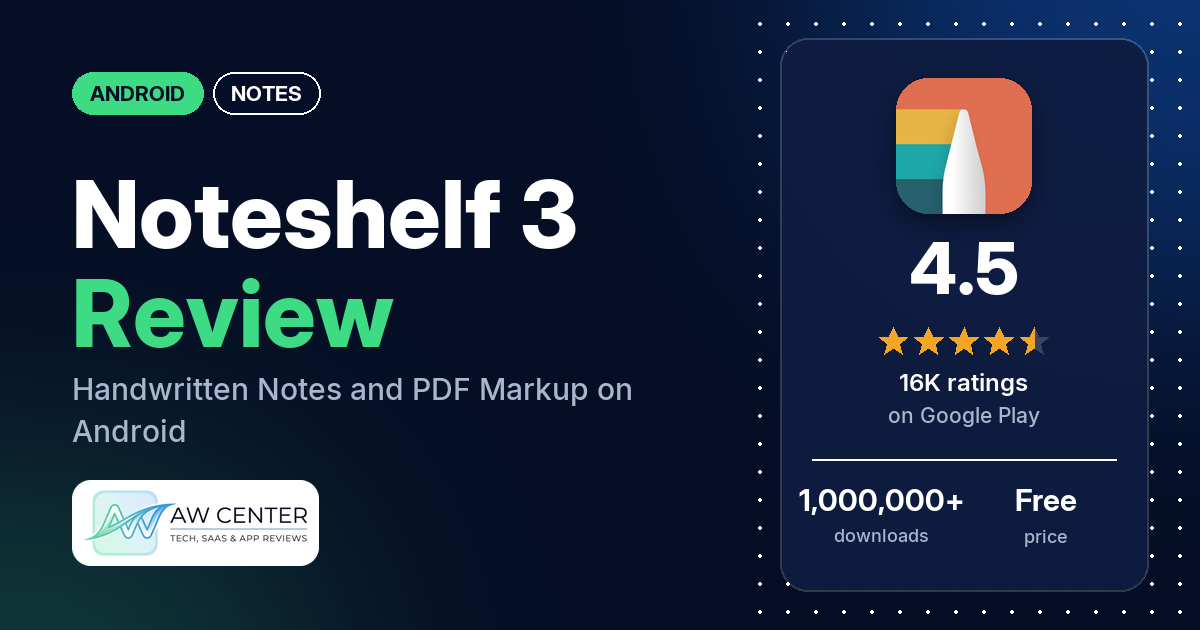
Noteshelf 3 is a notebook app for handwriting on Android tablets and phones. You write with a stylus or your finger, mark up PDFs and textbooks, and keep planners and journals in the same place. It has no ads, and the listing says Premium is a one-time purchase with no subscription.
Quick verdict
If you write by hand on an Android tablet and would rather pay once than every month, Noteshelf 3 is a strong candidate. Several reviewers praise how writing feels with a stylus. Ease of use comes up in several reviews, and the one-time price in several more. Sync is the weak spot: many reviewers say notes don’t sync, sync slowly or won’t open on the Windows app. Several also report crashes, and several say they paid for Premium and didn’t get it or were asked to pay again. Low ratings are a small share overall: 6.1% of the star breakdown is 1 or 2 stars.
Noteshelf 3 at a glance
| Developer | Fluid Touch |
|---|---|
| Store listing | Noteshelf 3 on Google Play |
| Price | Free, with in-app purchases of $9.99 to $12.99 per item |
| Ads | None |
| Play Store rating | 4.5 stars from 15,788 ratings (70% are 5-star) |
| Downloads | 1,000,000+ |
| Version / last updated | 5.3.0 / October 28, 2026 |
| Requires | Not in our data |
| First released | August 7, 2024 |
| Data checked | November 2, 2026 |
What is Noteshelf 3?
It’s a digital notebook built around handwriting, from the developer Fluid Touch. The listing describes pens, pencils and highlighters, PDF annotation, a planner with daily, weekly and monthly layouts, audio recording while you write, and AI tools that summarize, explain or translate your notes. It has been on Google Play since August 2024 and has passed 1,000,000 downloads. The listing pitches it at students, teachers, professionals and planners.
Key features
- Handwriting: pens, pencils and highlighters in any color and thickness, with handwriting, typed text, shapes, images and stickers on one page, and a lasso to move, resize or recolor.
- PDF annotation: import PDFs, lecture slides and textbooks, write on them, add blank pages between PDF pages and export the annotated PDF.
- AI notes: summarize notes and PDFs, explain a topic in simpler words, translate notes and turn rough ideas into structured notes.
- Handwriting to text and search: convert handwriting to text you can copy and share, and search across handwriting, typed text and PDFs.
- Templates and planners: the listing says “hundreds of templates”, including lined, grid, dotted, Cornell notes, planners, journals and diaries.
- Audio: record audio while you write and play it back with your notes.
- Backup and sync: the listing says you can back up your notes and keep them in sync across your devices.
Noteshelf 3 vs. what a notes app should have
“Listed” means the Google Play listing names the feature, and “Partial” means it covers part of it. “Reviews only” and “Reviews and developer replies” mean we found it there instead. “Not listed” means the listing doesn’t name it; the notes say what reviewers report.
Must have
| Feature | Status | Notes |
|---|---|---|
| Fast note creation | Not listed | |
| Organization (tags, folders or flags) | Listed | Notebooks organized into groups. Several reviewers want to sort or reorder folders themselves; a July 2026 reply says manual folder sorting is planned. |
| Search or filtering | Listed | Search across handwriting, typed text and PDFs. One reviewer says handwriting search often misses clear text, and two want to search within a page or jump to a page number. |
| Sync across devices | Listed | Many reviewers report sync problems. An October 2026 reply says sync runs through Google Drive; an August 2026 reply says Android-to-iOS sync isn’t supported. |
| Sharing or exporting | Listed | Export annotated PDFs, and copy or share text converted from handwriting. |
| Home-screen widget | Not listed | |
| Backup or recovery | Listed | A few reviewers report backup errors, and two object to the backup being in Noteshelf’s own file format. |
Should have
| Feature | Status | Notes |
|---|---|---|
| Markdown or plain-text formatting | Partial | Typed text is listed. Markdown isn’t mentioned. |
| Dictation or voice capture | Partial | Audio recording is listed; dictation isn’t. |
| Themes and dark mode | Not listed | |
| Font and layout customization | Partial | Covers, stickers and templates are listed. One reviewer says you can import your own fonts, templates and stickers. |
| Share-sheet capture | Partial | Importing PDFs, slides and textbooks is listed; the share sheet isn’t mentioned. |
| Google Assistant or app shortcuts | Not listed | |
| Smartwatch capture | Not listed | One reviewer asks for a smartwatch companion app. |
Nice to have
| Feature | Status | Notes |
|---|---|---|
| Automation or scripting | Not listed | |
| AI/LLM integration | Listed | Summarize, explain, translate and restructure notes. The listing puts AI features in Premium. |
| Images or attachments | Listed | Two reviewers want to add several images at once. A few say imported PDFs or images look blurry. |
| Collaboration on a note | Not listed | |
| Web or Windows access | Reviews and developer replies | Several reviewers bought the Windows app and say notebooks don’t sync to it or won’t open there. An October 2026 reply says Android-Windows sync goes through Google Drive. |
| Note lock or encryption | Reviews and developer replies | One reviewer likes that you can lock notes, and the June 2026 reply to that review mentions note locking. |
| Accessibility features | Not listed |
On paper, writing, PDFs and templates are well covered. The gaps reviewers run into are sync, folder management and a few pen gestures.
Common problems and fixes
Most of these come from low-star reviews. The developer’s replies are dated, and newer versions may behave differently.
| Problem | What reviewers report | What the developer’s replies say |
|---|---|---|
| Sync fails, stalls or is slow | Many reviewers, March to October 2026. Several of them bought the Windows app and say notebooks won’t sync or open there. | Sync is supported through Google Drive; contact in-app support so the team can troubleshoot (October 2026). An August 2026 reply asked one reviewer for app logs. |
| No sync between Android and iPad or iPhone | One reviewer, July 2026, with an iPad and a Samsung phone. | Sync between Android and iOS isn’t supported yet, and the team is working on it (August 2026). |
| Paid, but Premium is missing or the app asks to pay again | Several reviewers, August to October 2026, including on a second device. | Use the same Google Play account on both devices and restore your purchase, then contact in-app support with your receipt (October 2026). August 2026 replies point to the Restore Purchase troubleshooting guide. |
| Bought on the Galaxy Store, asked to pay on Google Play | One reviewer, August 2026. | The Galaxy Store and Google Play are separate, and a purchase on one can’t be used on the other (August 2026). |
| Crashes, freezes or won’t open | Several reviewers, February to September 2026. | Contact in-app support with your device details and, if possible, a screen recording (July 2026). |
| Imported PDFs or images look blurry | A few reviewers, August to September 2026. | Send the affected PDF or image through in-app support (August 2026). |
| Writing feels worse after an update | A few reviewers, August to September 2026. | Contact in-app support with details (September 2026). |
| Backup errors | A few reviewers, June to July 2026, including one whose OneDrive or Dropbox sign-in kept expiring. | Contact in-app support with screenshots or a screen recording (August 2026). |
Pros (from user reviews)
- Writing feel: several reviewers say writing is smooth with a stylus or S Pen. Several others report lag, covered under Cons.
- Easy to use: several reviewers call it easy, intuitive or user-friendly. Two say it takes some learning first.
- Paying once: several reviewers like the one-time price or call it affordable. One reviewer says the full version is “only 12.99” compared with apps that need a subscription.
- School and study: several reviewers use it for lectures, university, nursing school or exam prep, and one teacher uses it for school.
- Templates: several reviewers praise the templates, planners or stickers. A few want more templates, and one says every weekly and monthly template starts on Monday.
- Stability: several reviewers call it stable or reliable. Several others report crashes.
- PDF markup: a few reviewers use it to annotate PDFs, fill in workbooks or sign documents.
Cons (from user reviews)
- Sync: many reviewers say sync fails, stalls or is slow, including several who also bought the Windows app. A few say sync works or has improved.
- Crashes: several reviewers report crashes, freezes or the app not opening.
- Free version: several reviewers say the free version is too limited. They give limits of one, three or four notes; the developer’s replies say three free notebooks.
- Purchases: several reviewers paid and didn’t get Premium, or were asked to pay again on another device.
- Support: several reviewers say support was slow, didn’t reply or only sent a FAQ link. One says the team helps resolve issues.
- Lag: several reviewers mention lag or latency, and a few say writing got worse after an update.
- Android behind iPad: a few reviewers say the iPad version has features the Android version lacks, such as an outline or custom zoom.
- Feature requests: several want to sort or reorder folders. A few want a stylus button or gesture for the eraser, a few want to rotate a selection, a few want an outline feature, and a few want handwriting beautification. Two ask for hyperlinks; one reviewer in late September 2026 says linking has been added.
- Blurry imports: a few reviewers say imported PDFs or images lose quality.
The reviews we read include extra low-star reviews on purpose, so complaints are overrepresented here. In the star breakdown, 70.3% of ratings are 5-star and 6.1% are 1 or 2 stars.
Rating breakdown
| Stars | Ratings | Share |
|---|---|---|
| 5 | 11,071 | 70.3% |
| 4 | 2,627 | 16.7% |
| 3 | 1,088 | 6.9% |
| 2 | 318 | 2.0% |
| 1 | 648 | 4.1% |
Source: Google Play ratings histogram, checked November 2, 2026. The histogram adds up to 15,752 ratings, 36 fewer than the 15,788 total, and the shares are of the histogram total.
Pricing
Noteshelf 3 is free to download with no ads, and in-app purchases run from $9.99 to $12.99 per item. The listing says you can take handwritten notes for free with no time limit, and that Premium is a one-time purchase that unlocks unlimited notebooks, all templates and the AI features, with no subscription. The developer’s replies say the free version includes three notebooks. One August 2026 reply also mentions a 3-day free trial.
Where you buy matters. The developer’s replies say a Galaxy Store purchase can’t be used through Google Play, and two reviewers say they paid separately for the Android and Windows versions, over $20 for both. If you buy Premium, use the same Google Play account on every Android device.
Privacy and permissions
We couldn’t read the Google Play data safety section for this app, so we make no claim about what it declares there.
The Play Store’s permissions list shows: Google Play license check, approximate location (network-based), change network connectivity, close other apps, control Near Field Communication, full license to interact across users, full network access, install shortcuts, interact across users, modify or delete the contents of your USB storage, modify system settings, precise location (GPS and network-based), prevent device from sleeping, read the contents of your USB storage, receive data from Internet, record audio, run at startup, take pictures and videos, view Wi-Fi connections, and view network connections.
Who it’s for
Noteshelf 3 suits you if you take handwritten notes on an Android tablet, mark up PDFs for class or work, or want a digital planner, and you’d rather pay once. Several reviewers use it for school. Look elsewhere if you need dependable sync with a Windows PC or an iPad: several reviewers who bought the Windows app say notebooks don’t sync or open there, and the developer says Android-to-iOS sync isn’t supported yet. The free version is also small; the developer’s replies say three notebooks, plus a 3-day trial of Premium features in one August 2026 reply. If you buy Premium, keep your receipt.
FAQ
Is Noteshelf 3 free?
It’s free to download and has no ads. The developer’s replies say the free version includes three notebooks. More notebooks, all templates and the AI features need Premium, a one-time purchase; in-app purchases range from $9.99 to $12.99.
Does Noteshelf 3 have a subscription?
No. The listing says Premium is a one-time purchase with no subscription, and the developer’s replies say the same for Android.
Does Noteshelf 3 sync with Windows or an iPad?
The developer says Android-Windows sync runs through Google Drive (October 2026) and that Android-to-iOS sync isn’t supported yet (August 2026). Several reviewers who bought the Windows app say their notebooks don’t sync or won’t open there.
What should I do if Premium doesn’t show after I pay?
The developer says to use the same Google Play account on every device and restore your purchase. If that doesn’t work, contact in-app support with your purchase receipt. The developer also says a Galaxy Store purchase can’t be used through Google Play.
How this review was put together
We haven’t tested Noteshelf 3. This review is based on public information from official sources: the app’s Google Play or App Store listing and rating breakdown, the developer’s website when there is one, and recent user reviews on the store with the developer’s replies. Features and claims are the developer’s own descriptions; what users like and dislike comes from the store reviews. Everything was checked on November 2, 2026. Apps change with every update, so check the store listing before you install.