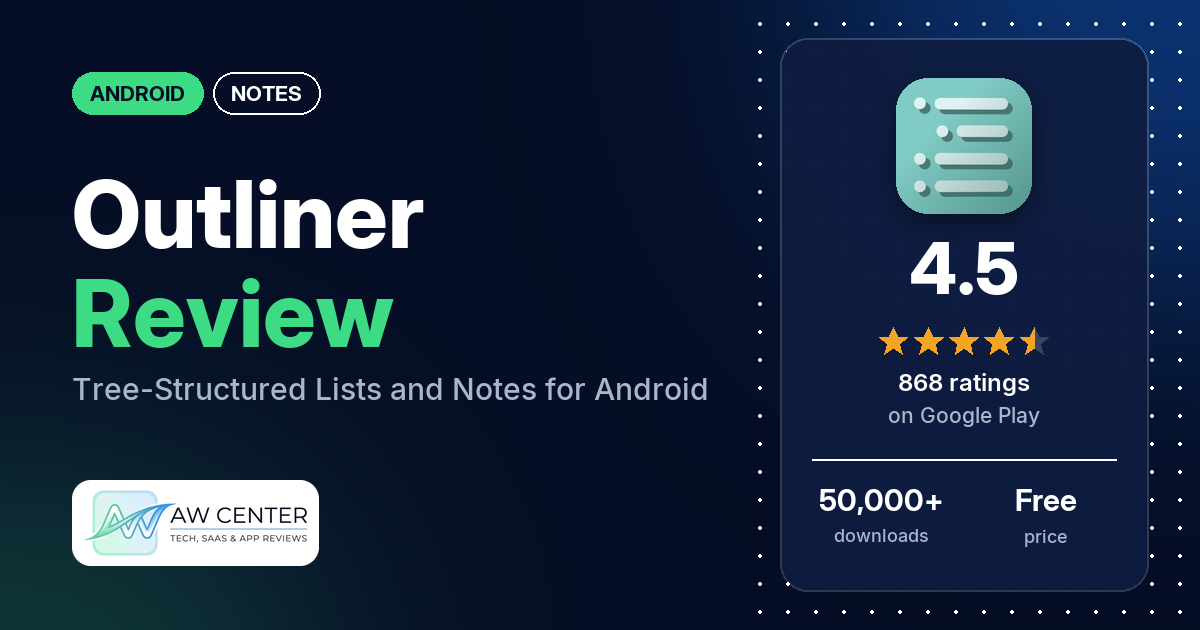
Outliner is a free Android app that keeps shopping lists, tasks, ideas and notes in a tree of collapsible nodes. It has no ads and no in-app purchases; sync, search, themes and backups come with a separate “Outliner Pro Key” app.
Quick verdict
If you think in nested lists and want to fold branches away until you need them, Outliner does that, and it has been on Google Play since 2010. Many reviewers call it easy to use. Many also praise the developer for answering their questions or helping with problems, and several use it with files from desktop outliners such as Treepad and Natara Bonsai. The complaints are spread out. Several reviewers find the interface clunky or hard to learn, several ask for a dark mode (the developer’s replies say it is part of PRO), and a few report sync problems, or say their outlines were wiped or no longer recognized by the app. In the store’s rating breakdown, 6.9% of ratings are 1 or 2 stars. Keep in mind that more than half of the reviews in our sample were written in 2019 or earlier.
Outliner at a glance
| Developer | Alfred Fritz |
|---|---|
| Store listing | Outliner on Google Play |
| Price | Free, no in-app purchases; PRO features need the separate “Outliner Pro Key” app |
| Ads | None |
| Play Store rating | 4.5 stars from 868 ratings (72% of the ratings in the store’s rating breakdown are 5-star) |
| Downloads | 50,000+ |
| Version / last updated | 4.1.2 / August 22, 2026 |
| Requires | Not in our data |
| First released | November 30, 2010 |
| Data checked | November 3, 2026 |
What is Outliner?
Outliner is a list and notes app built on a tree. The listing says you can “organize shopping lists, tasks, todo-lists, ideas and all kinds of memos” or use it “as a project management tool,” with everything in “a tree-structure with collapsable nodes.” Each item (the app calls them activities) can have a status, a due date and a note. The free app covers the outlines themselves; the listing puts sync, search, backups and themes in the PRO version.
Key features
- Outlines: unlimited outlines in a collapsible tree, with drag and drop, a move mode, swiping to move activities left or right, quick edit and colors.
- Tasks: status, due dates and a todo view. PRO adds notifications for due activities, a “Show Due” view and options to uncheck or delete finished activities.
- Import and export: import from CSV, Natara Bonsai, Treepad HJT, Treeline TRLN, OPML and plain text, and export to CSV and Natara Bonsai. PRO adds HTML export and export to the other formats.
- Sync (PRO): Google Tasks (2 levels), and Natara Bonsai, Treepad, Treeline and OPML files over USB or Dropbox. The listing names OmniOutliner as an OPML example.
- Backup (PRO): back up and restore all outlines to and from the SD card, with optional backup to Dropbox.
- Subtrees (PRO): cut, copy and paste subtrees (also between outlines), expand, collapse, sort, share and zoom into a subtree.
- Search and views (PRO): search, a #Hashtag view, and sorting and filtering for the outline list.
- Look (PRO): themes and rich text for activity notes. The free app has a “configurable outfit” and a tablet mode.
- Quick access: a home-screen widget; PRO adds launcher shortcuts for outlines and a sharing target for text.
- Languages: English, German, French, Italian, Japanese, Spanish, Russian and Korean.
Outliner vs. what a notes app should have
“Listed” means the Google Play listing names the feature. “Partial” means the listing covers part of it. “Not listed” means neither the listing nor the reviews in our sample show it. Many listed features need the PRO key, and the notes say which. The checklist records whether a feature exists, not how well it works.
Must have
| Feature | Status | Notes |
|---|---|---|
| Fast note creation | Listed | Quick edit; a developer reply (December 2017) says it adds items inline |
| Organization (tags, folders or flags) | Listed | Collapsible tree, colors and status; PRO adds a #Hashtag view. A few reviewers want to group or nest whole outlines |
| Search or filtering | Listed | PRO only, per the listing |
| Sync across devices | Listed | PRO only, through Google Tasks, Dropbox or USB file sync; a few reviewers report sync problems |
| Send or export text to other apps | Listed | CSV and Natara Bonsai export free; HTML export and sharing outlines in PRO |
| Home-screen widget | Listed | |
| Backup or recovery | Listed | PRO: SD card backup and restore, optional Dropbox backup. One reviewer (June 2016) found no way to restore from Dropbox after a clean install |
Should have
| Feature | Status | Notes |
|---|---|---|
| Markdown or plain-text formatting | Partial | Rich text for activity notes in PRO; Markdown isn’t named |
| Dictation or voice capture | Not listed | |
| Themes and dark mode | Partial | The listing names themes (PRO); the developer’s replies say they include a dark theme |
| Font and layout customization | Partial | The listing names a “configurable outfit”; one reviewer says you can adjust font size, background, button border and indent distance |
| Share-sheet capture | Listed | “Sharing target for texts” (PRO) |
| Google Assistant or app shortcuts | Listed | Launcher shortcuts for outlines (PRO); no Google Assistant support named |
| Smartwatch capture | Not listed |
Nice to have
| Feature | Status | Notes |
|---|---|---|
| Automation or scripting | Not listed | One reviewer asks for a Tasker plugin |
| AI/LLM integration | Not listed | |
| Images or attachments | Not listed | A few reviewers ask for images; a developer reply (June 2021) says “No photos, unfortunately. Not yet.” |
| Collaboration on a note | Reviews only | One reviewer shared a grocery list with their wife through Dropbox sync; the listing names no collaboration feature |
| Web or Windows access | Partial | No web or Windows app is listed; PRO syncs with desktop outliner files (Treepad, Natara Bonsai, Treeline, OPML) |
| Note lock or encryption | Not listed | |
| Accessibility | Not listed | One reviewer asks for a dark mode for accessibility reasons |
The listing goes into detail on structure and file formats and names nothing for voice capture or images.
Common problems reviewers report
The developer has replied to many of the reviews in our sample, so some rows include what a reply says. Replies and reports are dated; newer versions may behave differently.
| Problem | What reviewers report | When |
|---|---|---|
| Sync fails or acts up | A few reviewers report sync problems. One says Chromebook sync started working again after checking and unchecking “Sync with Google Tasks.” One says syncing to a NAS with FolderSync broke on newer Android versions; a developer reply (December 2023) says FolderSync supports the folder Android/data/at.ff.outliner. One says the app insists on syncing before it shows a list, so with no signal it just spins; that reviewer’s workaround is to turn off Wi-Fi and mobile data on the phone | August 2015 to April 2025 |
| Can’t choose where files are saved | A few reviewers say they can’t pick the folder for saving, syncing or exporting. Developer replies point to a PRO setting, “Settings, Synchronization, Use External SD Card” (August 2013), and to the “Treepad USB” sync method (August 2017) | August 2013 to December 2023 |
| Outlines wiped or not recognized | A few reviewers say their outlines were wiped or that the app stopped recognizing them, one after version 3.3.2. The developer’s reply to that one (October 2020) says the version “did not do anything like that” | March 2016 to October 2020 |
| Can’t create activities | Two reviewers couldn’t create activities; one says the app crashed each time on a tablet | September 2012 to February 2013 |
| Treepad import errors | Two reviewers got errors or unreadable text when importing Treepad files. A developer reply (September 2014) says the cause may be an RTF-based Treepad file, which Outliner, being text based, can’t display properly | July 2014 to September 2014 |
Pros (from user reviews)
- Easy to use: many reviewers call it easy to use, simple or intuitive. Several others find the interface clunky, cluttered or hard to learn (see Cons).
- Help from the developer: many reviewers praise the developer for answering their questions or helping with problems, and a few call him Freddy. No review in our sample complains about support.
- The tree: several reviewers praise the nested, collapsible structure, and two say it’s the only app they found that does this. Two older reviews disagree: one from April 2012 says it has “only 2 layers depth,” and one from December 2011 says a tree is more work to keep up than tags.
- Desktop outliner files: several reviewers use Outliner with files from desktop programs, naming Treepad, Natara Bonsai, Treeline and OmniOutliner. Two others had trouble importing Treepad files.
- Import and export: several reviewers praise the import or export options. One says a plain text import splits every line into its own item.
- Sync: several reviewers say sync works for them, through Dropbox, Google Tasks or other setups. A few report sync problems (see the table above).
- PRO is worth it: a few reviewers recommend buying PRO or call it worth the price. Two think it costs too much, and a few object that features such as search, sync or expanding subtrees need PRO.
- Reliable: a few reviewers call it reliable or stable, and one says it has never crashed or lost data in more than 10 years. A few others say their outlines were wiped or that the app stopped recognizing them.
- Long-term use: several reviewers say they have used it for years.
Cons (from user reviews)
- Interface: several reviewers call the interface clunky, cluttered, outdated or hard to work out, and two couldn’t figure out how to make a simple list or a child item. The newest of these reviews is from April 2022.
- Dark mode: several reviewers ask for a dark mode. The developer’s replies say themes, including a dark one, are part of PRO, and one reviewer says PRO “even has 2 dark modes.”
- Cloud storage and save location: several reviewers want Google Drive or other cloud storage for saving, exporting, importing, backup or sync; the newest of these reviews is from January 2026. A few say they can’t choose the folder where files are saved.
- Sync and missing outlines: a few reviewers report sync problems, and a few say their outlines were wiped or that the app stopped recognizing them. One says the app doesn’t sync between two devices without third-party services; the developer’s reply (August 2019) says it has several sync methods and needs no third-party software.
- Missing features: a few reviewers want to add images, a few want a time on due dates, and a few want to group or nest whole outlines. A developer reply (July 2021) says due time is on the issues list. Two want an easier way to expand or collapse everything; a developer reply (March 2020) points to “Action, Expand/Collapse Levels” in the three-dot menu.
- Finding PRO: two reviewers couldn’t work out how to upgrade. The PRO features come from a separate app, “Outliner Pro Key.”
Low ratings are a small share of the total: 6.9% of Outliner’s ratings are 1 or 2 stars, and 72.3% are 5-star.
Rating breakdown
| Stars | Ratings | Share |
|---|---|---|
| 5 | 622 | 72.3% |
| 4 | 128 | 14.9% |
| 3 | 51 | 5.9% |
| 2 | 8 | 0.9% |
| 1 | 51 | 5.9% |
Source: Google Play ratings histogram, checked November 3, 2026. The histogram adds up to 860 ratings, slightly fewer than the 868 total, and the shares are of the histogram total.
Pricing
Outliner is free, with no ads and no in-app purchases. To get the PRO features, the listing says to install “Outliner Pro Key” from Google Play. Its price isn’t in our data. Two reviewers put PRO at $5: one calls that “a bit high compared to similar apps,” the other says “only $5.” The free app keeps unlimited outlines, the tree, due dates, the todo view, imports, CSV and Bonsai export and the widget.
Privacy and permissions
We couldn’t read the Google Play data safety section for Outliner, so we make no claim about what data it collects. The listing explains why it needs its permissions. It says the Contacts permission only lets the app list the Google accounts on your device for Google Tasks sync, that Outliner “does not and is not even able to read your contacts,” and that the app works normally without it, minus Google Tasks sync. The permissions list includes add or remove accounts, find accounts on the device, full network access, view network connections, install shortcuts, read and modify USB storage, prevent device from sleeping, and run at startup. The listing says network access is for Dropbox and Google Tasks sync and run at startup renews the backup schedule after a reboot.
Who it’s for
Outliner fits you if you organize lists, tasks or writing plans as nested trees, want a free app with no ads, or already keep outlines in Treepad, Natara Bonsai, Treeline or an OPML app and want them on your phone. Plan on buying the PRO key if you need sync, search, backups or a dark theme. PRO syncs through Dropbox, Google Tasks or USB, and the listing says it can open outlines with file managers or cloud apps such as ownCloud. It’s a weaker fit if you want images in notes, built-in collaboration or a web app. If you want Google Drive, the listing doesn’t name it, and several reviewers ask for it.
FAQ
Is Outliner free?
Yes. The app is free, with no ads and no in-app purchases. The PRO features, including sync, search, backups and themes, come from a separate app called “Outliner Pro Key,” whose price isn’t in our data.
Does Outliner have a dark mode?
The listing names themes as a PRO feature. Developer replies say the themes include a dark one, and a December 2023 reply mentions dark and black variants and automatic switching with your device setting. Several reviewers ask for a dark mode.
Can Outliner open Treepad or OPML files?
The listing says the free app imports Treepad HJT, Natara Bonsai, Treeline TRLN, OPML, CSV and plain text, and PRO syncs Natara Bonsai, Treepad, Treeline and OPML files over USB or Dropbox. Several reviewers use it with desktop outliner files. A developer reply (September 2014) says RTF-based Treepad files can’t be displayed properly, because Outliner is text based.
Does Outliner sync with Google Drive?
The listing names Google Tasks (2 levels) and Dropbox for sync, not Google Drive. Several reviewers ask for Google Drive or other cloud storage. One reviewer says Google Tasks allows only one indent level.
How this review was put together
We haven’t tested Outliner. This review is based on public information from official sources: the app’s Google Play or App Store listing and rating breakdown, the developer’s website when there is one, and recent user reviews on the store with the developer’s replies. Features and claims are the developer’s own descriptions; what users like and dislike comes from the store reviews. Everything was checked on November 3, 2026. Apps change with every update, so check the store listing before you install.