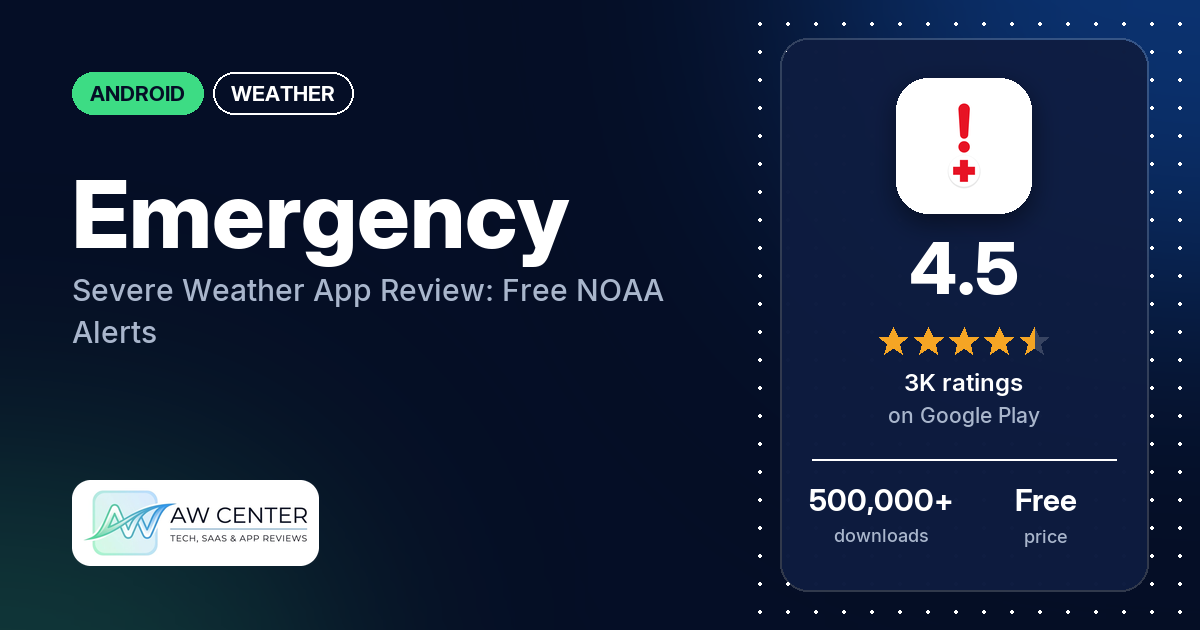
Emergency: Severe Weather App is a free Android app from the American Red Cross that sends official NOAA weather alerts and adds radar maps, hurricane tracking and a map of open Red Cross shelters. It has no ads and no in-app purchases. Many reviewers praise the alerts. The most common complaint in our review sample is alerts that never arrived.
Quick verdict
You get free severe weather alerts for the places you choose, which can include where your family lives, and many reviewers praise the warnings. A few say it warned them about a tornado in time. The weak spot is reliability: many reviewers say alerts never reached them for weather in their area, several say alerts came late, and several get the same alert over and over or alerts for places they aren’t in. Several also say you can no longer set an alert radius. Don’t rely on a single app, this one included, for severe weather warnings; keep a second source of official alerts.
Emergency: Severe Weather App at a glance
| Developer | American Red Cross |
|---|---|
| Store listing | Emergency: Severe Weather App on Google Play |
| Price | Free, no in-app purchases |
| Ads | None |
| Play Store rating | 4.5 stars from about 2,969 ratings (76% are 5-star) |
| Downloads | 500,000+ |
| Version / last updated | 5.4.2 / October 29, 2026 |
| Requires | Not in our data |
| First released | April 14, 2015 |
| Data checked | November 3, 2026 |
What is Emergency: Severe Weather App?
It’s the American Red Cross Emergency app, which the listing presents as more than a weather app. The listing says it helps you “stay safe before, during and after a disaster”: it sends official National Weather Service (NOAA) alerts, shows live weather maps with Doppler radar and hurricane tracking, and points you to open Red Cross shelters and disaster services sites after a disaster. It also has short guides, interactive games and personalized checklists for getting prepared. The listing says it’s free, available in English and Spanish, and works with your phone’s built-in accessibility features.
Key features
- Severe weather alerts: official NOAA alerts for tornadoes, hurricanes, floods, severe thunderstorms “and more,” which you can customize by location and hazard type.
- Hazard monitoring: tracking of major weather events in your area, including hurricanes, floods and tornadoes, with real-time updates.
- Maps and storm tracking: live weather maps with Doppler radar, storm paths as the weather changes, and hurricane tracking.
- Shelters and services: an interactive map of open Red Cross shelters and disaster services sites.
- Preparedness: step-by-step guides, interactive games and personalized checklists.
- Languages and accessibility: English and Spanish; the listing says it works with your phone’s built-in assistive technologies.
Emergency: Severe Weather App vs. what a weather app should have
“Listed” means the Google Play listing names the feature, “Partial” means it covers part of it, and “Not listed” means it doesn’t mention it. “Reviews only” and “Permissions and reviews” mean we found it outside the listing. The app is built around alerts, maps and preparedness, so most forecast rows don’t apply to it.
Must have
| Feature | Status | Notes |
|---|---|---|
| Current conditions and feels-like | Not listed | |
| Hourly forecast | Not listed | |
| Daily forecast of 7+ days | Not listed | |
| Chance of precipitation | Not listed | |
| Wind, humidity, UV index | Not listed | |
| Severe weather alerts | Listed | Official NOAA alerts, customizable by location and hazard type |
| Radar map | Listed | Live weather maps, including Doppler radar |
| Home-screen widgets | Not listed | Two reviewers say there is no home-screen widget |
| Current location and search | Permissions and reviews | Precise and approximate location permissions; reviewers describe adding places by zip code and monitoring their live location |
| Unit options (°F/°C) | Not listed |
Should have
| Feature | Status | Notes |
|---|---|---|
| Notification or lock-screen weather | Not listed | Alert notifications are listed; an ongoing weather display isn’t |
| Air quality | Reviews only | One reviewer says the air quality indicator gives wrong readings |
| Multiple saved locations | Reviews only | A few reviewers watch several places, such as where family members live |
| Choice of data source | Not listed | The listing names NOAA as the alert source |
| Layout customization | Not listed | |
| Light and dark themes | Not listed | One reviewer says there is no dark theme |
| Sunrise, sunset, moon phase | Not listed | |
| Multiple languages | Listed | English and Spanish |
Nice to have
| Feature | Status | Notes |
|---|---|---|
| Animated wind or global map | Not listed | |
| Side-by-side provider comparison | Not listed | |
| Photography times (golden/blue hour) | Not listed | |
| Weather photos | Not listed | |
| Pollen | Not listed | |
| Lightning strike information | Not listed | |
| Custom temperature alerts | Not listed | One reviewer says there are no temperature alerts |
| Rain-incoming notifications | Not listed | |
| Written forecast summary | Not listed |
The listing covers alerts, storm maps and preparedness, and it doesn’t mention forecasts.
Common problems and fixes
Our data has one developer reply, dated April 2023, and it lists alert settings to check. The other rows have no developer reply. Menu names may have changed since that reply.
| Problem | What reviewers report | Developer reply |
|---|---|---|
| No alert notifications | Many reviewers from 2023 to 2026 say no alert reached them for weather in their area. Their examples include tornado warnings, flash flood warnings, a wildfire and a heat advisory. A few say the alert showed inside the app but no notification came, and two had turned battery optimization off. | April 2023: on the Locations tab, tap View Location, then the Bell icon; under Tornado / Tstorm, tap Advanced Options and switch on Show Alerts, Notify w/Sound and Send Notifications. Check that notifications are enabled for Emergency in your device settings, and use Info, then Report an Issue, to contact the team. |
| Late alerts | Several reviewers from 2024 to 2026. One says a storm notification came about an hour late, and another says the app alerted after the tornado warning had already ended. | None in our data |
| The same alert over and over | Several reviewers from 2024 to 2026 get repeat notifications for one event. One got a notification every 3 minutes for a watch that had expired an hour earlier. | None in our data |
| Alerts for places you’re not in | Several reviewers from 2024 to 2026, including two who got alerts for places 100 miles or more away | None in our data |
| Can’t add a location | Several reviewers in 2025 and 2026 say adding a location fails or makes the app close | None in our data |
| App crashes or won’t open | Several reviewers from 2024 to 2026 | None in our data |
Whatever app you use, don’t rely on one app alone for severe weather warnings. Check official alerts too.
Pros (from user reviews)
- Alerts: many reviewers praise the alerts, and several say they came on time or fast. A few say it warned them about a tornado in time. One reviewer staying at an RV park in September 2026 says the app warned of a tornado before the campground did. Many others say alerts never came (see Cons).
- Several locations: a few reviewers like checking alerts for several places, such as where friends and family live. A few others had trouble: one couldn’t add more locations, one says that after adding a second location, their home location always shows 0 alerts, and one wants more than one warning location.
- Preparedness information: a few reviewers value the information in the app, including lessons on what to do in different severe weather situations and tutorials for disaster preparedness.
- Easy to use: a few call it easy to use, simple or straight to the point. Several others find it hard to use (see Cons).
- Free: two reviewers mention that it’s free. One says they dropped a “storm guard” subscription because this app does everything it did.
Cons (from user reviews)
- Missed alerts: the most common complaint in our sample. Many reviewers say they got no alert for weather in their area, and several of them say another source did warn them: sirens, a weather radio, TV or another app.
- Late alerts: several reviewers say alerts arrived late, in some cases after the warning or the storm had passed.
- Too many repeats: several reviewers get the same alert many times for one event, including through the night.
- Alerts for other places, and no radius: several reviewers get alerts for places they aren’t in. Several, writing in 2025 and 2026, say you can no longer set an alert radius around a location.
- Older apps were better: several reviewers prefer an older version or an older Red Cross app, and a few name the old Tornado app.
- Alert sound: several reviewers in 2024 and 2025 complain about the sound. A few say the tornado siren is gone, two say alerts sound like a text message, and a few say alerts came with no sound or only sometimes. One reviewer in April 2026 says the app used the tornado siren sound. Two want alerts to override Do Not Disturb, while one says that with the override turned on, notifications still come through when the phone is muted.
- Hard to use: several reviewers call it hard to set up, cluttered or confusing. One says it’s too complicated for seniors.
- Crashes and locations: several say the app crashes or won’t open, and several say adding a location fails. A few say live location doesn’t work or ask for a follow-my-location option, while two others say they use their current or live location while traveling or driving.
- Maps: a few reviewers say the app no longer shows where a tornado is, and one says radar clouds disappear or freeze.
- Settings that don’t stick: a few reviewers say changed settings reset or are ignored, such as turning off sound for some alerts.
- Smaller gaps: two reviewers say there’s no home-screen widget, two can’t delete past alerts, one says there’s no dark theme, and one says you can no longer add locations outside the US.
Rating breakdown
| Stars | Ratings | Share |
|---|---|---|
| 5 | 2,268 | 76.5% |
| 4 | 383 | 12.9% |
| 3 | 66 | 2.2% |
| 2 | 78 | 2.6% |
| 1 | 169 | 5.7% |
Source: Google Play ratings histogram, checked November 3, 2026. Shares are of the 2,964 ratings in the breakdown; the listing shows 2,969 ratings in total.
Low ratings are a small share: 1- and 2-star ratings are 8.3% of the breakdown. Our review sample includes more low-star reviews than that, so complaints show up there more often than in the ratings.
Pricing
Free. The listing says “The Emergency app is free,” and our data shows no ads and no in-app purchases. One reviewer in May 2025 says the app asked them to pay to see if a tornado was in their area.
Privacy and permissions
We couldn’t read the Google Play data safety section, so we make no claim about it. The permissions list includes precise location (GPS and network-based) and approximate location, take pictures and videos, control flashlight, prevent device from sleeping, full network access, receive data from Internet, view Wi-Fi connections and view network connections. One reviewer asks why the app collects contacts; contacts access isn’t in the permissions list in our data.
Who it’s for
It suits you if you want free alerts for tornadoes, hurricanes, floods and storms, a map of Red Cross shelters, and preparedness guides in one app, and you want to watch alerts for family in other places. It’s a weaker fit if you need precise control over alert areas, since several reviewers say the radius setting is gone, or if you need a loud alarm that wakes you. Treat it as one source among several, not your only warning.
FAQ
Is Emergency: Severe Weather App free?
Yes. The listing says the app is free, and our data shows no ads and no in-app purchases. It’s made by the American Red Cross.
Where do the alerts come from?
The listing says the app sends official National Weather Service (NOAA) alerts. You can customize them by location and hazard type, including tornadoes, hurricanes, floods and severe thunderstorms.
Why am I not getting alerts from the app?
Many reviewers report the same problem. A developer reply (April 2023) suggests checking the alert settings: on the Locations tab, tap View Location, then the Bell icon, and under Tornado / Tstorm open Advanced Options and switch on Show Alerts, Notify w/Sound and Send Notifications. It also says to check that notifications are on for Emergency in your device settings. Menu names may have changed since then.
Can I set an alert radius?
The listing doesn’t mention a radius setting. Several reviewers, writing in 2025 and 2026, say you can no longer set an alert radius around a location, and several get alerts for places they aren’t in.
How this review was put together
We haven’t tested Emergency: Severe Weather App. This review is based on public information from official sources: the app’s Google Play or App Store listing and rating breakdown, the developer’s website when there is one, and recent user reviews on the store with the developer’s replies. Features and claims are the developer’s own descriptions; what users like and dislike comes from the store reviews. Everything was checked on November 3, 2026. Apps change with every update, so check the store listing before you install.