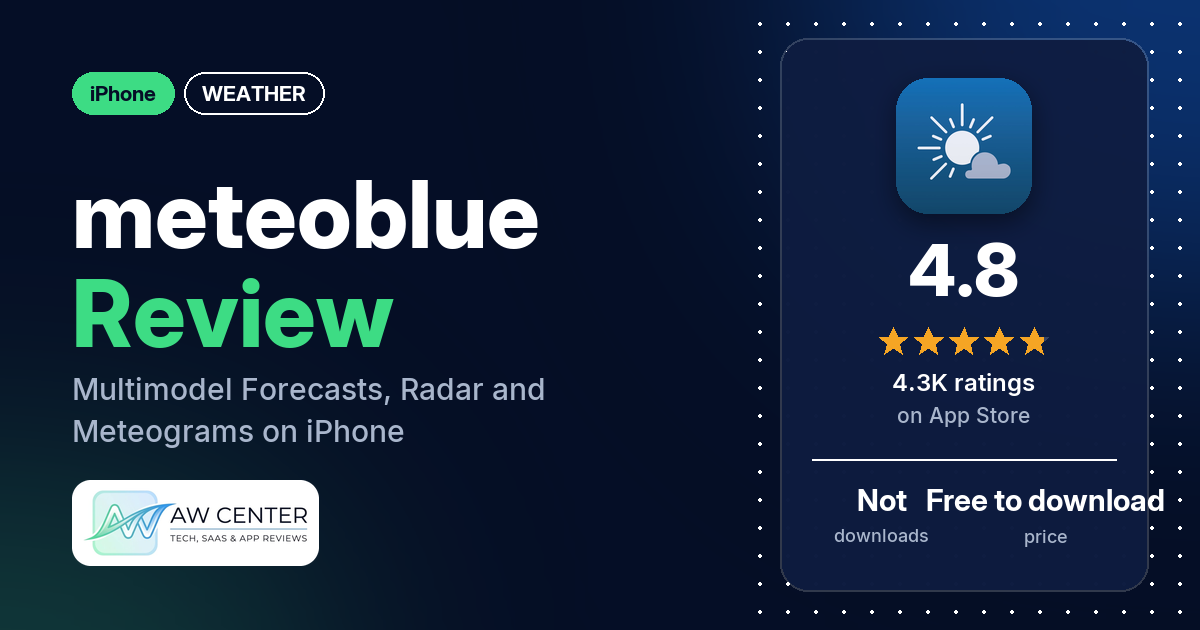
meteoblue weather & radar maps is the iPhone weather app from meteoblue AG. It shows rain radar, satellite maps and meteograms that put several weather models side by side, and it has 4.8 stars from 4,278 App Store ratings.
Quick verdict
meteoblue suits you if you want more than a temperature and an icon: hourly values, cloud layers, wind and a scale that tells you how reliable the forecast is. Several reviewers call it accurate, and a few say it holds up in the mountains or in out-of-the-way places, and two say other apps have little to offer there. The amount of detail, and how clearly it is laid out, gets praise from several reviewers too. The main complaint is units: several reviewers had trouble with unit settings. Keep in mind that the newest review in our data is from May 2019, and the app is now at version 2.6.0.
meteoblue at a glance
| Developer | meteoblue AG |
|---|---|
| Store listing | meteoblue weather & radar maps on the App Store |
| Price | Free to download; the listing mentions an annual in-app subscription (prices not in our data) |
| Ads | Not in our data; the listing offers an ad-free option by subscription |
| App Store rating | 4.8 stars from 4,278 ratings |
| Downloads | Not in our data |
| Version / last updated | 2.6.0 / November 11, 2026 |
| Requires | iOS 16.0 or later |
| First released | December 21, 2015 |
| Data checked | November 12, 2026 |
What is meteoblue?
meteoblue is a forecast app built on data from several physical weather models. The listing says the company’s “Learning MultiModel” technique blends and refines their output “down to a 10-metre resolution,” and it claims “the world’s highest publicly documented forecast accuracy.” You can look up any of more than 6 million locations by place name, postcode or GPS coordinates. The listing says it is aimed at everyday use as well as sports, farming and aviation.
Key features
- Rain radar and satellite: the radar map shows rain, snow, hail and thunderstorm lightning activity, and global satellite maps show cloud cover.
- 7-day and 14-day forecasts: hourly values for temperature, precipitation, wind and UV index over 7 days, plus a 14-day trend.
- Predictability scale: a scale shows how reliable the current forecast is.
- Meteograms: a multimodel meteogram compares the NEMS, ECMWF and GFS models, a 5-day meteogram shows vertical cloud layers, wind speed and temperature curves, and an all-in-one meteogram puts the main values together.
- where2go: an interactive map that finds the sunniest spots in your area.
- Activity data: wind gusts, frost limits and rain probability for hiking; snowfall limits and mountain forecasts for skiing; thermal forecasts, trajectories and air stability maps for flying; soil moisture and spray windows for farming.
- Widgets and Apple Watch: several home screen widgets, from a compact icon to a 5-day outlook, including a resizable one. The Apple Watch app shows the forecast, current weather, warnings and rainSPOT.
- Offline mode: the app stores your most recent queries so you can read them without reception.
- Units: °C or °F, km/h, mph or knots, and mm or inches.
meteoblue vs. what a weather app should have
“Listed” means the App Store listing names the feature, “Partial” means it covers part of it, and “Reviews only” means reviewers describe it but the listing doesn’t. “Not listed” means we found it in neither.
Must have
| Feature | Status | Notes |
|---|---|---|
| Current conditions and feels-like | Partial | Current weather on the Apple Watch app; feels-like isn’t named |
| Hourly forecast | Listed | Hourly values in the 7-day overview; one reviewer in February 2019 couldn’t switch from 3-hour steps to hourly |
| Daily forecast of 7+ days | Listed | 7-day overview and 14-day trend |
| Chance of precipitation | Listed | “Probability of rain” for outdoor use |
| Wind, humidity, UV | Partial | Wind, wind gusts and UV index are listed; humidity isn’t |
| Severe weather alerts | Partial | The Apple Watch app shows warnings; alerts on the phone aren’t described |
| Radar map | Listed | Rain, snow, hail and lightning |
| Home-screen widgets | Listed | The listing describes multiple widgets, from a compact icon to a detailed 5-day outlook, including a resizable one |
| Current location and search | Partial | Search by place name, postcode or GPS coordinates; using your current location isn’t described |
| Unit options (°F/°C) | Listed | A few older reviews say units didn’t apply everywhere |
Should have
| Feature | Status | Notes |
|---|---|---|
| Notification or lock-screen weather | Not listed | |
| Air quality | Not listed | |
| Multiple saved locations | Not listed | |
| Choice of data source | Partial | The multimodel meteogram shows NEMS, ECMWF and GFS side by side |
| Layout customization | Partial | A resizable widget for your home screen layout |
| Light and dark themes | Not listed | |
| Sunrise, sunset, moon phase | Not listed | One reviewer asked for astronomy data in June 2017 |
| Multiple languages | Not listed |
Nice to have
| Feature | Status | Notes |
|---|---|---|
| Animated wind or global map | Partial | Global satellite maps; one reviewer in July 2017 praises animated cloud, radar and wind maps |
| Side-by-side provider comparison | Listed | Multimodel meteogram |
| Photography times (golden/blue hour) | Not listed | |
| Weather photos | Not listed | |
| Pollen | Not listed | |
| Lightning strike information | Listed | Thunderstorm lightning activity on the radar map |
| Custom temperature alerts | Not listed | |
| Rain-incoming notifications | Not listed | |
| Written forecast summary | Not listed |
Forecast detail and model comparison are well covered. Air quality, pollen and phone notifications don’t appear in the listing.
Which weather models does meteoblue use?
The listing names three models in the multimodel meteogram: NEMS, ECMWF and GFS. It says that when the models agree, the forecast is reliable. The predictability scale shows how reliable the current forecast is. The main forecast blends several physical models with meteoblue’s own post-processing. Each of those physical models, the listing says, excels at forecasting for specific variables and areas. Don’t rely on a single app for severe weather warnings; check official alerts too.
Common problems reviewers report
The data we collected doesn’t include developer replies, so this table shows each problem and when it was reported, not an official fix. All of these reports are from 2019 or earlier, and version 2.6.0 may behave differently.
| Problem | What reviewers report | When |
|---|---|---|
| Units on maps and meteograms | A few reviewers say the maps didn’t follow their unit setting or had no imperial units, and one says the meteograms stayed in Celsius with Fahrenheit selected | February 2016 to November 2018 |
| No imperial units | Two reviewers couldn’t get the app to show imperial units at all | February 2016 to February 2018 |
| App not working | One reviewer says the app doesn’t open, and one gets a date error every time | March 2016 to August 2017 |
| Hourly forecast | One reviewer couldn’t switch from the 3-hour forecast to hourly, on iPhone or iPad | February 2019 |
The listing now says you can pick units for temperature, wind speed and precipitation.
Pros (from user reviews)
- Accuracy: several reviewers call meteoblue accurate or reliable. One reviewer from a ski racing circle finds it more accurate than two other apps for the Swiss Alps, and one paraglider says the wind forecasts have been “very accurate.”
- Remote places: a few reviewers say it works well for mountains or out-of-the-way spots. One names the Alps and the Carpathians, and says most weather apps “don’t have parks, mountains and small villages.”
- Depth of data: the amount of information wins praise from several reviewers, and one says it replaces “2-3 different apps.”
- Clear layout: several reviewers say the data is easy to read or the app is easy to use. One calls it “easy to read but not dumbed down.”
- Graphs and meteograms: a few reviewers like the graphs, and one notes that most weather apps don’t have a meteogram.
- Planning activities: a few reviewers say they use it for their own activities, including ski racing, paragliding, photo trips and growing table grapes in Bolivia.
- Maps: two reviewers praise the maps, and one finds the wind map “especially beautiful while useful.”
- Forecast confidence: one reviewer likes that it gives “a measure of the confidence of the forecast.”
Cons (from user reviews)
- Units: several reviewers had unit problems. A few say their unit setting didn’t reach the maps or meteograms, and two couldn’t switch to imperial at all.
- App vs. website: two reviewers, both writing in February 2016, prefer meteoblue’s website to the app.
- Accuracy disputes: two reviewers found it wrong. One in Tbilisi says it predicted no rain before a downpour, and one says current conditions are “always off” even when the forecasts are “accurate enough.”
- Launch errors: two reviewers say the app wouldn’t open or showed an error every time.
- Paid version change: one reviewer in January 2017 says they had paid for the app and it then showed ads and asked for an annual subscription.
- Requests: two reviewers asked for Apple Watch support, one for a watch app with an hourly forecast and one for a complication; the listing now describes an Apple Watch app. One asked for astronomy data and one for a “wind finder near me” feature.
Most reviews in our sample are 5 stars. The data we collected doesn’t include a star breakdown of all 4,278 ratings, so we can’t say how common these complaints are across all of them.
Pricing
meteoblue is free to download. The listing says an annual in-app subscription removes ads and adds extended features, but it doesn’t say which features, and our data has no prices.
Privacy and permissions
We couldn’t read the App Store privacy label or a permissions list, so we make no claim about what data meteoblue collects. The listing says the app stores data from your most recent queries for offline use.
Who it’s for
meteoblue fits you if you plan around the weather: hiking, skiing, flying, farming or any trip where wind, cloud layers and rain matter. The model comparison and predictability scale help if you want to judge a forecast yourself. If you use imperial units, note that a few reviewers, writing between February 2016 and November 2018, said their unit setting didn’t apply to the maps or meteograms; the listing now lists unit choices, but no review in our data is newer than May 2019. If you want air quality, pollen or rain notifications on your phone, the listing doesn’t mention them.
FAQ
Is meteoblue free?
Yes, meteoblue is free to download from the App Store. The listing mentions an annual in-app subscription that removes ads and adds extended features. Our data doesn’t include the subscription price.
Does meteoblue work offline?
Yes, partly. The listing says meteoblue automatically stores the data from your most recent queries, so you can read them when you have no reception.
Does meteoblue have an Apple Watch app and widgets?
Yes. The listing says the Apple Watch app shows the forecast, current weather, warnings and rainSPOT. On the iPhone there are several home screen widgets, from a compact icon to a 5-day outlook, and one of them is resizable.
Can I compare weather models in meteoblue?
Yes. The multimodel meteogram shows forecasts from the NEMS, ECMWF and GFS models in one chart, the listing says. A predictability scale also shows how reliable the current forecast is.
How this review was put together
We haven’t tested meteoblue. This review is based on public information from official sources: the app’s Google Play or App Store listing and rating breakdown, the developer’s website when there is one, and recent user reviews on the store with the developer’s replies. Features and claims are the developer’s own descriptions; what users like and dislike comes from the store reviews. Everything was checked on November 12, 2026. Apps change with every update, so check the store listing before you install.