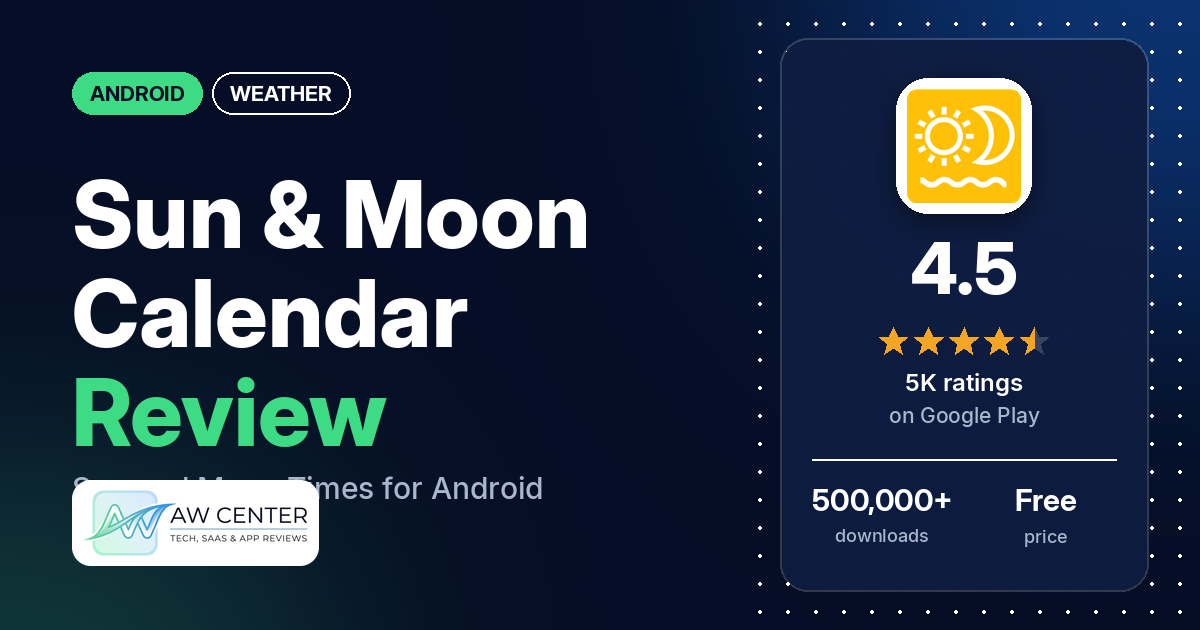
Sun & Moon Calendar is a free Android app that shows sunrise, sunset, golden hour, twilight, moon phases and the sun’s and moon’s positions for any date and place. It has 4.5 stars on Google Play and shows ads, with in-app purchases at $1.99 per item. Several reviewers call it simple and complete, and several report wrong times or trouble setting a location.
Quick verdict
If you want one screen that answers when the sun rises, when golden hour starts and what the moon is doing, this app fits, and several reviewers say it has all the information they want in one place. Several also call it easy or simple to use. The weak spots are accuracy and settings: several reviewers report wrong sun or moon times, several had trouble with location, and a few want more notification options. Most of the accuracy reports are from 2016 to 2020, so check a time you care about against a second source. The listing doesn’t mention a widget or weather data.
Sun & Moon Calendar at a glance
| Developer | kb-apps |
|---|---|
| Store listing | Sun & Moon Calendar on Google Play |
| Price | Free, with in-app purchases at $1.99 per item |
| Ads | Yes |
| Play Store rating | 4.5 stars from about 5,050 ratings (75.8% of the star counts are 5 stars) |
| Downloads | 500,000+ |
| Version / last updated | 3.4.97 / September 25, 2026 |
| Requires | Not in our data |
| First released | April 9, 2015 |
| Data checked | November 28, 2026 |
What is Sun & Moon Calendar?
Sun & Moon Calendar is a calendar of solar and lunar data. The listing says you can check daylight hours, twilight times, moon illumination, the solar path and solunar activity for any date and location. It names photographers, travelers, anglers, hunters, architects, gardeners, campers, real estate buyers and astronomy enthusiasts as users.
Key features
- Sun times: sunrise and sunset, civil, nautical and astronomical twilight, golden hour and blue hour, day length and solar noon.
- Moon data: moonrise and moonset, moon phases and illumination.
- Positions: sun and moon altitude and azimuth, a solar path projection, and a daylight map with the day/night terminator.
- Location: GPS, map, coordinates and address search, with automatic time zone detection.
- Alerts: the listing mentions alerts and notifications without saying more.
- Extras: sun and moon zodiac signs, and solunar calculations for fishing and hunting planning.
Sun & Moon Calendar vs. what a weather app should have
“Listed” means the Google Play listing names the feature, “Partial” means it covers part of it, and “Not listed” means the listing doesn’t mention it. This is a sun and moon app, so most weather rows show what it leaves out.
Must have
| Feature | Status | Notes |
|---|---|---|
| Current conditions and feels-like | Not listed | |
| Hourly forecast | Not listed | |
| Daily forecast of 7+ days | Not listed | Sun and moon data are listed for any date, but no weather forecast |
| Chance of precipitation | Not listed | |
| Wind, humidity, UV | Not listed | |
| Severe weather alerts | Not listed | The listing mentions alerts and notifications but doesn’t say what they cover |
| Radar map | Not listed | The listing mentions a daylight map |
| Home-screen widgets | Not listed | One reviewer in November 2017 says this type of app should have a widget |
| Current location and search | Listed | GPS, map, coordinates and address search; several reviewers report location trouble |
| Unit options | Not listed |
Should have
| Feature | Status | Notes |
|---|---|---|
| Notification or lock-screen weather | Partial | Alerts and notifications are listed; a few reviewers ask for more options |
| Air quality | Not listed | |
| Multiple saved locations | Not listed | One reviewer in December 2023 asks to switch preset locations easily |
| Choice of data source | Not listed | |
| Layout customization | Not listed | |
| Light and dark themes | Reviews only | One reviewer in January 2020 mentions a dark mode |
| Sunrise, sunset, moon phase | Listed | Also moonrise, moonset and illumination |
| Multiple languages | Reviews only | Two reviewers criticize language support (March 2020 and October 2018); one in January 2020 mentions numerous languages |
Nice to have
| Feature | Status | Notes |
|---|---|---|
| Animated wind or global map | Not listed | |
| Side-by-side provider comparison | Not listed | |
| Photography times (golden/blue hour) | Listed | One reviewer in June 2021 likes how the twilights are organized |
| Weather photos | Not listed | |
| Pollen | Not listed | |
| Lightning strike information | Not listed | |
| Custom temperature alerts | Not listed | |
| Rain-incoming notifications | Not listed | |
| Written forecast summary | Not listed |
It covers sun and moon data in depth and leaves out weather altogether.
Common problems reviewers report
Each row gives the problem, what reviewers report and when. Dates for developer replies are reply dates, not review dates. Most of these reviews are older than version 3.4.97, so some problems may be fixed.
| Problem | What reviewers report | When |
|---|---|---|
| Wrong sun or moon values | Several reviewers say times, day length or moon values are off: moonrise and moonset shifted by a day, a wrong moon percentage, sun duration that reverses in the southern summer, or a calendar that is far off. A developer reply says moon phase dates were fixed in version 2.2.11. | April 2016 to April 2024 (reply: September 2019) |
| Time zone and daylight saving | Several reviewers say they can’t set their time zone (EDT, BST) or that daylight saving time is missing or shown wrongly | September 2017 to March 2021 |
| Location | Several reviewers say the app couldn’t find a town, was off by about a kilometer, couldn’t fix a place, or can’t set a location from the map when location services are off. Developer replies say the place was fixed in a later version (July 2016) and that you can select a location by tapping the map (November 2023). | June 2016 to June 2026 |
| Moonrise and moonset display | Two reviewers say moonrise and moonset times disappeared after an update, or that the sun and moon rising and setting tabs conflict. One developer reply in May 2025 says a fix was in release 2.16.78, waiting on Google’s review. | May 2025 to July 2025 |
| Notification options | A few reviewers want notifications exactly at sunrise and sunset, at moonrise and moonset, at each phase, or in 12-hour format | September 2019 to November 2022 |
Pros (from user reviews)
- Easy to use: several reviewers call it easy or simple to use, one saying it shows everything on one screen in an intuitive layout.
- All the information in one place: several reviewers say it has all the sun and moon information they want, organized well.
- Accurate: a few reviewers call it accurate, including one in September 2022 who says sunset times are highly accurate.
- Planning around the moon: one reviewer in May 2026 runs evening kayak tours to see bioluminescence and says the lunar position for a given date is essential to planning.
- Twilight and golden hour: one reviewer in June 2021 says the twilights are more rationally organized and easier to read than in other apps.
- Support for the developer: one reviewer in December 2020 says they bought it after trying the app, to support the developer.
Cons (from user reviews)
- Wrong values: several reviewers report wrong sun or moon times or durations, between April 2016 and April 2024. Three others praise accuracy, between September 2022 and October 2025, so experience differs.
- Time zone and daylight saving: several reviewers had trouble setting or showing the right one, between September 2017 and March 2021.
- Location: several reviewers had trouble finding or setting a place, between June 2016 and June 2026.
- Notifications: a few reviewers want more options, such as exact sunrise and sunset or moonrise and moonset.
- Language support: two reviewers criticize it: one says a translation is partial and switches back to English in day mode, and one wanted Arabic.
- Ads and privacy: one reviewer in October 2023 calls it privacy invasive and complains about ads. A developer reply in June 2017 says ads can be turned off from the main menu.
- Calendar length: one reviewer in January 2025 asks why it is advertised as a 28 day calendar when it isn’t.
- No widget: one reviewer in November 2017 says it should have one.
The review sample includes extra low-star reviews, so complaints are overrepresented above. Across all ratings, 75.8% are 5-star and 6.8% are 1 or 2 stars.
Rating breakdown
| Stars | Ratings | Share |
|---|---|---|
| 5 | 3,768 | 75.8% |
| 4 | 640 | 12.9% |
| 3 | 226 | 4.5% |
| 2 | 150 | 3.0% |
| 1 | 188 | 3.8% |
Source: Google Play ratings histogram, checked November 28, 2026. Shares are calculated from the star counts above.
Pricing
The app is free, with ads, and the listing shows in-app purchases at $1.99 per item. The listing doesn’t say what the purchases unlock. One reviewer in April 2020 says they plan to buy the pro version, and one in December 2020 says they bought after trying it. A developer reply in June 2017 says ads can be turned off from the main menu.
Privacy and permissions
We couldn’t read the Google Play privacy label for Sun & Moon Calendar, so we make no claim about what data it collects. The permissions list shows approximate and precise location, full network access, view network connections, view Wi-Fi connections, receive data from the Internet, control vibration, prevent device from sleeping and run at startup. One reviewer in November 2023 uninstalled it because they didn’t want an app that constantly accesses their location, and said it force-closed when location services were off; the developer replied that you can select a location by tapping the map.
Who it’s for
This app suits you if you plan around light or the moon, such as photo shoots, evening walks, fishing trips or sky watching, and want sun and moon data on a calendar. It is a weaker fit if you want weather, a widget or detailed notification control, or if you need exact times for work. Check a time you depend on against a second source. Don’t rely on a single app for severe weather warnings; this one doesn’t offer them, so check official alerts too.
FAQ
Is Sun & Moon Calendar free?
Yes, the listing shows it as free, with ads and in-app purchases at $1.99 per item. The listing doesn’t say what the purchases unlock. A developer reply in June 2017 says ads can be turned off from the main menu.
Does Sun & Moon Calendar show moon phases?
Yes. The listing names moon phases and illumination, moonrise and moonset, and sun and moon altitude and azimuth. A few reviewers report wrong or missing moon values, mostly in older reviews.
Does Sun & Moon Calendar need my location?
The listing says it works with GPS, a map, coordinates and address search. One reviewer in November 2023 says it force-closed when location services were off. The developer replied that you can select a location by tapping the map.
Does Sun & Moon Calendar have a widget?
The listing doesn’t mention one. One reviewer in November 2017 says this type of app should have a widget.
How this review was put together
We haven’t tested Sun & Moon Calendar. This review is based on public information from official sources: the app’s Google Play or App Store listing and rating breakdown, the developer’s website when there is one, and recent user reviews on the store with the developer’s replies. Features and claims are the developer’s own descriptions; what users like and dislike comes from the store reviews. Everything was checked on November 28, 2026. Apps change with every update, so check the store listing before you install.