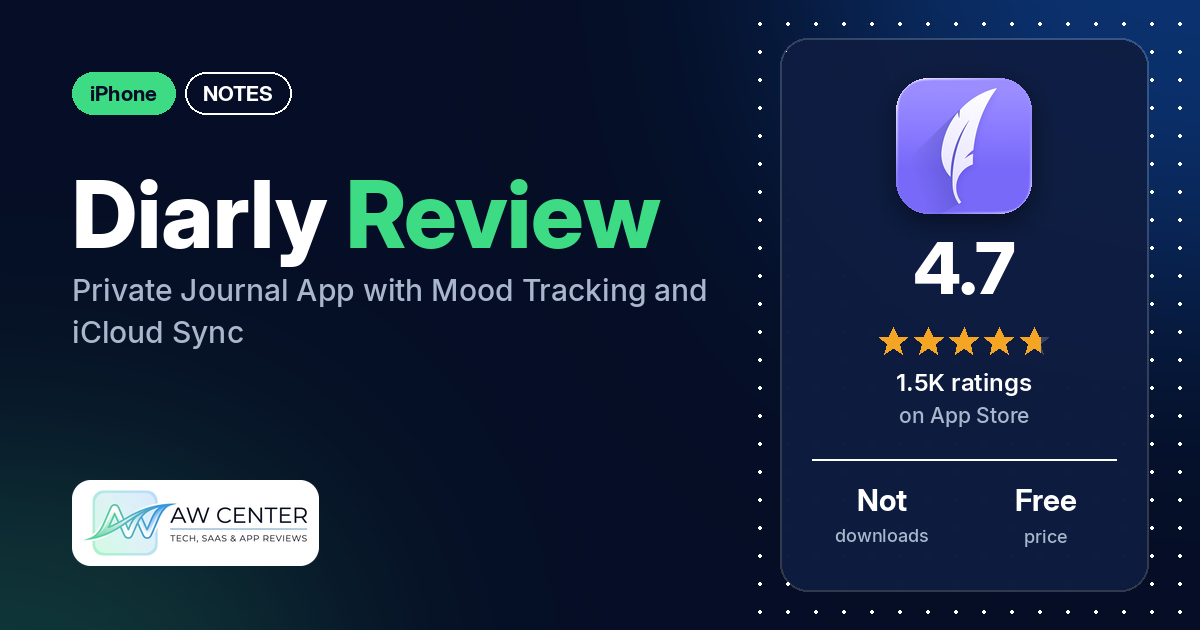
Diarly is a journal and diary app for iPhone, iPad, Mac and Apple Watch, with a free tier that includes one journal and unlimited entries, and a Premium subscription for iCloud sync. It has 4.7 stars from 1,487 ratings, and most reviews in our sample are 5-star.
Quick verdict
If you keep a journal on Apple devices and want to control how entries look, this app has strong reviews: several praise the customization, a few reviewers mention a responsive developer, and several say they moved over from Day One. No single complaint dominates. A few reviewers dislike text formatting limits, two raise price or paywall worries, and two report sync trouble, one of them with entries that disappeared. The app was last updated on November 18, 2026.
Diarly at a glance
| Developer | Krzysztof Nowak |
|---|---|
| Store listing | Diarly: Diary, Private Journal on the App Store |
| Price | Free, with a Premium subscription and a separate optional AI+ subscription; the listing gives no prices |
| Ads | Not stated in the listing |
| App Store rating | 4.7 stars from 1,487 ratings |
| Downloads | Not in our data |
| Version / last updated | 3.6.6 / November 18, 2026 |
| Requires | iOS 18.0 or later |
| First released | June 18, 2018 |
| Data checked | November 21, 2026 |
What is Diarly?
Diarly is a private journal, diary and notes app for Mac, iPhone, iPad and Apple Watch. The listing says each entry joins a personal timeline you can search and revisit, and that you can use it for a daily journal, gratitude journal, travel journal, mood diary, photo journal, voice journal or private notes. It is built only for Apple devices. The listing says the app is not a medical or mental health tracker.
Key features
- Entries: write in Markdown and add photos, videos, drawings, audio, tags, locations, weather and calendar details.
- Mood tracker: log how you feel, save moods to Apple Health, and see your logged moods over time in a Mood Calendar.
- Prompts and templates: journal prompts and reusable templates that can include weather, location, calendar events, photos or Apple Health details.
- Today view: a customizable feed of recent entries, mood check-ins, writing suggestions, quotes, tags, calendar events and On This Day memories. Reminders, writing goals and streaks are listed too.
- Finding entries: search by words, tags, moods and dates, plus Timeline, Calendar, Map and Gallery views.
- Privacy: lock the app with a password, Face ID or Touch ID for free; Premium adds encryption of entry text and private notes.
- Import and export: import from Apple Journal, Day One, Journey, Stoic, Evernote, Markdown and CSV; export to Markdown, PDF, Rich Text and HTML.
- AI: Premium includes an AI Assistant. AI+ is a separate subscription that transcribes audio entries and extracts text from photos.
Diarly vs. what a notes app should have
“Listed” means the App Store listing names the feature, “Partial” means it covers part of it, “Reviews only” means only reviewers mention it, and “Not listed” means neither the listing nor the reviews in our sample show it. Diarly is a journal, so some note-app rows fit loosely.
Must have
| Feature | Status | Notes |
|---|---|---|
| Fast note creation | Reviews only | One reviewer says you press the plus and begin; another calls writing effortless |
| Organization (tags, folders or flags) | Listed | Tags and journals; Premium adds multiple journals |
| Search or filtering | Listed | By words, tags, moods and dates |
| Sync across the user’s devices | Listed | Premium syncs through your iCloud Drive; two reviewers report sync problems |
| Sharing or exporting text to other apps | Partial | Export formats are listed; sharing to other apps is not mentioned |
| Home-screen widget | Not listed | One reviewer says a widget was removed from the Apple Watch in an update |
| A way to back up or recover notes | Partial | Export and iCloud sync are listed; backup is not mentioned |
Should have
| Feature | Status | Notes |
|---|---|---|
| Markdown or plain-text formatting | Listed | Two reviewers mention the Markdown support |
| Dictation or voice capture | Listed | Audio entries; AI+ transcribes them |
| Themes and dark mode | Partial | Premium adds themes; dark mode is not mentioned |
| Font and layout customization | Reviews only | Two reviewers mention fonts and backgrounds; one says there is no text alignment or per-text font size |
| Share-sheet capture | Not listed | |
| Siri or Shortcuts support | Not listed | |
| Smartwatch capture | Partial | The listing says Apple Watch; it doesn’t describe capture |
Nice to have
| Feature | Status | Notes |
|---|---|---|
| Automation or scripting | Not listed | |
| AI/LLM integration | Listed | AI Assistant with Premium; AI+ for transcription and OCR |
| Images or attachments in notes | Listed | Photos, videos, drawings and audio; one reviewer, in August 2026, says image and video handling needs work |
| Collaboration on a note | Not listed | |
| Web or Windows access | Not listed | The listing says the app is built exclusively for Apple devices |
| Note lock or encryption | Listed | Free lock; encryption is Premium |
| Accessibility features called out by users | Reviews only | One reviewer says photo captions go into the entry, which helps blind diarists |
The listing names no share-sheet capture, Siri, Shortcuts or home-screen widget.
Pros (from user reviews)
- Customization: several reviewers praise the options for fonts, backgrounds, colors and how entries look.
- Switching from Day One: several reviewers say they switched or are switching from Day One. One says Diarly has all of Day One’s functionality and is more actively developed, and one says it costs less.
- Developer and updates: a few reviewers praise a responsive developer, and a few say the app is kept up to date. One says the developer answers by email and is active on Reddit.
- Easy to use: several reviewers call it easy or effortless.
- Long-term use: several reviewers say they have used it for a year or more, one of them since 2020. Another, in August 2026, mentions almost 2,400 consecutive daily entries.
- Sync: a few reviewers say it syncs across their devices. Others report sync trouble (see Cons).
- Templates: a few reviewers like the templates.
- Free tier: two reviewers say the free version does a lot, and one of them says it’s enough for them.
- Security: two reviewers call it secure.
- Markdown: two reviewers like the Markdown support.
Cons (from user reviews)
- Text formatting: a few reviewers hit limits. In September 2026 one says there is no text alignment and no way to change individual font sizes. Another, in August 2026, says bold and italic stopped working in macOS version 3.5.9, while underline and strikethrough still worked. A third says the font shrinks when you start a second entry the same day.
- Price and paywalls: two reviewers raise it. In August 2026 one says $25 per year is too expensive and asks for a monthly plan; the other hopes the app won’t put add-ons behind extra costs. Separately, a reviewer says the app prompted a purchase or free trial only after the download and setup steps.
- Sync and lost entries: two reviewers report problems. One, in August 2026, says sync problems persist across devices. One, also in August 2026, says all their work, a lot of it poetry, was gone and iCloud sync wouldn’t work.
- Search: one reviewer, in September 2026, says a search for iPhone 15 Pro returned many results that read “iPhone .”
- Importing: one reviewer, in June 2026, says importing from a MacBook didn’t work and the app has bugs.
- Learning curve: one reviewer says the app doesn’t tell new users how to close an entry and finds the Watch version strange.
- Apple Watch: one reviewer, in May 2026, says a recent update removed the widget from the Apple Watch and Premium feels less useful.
- Requests: single reviewers ask for custom moods, colored entries, and better image and video handling.
The data we collected has no star breakdown for the 1,487 ratings, so we can’t say how common these complaints are across all ratings. Most reviews in our sample are 5-star.
Pricing
Diarly is free to download. The listing says Diarly Free includes one journal with unlimited entries and media, and a free lock with password, Face ID or Touch ID. One Premium subscription covers iPhone, iPad, Mac and Apple Watch and adds iCloud sync, multiple journals, encryption, themes, export formats and the AI Assistant. AI+ is a separate optional subscription for audio transcription and photo text extraction. The listing gives no prices. One reviewer in August 2026 says $25 per year, another calls the price good and says it’s a subscription, and one says it costs less than Day One. Check the store listing for current prices.
Privacy and permissions
We couldn’t read the App Store privacy label for this app, so we make no claim about what data it collects. The listing says your journal stays on your device, that Premium syncs through your personal iCloud Drive with no separate account, and that the developer never stores your journal on its servers. It links to a privacy policy and help guides at diarly.app. Two reviewers call the app secure.
Who it’s for
This app suits you if you journal on an iPhone, iPad or Mac and want control over how entries look, or if you’re moving a journal from Day One. It’s a weaker fit if you need Android, Windows or web access, text alignment controls, or a monthly plan. If you rely on iCloud sync for years of entries, export a copy now and then, since two reviewers report sync trouble and one lost entries.
FAQ
Is Diarly free?
Yes, it’s free to download. The free version has one journal with unlimited entries and media, and a free lock. Premium adds iCloud sync, multiple journals, encryption, themes, export formats and the AI Assistant, and the listing gives no prices.
Does Diarly sync between iPhone and Mac?
The listing says Premium syncs through your personal iCloud Drive and covers iPhone, iPad, Mac and Apple Watch. A few reviewers say it syncs across their devices, and two report sync problems, so check recent reviews.
Can I import from Day One?
The listing says it imports journals from Apple Journal, Day One, Journey, Stoic, Evernote, Markdown and CSV. Several reviewers who moved from Day One praise the switch. One reviewer, in June 2026, says importing from a MacBook didn’t work.
Is there an Android or Windows version?
No. The listing says the app is built exclusively for Apple devices: Mac, iPhone, iPad and Apple Watch.
How this review was put together
We haven’t tested Diarly. This review is based on public information from official sources: the app’s Google Play or App Store listing and rating breakdown, the developer’s website when there is one, and recent user reviews on the store with the developer’s replies. Features and claims are the developer’s own descriptions; what users like and dislike comes from the store reviews. Everything was checked on November 21, 2026. Apps change with every update, so check the store listing before you install.