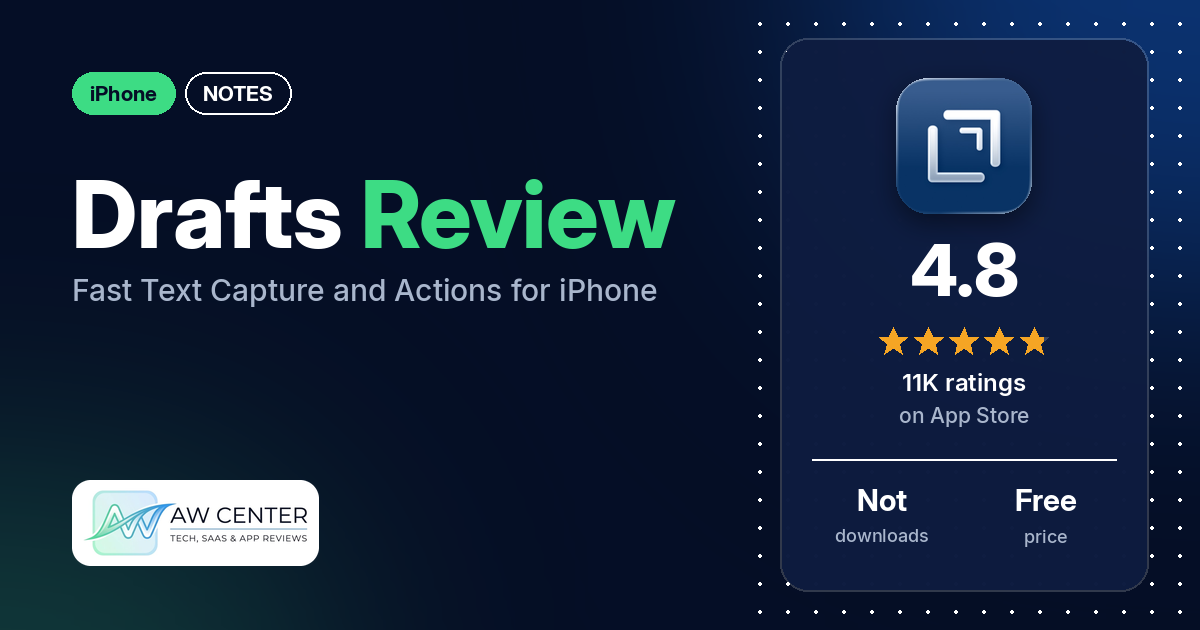
Drafts is a free iPhone app for getting text down fast and then sending it somewhere else. It opens to a blank page with the keyboard ready, so you type first and decide later where the text goes.
Quick verdict
If you jot down a lot of short text and want to move it into other apps with a tap, Drafts is built for that. In our sample of App Store reviews, the most common praise is for fast capture and for actions and automation; many reviewers mention each. The most common complaints are a learning curve, the subscription model, and a scattering of bugs reported from 2020 to 2026. The core app is free. To create and edit actions, themes and workspaces, you need a Drafts Pro subscription.
Drafts at a glance
| Developer | Agile Tortoise |
|---|---|
| Store listing | Drafts on the App Store |
| Price | Free, with an optional Drafts Pro subscription (monthly or annual) |
| Ads | Not stated in the listing |
| App Store rating | 4.8 stars from about 10,811 ratings |
| Downloads | Not in our data |
| Version / last updated | 54.1 / October 10, 2026 |
| Requires | iOS 15.6 or later |
| First released | April 22, 2018 |
| Data checked | October 14, 2026 |
What is Drafts?
Drafts is a notes app that opens to a new, blank page with the keyboard ready. The listing describes it as “a quick notebook, handy editor, and writing automation tool, all in one.” You type first and decide later where the text goes, using actions that copy, share or send it to other apps and services. The listing names iPhone, iPad, Mac and Apple Watch, with sync between them.
Key features
- Fast capture: the listing says Drafts opens to a new page, and supports capture through Siri, the widget, the share extension, file import and dictation.
- Actions: actions copy, share or deep-link your text into other apps and services. The listing’s examples include creating a file in Dropbox and sending a task to Reminders. A Directory of ready-made actions and themes is at actions.getdrafts.com.
- Organization: new drafts land in an Inbox, where you can tag, flag or archive them.
- Editing tools: customizable buttons above the keyboard convert and transform text. The listing also names Link Mode, Arrange Mode and text manipulation actions.
- Customization: custom fonts and control over spacing, line height and margins.
- Apple Watch: capture text by voice on the watch and pick it up on iPhone, iPad or Mac.
- AI: the listing says you can “hone your text through integrations with popular AI LLMs.”
- Drafts Pro: create and edit actions, themes and custom app icons, workspaces, extra widgets, better share extension options and more advanced automation.
Drafts vs. what a notes app should have
The Status column shows where we found each feature. “Listed” means the App Store listing names it. “Partial” means the listing covers part of it. “Reviews only” means reviewers describe it but the listing doesn’t. “Not listed” means neither the listing nor the reviews in our sample show the app has it. This checklist is a first version for notes apps and will change as we review more of them.
Must have
| Feature | Status | Notes |
|---|---|---|
| Fast note creation | Listed | Opens to a new blank page |
| Organization (tags, folders or flags) | Listed | Tag, flag and archive from the Inbox |
| Search or filtering | Partial | The listing mentions query settings only as part of Workspaces (Pro) |
| Sync across devices | Listed | iPhone, iPad, Mac and Apple Watch |
| Send or export text to other apps | Listed | Through actions |
| Home-screen widget | Listed | Extra widgets are a Pro feature |
| Backup or recovery | Reviews only | One reviewer says the app writes backup JSON files |
Should have
| Feature | Status | Notes |
|---|---|---|
| Markdown | Reviews only | Several reviewers mention Markdown |
| Dictation or voice capture | Listed | |
| Themes and dark mode | Partial | Themes are listed as a Pro feature; dark mode isn’t named |
| Font and layout customization | Listed | |
| Share-extension capture | Listed | |
| Siri or Shortcuts support | Listed | Siri is listed; Shortcuts use comes from reviews |
| Smartwatch capture | Listed | Apple Watch |
Nice to have
| Feature | Status | Notes |
|---|---|---|
| Automation or scripting | Listed | Creating and editing actions is Pro; a few reviewers mention scripting, and one mentions JavaScript |
| AI/LLM integration | Listed | |
| Images or attachments | Not listed | A few reviewers ask for photos |
| Collaboration on a note | Not listed | One reviewer asks for it |
| Web or Windows access | Not listed | A few reviewers ask for it |
| Note lock or encryption | Not listed | |
| Accessibility | Reviews only | One reviewer who uses assistive technology praises it; one thanks the developer for making it accessible to the blind, and one says accessibility is a priority for the developer |
Common problems reviewers report
The data we collected doesn’t include developer replies, so there are no fixes here, only the problem and when it was reported. Newer versions may behave differently.
| Problem | What reviewers report | When |
|---|---|---|
| Text or cursor not showing in the editor | Two reviewers say text and the cursor became invisible; one says toggling the modern editor didn’t help | March 2026 |
| App closes on launch | One reviewer says the app opens briefly and returns to the home screen, even after reinstalling | September 2026 |
| Freezing with an external keyboard | One reviewer says it froze and crashed with an external keyboard on iOS 26.0 and 26.1 | November 2025 |
| Cursor jumps or text selection overshoots | A few reviewers | 2022 to 2023 |
| Lost drafts or settings | A few reviewers: one after moving to a new phone, one after an update removed their actions setup, one says it didn’t save | 2023 to 2024 |
| Slow launch while syncing | One reviewer says the app checks sync before it opens, which cancels out its speed | November 2020 |
Pros (from user reviews)
- Fast capture: many reviewers praise how quickly they can get text down. A few describe opening the app to a blank page and typing straight away. One 2020 reviewer disagrees, saying the app waits to sync before it opens.
- Actions and automation: many reviewers praise actions, automation and sending text on to other apps. Reviewers name Shortcuts, Things, Todoist, OneNote, Obsidian and Notion. A few mention writing scripts, and one mentions JavaScript. On the other side, one reviewer says the share sheet makes Drafts an unnecessary extra step, and another found actions hard to find and organize.
- Simple at first, deep later: several reviewers say it works as a plain notepad and does much more once you need it to.
- Sync: several reviewers say sync works well, one of them naming iCloud. Two disagree: one says the app checks sync before it opens, and one whose employer blocks iCloud says there is no other sync option.
- Ongoing development: several reviewers, from 2020 to 2026, say the app keeps getting updates and new features. Two praise the developer’s support. One reviewer says an update removed their actions setup, and another says two support tickets got no reply.
- Reliability: several reviewers call it reliable or rock solid. The bug reports under Cons point the other way.
- Free tier: a few reviewers say the free version alone is good value.
- Plain text: two reviewers like that it handles only plain text and doesn’t change fonts. Two others want richer formatting, such as rich text or auto-formatted lists.
- Apple Watch capture: a few reviewers capture text by voice on Apple Watch.
- Accessibility: one reviewer who uses assistive technology to read the phone aloud says it works every time, one thanks the developer for making it accessible to the blind, and one says accessibility is a priority for the developer.
Cons (from user reviews)
- Learning curve: several reviewers complain that the interface is confusing or hard to learn, in reviews from 2021 to October 2026. A few who rate it highly also say it takes time to learn. Several others say the opposite: to them it is easy to use, intuitive or usable within minutes.
- Subscription: several reviewers object to the subscription model, upgrade prompts or features moving behind Pro. Several others say the subscription is worth paying for.
- Bugs: a few reviewers report editor display or cursor bugs, a few report lost data, and two report crashes or freezing. The newest reports are from 2025 and 2026; see the table above.
- No photos: a few reviewers want to add images to a draft, and a few say they turn to Apple Notes for photos.
- No Windows or web version: a few reviewers ask for access from Windows, the web or Linux.
- Other complaints: two reviewers dislike the rating prompts (one later updated their review to say the developer emailed them how to turn the prompts off), and two say work-device rules (blocked iCloud sync or copy-paste) stopped them using it. One reviewer each reports a Dropbox connection failure, no undo, and no collaboration.
Our data doesn’t include a star breakdown of the 10,811 ratings, so we can’t say how common these complaints are across all of them.
Pricing
Drafts is free. The listing says it “is always free to use,” and that a Drafts Pro subscription adds creating and editing actions, themes and icons, workspaces, extra widgets, better share extension options and more advanced automation. Monthly and annual subscriptions are available, renew automatically unless you cancel at least 24 hours before the period ends, and are managed in your App Store account settings. Our data doesn’t include current prices. One reviewer quoted $1.99 a month or about $20 a year in 2022, and another quoted $19.99 a year in 2025, so check the listing before you subscribe.
Privacy and permissions
We couldn’t read the App Store privacy label for Drafts, so we make no claim about what data it collects. The listing links to a privacy policy at getdrafts.com/support/privacy. Two reviewers say sync runs through iCloud, and one says the app keeps backup files in readable JSON. Two reviewers say their employer’s device rules (blocked iCloud sync, or no copy-paste of company data) limited how they could use it.
Who it’s for
Drafts fits you if you capture lots of short text on iPhone and want to send it on to other apps, especially if you also use an iPad, Mac or Apple Watch. It fits best if you are willing to spend some time setting up actions. It’s a weaker fit if you want photos in your notes, need Windows or web access, want to share notes with others, or want rich-text formatting. If you object to subscriptions, note that the listing says creating and editing actions is a Pro feature.
FAQ
Is Drafts free?
Yes. The listing says Drafts is always free to use. A Drafts Pro subscription, monthly or annual, adds creating and editing actions, themes, workspaces, extra widgets and more advanced automation.
Does Drafts work on Windows or the web?
The listing names iPhone, iPad, Mac and Apple Watch only. A few reviewers in our sample ask for a Windows, web or Linux version, which suggests there wasn’t one when they wrote.
Can you add photos to a draft in Drafts?
The listing doesn’t mention images or attachments. A few reviewers in our sample ask for photo support, and a few say they use or are tempted by Apple Notes for photos. Two reviewers say they like that Drafts handles only plain text.
Is Drafts hard to learn?
Basic use is simple: the app opens to a blank page and you type. Several reviewers in our sample complain that the interface and actions are confusing, and a few who like the app still say it takes time to learn. One reviewer suggests adding actions slowly, and the listing points to the Drafts Community forums for help.
How this review was put together
We haven’t tested Drafts. This review is based on public information from official sources: the app’s Google Play or App Store listing and rating breakdown, the developer’s website when there is one, and recent user reviews on the store with the developer’s replies. Features and claims are the developer’s own descriptions; what users like and dislike comes from the store reviews. Everything was checked on October 14, 2026. Apps change with every update, so check the store listing before you install.