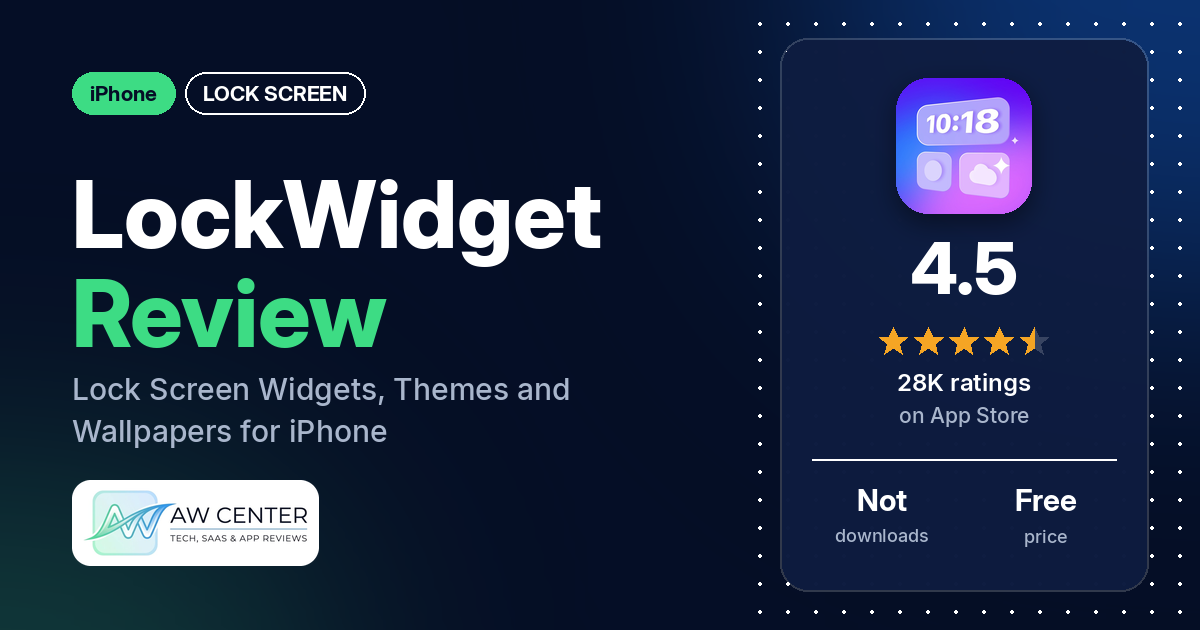
LockWidget – LockScreen Themes is a free iPhone app with ready-made widgets, themes and wallpapers for the Lock Screen and Home Screen.
Quick verdict
LockWidget is for you if you want cute, ready-made Lock Screen widgets and wallpapers and don’t mind ads or a subscription. Several reviewers in our sample praise the designs. The complaints we counted most often are about paying, ads (including rewarded ads that didn’t unlock anything) and widgets that won’t go onto the Lock Screen. The app is free to download; the listing describes an auto-renewing subscription.
LockWidget at a glance
| Developer | SoCloud Technology Co., Limited |
|---|---|
| Store listing | LockWidget on the App Store |
| Price | Free, with an auto-renewing subscription (prices not in our data) |
| Ads | Not stated in the listing; several reviewers report ads |
| App Store rating | 4.5 stars from 27,887 ratings |
| Downloads | Not in our data |
| Version / last updated | 2.3.4 / August 4, 2026 |
| Requires | iOS 16.0 or later |
| First released | September 10, 2022 |
| Data checked | October 14, 2026 |
What is LockWidget?
LockWidget is a collection of ready-made Lock Screen widgets for iPhone. The listing says it “provides a vast collection of lock screen widgets,” including weather, battery, quotes, photos, countdowns and health data, and that you can change fonts, theme styles and background opacity. It also has wallpapers, Home Screen widgets, themes and an app icon changer. You pick ready-made designs instead of building your own.
Key features
- Lock Screen widgets: the listing names weather, battery percentage, clock and world clock, calendar with moon phase and lunar calendar, countdowns, quotes, photos, a to-do list and “year process” widgets.
- Style options: edit fonts, change theme styles and background opacity, and set a custom redirect URL.
- Launchers: a lock launcher, a contact launcher and an App Launcher that the listing says opens your favorite games and apps from the Lock Screen.
- Live Widgets: GIFs with a “dynamic effect” on the Lock Screen.
- Widgets for friends and couples: a shared widget that counts days together and to the next anniversary, plus a couple widget for sending secret notes, sharing a status and saying “I miss you.”
- Pixel pet: a pet on the Lock Screen that you can feed and play with.
- Health widgets: steps, sleep and kcal, through optional Apple Health access.
- Wallpapers: HD and 4K wallpapers for iPhone and iPad that the listing says fit Depth Effect.
- Home Screen: Home Screen widgets, themes and an app icon changer.
LockWidget vs. what a lock screen app should have
The Status column shows where we found each feature. “Listed” means the App Store listing names it. “Partial” means the listing covers part of it. “Reviews only” means reviewers describe it but the listing doesn’t. “Not listed” means neither the listing nor the reviews in our sample show the app has it. This is our first checklist for lock screen apps, written from this listing and its reviews, and it will change as we review more of them.
Must have
| Feature | Status | Notes |
|---|---|---|
| Lock Screen widgets | Listed | Several reviewers say they couldn’t get a widget onto the Lock Screen |
| Time, date, weather, battery and calendar | Listed | One reviewer couldn’t get the temperature to show; one says the battery widget doesn’t update |
| Countdowns, photos and quotes | Listed | One reviewer says a timer keeps reverting to its start time |
| Ready-made designs and themes | Listed | Several reviewers praise the designs |
| Style options (fonts, styles, opacity) | Listed | One reviewer says widgets can’t be edited beyond what is provided |
| Lock Screen wallpapers | Listed | HD and 4K, made to fit Depth Effect |
| Usable free tier | Partial | Free to download; several reviewers say most items need payment, and two say ads unlock some |
Should have
| Feature | Status | Notes |
|---|---|---|
| Home Screen widgets, themes or icons | Listed | Including an app icon changer |
| Launcher shortcuts | Listed | A few reviewers say touching the widget opens LockWidget instead |
| Health and fitness data | Listed | Steps, sleep and kcal, through Apple Health |
| Animated widgets (GIFs) | Listed | Two reviewers ask for more GIFs |
| Widgets shared with a friend or partner | Listed | A few reviewers report problems with the message and friends widgets |
| Help or setup instructions | Reviews only | One reviewer describes in-app instructions that loop back to the same screen; a few say the app is confusing or hard to use |
| Clear pricing | Partial | The listing explains auto-renewal but our data has no prices |
Nice to have
| Feature | Status | Notes |
|---|---|---|
| iPad support | Partial | The listing names iPad wallpapers; one reviewer says the app is a little harder to use on iPad |
| Playful extras | Listed | Pixel pet |
| Moon phase, lunar calendar, world clock, to-do list | Listed | One reviewer says the moon phase doesn’t follow the moon cycle |
| No sign-in required | Not listed | Two reviewers say they were asked to sign in |
| No ads or an ad-free option | Not listed | Several reviewers complain about ads |
Common problems reviewers report
The data we collected doesn’t include developer replies, so this table lists the problem and when it was reported, not a fix. A few reviewers link a problem to an update, but none names an iOS version. Older reports may describe earlier versions of the app, and newer versions may behave differently.
| Problem | What reviewers report | When |
|---|---|---|
| Widget won’t go onto the Lock Screen | Several reviewers say a widget never set or didn’t appear; one says LockWidget wasn’t offered in the Lock Screen widget picker | September 2024 to October 2026 |
| Rewarded ads don’t work | Several reviewers; a few say the ad wasn’t ready or available, a few say they watched ads and still didn’t get the widget, and two were offered promotions or subscriptions instead | November 2024 to September 2026 |
| Touching the widget opens the app | A few reviewers | January 2025 to August 2026 |
| Friends and message widgets | A few reviewers report friends not loading, messages cut off or a status they couldn’t set | December 2024 to April 2026 |
| App crashes or closes | A few reviewers | March 2025 |
| Widget data doesn’t update | Two reviewers: a timer that reverts, and a battery widget that doesn’t update | July and December 2025 |
LockWidget can show weather on the Lock Screen. Don’t rely on a single app, or a single widget, for severe weather warnings.
Pros (from user reviews)
- Cute designs: several reviewers call the widgets, wallpapers, themes or photos cute, adorable or aesthetic, or say the app makes their phone look nicer. Still, several of them rate the app 3 stars or lower. Two reviewers find the selection limited, and a few ask for more content, such as more GIFs, more themes or more K-pop themes.
- Fun to personalize: a few reviewers call the app fun, including one who uses it with a long-distance girlfriend.
- Works for some: several reviewers say it works well for them. Several others say it doesn’t work (see Cons).
- Ads as a free route: two reviewers say not everything has to be paid for, because watching ads unlocks some items. One calls it worth it.
- Single features: individual reviewers praise the quotes on the Lock Screen, putting photos on it, the cute animal, and themes that save customizing every app icon one by one.
Cons (from user reviews)
- Having to pay: one of the complaints we counted most often. Several reviewers object to paying, and several say most or all of the content needs payment. One reviewer calls the monthly price outrageous; another calls a weekly option “more realistic a price.” Not everyone minds: two reviewers say ads unlock some items, and one calls the app cheap.
- Too many ads: several reviewers complain about the number of ads. One says they got three unskippable ads in their first two minutes, and another says selecting something brings two ads, and continuing brings two more.
- Ads that don’t unlock anything: several reviewers say a rewarded ad didn’t work. A few say the ad was “not ready” or not available, and a few say they watched ads and still didn’t get the widget. Two were offered promotions or subscriptions instead, and one of them wonders if that is on purpose. Another says that when the ad wasn’t available, the app asked them to pay for a month.
- Widgets won’t go onto the Lock Screen: several reviewers say they couldn’t add a widget, or that it never set. One says this started after upgrading, and another guessed a recent Apple update was to blame; neither names an iOS version. Several more simply say the app doesn’t work.
- Hard to work out: a few reviewers say the app is confusing or hard to use, and two ask how to add a widget. One reviewer calls it easy to use.
- Touching the widget opens the app: a few reviewers say touching a widget, or trying to change one, takes them into the LockWidget app instead.
- Friends and couple widgets: a few reviewers report problems, such as friends taking many tries to load, messages cut off on the Lock Screen, or a status they couldn’t set.
- Sign-in required: two reviewers say they were asked to sign in. One, who only wanted a countdown widget, was asked to log in with Apple, Google or Yahoo; the other needed a Google or Facebook ID for the “I miss you” feature and says the Google sign-in didn’t work.
- Crashes: a few reviewers say the app crashes or keeps closing, all in March 2025.
- Other complaints: one reviewer says they bought something by mistake and were refused a refund, one says gallery images they saved disappeared after a few months, one says the app is harder to use on iPad, and one dislikes that the developers used AI.
Roughly a third of the reviews in our sample are 1- or 2-star, and a little under half are 5-star. The data we collected doesn’t include a star breakdown of the 27,887 ratings, so we can’t say how common these complaints are across all of them.
Pricing
LockWidget is free to download. The listing describes an auto-renewing subscription that renews 24 hours before the end of each period unless you cancel; our data doesn’t include the prices. Reviewers describe two ways to unlock items: paying or watching ads. One reviewer mentions a weekly option and another a monthly one, so check the listing for current prices before you subscribe.
Privacy and permissions
We couldn’t read the App Store privacy label for LockWidget, so we make no claim about what data it collects. The listing says LockWidget optionally integrates with Apple Health to show steps and activity if you choose one of those widgets, and that access is controlled through the Apple Health app. The listing links to a privacy policy and terms of use. Two reviewers say they were asked to sign in with an Apple, Google, Yahoo or Facebook account.
Who it’s for
LockWidget fits you if you want a quick, cute Lock Screen built from ready-made widgets and wallpapers and you’re fine with ads or a subscription. It’s a weaker fit if you want everything free, dislike ads, or want to design your own widgets from scratch. Several reviewers couldn’t get widgets onto the Lock Screen at all, so make sure the basics work on your phone before you pay.
FAQ
Is LockWidget free?
You can download LockWidget for free, and the listing describes an auto-renewing subscription. Our data doesn’t include the prices. Several reviewers say most items need payment, while two say watching ads unlocks some of them.
Does LockWidget have ads?
Several reviewers complain about ads, which the listing doesn’t mention. Several also say a rewarded ad didn’t load, or that watching one didn’t unlock the widget they wanted.
Why won’t my LockWidget widget show on the Lock Screen?
Several reviewers in our sample report the same problem: the widget never set or didn’t appear. One says LockWidget wasn’t offered in the Lock Screen widget picker, and one says it started after upgrading. The data we collected doesn’t include developer replies, so we can’t say which fix the developer recommends.
Do I need an account to use LockWidget?
The listing doesn’t say. Two reviewers say they were asked to sign in: one with Apple, Google or Yahoo while trying to make a countdown widget, and one with Google or Facebook to use the “I miss you” couple feature.
How this review was put together
We haven’t tested LockWidget. This review is based on public information from official sources: the app’s Google Play or App Store listing and rating breakdown, the developer’s website when there is one, and recent user reviews on the store with the developer’s replies. Features and claims are the developer’s own descriptions; what users like and dislike comes from the store reviews. Everything was checked on October 14, 2026. Apps change with every update, so check the store listing before you install.