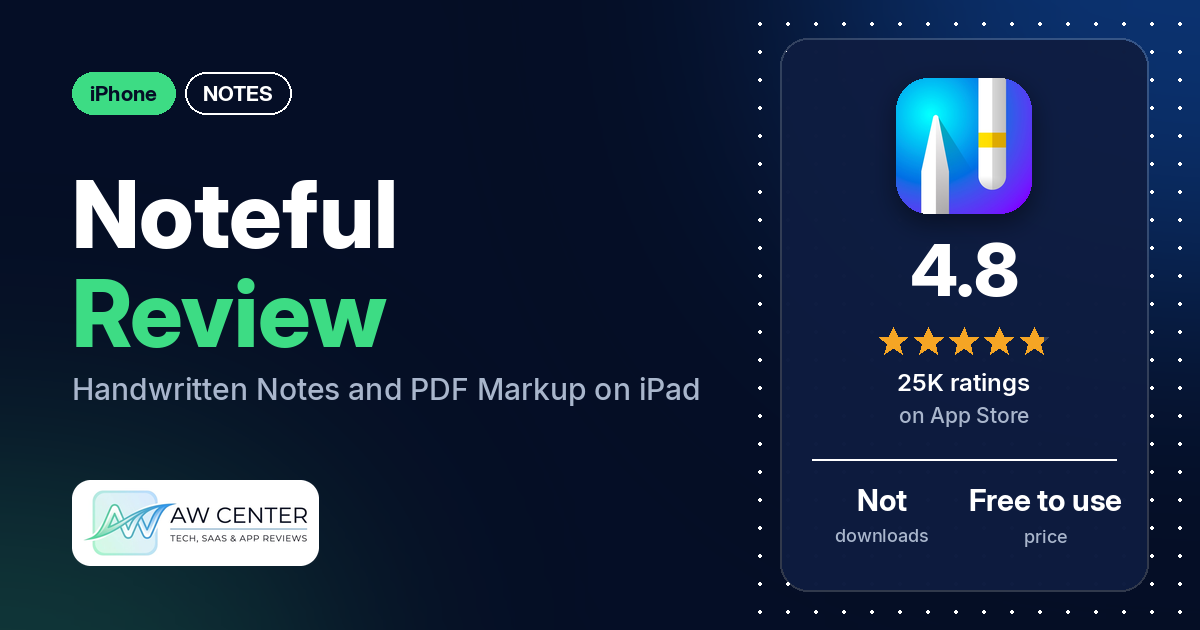
Noteful is a handwriting and PDF markup app for iPad, with iPhone sync. The listing says it is free to use with no time limit, and reviewers quote $5 to $8 for the one-time Pro purchase.
Quick verdict
If you take handwritten notes or mark up PDFs and don’t want another subscription, Noteful is worth a look: many reviewers praise the one-time Pro price, and many call it easy to use. Several came from Goodnotes or Notability, and several of them mention subscriptions. The weak spots are pen and palm problems on some iPads, two crash reports around exporting in October 2026, and missing tools such as alignment guides and handwriting search. Reviewers also ask for collaboration, an Android version and AI features, none of which the listing mentions.
Noteful at a glance
| Developer | Noteful Technologies Ltd |
|---|---|
| Store listing | Noteful on the App Store |
| Price | Free to use, with a one-time Pro purchase in the app |
| Ads | Not stated in the listing |
| App Store rating | 4.8 stars from 24,581 ratings |
| Downloads | Not in our data |
| Version / last updated | 1.5.2 / November 10, 2026 |
| Requires | iOS 16.4 or later |
| First released | October 18, 2021 |
| Data checked | November 21, 2026 |
What is Noteful?
Noteful is a paperless notebook app built around handwriting with Apple Pencil on iPad. The listing describes it for annotating documents, taking class notes and building a personal knowledge system. You can import PDFs and Microsoft Office documents into a notebook, write on them, and export your annotations as a PDF.
Key features
- Handwriting: the listing says a custom ink engine called InfiniteStroke turns strokes into vector ink. There are 3 brushes (ballpoint pen, fountain pen and highlighter), pen sizes and colors, and shape recognition.
- Markup: import PDFs and Microsoft Office documents, add images, shapes and typed text, use several paper templates in one notebook, and export handwritten annotations as a PDF.
- Tags: organize with #tag or nested #tag/subtag anywhere in a notebook, and browse notebooks or pages by tag.
- Layers: add annotations on separate layers without changing the original, and hide, show or rearrange them. The listing marks this as a Pro feature.
- Sync: the listing says it syncs to all your iPhone and iPad devices, also marked as Pro, and that notebooks synced with iCloud are encrypted with account-based keys.
- Editing: eraser, lasso tool, unlimited undo and redo, Apple Pencil double-tap to switch to the eraser, and Split View.
- Audio: record audio while you take notes; playback position syncs with the notes.
Noteful vs. what a notes app should have
“Listed” means the App Store listing names the feature. “Partial” means the listing covers part of it. “Reviews only” means reviewers describe it but the listing doesn’t. “Not listed” means neither the listing nor the reviews we read show it. Noteful is built for handwriting and PDFs, so the text-focused rows, such as Markdown, mostly come out as Not listed.
Must have
| Feature | Status | Notes |
|---|---|---|
| Fast note creation | Listed | Quick Create makes a new notebook for quick sketching |
| Organization (tags, folders or flags) | Listed | #tags and nested tags; one reviewer says folders act more like tags and don’t clear the main screen |
| Search or filtering | Partial | The listing says you can browse by tag; a few reviewers ask for handwriting search |
| Sync across devices | Listed | iPhone and iPad, marked as a Pro feature; one reviewer lost notes after switching devices |
| Sharing or exporting to other apps | Listed | Export and share annotations as PDF |
| Home-screen widget | Not listed | |
| Backup or recovery | Reviews only | One reviewer says you can export all notes as a backup routine; another wishes deleted pages could be recovered |
Should have
| Feature | Status | Notes |
|---|---|---|
| Markdown or plain-text formatting | Not listed | |
| Dictation or voice capture | Partial | The listing has audio recording alongside notes, not dictation to text |
| Themes and dark mode | Partial | The listing names paper templates; it doesn’t mention dark mode |
| Font and layout customization | Partial | Typed text and paper templates are listed; fonts aren’t mentioned |
| Share-sheet capture | Reviews only | One reviewer shares files into the app and asks to choose the notebook from the share sheet |
| Siri or Shortcuts support | Not listed | |
| Smartwatch capture | Not listed |
Nice to have
| Feature | Status | Notes |
|---|---|---|
| Automation or scripting | Not listed | |
| AI or LLM integration | Not listed | Several reviewers praise the lack of AI; a few ask for it |
| Images or attachments in notes | Listed | Images, shapes, typed text, PDFs and Office documents |
| Collaboration on a note | Not listed | Two reviewers ask for collaboration, and one asks to share files with students |
| Web or Windows access | Not listed | The listing names iPhone and iPad only |
| Note lock or encryption | Partial | The listing says iCloud-synced notebooks are encrypted with account-based keys; one reviewer asks for a note lock |
| Accessibility features | Not listed |
The listing doesn’t mention a widget, Shortcuts or Markdown.
Common problems reviewers report
The data we collected doesn’t include developer replies, so there are no confirmed fixes here. Each row gives the problem and when reviewers reported it. Newer versions may behave differently.
| Problem | What reviewers report | When |
|---|---|---|
| Pen, palm and eraser glitches | Several reviewers report a pen that drags, ink that disappears, random lines, an eraser that won’t erase, or a pen that needs heavy pressure; two name palm rejection | April 24, 2026 to November 2, 2026 |
| Crashes or freezes | A few reviewers; two say the app crashed when they exported or shared a document in early October 2026, and two later say export was fixed (October 19 and November 2) | July 20, 2026 to October 14, 2026 |
| PDF import, export and markup | A few reviewers report problems such as flattened annotations on export, imported lecture slides arriving disorganized, a highlighter covering text in some PDFs, and an external PDF that wouldn’t save | May 9, 2026 to October 3, 2026 |
| No reply from support | Two reviewers say they contacted support and got no answer | June 23, 2026 to October 7, 2026 |
Pros (from user reviews)
- One-time Pro purchase: many reviewers praise paying once instead of subscribing. Reviewers who name a price quote between $5 and $8, in reviews from May to November 2026. A few say too much sits behind Pro, which the Cons below cover.
- Simple to use: many reviewers call it easy, simple or intuitive. A few say the opposite, which the Cons below cover.
- Free version: several reviewers say the free version is enough for their notes or praise how much it includes.
- No AI: several reviewers say they like that the app has no AI features. A few other reviewers ask for AI features.
- Coming from Goodnotes or Notability: several reviewers say they moved to Noteful from one of them, and several of them mention subscriptions. One says they’re going back to Goodnotes because of how Noteful handles organization.
- Writing feel: several reviewers say writing with Apple Pencil feels smooth or natural. Several others report pen problems, so it isn’t the same on every iPad.
- PDFs: several reviewers praise importing and marking up PDFs, including lecture slides and planners.
- Speed: several reviewers describe it as fast or light with no lag, and two say it doesn’t heat the iPad. One reviewer says it lags all the time.
- Layers: a few reviewers praise layers; one used them to sign legal documents, and one says layers let you lock a header and write over it.
- iCloud sync: Two reviewers mention iCloud sync positively. One says they lost notes after switching devices.
Cons (from user reviews)
- Pen and palm problems: several reviewers say the pen drags, ink disappears, the eraser fails, or the page scrolls while they write. The reports run from April to November 2026.
- Crashes around export: a few reviewers report crashes or freezes, and two tie them to exporting or sharing in October 2026. Two others say export was fixed.
- Missing tools: a few reviewers each ask for alignment and snap tools, handwriting search (OCR), more pen and brush options, a Google Drive or other cloud option, and versions for Android or Windows. Two ask for Russian.
- Learning curve: a few reviewers mention a learning curve or say they couldn’t work out a tool, and one says it isn’t user friendly.
- Free-version limits: a few reviewers say too much is locked behind Pro. One says the free version allows only three colors in a palette, and two describe a limit of 10 notebooks.
- Organization: one reviewer says folders don’t clear notebooks off the main screen, and they plan to go back to Goodnotes.
- Support: two reviewers say support didn’t reply.
The data we collected doesn’t include a star breakdown of the 24,581 ratings, so we can’t say how common these complaints are across all of them. Most of the written reviews we read are 5-star, in line with the 4.8 overall rating.
Pricing
The listing says Noteful is free to use without a time limit, and that features marked with an asterisk, including layers and device sync, need Noteful Pro through an in-app purchase. It says Pro is a one-time purchase and the features are unlocked forever. Our data doesn’t include the price. Reviewers who name one quote $5 to $8, between May and November 2026, so check the listing for the current price. Two reviewers say the free version has 10 notebooks, and several say Pro unlocks unlimited notebooks.
Privacy and permissions
We couldn’t read the App Store privacy label for Noteful, so we make no claim about what data it collects. The listing says notebooks synced with iCloud are encrypted via account-based keys, and it links to the developer’s privacy policy. It doesn’t list a developer website in our data.
Who it’s for
Noteful suits you if you write by hand on an iPad, mark up PDFs for classes or planning, and want to pay once. It’s a weaker fit if you need alignment tools, handwriting search, real-time collaboration, an Android or Windows version, or AI features. If palm rejection or pen lag matters to you, read the reviews on pen problems before you pay.
FAQ
Is Noteful free?
The listing says it’s free to use without a time limit, with some features reserved for Noteful Pro. Pro is a one-time in-app purchase, and reviewers quote $5 to $8. Several reviewers say the free version is enough for them.
Does Noteful have AI features?
The listing doesn’t mention AI. Several reviewers praise that the app has none, and a few ask for AI features such as handwriting refinement or audio summaries.
Can you mark up PDFs in Noteful?
Yes. The listing says you can import PDFs and Microsoft Office documents into a notebook and export your handwritten annotations as a PDF. Several reviewers praise the PDF import, and a few report problems with PDFs, such as annotations being flattened on export.
Is there an Android version?
The listing is for iPhone and iPad, and our data names no Android version. A few reviewers ask for Android or Windows support.
How this review was put together
We haven’t tested Noteful. This review is based on public information from official sources: the app’s Google Play or App Store listing and rating breakdown, the developer’s website when there is one, and recent user reviews on the store with the developer’s replies. Features and claims are the developer’s own descriptions; what users like and dislike comes from the store reviews. Everything was checked on November 21, 2026. Apps change with every update, so check the store listing before you install.