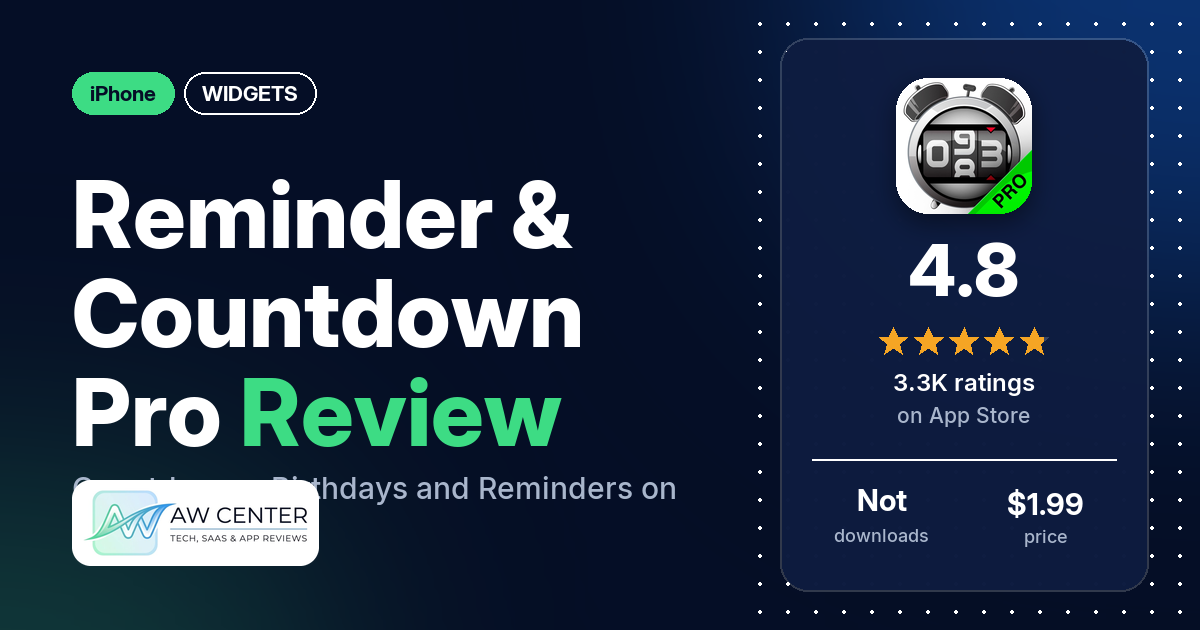
Reminder & Countdown Pro is a $1.99 iPhone app that counts down to events, counts up from past dates and reminds you of birthdays, appointments and anything else you add. It has 4.8 stars from 3,265 App Store ratings, and many reviewers call it easy to use.
Quick verdict
If you want one list of dates with countdowns, colors and icons, Reminder & Countdown Pro is worth a look. Many reviewers say it’s easy to use, and several have kept it for years. The colors and icons get praise from several, and several say it’s worth the price. On the other side, several reviewers say alerts didn’t come or made no sound, several lost reminders, and several had events that didn’t sync or didn’t move to a new phone. The listing names Home Screen widgets, but says nothing about sizes or Lock Screen widgets, and two reviewers say their widget went blank or black.
Reminder & Countdown Pro at a glance
| Developer | PERSAPPS (PERSEPS), TOO |
|---|---|
| Store listing | Reminder & Countdown Pro on the App Store |
| Price | $1.99; in-app purchases not in our data |
| Ads | Not stated in the listing |
| App Store rating | 4.8 stars from 3,265 ratings |
| Downloads | Not in our data |
| Version / last updated | 3.16 / November 6, 2026 |
| Requires | iOS 17.0 or later |
| First released | April 5, 2012 |
| Data checked | November 12, 2026 |
What is Reminder & Countdown Pro?
It’s a list of events, each with a countdown and optional alerts. The listing calls the app “Reminder Pro” and says it is designed to manage “your tasks, projects, and anything else you want to keep track of” without distraction. Each event opens as a card you arrange yourself by swiping left or right and placing custom boxes. PERSAPPS (PERSEPS), TOO makes it, and it first came out on April 5, 2012.
Key features
- Events: a title, a default or custom category, date and time, duration, repetition, the units of the countdown and an optional description.
- Look: you can change each event’s icon, background, font and text color, and show or hide icons. You can also set default values for new events.
- Alerts: the listing names the alert sound and the time of alerts, a badge number on the app icon, and running in the background.
- Sorting and categories: sort by date, title, category or a custom order, and manage your categories.
- Import and sync: import from Address book, iCal and Reminders, and sync events between devices through iCloud.
- Widgets: the listing says “IOS 14 home screen widgets.” It doesn’t name sizes or say how many widgets you can add.
- Privacy lock: lock and unlock the app with Touch ID or Face ID.
- Sharing: share reminders by Email, Facebook, Twitter “and even more,” the listing says.
- Old or new UI: you can switch between the old and the new interface.
Reminder & Countdown Pro vs. what a widget app should have
“Listed” means the App Store listing names the feature, “Partial” means it covers part of it, and “Reviews only” means reviewers describe it but the listing doesn’t. Reminder & Countdown Pro is a countdown and reminder app with widgets, so the rows for music or now-playing data, health and fitness data, custom data sources (JSON, API), and charts and gauges are left out.
Must have
| Feature | Status | Notes |
|---|---|---|
| Home Screen widgets in several widget families | Partial | The listing names “IOS 14 home screen widgets” but no sizes; one reviewer asks for multiple widgets |
| Lock Screen widgets | Not listed | |
| Design editor | Partial | The listing lets you arrange custom boxes on each event card and set icon, background, font and text color; it doesn’t say this applies to the widget |
| Ready-made designs or templates | Not listed | |
| Common data (time, date, weather, calendar, battery) | Partial | Dates and times of your events, plus import from iCal, Reminders and Address book; no weather or battery data in the listing |
| Widgets stay up to date | Not listed | One reviewer in September 2021 says the widget was “just a black box,” and one in September 2025 says it stayed blank |
| Transparent backgrounds | Not listed |
Should have
| Feature | Status | Notes |
|---|---|---|
| Smartwatch faces or complications | Not listed | One reviewer in February 2018 asks for reminders on Apple Watch |
| Tap actions that open apps | Not listed | |
| Sharing or importing designs | Not listed | The listing names sharing reminders and importing events, not designs |
| Help, tutorials or a support contact | Reviews only | A few reviewers say support helped them; a few want a user guide or better instructions |
| A usable free tier | Not listed | This listing is a $1.99 app; several reviewers mention a free version, which the listing doesn’t name |
| Restoring purchases on a new device | Not listed |
Nice to have
| Feature | Status | Notes |
|---|---|---|
| Live Activities or Dynamic Island | Not listed | |
| Tablet and desktop support | Reviews only | Several reviewers use it on an iPad |
| Shortcuts or automation | Not listed | |
| One-time purchase instead of a subscription | Partial | The App Store price is $1.99; our data has no in-app purchase details |
| No ads | Not listed |
It’s a date and reminder app first. The listing gives widgets one line, and the design tools it describes are for the event cards inside the app.
Common problems reviewers report
The data we collected doesn’t include developer replies, so this table shows each problem and when it was reported, not an official fix. Many of these reports are years old and may describe earlier versions; version 3.16 may behave differently.
| Problem | What reviewers report | When |
|---|---|---|
| Alerts don’t come or make no sound | Several reviewers; one says that with the ringer off they only get a small vibration, one says alerts fail when the app runs in the background unless they open it now and then, and one says the sound worked again after they contacted support | May 2017 to December 2025 |
| Reminders or data lost | Several reviewers; two tie it to an iOS update, and one says they lost half their reminders after the app stopped working | December 2016 to August 2026 |
| Events don’t sync or don’t move to a new phone | Several reviewers; one bought Pro and turned on iCloud sharing and still didn’t see their reminders on the new phone, one later got sync working again | September 2017 to November 2023 |
| Wrong counts or dates | A few reviewers; one says every reminder shows a year ahead, one says a day was subtracted from every entry | November 2018 to January 2025 |
| White or black screen when opening | A few reviewers; two say it started after an update | December 2016 to March 2018 |
| Old or deleted reminders still alert | Two reviewers; one still gets alerts at the old date after moving a reminder, the other gets reminders edited not to repeat | March 2024 and May 2025 |
| Widget blank or black | Two reviewers; one removed the widget and power cycled the phone, and it stayed blank | September 2021 and September 2025 |
| Biometric lock keeps them out | Two reviewers; one on an iPhone 12 Pro Max got “no biometric auth avail for this device,” and one says it doesn’t work on the new iPhones without fingerprint, the iPhone X and up | February 2020 and February 2021 |
| Can’t pick your own photos | Two reviewers; one who bought Pro can’t open their own albums, one says changing photos later needs an iPad restart | August 2022 and February 2026 |
Pros (from user reviews)
- Easy to use: many reviewers call it easy, simple or user friendly. Several disagree or wish for better instructions; one wants a user guide, and one found picking icons hard.
- Kept for years: several reviewers say they’ve used it for years. One says “well over 11-years,” and another says eight.
- Birthdays and anniversaries: several reviewers use it for birthdays and anniversaries, and several like that it counts up from past dates or shows ages. One says a birthday timer shows “your Exact age in seconds, minutes, hours, days, years.”
- Customization: the colors, icons and backgrounds get praise from several reviewers, and a few like adding their own photos. Several others want more or newer icons and backgrounds; one in November 2020 found “Happy New Year 2016” as the newest New Year picture.
- Advance reminders: several reviewers like the alert options. One sets “pre-reminders” for 3 hours, 2 hours and half an hour before a meeting.
- Reliable for some: several reviewers say it has never failed them or that they never miss a date. Several others report missed alerts (see Cons).
- iCloud sync: several reviewers say sync between their devices works. One adds that it “Requires iCloud Drive and Reminders for sync to work.”
- Worth the price: several reviewers say the app or the Pro version is worth paying for. One in January 2021 likes paying once instead of a monthly subscription. A few others say Pro added little for them.
- Support: a few reviewers say support fixed their problem or answered quickly. One in September 2017 says they couldn’t reach support.
Cons (from user reviews)
- Missed or silent alerts: several reviewers, between May 2017 and December 2025, say alerts didn’t come or came without sound. Two ask for alerts that sound when the iPhone is muted.
- Lost reminders: several reviewers say their reminders or dates disappeared, the newest in August 2026. Two link it to an iOS update.
- Sync and new phones: several reviewers say events didn’t sync or didn’t carry over to a new phone. Two suggest sync needs Pro; one in August 2025 says iCloud sync “should be a free feature in the free version.”
- Request: backup or export: several reviewers ask for a backup, a cloud save or an export, for example to XML or Excel. One in July 2024 says the export button moves the information to another device.
- Dated icons and backgrounds: more or newer icons and backgrounds are a wish for several reviewers. One in October 2026 says the “Icon Library is inaccessible again.”
- Pro added little: a few reviewers say paying for Pro got them little; one in December 2018 says all it did was remove the ads.
- Wrong counts: a few reviewers say a countdown or date was off, from a single day to a full year.
- Calendar import: a few reviewers had trouble with imported calendars, such as events from calendars they had deselected or subscribed calendars that didn’t show.
- Other requests: two reviewers want a calendar view or feature, one wants a workday (Monday to Friday) repeat, one wants countdowns that skip weekends, two want hourly reminders that stop at a set time, and two want a history of passed reminders.
Most reviews in our sample are 5 stars, and several are 1 or 2 stars. The data we collected doesn’t include a star breakdown of all 3,265 ratings, so we can’t say how common these complaints are across all of them. The newest review in our data is from November 2026.
Pricing
Reminder & Countdown Pro costs $1.99 on the App Store. Our data has no in-app purchase details, and the listing doesn’t name a free version. Several reviewers mention a free version and upgrading to Pro. One in June 2019 calls it “the small $1.99 fee for PRO,” and one in March 2018 wrote “Pay the 99 cents.” One reviewer paid for Pro to get more icons, and two suggest iCloud sync needs Pro. Check the App Store for the current price before you buy.
Privacy and permissions
We couldn’t read the App Store privacy label for Reminder & Countdown Pro, so we make no claim about what data it collects. Our data has no permissions list either. The listing says the app can import from Address book, iCal and Reminders, sync through iCloud, and lock with Touch ID or Face ID.
Who it’s for
Reminder & Countdown Pro suits you if you keep a long list of birthdays, anniversaries, appointments and countdowns and want to color and tag them, for $1.99. It’s a weaker fit if you depend on alerts for things you can’t miss: several reviewers say alerts didn’t come or made no sound. If you need a backup, a calendar view or Lock Screen widgets, the listing doesn’t name them. Keep a copy of important dates elsewhere, since several reviewers lost theirs.
FAQ
How much does Reminder & Countdown Pro cost?
It costs $1.99 on the App Store, and our data has no in-app purchase details. The listing doesn’t name a free version, though several reviewers mention one. Check the store for the current price.
Does Reminder & Countdown Pro have widgets?
Yes. The listing names “IOS 14 home screen widgets,” but doesn’t say which sizes, and it doesn’t mention Lock Screen widgets. Two reviewers say their widget went blank or black, in September 2021 and September 2025. One reviewer asks for multiple widgets.
Does Reminder & Countdown Pro sync between devices?
The listing says it syncs events between devices through iCloud. Several reviewers say sync works for them, and several say events didn’t sync or didn’t move to a new phone. One reviewer says sync needs iCloud Drive and Reminders turned on.
Why does Reminder & Countdown Pro make no sound for my alerts?
Several reviewers report missing or silent alerts, and one says that with the ringer off they only get a small vibration. One reviewer in May 2017 says the sound worked again after they contacted support. The data we collected doesn’t include developer replies, so we can’t give an official fix.
How this review was put together
We haven’t tested Reminder & Countdown Pro. This review is based on public information from official sources: the app’s Google Play or App Store listing and rating breakdown, the developer’s website when there is one, and recent user reviews on the store with the developer’s replies. Features and claims are the developer’s own descriptions; what users like and dislike comes from the store reviews. Everything was checked on November 12, 2026. Apps change with every update, so check the store listing before you install.