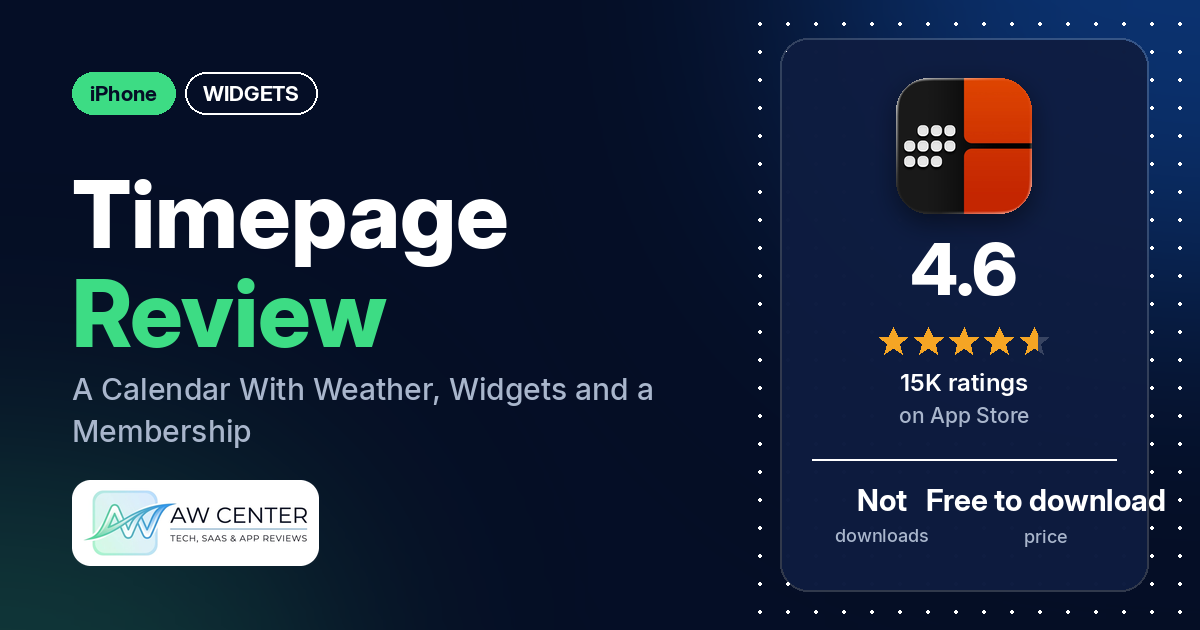
Timepage: Calendar Planner is an iPhone calendar app from Bonobo Pte Ltd that combines your events with a timeline view, weather and travel-time estimates, and it works through a paid membership with a free trial. It has 4.6 stars from 15,455 App Store ratings, and many reviewers praise the design, while several say the widgets went blank.
Quick verdict
If you want a calendar that looks good and shows weather next to your events, Timepage is worth a trial. Many reviewers praise the design, and several find it easy to use. The weak spots are the widgets, which several reviewers say went blank, lagged a day behind or lost events, and the membership, which a few reviewers dislike having to pay for. Several also report crashes or freezes and no natural language input when creating events. Most reviews in our sample are 4 or 5 stars.
Timepage at a glance
| Developer | Bonobo Pte Ltd |
|---|---|
| Store listing | Timepage on the App Store |
| Price | Free to download; the listing says Timepage is a membership service with a free trial, monthly and annual options, and gives no prices |
| Ads | Not stated in the listing |
| App Store rating | 4.6 stars from 15,455 ratings |
| Downloads | Not in our data |
| Version / last updated | 5.2.4 / November 13, 2026 |
| Requires | iOS 16.6 or later |
| First released | May 28, 2015 |
| Data checked | November 21, 2026 |
What is Timepage?
Timepage is a calendar app for iPhone, iPad, Mac and Apple Watch. The listing says it shows your events together with maps, contacts and weather, and it uses the calendars already on your iPhone, such as iCloud, Google, Outlook, Exchange, Facebook, Yahoo and CalDAV. Reviews from 2022 and 2023 call the maker Moleskine, and the listing now names Bonobo Pte Ltd.
Key features
- Views: a timeline view for looking ahead, and a month heatmap that shows when you are busy and free.
- Weather and travel: the listing says it shows temperature and rainfall forecasts for the day, and gives travel time estimates to walk, cycle, drive or take public transport to your events.
- Widgets and themes: widgets for weather and events, and over 60 theme colors for the app, home screen widgets and icon.
- Creating events: the listing says you swipe down and start typing, and it lists repeating events, reminders, calendar colors, app icon badge customisation and 24 hour time.
- Sync and search: fast background sync with your calendar provider, and event search through Spotlight.
- Hints: messages such as “2 hours free after this event then Gym at 6pm,” in the listing’s example.
Timepage vs. what a widget app should have
Timepage is a calendar with widgets rather than a widget builder, so several rows below are a poor match. “Listed” means the App Store listing names the feature, “Partial” means it covers part of it, and “Reviews only” means reviewers describe it but the listing doesn’t. “Not listed” means neither the listing nor the reviews in our sample show it. Timepage shows weather, so don’t rely on a single app for severe weather warnings; check official alerts too.
Must have
| Feature | Status | Notes |
|---|---|---|
| Home Screen widgets in several sizes or families | Partial | The listing names widgets for weather and events but no sizes; one reviewer in September 2026 names the Today and HeatMap widgets |
| Lock Screen widgets | Not listed | |
| Design editor | Not listed | |
| Ready-made designs or templates | Partial | Over 60 theme colors for the app, widgets and icon |
| Common data (time, date, weather, calendar, battery) | Partial | Weather and events are listed; battery isn’t |
| Widgets that stay up to date | Reviews only | Several reviewers report blank, outdated or missing-event widgets |
| Transparent or wallpaper-matching backgrounds | Not listed |
Should have
| Feature | Status | Notes |
|---|---|---|
| Smartwatch faces or complications | Partial | The listing names Apple Watch as a device but doesn’t describe watch features; one reviewer in June 2026 mentions weather, bill reminders and their schedule on the watch |
| Tap actions that open apps | Not listed | |
| Sharing or importing designs | Not listed | |
| Music or now-playing data | Not listed | |
| Health and fitness data | Not listed | |
| Help, tutorials or a support contact | Listed | Menu, Help, Contact Support, plus a feature request page |
| A usable free tier | Partial | The listing says expired members can still use the app in read-only mode without weather; a few reviewers say you must pay to use it |
| Restoring purchases on a new device | Not listed | The listing says membership gives unlimited access on all your devices |
Nice to have
| Feature | Status | Notes |
|---|---|---|
| Custom data sources (JSON, API) | Not listed | |
| Charts and gauges | Not listed | The listing describes a month heatmap of busy and free days |
| Live Activities / Dynamic Island | Reviews only | One reviewer in July 2026 asks for a redesign of the live activities window; another in May 2026 says the feature is broken |
| Tablet and desktop support | Listed | iPadOS, iOS, Mac and Apple Watch |
| Shortcuts or automation integration | Not listed | The listing says event search works through Spotlight |
| One-time purchase instead of a subscription | Reviews only | Two reviewers mention a lifetime option; one says it is sold only in a bundle |
| No ads | Not listed |
It covers weather and calendar events, and little else a widget app offers: no Lock Screen widgets, no editor and no custom data sources.
Common problems reviewers report
Widget and app behavior changes with each update and iOS version, so treat these as reports from the dates shown. The data we collected has no developer replies.
| Problem | What reviewers report | When |
|---|---|---|
| Widgets blank, behind or missing events | Several reviewers say widgets showed no events, were blank, lagged a day behind or disappeared. Two say it happened after an update. | October 2022 to September 2026 |
| Crashes and freezes | Several reviewers say the app froze, crashed or showed a blank screen, including one who says it crashes every time they enter an event. | January 2023 to November 2026 |
| Slow or laggy | Several reviewers say it was slow. Three of them say the Mac app was slow or clunky. | January to April 2023 |
| Sync and refresh | Several reviewers say changes arrived late or not at all between devices, or that old events still triggered notifications. | February to March 2023 |
| Notifications and reminders | A few reviewers say notifications stopped, a reminder fired for a deleted event, or saved event times changed. | March 2023 to October 2026 |
| Natural language input | Several reviewers say typing something like “Meeting at 3 pm next Friday” doesn’t work, or that the app has no natural language input. | January 2023 to May 2026 |
| Adding people | Two reviewers say adding people to an event fails or isn’t possible. | February and April 2023 |
Pros (from user reviews)
- Design: many reviewers praise how the app looks, using words such as beautiful, clean and sleek. Some of them still give low ratings: one in May 2026 says the interface is beautiful and that is about it. Two reviewers disagree about how easy it is to use: one in July 2026 says the added features make simple things annoying, and one in January 2026 finds it very hard to get where they need to go.
- Easy to use: several reviewers call it easy, simple or intuitive to use.
- Weather and leave-time prompts: several reviewers like the built-in weather. A few also name the travel time or the prompt telling them when to leave for an appointment.
- Colors: a few reviewers like the color options or customization.
- Price: a few reviewers say the price is fair or low. One in March 2023 calls it very affordable, and one in December 2025 says they would pay far more.
- Customer service: a few reviewers praise it. One in August 2026 says an email got a reply with clear suggestions, and one in June 2026 calls the service stellar.
- Several devices: a few reviewers like using it across devices. One in January 2023 says it syncs on all devices, including with iCal.
Cons (from user reviews)
- Paying to use it: a few reviewers complain about the membership. One in November 2026 says you can’t see any calendars if you don’t sign up to pay. The listing says that if your membership expires you can still use the app in read-only mode. Two reviewers mention a lifetime option: one in September 2026 says they paid for lifetime and the app now asks them to renew, and one in May 2026 says lifetime is sold only in the bundle.
- Bundle and upsell prompts: a few reviewers say the app pushes more than the calendar. One in November 2025 complains about repeated pop-ups for the bundle, and one in February 2023 says example Actions from the companion app show up on every day of the calendar.
- Widgets: several reviewers say they stopped showing events, went blank or lagged behind.
- Crashes, freezes and speed: several reviewers report crashes or freezes, and several say it is slow. Three reviewers in November 2026 write about a device they call the Duo; one says it crashes frequently. Another of them reported freezes and later says all but one of their concerns were addressed.
- No natural language input: several reviewers say it doesn’t understand typed phrases the way other calendar apps do, and two in 2026 say the app still lacks it.
- Sync and notifications: several reviewers report slow or missing sync, mostly on the Mac in early 2023, and a few say notifications or reminders misfired.
- Support: a few reviewers say support didn’t solve their problem. One in January 2026 says the support button went nowhere, and one in April 2023 says the developer blamed them for a performance problem.
- Setup: two reviewers say connecting calendars isn’t obvious. One in September 2026 says the need to set up calendars in your phone’s account settings isn’t explained.
- Requests: two reviewers want to-do items or reminders shown in the calendar. One wants a Windows version, one wants Mac-native widgets, one wants more alert options for an event, and one wants an app icon that shows the current date.
Most reviews in our sample are 4 or 5 stars. The data we collected doesn’t include a star breakdown of all 15,455 ratings, so we can’t say how common these complaints are across all of them.
Pricing
Timepage is free to download. The listing says it is a membership service with a free trial, with monthly and annual options, and that prices may vary by location. It gives no prices. If a membership expires, the listing says, you can still use the app in read-only mode without weather, and your calendar data stays with your provider. It adds that any unused part of the free trial is forfeited when you subscribe. No reviewer in our sample quotes a price. Reviewers mention annual and lifetime options, a bundle and a family membership, so check the App Store for what is on offer now.
Privacy and permissions
We couldn’t read the App Store privacy label for Timepage, and our data has no permissions list, so we make no claim about what data it collects. The listing links to the developer’s privacy policy and terms of service.
Who it’s for
Timepage suits you if you want a calendar that looks good, shows the weather and travel time next to your events, and works on iPhone, iPad, Mac and Apple Watch. It is a weaker fit if you rely on widgets, since several reviewers say theirs went blank or lagged behind, or if you want natural language event entry. If you don’t want a subscription, note that a few reviewers complain about having to pay.
FAQ
Is Timepage free?
Timepage is free to download, but the listing calls it a membership service with a free trial. The listing gives no prices and offers monthly and annual options. A few reviewers complain about having to pay.
Does Timepage have widgets?
The listing names widgets for weather and events, and says the theme colors apply to them. Several reviewers say the widgets went blank, lagged a day behind or lost events, so check recent reviews before you rely on them.
Which calendars does Timepage work with?
The listing says it works with any calendar already on your iPhone, such as iCloud, Google, Outlook, Exchange, Facebook, Yahoo and CalDAV. Two reviewers say setting up calendars wasn’t obvious.
Does Timepage understand natural language?
The listing doesn’t mention natural language input. It says you create events by swiping down and typing. Several reviewers say the app lacks it or handles phrases badly, and two in 2026 say it is still missing.
How this review was put together
We haven’t tested Timepage. This review is based on public information from official sources: the app’s Google Play or App Store listing and rating breakdown, the developer’s website when there is one, and recent user reviews on the store with the developer’s replies. Features and claims are the developer’s own descriptions; what users like and dislike comes from the store reviews. Everything was checked on November 21, 2026. Apps change with every update, so check the store listing before you install.