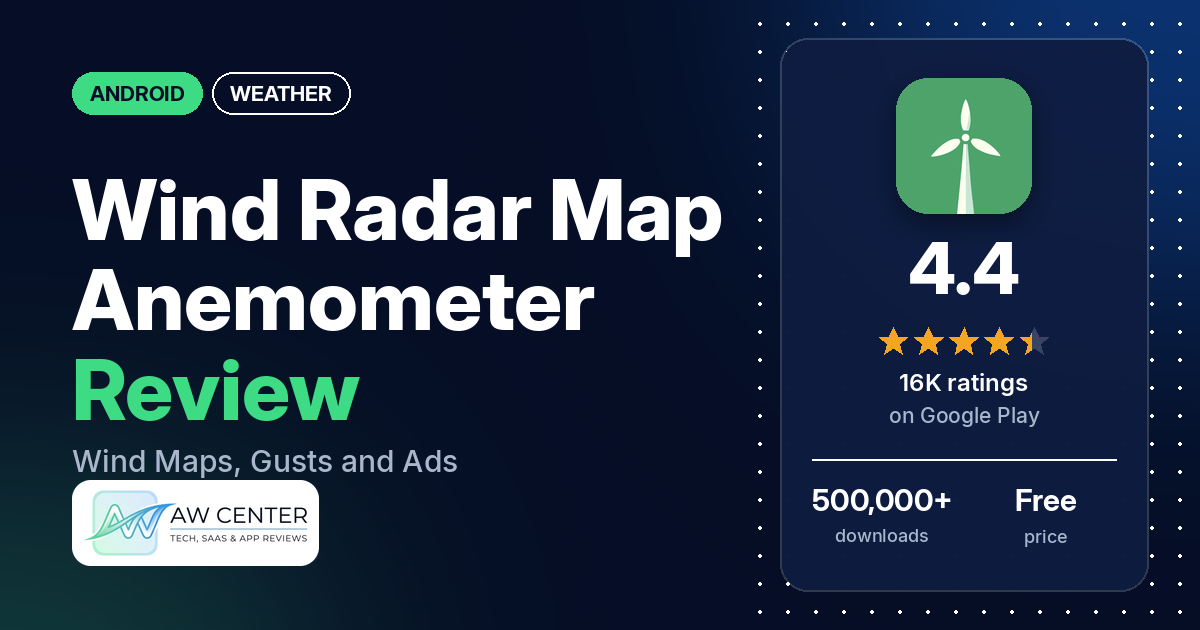
Wind Radar Map – Anemometer is a free Android app from Stolanapp that shows wind speed, gusts and direction on a live map, with a 7-day forecast and wind alerts. Many reviewers call its readings accurate, and many say the ads make it hard to use.
Quick verdict
If wind is the one number you care about, for drone flights, paragliding, golf or boating, this app is built around it, and many reviewers say it is accurate. Several also say it is easy to use. The catch is the free version: many reviewers complain about ads, some of them full-screen or 30-second videos, and a few say the price of the paid version is too high. Several reviewers say the speed or direction was wrong for them, and two say it doesn’t measure wind where you stand. Don’t rely on a single app for severe weather warnings.
Wind Radar Map – Anemometer at a glance
| Developer | Stolanapp |
|---|---|
| Store listing | Wind Radar Map – Anemometer on Google Play |
| Price | Free, with in-app purchases ($0.99 – $20.99 per item) |
| Ads | Yes |
| Play Store rating | 4.4 stars from about 15,521 ratings (67% are 5-star) |
| Downloads | 500,000+ |
| Version / last updated | 5.3.11 / July 21, 2026 |
| Requires | Not in our data |
| First released | July 22, 2020 |
| Data checked | November 21, 2026 |
What is Wind Radar Map – Anemometer?
It is a wind-focused weather app. The listing describes a live wind radar map with wind speed, gust speed and direction, a forecast mode for the next 7 days, tide and wave data, storm radar visualization, wind alerts and a compass. It says the map is optimized for sailing, boating, surf, marine navigation, golf, fishing and drone flights. The listing calls the app a digital anemometer but doesn’t say where its wind readings come from. Two reviewers say it doesn’t measure wind where they stand and only consults data.
Key features
- Wind map: live wind speed, gust speed and direction on a map, with a forecast mode for the next 7 days and storm movement and weather radar data.
- Units: wind speed in mph, km/h, m/s or knots, and the Beaufort scale.
- Compass: a wind compass that shows wind direction.
- Alerts: custom wind speed and gust alerts, notifications when storms approach your location, weather alerts for favorite locations, and daily forecast alerts.
- Marine data: tide and wave conditions and a marine forecast.
- Locations: the listing says you can compare multiple locations.
Wind Radar Map – Anemometer vs. what a weather app should have
The Status column shows where we found each feature. “Listed” means the Google Play listing names it. “Partial” means the listing covers part of it. “Not listed” means the listing doesn’t name it. “Reviews only” and similar values mean we found it in reviews or developer replies instead. This is a wind app, so many general weather rows are Not listed.
Must have
| Feature | Status | Notes |
|---|---|---|
| Current conditions and feels-like | Partial | Current wind speed, gusts and direction are listed; temperature isn’t. One reviewer in February 2025 asks for temperature |
| Hourly forecast | Reviews only | Not in the listing; reviewers mention an hourly wind forecast and one in January 2026 sees wind for the next 4 hours at a glance |
| Daily forecast of 7+ days | Listed | 7-day forecast |
| Chance of precipitation | Not listed | |
| Wind, humidity, UV index | Partial | Wind speed, gusts and direction are listed; humidity and UV aren’t |
| Severe weather alerts | Listed | Storm, marine and wind warnings for favorite locations |
| Radar map | Listed | Wind radar map and storm radar visualization |
| Home-screen widgets | Reviews and developer replies | Not in the listing; a January 2026 reviewer describes a widget, and the developer reply says all the info is in the bigger widgets |
| Current location and search | Partial | Favorite locations are listed; a few reviewers say the location was wrong, and developer replies from 2022 and 2023 say you can enter it manually |
| Unit options (°F/°C) | Partial | Wind speed units are listed; temperature units aren’t |
Should have
| Feature | Status | Notes |
|---|---|---|
| Notification or lock-screen weather | Partial | Alerts and daily forecast alerts are listed; an always-on notification isn’t |
| Air quality | Not listed | |
| Multiple saved locations | Listed | Compare multiple locations; favorite locations |
| Choice of data source | Not listed | |
| Layout customization | Not listed | |
| Light and dark themes | Not listed | |
| Sunrise, sunset, moon phase | Not listed | |
| Multiple languages | Not listed |
Nice to have
| Feature | Status | Notes |
|---|---|---|
| Animated wind or global map | Partial | A live wind map with a forecast mode; animation isn’t mentioned |
| Side-by-side provider comparison | Not listed | Comparing locations is listed, comparing providers isn’t |
| Photography times (golden/blue hour) | Not listed | |
| Weather photos | Not listed | |
| Pollen | Not listed | |
| Lightning strike information | Not listed | |
| Custom temperature alerts | Partial | Custom wind and gust alerts are listed; temperature alerts aren’t |
| Rain-incoming notifications | Partial | Notifications when storms approach are listed; rain isn’t named |
| Written forecast summary | Not listed |
Common problems and fixes
The developer replied to some reviews in our sample, mostly in French between 2022 and 2024. The replies below are translated and paraphrased, and menu names may differ in your version.
| Problem | What reviewers report | Developer reply |
|---|---|---|
| Ads block the app | Many reviewers complain about ads. In 2026, several say full-screen ads hung the app, had no way out, or kept appearing. | Replies from 2022 to 2024 say ads are the developer’s income, that the premium version removes them, and that the team tries to place them where they don’t get in the way. |
| Wrong location | A few reviewers say the app showed the wrong or an imprecise location. | A December 2023 reply says the problem may come from an inaccurate location and suggests turning on geolocation or entering the location manually. A December 2022 reply says the location only changes automatically if you let the app use your location, otherwise use the edit button next to it. |
| Wrong units | A reviewer in October 2024 couldn’t find miles per hour and then found it. | A 2022 reply says to tap the small button at the bottom left with a weight icon to choose the unit. |
| Widget shows only wind speed | A reviewer in January 2026 says the widget first showed only wind speed, with no gusts or direction. | January 14, 2026: all the information is shown in the bigger widgets, and you can restore your purchases when you reinstall the app. |
| Freezes or won’t open | A few reviewers say it stopped working, froze or wouldn’t open, in 2022, 2023 and May 2026. | Replies in 2023 say the problem was fixed and suggest trying again. |
Whatever weather app you use, don’t rely on one app alone for severe weather warnings. Check official alerts from your national weather service too.
Pros (from user reviews)
- Accuracy: many reviewers call the wind readings accurate, though a few qualify it with “so far.” One reviewer in August 2025 says the wind speed seems spot on, and another in July 2025 says it seems more correct than WUnderground. Several others say the speed or direction was wrong; see Cons.
- Easy to use: several reviewers say it is easy to use or has an easy layout.
- Real-time wind: a few reviewers value the live view. One in February 2026 says it was the only wind app they found that showed constant real-time speed and direction.
- Use cases: two reviewers use it for drone flights, and others name paragliding, golf, navigation, and checking wind in severe weather. One reviewer in June 2025 says the wind direction is perfect for paragliding.
- Compass: one reviewer in August 2025 says the large, accurate compass is a big plus.
Cons (from user reviews)
- Ads: many reviewers, from 2022 to November 2026, say there are too many ads. A few describe 30-second video ads and several, in 2026, describe full-screen ads they couldn’t close. Two say the hourly or tomorrow forecast sits behind an ad or premium.
- Wrong readings: several reviewers say wind speed or direction was wrong, including one who says it showed double the wind at their local spot, and one who says it was off by 10mph. A few say the location was wrong or imprecise.
- Doesn’t measure on the spot: two reviewers expected it to measure the wind where they were and say it only reads data.
- Price: a few reviewers say the premium version or subscription costs too much or that they felt pushed to pay. One reviewer in May 2026 says upgrading is confusing.
- Stability: a few reviewers say the app froze, wouldn’t open or stopped working. One reviewer in December 2022 says it took long to load.
- Missing pieces: one reviewer in May 2024 says it doesn’t give wind direction by the hour, one in February 2025 wants temperature, and one in January 2026 wants a smaller widget.
Rating breakdown
| Stars | Ratings | Share |
|---|---|---|
| 5 | 10,380 | 67.1% |
| 4 | 2,632 | 17.0% |
| 3 | 1,379 | 8.9% |
| 2 | 150 | 1.0% |
| 1 | 927 | 6.0% |
Source: Google Play ratings histogram, checked November 21, 2026. Shares are of the 15,468 ratings in the breakdown; the listing shows 15,521 ratings in total.
Most ratings are 5 stars, and 1- and 2-star ratings together are 7.0% of the breakdown. Our review sample includes extra low-star reviews and reaches back to 2021, so complaints are overrepresented in it compared with the rating breakdown.
Pricing
You can download Wind Radar Map – Anemometer for free, and Google Play lists in-app purchases from $0.99 to $20.99 per item. The listing doesn’t describe the plans or say what the paid version adds. Developer replies say the premium version removes ads. A reviewer in July 2026 mentions a free 3-day trial, one in March 2025 says the subscription is more than they are willing to pay, and one in August 2025 says they plan to buy the yearly plan. Prices may differ by country and change over time, so check the store before you buy.
Privacy and permissions
We couldn’t read the Google Play data safety section for this app, so we make no claim about what data it collects or shares. The permissions list includes precise location (GPS and network-based), approximate location (network-based), full network access, receive data from Internet, view network connections, view Wi-Fi connections, connect and disconnect from Wi-Fi, run at startup, prevent device from sleeping, control vibration, read the contents of your USB storage, modify or delete the contents of your USB storage, and Google Play license check. One reviewer in June 2025 says a criminal-IP website flags the app’s IP address as malicious. We haven’t checked that claim and the data has no developer reply to it.
Who it’s for
This app fits you if you want a wind map with gusts and direction, for drones, paragliding, golf or boating, and you can put up with ads or pay to remove them. It’s a weaker fit if you want a full weather app with rain chance, humidity or air quality, if you need a device that measures wind where you stand, or if you want a free app without ads. If you need official warnings, keep a national weather service app as well.
FAQ
Is Wind Radar Map – Anemometer free?
It’s free to download, and Google Play lists in-app purchases from $0.99 to $20.99 per item. The free version has ads, and developer replies say the premium version removes them. The listing doesn’t describe what the plans cost.
Does it measure wind where I am?
The listing calls it a digital anemometer but doesn’t say where the readings come from. Two reviewers say it doesn’t measure wind on the spot and only consults data. Several others say the readings were wrong for them, and many call them accurate.
How far ahead does it forecast?
The listing says the map’s forecast mode covers the next 7 days. One reviewer in January 2026 says they can see wind for the next 4 hours at a glance.
Does it have a widget?
A January 2026 reviewer describes a wind widget, and the developer’s reply says all the info is in the bigger widgets. The listing doesn’t mention widgets. The same reviewer wanted a smaller one.
How this review was put together
We haven’t tested Wind Radar Map – Anemometer. This review is based on public information from official sources: the app’s Google Play or App Store listing and rating breakdown, the developer’s website when there is one, and recent user reviews on the store with the developer’s replies. Features and claims are the developer’s own descriptions; what users like and dislike comes from the store reviews. Everything was checked on November 21, 2026. Apps change with every update, so check the store listing before you install.