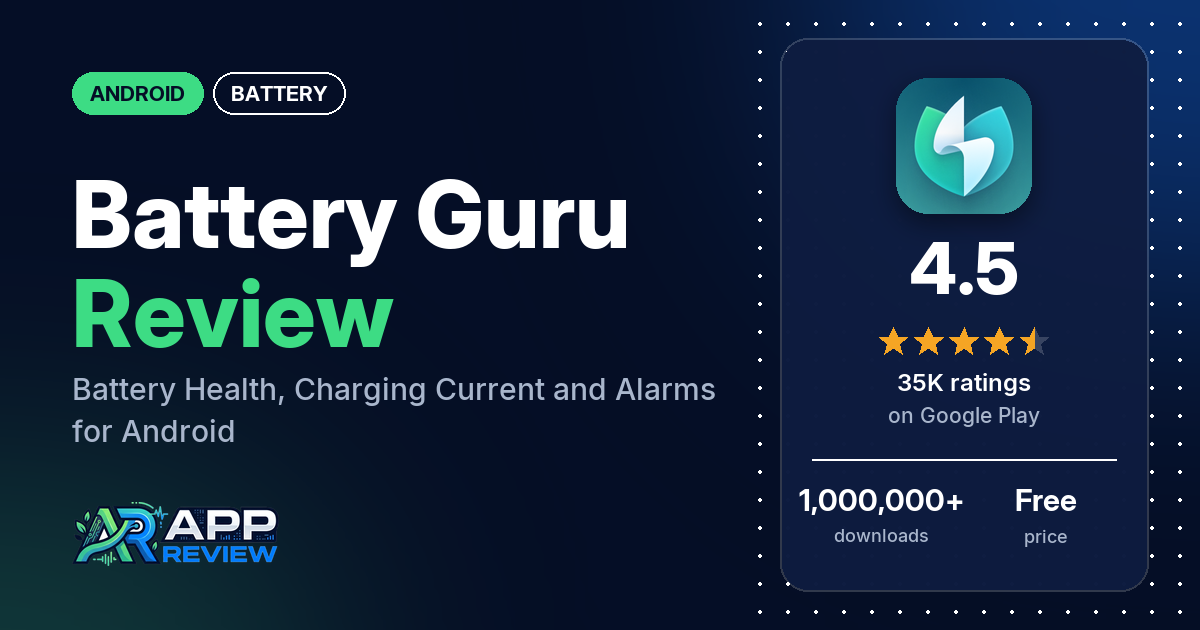
Battery Guru: Battery Health is a free Android app that estimates your battery’s real capacity and health, measures charging current, and adds charge and temperature alarms, widgets and an always-on display. It has 4.5 stars from 35,201 ratings; the free version shows ads, and Premium is a subscription.
Quick verdict
If you want more battery data than Android shows, Battery Guru has a lot of it, and several reviewers praise the detail. You can try every Premium feature free by watching an ad for 24 or 48 hours at a time. Reviewers keep raising the same trade-offs: several complain about ads, several want a one-time purchase instead of the subscription, and several say the health estimate didn’t match their battery. The developer’s replies say health is an estimate that needs several full charges to settle. Recent replies also say the newest build has widget bugs. Across all ratings, 10.3% are 1 or 2 stars.
Battery Guru at a glance
| Developer | Paget96 |
|---|---|
| Store listing | Battery Guru on Google Play |
| Price | Free, with in-app purchases from $0.99 to $12.99 per item |
| Ads | Yes (Premium removes them) |
| Play Store rating | 4.5 stars from 35,201 ratings (76.2% of the ratings in the store’s rating breakdown are 5-star) |
| Downloads | 1,000,000+ |
| Version / last updated | 2.5.0.8 / September 3, 2026 |
| Requires | Not in our data |
| First released | October 13, 2019 |
| Data checked | October 20, 2026 |
What is Battery Guru?
Battery Guru is a battery monitor. The listing says it shows whether your battery still holds its design capacity in mAh, measures the real current going in so you can compare chargers and cables, and tracks where your charge goes. It also says plainly that the app only measures: it doesn’t modify the battery, speed up charging or extend battery life. It has been on Google Play since October 2019.
Key features
- Health and capacity: actual capacity in mAh against design capacity, health percentage over time, wear per charging cycle and a cycle count.
- Charging: live current in mA, power in watts, voltage, time to full with the screen on or off, and a history of every charging session.
- Drain: screen on and off time, deep sleep, per-app use, a wakelock monitor and alerts for abnormal drain.
- Temperature: real-time battery temperature, a 24-hour graph and high and low temperature alarms.
- Alarms: full charge, low battery, high drain and temperature alarms, with a Do Not Disturb schedule for sleep hours.
- Always-on display: battery level, current, temperature and voltage on the lock screen, with OLED burn-in protection.
- Widgets and overlay: home screen widgets (one with a clock) and a draggable floating overlay.
- Bluetooth devices: the battery level of connected Bluetooth devices.
- Pro: no ads, full session history and advanced overlays; or watch one rewarded ad for 24 or 48 hours of Premium, as often as you like.
Battery Guru vs. what a battery app should have
“Listed” means the Google Play listing names the feature, “Partial” means it covers part of it, and “Reviews only” or “Reviews and developer replies” means we found it outside the listing.
Must have
| Feature | Status | Notes |
|---|---|---|
| Full-charge alert at a level you choose | Partial | The listing names a full charge alarm; reviewers describe setting the level |
| Low-battery alert at a level you choose | Partial | The listing names a low battery alarm; reviewers describe setting the level |
| Alerts that fire reliably in the background | Partial | Several reviewers say tracking stops in the background, and two say the charge alarms stopped sounding |
| Sound and vibration options | Reviews and developer replies | A reply says the alarm sound can be changed through Android’s notification settings for now |
| Easy to dismiss an alert | Not listed | |
| Low battery use by the app itself | Not listed | Several reviewers say it drains the battery |
Should have
| Feature | Status | Notes |
|---|---|---|
| Custom alert sound and volume | Reviews and developer replies | An in-app sound picker is in the works, a reply says |
| Quiet hours or a schedule | Listed | One reviewer says the full charge alarm fired during Do Not Disturb |
| Battery details (temperature, voltage, current) | Listed | |
| Charge history or usage chart | Listed | Full session history is a Pro feature |
| Help or a support contact | Listed | [email protected] |
| Clear pricing | Partial | The listing names Pro features, not the price; replies say Premium is a subscription |
Nice to have
| Feature | Status | Notes |
|---|---|---|
| Battery health or capacity estimates | Listed | Several reviewers say the estimate was wrong for their phone |
| Time-left or time-to-full estimates | Listed | Time to full |
| Home screen widget or status bar readout | Listed | Two reviewers say widgets got stuck loading in the newest build |
| Tablet support | Reviews and developer replies | A developer reply mentions a Galaxy Tab A; one reviewer says the UI lags on their tablet |
| No ads or an ad-free option | Listed | Pro removes ads |
| No account required | Not listed |
The listing covers a lot of this checklist. The weak spot reviewers report is reliability, since the alarms and tracking depend on the app staying alive in the background.
Common problems and fixes
Nearly every review gets a developer reply, often with steps to try. Those steps are dated below and may have changed since.
| Problem | What reviewers report | When | What the developer’s replies suggest |
|---|---|---|---|
| Health or capacity looks wrong | Several reviewers, including two OnePlus 13 owners; replies point to the phone’s dual cells | December 2025 to October 2026 | Health is an estimate that needs several full charges; the “Verified” badge needs a charge that reaches 90% and adds 30% or more. Check the dual-cell setting and send a backup (Settings > Data management > Create backup) to support (August to October 2026) |
| Tracking stops or data goes missing | Several reviewers; one says hours of use read as minutes | February to September 2026 | Exempt Battery Guru from battery optimization (October 2026). On Infinix, also allow autostart under Settings > Battery > App launch (August 2026) |
| Widgets stuck loading | Two reviewers, on a Pixel 11 Pro and a Samsung A57 | September to October 2026 | A known bug in this update; fixes are in progress and the old widget will return as an option (September 2026) |
| “Full charge” reminder after a full charge | Several reviewers | February to July 2026 | Update, then do one full charge (February 2026) |
| More ads than promised for free Premium | A few reviewers say “2 ads” became 3 or 6 | May to October 2026 | Each “ad” is an ad break that Google AdMob can fill with several ads; the wording will be made clearer (October 2026) |
Pros (from user reviews)
- Detail: several reviewers praise how much it shows about health, capacity, charging speed, temperature and cycles, and several use it to find what drains the battery, such as wakelocks or idle night drain.
- Accuracy, for some: several reviewers call it accurate. Several others say the health or capacity figure was wrong for their phone (see Cons).
- Free Premium by ad: several reviewers like being able to unlock Premium by watching ads, so they can test it before paying. Two say the ads aren’t intrusive.
- Design: several reviewers like the interface. Several others dislike the recent redesigns (see Cons).
- A developer who answers: a few reviewers praise the developer’s quick replies, by email, on Telegram or in reviews. A few say support didn’t follow up.
Cons (from user reviews)
- Ads: several reviewers say there are too many ads, a few mention full-screen or video ads, and two saw scam or inappropriate ads, one in August 2026 claiming the phone had been hacked. One measured 94 MB of mobile data in 12 days; the developer’s reply says that would be ad traffic.
- Subscription only: several reviewers want a one-time purchase. A reply from October 2026 says there is none and there won’t be. A few say they tried to subscribe and couldn’t.
- Health readings: several reviewers say the health or capacity figure didn’t match their battery, and several say other readings, like per-app use or screen-off drain, look wrong.
- Tracking and reminders: several reviewers say tracking stops in the background, several are asked to recalibrate often, and several get “full charge” reminders right after charging to 100%. Two say the charge alarms stopped sounding, and one says the low battery alarm fired only once.
- Redesigns and notifications: several reviewers call the new layout cluttered or dislike how often it changes, several find the notifications annoying, and several say it has become bloated.
- Battery use and privacy: several reviewers say the app drains their battery, and several raise privacy concerns, such as analytics being on by default. The developer’s replies say analytics and crash reporting can be turned off in settings.
Across all ratings, 10.3% are 1 or 2 stars and 76.2% are 5-star.
Rating breakdown
| Stars | Ratings | Share |
|---|---|---|
| 5 | 26,787 | 76.2% |
| 4 | 2,841 | 8.1% |
| 3 | 1,899 | 5.4% |
| 2 | 2,059 | 5.9% |
| 1 | 1,580 | 4.5% |
Source: Google Play ratings histogram, checked October 20, 2026. The histogram adds up to 35,166 ratings, slightly fewer than the 35,201 total, and the shares are of the histogram total.
Pricing
Battery Guru is free with ads. The listing shows in-app purchases from $0.99 to $12.99 per item but doesn’t name the Premium price; the developer’s replies say Premium is a subscription, with no one-time option. You don’t have to pay to try it: watching one rewarded ad unlocks Premium for 24 or 48 hours, as often as you like, according to the listing. A few reviewers say that took more ads than the offer said.
Privacy and permissions
We couldn’t read the Google Play data safety section, so we make no claim about what it declares. The permissions list includes access Bluetooth settings, control vibration, draw over other apps, full network access, pair with Bluetooth devices, prevent device from sleeping, run at startup, update component usage statistics and view network connections. A developer reply from October 2026 says each permission maps to a feature, optional ones can be declined, and your battery history stays on your phone. Another, from June 2026, says analytics and crash reporting are optional and can be turned off in the app’s settings.
Who it’s for
Battery Guru fits you if you want deep battery data: real capacity, charging current, per-app drain and wakelocks, plus alarms and an always-on display, and you don’t mind ads or watching one to unlock Premium for a day or two. Give the health estimate several full charges before you trust it. Skip it if you want a one-time purchase, an ad-free free version, or a simple app with only a few numbers.
FAQ
Is Battery Guru’s battery health reading accurate?
It’s an estimate. The developer’s replies say it is built from your charging sessions and needs several full charges, and a charge that reaches 90% and adds at least 30%, before it shows as Verified. Several reviewers call the app accurate, while several others say the health figure didn’t match their battery.
Is Battery Guru Premium a one-time purchase?
No. The developer’s replies say Premium is subscription only and that a one-time option isn’t planned. You can unlock Premium free for 24 or 48 hours by watching a rewarded ad, as often as you like.
Why does Battery Guru stop tracking in the background?
Several reviewers say tracking stops in the background, and two say it only picks up again when they open the app. A developer reply from October 2026 calls it a real bug and says exempting Battery Guru from battery optimization helps; on Infinix phones, a reply also suggests allowing autostart.
Can Battery Guru stop charging at a set percentage?
No. The listing says it only measures and doesn’t modify the battery or charging; it can sound a full charge alarm instead. A developer reply from October 2026 says a charge limit for rooted phones is on the list but needs care.
How this review was put together
We haven’t tested Battery Guru. This review is based on public information from official sources: the app’s Google Play or App Store listing and rating breakdown, the developer’s website when there is one, and recent user reviews on the store with the developer’s replies. Features and claims are the developer’s own descriptions; what users like and dislike comes from the store reviews. Everything was checked on October 20, 2026. Apps change with every update, so check the store listing before you install.