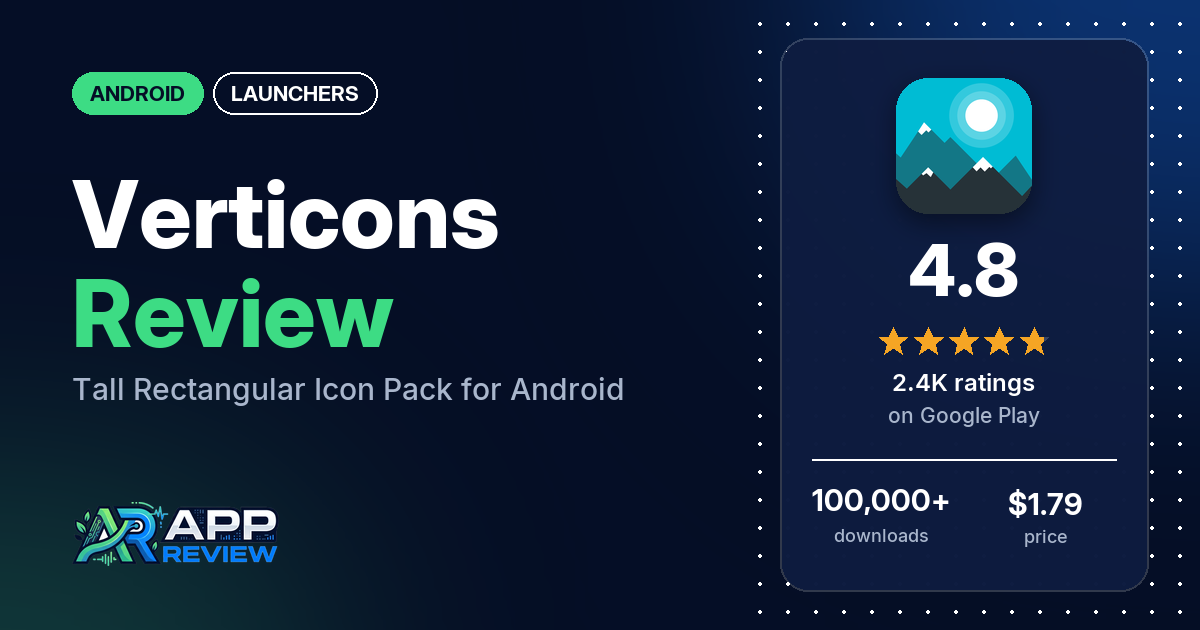
Verticons is a $1.79 Android icon pack with 6,500 tall, rectangular icons that theme more than 8,000 apps, plus 80+ wallpapers. It works through a launcher that supports icon packs, and it has 4.8 stars from 2,446 ratings on Google Play.
Quick verdict
If you’re tired of round and squircle icons, Verticons offers a different shape: many reviewers call the tall shape unique, and several have used it for years. Check your launcher first. Several reviewers couldn’t get it working with their phone’s own launcher, on Samsung, Pixel, Xiaomi, Nothing and other phones, and the developer’s replies point them to Nova, Smart or Lawnchair, or to Theme Park on Samsung. Don’t count on requests either: the developer no longer sells paid icon requests and adds the most-requested apps first, and several reviewers say their requests were never filled. Of the ratings in the store’s rating breakdown, 3.9% are 1 or 2 stars.
Verticons at a glance
| Developer | SpaceMan (no website listed) |
|---|---|
| Store listing | Verticons Icon Pack on Google Play |
| Price | $1.79, with in-app purchases from $0.99 to $9.99 per item |
| Ads | None |
| Play Store rating | 4.8 stars from 2,446 ratings (89.4% of the ratings in the store’s rating breakdown are 5-star) |
| Downloads | 100,000+ |
| Version / last updated | 2.6.0 / September 20, 2026 |
| Requires | Not stated |
| First released | October 1, 2017 |
| Data checked | October 21, 2026 |
What is Verticons?
Verticons is an icon pack with a tall, rectangular shape that the listing says suits phones with 18:9 and taller screens. The listing says the icons copy small interface details from the apps they represent. Apps without a custom icon get masked into the same rectangle. The listing says it has had regular updates for over 8 years, and it has been on Google Play since October 2017.
Key features
- Icons: 6,500 hand-crafted 256 x 256 vector icons covering 8,000+ apps, in Material Palette colors and gradients.
- Extras: folder, generic and alphabet icons, a dynamic calendar icon (depending on your launcher and calendar app) and 80+ high-resolution wallpapers.
- Masking: icon masking that turns unthemed apps into the same rectangle.
- Icon requests: a server-based request tool.
- Launcher support: the listing names Nova, Smart, Lawnchair, Microsoft, OnePlus, Action, Apex, Niagara, Evie, Hyperion, Next, ADW, Holo, TSF, Solo, Square Home and Go Launcher (no masking on Go). It also mentions custom ROMs, OnePlus OxygenOS and Samsung Theme Park.
- Recommended settings: icon scale at 125% to 140% with icon size normalization off, and 5 or 6 columns.
Verticons vs. what a launcher app should have
“Listed” means the Google Play listing names the feature, “Partial” means it covers part of it, and “Reviews only” or “Reviews and developer replies” means we found it outside the listing. Verticons is an icon pack that runs inside your launcher, so most launcher rows are your launcher’s job.
Must have
| Feature | Status | Notes |
|---|---|---|
| A home screen with the apps you choose | Not listed | Provided by your launcher |
| A searchable, sortable app list | Not listed | |
| Folders or grouping | Not listed | The pack includes folder icons |
| Hiding apps | Not listed | |
| Easy setup as the default launcher | Partial | Apply button for some launchers; otherwise apply from your launcher’s theme settings |
| Gestures and navigation settings | Not listed | |
| A usable free tier | Not listed | Paid app; reviewers and the developer mention a smaller free version |
Should have
| Feature | Status | Notes |
|---|---|---|
| Notification management or filtering | Not listed | |
| Icon styles and third-party icon packs | Listed | 6,500 icons |
| Themes, wallpapers and backgrounds | Listed | 80+ wallpapers |
| Font and text-size options | Not listed | |
| Built-in widgets | Reviews and developer replies | A 2024 developer reply says there is “just one simple widget” |
| Support for standard Android widgets | Not listed | |
| Renaming apps | Not listed | |
| Backup and restore of the layout | Not listed | |
| Working without an internet connection | Not listed |
Nice to have
| Feature | Status | Notes |
|---|---|---|
| Focus tools | Not listed | |
| Double-tap to lock the screen | Not listed | |
| Extra sort options | Not listed | |
| Automatic light and dark themes | Not listed | Several reviewers want a dark version |
| Notification dots or badges | Not listed | |
| Website shortcuts | Not listed | |
| Tablet and e-reader support | Not listed | |
| No ads | Listed | Google Play shows no ads |
| A one-time purchase that covers all devices | Partial | $1.79 once; the listing doesn’t say what the in-app purchases are |
Common problems and fixes
The sample goes back to 2018. Older problems may be fixed, and the developer’s replies below may be out of date.
| Problem | What reviewers report | When | What the developer’s replies suggest |
|---|---|---|---|
| Doesn’t work with the phone’s own launcher | Several reviewers, on Samsung, Pixel, Xiaomi, Nothing, Asus, Red Magic, LG and OnePlus phones | 2018 to December 2025 | Install a launcher that supports icon packs, such as Nova, Smart or Lawnchair (2020 to 2025). Samsung’s launcher can’t use third-party icon packs, but Theme Park can apply Verticons system-wide (January 2025); a 2023 reply calls that setup complicated and says it must be redone when you install new apps |
| Hard to find an icon when changing one app’s icon | A few reviewers, one on Microsoft Launcher and one on OxygenOS or ColorOS | June 2023 to March 2026 | If your launcher offers “pick icon from gallery”, choose Verticons there to use its built-in search (October 2023, March 2026). One reviewer in January 2026 suggests the Alembicons app on OxygenOS or ColorOS |
| Apps without an icon look wrong or hollow | Several reviewers | 2018 to December 2025 | Usually a launcher issue; Next and Go launchers use non-standard masking (2021) |
Pros (from user reviews)
- The shape: many reviewers call the tall rectangle unique among icon packs, and a few like how much detail fits in each icon.
- Coverage: several reviewers say it has icons for almost all their apps. Several others still had missing apps.
- Years of use: several reviewers have used it for years, and several praise regular updates. Two say updates have slowed.
- Tall screens: two reviewers say it suits modern tall phones; one in March 2025 says it matches the Samsung Flip’s screen closely.
- Samsung: a few reviewers use it on Samsung phones, one through Theme Park and one through Good Lock.
- Developer: a few reviewers call the developer responsive.
Cons (from user reviews)
- Launcher support: several reviewers couldn’t use it with their phone’s own launcher or couldn’t work out how to apply it.
- Requests: several reviewers say their icon requests were never made, and two miss the paid request option.
- Outdated icons: a few reviewers say some icons haven’t caught up with app rebrands, including Google’s new logos.
- No dark version: several reviewers want a dark or black version.
- Masking: several reviewers say icons for unthemed apps looked hollow or not rectangular.
- Style: several reviewers don’t like the look.
- Free vs. paid: a few reviewers weren’t sure what the paid version adds.
Of the ratings in the store’s rating breakdown, 3.9% are 1 or 2 stars and 89.4% are 5-star.
Rating breakdown
| Stars | Ratings | Share |
|---|---|---|
| 5 | 2,176 | 89.4% |
| 4 | 143 | 5.9% |
| 3 | 21 | 0.9% |
| 2 | 47 | 1.9% |
| 1 | 47 | 1.9% |
Source: Google Play ratings histogram, checked October 21, 2026. The histogram adds up to 2,434 ratings, slightly fewer than the 2,446 total, and the shares are of the histogram total.
Pricing
Verticons costs $1.79, with no ads. In-app purchases run from $0.99 to $9.99 per item, but the listing doesn’t say what they are, and a 2023 developer reply says no further purchases are needed to use the pack. Paid icon requests are no longer offered, the developer’s replies from 2025 and 2026 say. Developer replies from 2019 and 2024 describe a smaller free version; the paid one adds many more icons, alternate icons, folder and generic icons, wallpapers and requests. For a refund, a May 2026 reply asks you to email the order number.
Privacy and permissions
We couldn’t read the Google Play data safety section, so we make no claim about what it declares. The permissions list includes Google Play license check, adjust your wallpaper size, control vibration, full network access, modify or delete the contents of your USB storage, modify system settings, prevent device from sleeping, read the contents of your USB storage, run at startup, set wallpaper, view Wi-Fi connections and view network connections. The listing doesn’t explain them; it says the app is built on the Blueprint dashboard and the Pacific request manager.
Who it’s for
Verticons suits you if you use Nova, Smart, Lawnchair or another launcher with icon pack support (or Theme Park on Samsung) and want a tall icon shape you won’t see in other packs. Skip it if you rely on your phone’s stock launcher, want a dark or round style, or need icons for niche apps soon, since requests go to the most-requested apps first.
FAQ
Does Verticons work on Samsung phones?
Not with Samsung’s own launcher directly. A January 2025 developer reply says Samsung’s launcher can’t use third-party icon packs, but Theme Park can apply Verticons system-wide. One reviewer uses it through Theme Park and another through Good Lock; a 2023 reply warns the setup is complicated.
Can I pay to get an icon made in Verticons?
No longer. The developer’s replies from 2025 and 2026 say paid requests were dropped because of limited time. Free requests are ranked by how many users ask for the same app, and a June 2026 reply invites email requests for popular apps with more than 1 million downloads.
What icon size should I use with Verticons?
The listing recommends an icon scale of 125% to 140% with icon size normalization turned off, and 5 or 6 columns. A 2022 developer reply says icons that look too small are usually a launcher size setting.
How this review was put together
We haven’t tested Verticons. This review is based on public information from official sources: the app’s Google Play or App Store listing and rating breakdown, the developer’s website when there is one, and recent user reviews on the store with the developer’s replies. Features and claims are the developer’s own descriptions; what users like and dislike comes from the store reviews. Everything was checked on October 21, 2026. Apps change with every update, so check the store listing before you install.