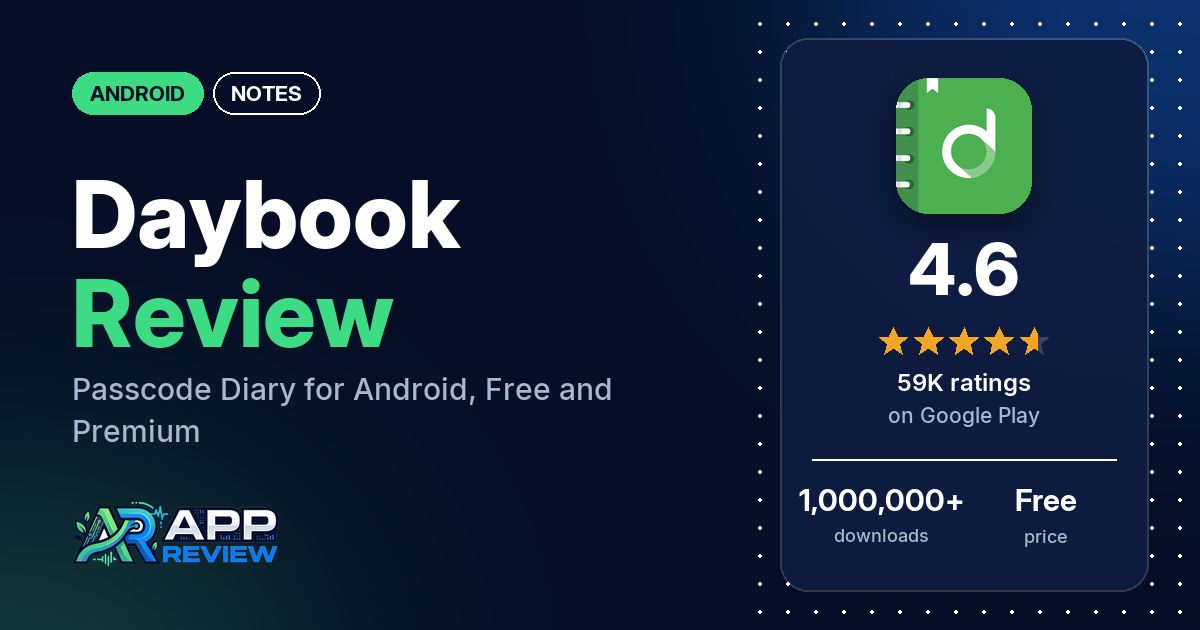
Daybook is a free Android diary and journal app with a passcode lock, automatic cloud backup, voice-to-text entries and a web version. Basic writing is free, but many reviewers say most of the extras, including tags and text formatting, need a premium subscription.
Quick verdict
If you want a plain, passcode-protected diary and don’t need formatting or tags, Daybook is easy to start with: several reviewers praise how simple it is, and several have kept entries in it for years. Plan to pay for anything more. Many reviewers say the useful features sit behind a subscription, and several think the prices are too high. Two more warnings come from the reviews: several reviewers lost entries, and several say support didn’t answer. Of the ratings in the store’s rating breakdown, 4.6% are 1 or 2 stars.
Daybook at a glance
| Developer | Daybook Labs Inc |
|---|---|
| Store listing | Daybook – Diary, Journal, Note on Google Play |
| Price | Free, with in-app purchases from $1.99 to $199.99 per item |
| Ads | None |
| Play Store rating | 4.6 stars from 59,156 ratings (77.5% of the ratings in the store’s rating breakdown are 5-star) |
| Downloads | 1,000,000+ |
| Version / last updated | 6.48.0 / September 25, 2026 |
| Requires | Not stated |
| First released | January 1, 2017 |
| Data checked | October 21, 2026 |
What is Daybook?
Daybook is a personal diary for recording what happens in your day. The listing calls it free and passcode-protected, with entries that back up to the cloud automatically and can be read on other devices, including the web. It also lists guided journals for mood, mental health, gratitude and more, a handwriting scanner, and speech-to-text entries “powered by AI”. It has been on Google Play since January 2017.
Key features
- Passcode lock: a security code to keep entries private.
- Backup and sync: automatic cloud backup of entries and photos, and sync across mobile, web and digital assistants.
- Guided journals: mood and activity tracking, a mental health journal, a handwriting scanner, gratitude, self-improvement and investment journals.
- Mood analyzer: works from your activity and mood logs.
- Speech to text: record voice notes that become text entries.
- Voice assistants: voice features through Alexa or Google Assistant.
- Calendar view: jump to earlier entries by date.
- Planned: the listing names a daily mood tracker, search by tags or location, and imports from Diaro, Evernote and Day One as upcoming features.
Daybook vs. what a notes app should have
“Listed” means the Google Play listing names the feature, “Partial” means it covers part of it, and “Reviews only” or “Reviews and developer replies” means we found it outside the listing.
Must have
| Feature | Status | Notes |
|---|---|---|
| Fast note creation | Listed | “Just write and save” |
| Organization (tags, folders or flags) | Partial | Calendar view is listed; a few reviewers say tags are a premium feature |
| Search or filtering | Reviews only | One reviewer mentions a search option; search by tags or location is listed as upcoming |
| Sync across devices | Listed | Mobile, web and digital assistants |
| Sharing or exporting text | Reviews only | Reviewers mention Excel and PDF export |
| Home-screen widget | Not listed | One reviewer asks for one |
| Backup or recovery | Listed | Automatic cloud backup; several reviewers still lost entries |
Should have
| Feature | Status | Notes |
|---|---|---|
| Markdown or plain-text formatting | Not listed | Several reviewers say bold, italic or bullet points need premium |
| Dictation or voice capture | Listed | Speech-to-text; a few reviewers report dictation problems |
| Themes and dark mode | Reviews only | One reviewer likes the dark mode; one says the free version has two color themes |
| Font and layout customization | Reviews only | Reviewers say fonts are a premium feature |
| Share-sheet capture | Not listed | |
| Google Assistant or app shortcuts | Listed | Voice features with Alexa or Google Assistant |
| Smartwatch capture | Not listed |
Nice to have
| Feature | Status | Notes |
|---|---|---|
| Automation or scripting | Not listed | |
| AI/LLM integration | Listed | AI speech-to-text; two reviewers don’t want the AI features |
| Images or attachments in notes | Listed | Photos in entries; one reviewer says up to 6 per entry |
| Collaboration on a note | Not listed | |
| Web or Windows access | Listed | Web version; two reviewers say it is buggy |
| Note lock or encryption | Listed | Passcode lock; several reviewers say the lock isn’t reliable |
| Accessibility features | Not listed |
Common problems
These are dated reports. Newer versions may behave differently. The sample has only three developer replies, all from July 2024.
| Problem | What reviewers report | When | What the developer’s replies say |
|---|---|---|---|
| Entries lost | Several reviewers: data wiped, entries gone after an update or a new phone, or a save that reverted | July 2024 to September 2026 | For a 2024 crash report, write to [email protected] (July 2024) |
| Can’t recover a deleted entry | A few reviewers: two couldn’t get a deleted entry back, and two say there is no trash or recycle bin | December 2025 to September 2026 | No reply in the sample |
| Passcode lock doesn’t always lock | Several reviewers: the app sometimes stays open, the last screen stays visible, or the forgot-password email reveals the passcode | April 2024 to July 2026 | No reply in the sample |
| Stuck loading or crashing | A few reviewers | July 2024 to May 2026 | A glitch was fixed; update and sign in again (July 2024) |
Pros (from user reviews)
- Simple: several reviewers call it simple, clean or easy to use. One in July 2026 says it’s “just like a paper diary but with a passcode”.
- Private: two reviewers like that the passcode keeps their entries to themselves.
- Long-term use: several reviewers have used it for years, one for 8.5 years, and one says all their entries are still intact after 3 years.
- No ads: two reviewers point out that it has no ads.
- Extras: two reviewers like the throwback feature, and two like adding photos.
Cons (from user reviews)
- Paywall: many reviewers say most features need a subscription. Several say even bold, italic or bullet points are paid, and a few say the same about tags.
- Price: several reviewers think the premium plans cost too much, including the lifetime option.
- Lost entries: several reviewers lost entries, and two wish there were a trash folder for deleted ones.
- Lock: several reviewers say the passcode lock doesn’t always protect the diary.
- Sign-in: several reviewers don’t like having to sign in before they can use it or set a passcode.
- Support: several reviewers, some of them paying subscribers, say support never answered.
- Privacy: several reviewers are uneasy about trackers or data collection.
- Customization: several reviewers want more themes, fonts or decoration options.
Of the ratings in the store’s rating breakdown, 4.6% are 1 or 2 stars and 77.5% are 5-star. The review sample deliberately includes extra low-star reviews, so complaints show up more in it than in the ratings.
Rating breakdown
| Stars | Ratings | Share |
|---|---|---|
| 5 | 45,848 | 77.5% |
| 4 | 7,761 | 13.1% |
| 3 | 2,794 | 4.7% |
| 2 | 722 | 1.2% |
| 1 | 2,023 | 3.4% |
Source: Google Play ratings histogram, checked October 21, 2026. The histogram adds up to 59,148 ratings, slightly fewer than the 59,156 total, and the shares are of the histogram total.
Pricing
Daybook is free to download, Google Play lists no ads, and in-app purchases run from $1.99 to $199.99 per item. The listing calls the app free but doesn’t say what premium adds. Reviewers fill in some of it: one in March 2026 was offered a monthly or annual subscription with a 7-day free trial, a few mention a lifetime option, and several say tags, text formatting and fonts are premium. A July 2024 developer reply says the premium subscription is optional and is the company’s only source of revenue.
Privacy and permissions
We couldn’t read the Google Play data safety section, so we make no claim about what it declares. The listing says entries are protected by a passcode and backed up to the cloud. A July 2024 developer reply says Daybook doesn’t sell ads or user data to third parties; several reviewers are still uneasy about trackers. One reviewer in June 2026 says the account and data are kept for 6 months after a deletion request. The permissions list includes control vibration, full network access, modify or delete the contents of your USB storage, prevent device from sleeping, read Google service configuration, read the contents of your USB storage, receive data from Internet, record audio, run at startup and view network connections.
Who it’s for
Daybook suits you if you want a simple, dated diary with a passcode and cloud backup, and you’re happy with plain text or willing to pay for premium. Skip it if you want tags, bold or bullet points for free, if you need to write offline, or if you can’t risk losing entries without a way to restore deleted ones.
FAQ
Is Daybook free?
You can write entries for free, and Google Play lists no ads. Many reviewers say most other features need a subscription, including tags and text formatting, and in-app purchases range from $1.99 to $199.99 per item. One reviewer in March 2026 was offered a 7-day free trial.
Can I recover a deleted Daybook entry?
Two reviewers say they couldn’t get a deleted entry back, and two say there is no trash or recycle bin. The listing describes automatic cloud backup, but several reviewers still lost entries, so keep your own copy of anything important.
Does Daybook work offline?
Two reviewers say it doesn’t work without an internet connection, and several dislike having to sign in before using it. The listing doesn’t mention offline use.
How this review was put together
We haven’t tested Daybook. This review is based on public information from official sources: the app’s Google Play or App Store listing and rating breakdown, the developer’s website when there is one, and recent user reviews on the store with the developer’s replies. Features and claims are the developer’s own descriptions; what users like and dislike comes from the store reviews. Everything was checked on October 21, 2026. Apps change with every update, so check the store listing before you install.