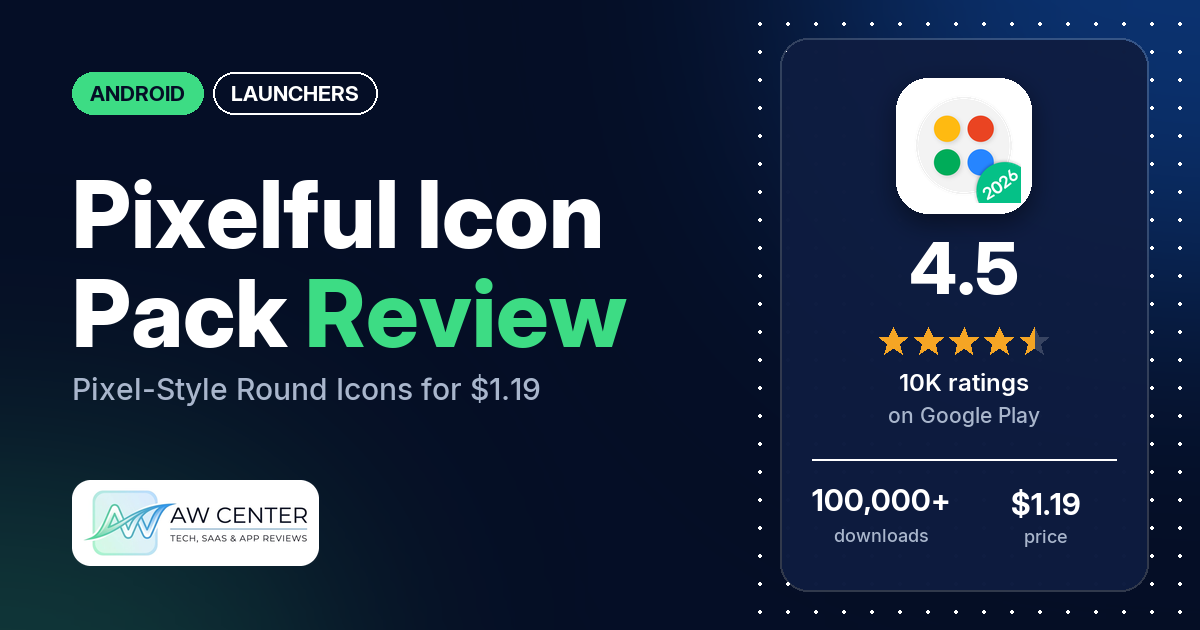
Pixelful is a $1.19 Android icon pack with more than 5,200 round icons in the style of Google’s Pixel phones, plus 270 cloud wallpapers and a clock widget. It needs a launcher that supports icon packs, has no ads, and has 4.5 stars from 10,327 ratings on Google Play.
Quick verdict
If you want your phone to look like a Pixel and you use a launcher that takes icon packs, Pixelful is cheap and well liked. Many reviewers praise the design, and several say the icons stay close to the originals. The low ratings in the sample are mostly old. Many came from 2016 to 2021, from people who couldn’t get it to apply in their launcher, and several dislike how apps without a custom icon sit inside a white circle. Updates have had long gaps: one reviewer in June 2024 saw nothing new since August 2023, though the listing shows version 10.1 from August 19, 2026. Read the developer’s replies before you write in, since many ask reviewers to raise their rating and several accuse reviewers of writing fake reviews. Across all ratings, 6.4% are 1 or 2 stars.
Pixelful at a glance
| Developer | Ciao Studio |
|---|---|
| Store listing | Pixelful – Icon Pack on Google Play |
| Price | $1.19, with in-app purchases from $0.99 to $19.99 per item |
| Ads | None |
| Play Store rating | 4.5 stars from 10,327 ratings (77.1% of the ratings in the store’s rating breakdown are 5-star) |
| Downloads | 100,000+ |
| Version / last updated | 10.1 / August 19, 2026 |
| Requires | Not stated |
| First released | September 21, 2016 |
| Data checked | October 22, 2026 |
What is Pixelful?
Pixelful swaps your app icons for round versions that copy the look of Google’s Pixel phones. The listing says the 5,200+ icons are inspired by the Android 16 style and stay faithful to the original logos instead of distorting them. Apps the pack doesn’t cover get the masking treatment: the original icon placed on a round background. Ciao Studio has published it since September 2016, and reviewers mention a dark sister pack called Darkful.
Key features
- Icons: 5,200+ round icons, high resolution for 4K screens, with a lot of alternative icons and masking for unthemed ones.
- Wallpapers: 270 high-quality wallpapers in the cloud, and support for Muzei Live Wallpapers.
- Extras: a Material-style clock widget, and dynamic calendar icons that show the day of the month on launchers that support it.
- Requests: a built-in tool for free icon requests. The listing says requests are reviewed and icons are added for apps that meet requirements such as a good number of downloads.
- Launcher support: the listing’s compatibility section names Action, ADW, Apex, BlackBerry, Lawnchair, LG Home, Microsoft, Niagara, Pixel, POCO, Samsung One UI, Smart and others, and says many more launchers work. That section opens with the name of the developer’s other pack, Darkful.
- Nova setup: the listing gives Nova Launcher settings to match the screenshots, such as large width padding and a line page indicator.
Pixelful vs. what a launcher app should have
“Listed” means the Google Play listing names the feature, “Partial” means it covers part of it, and “Reviews only” or “Reviews and developer replies” means we found it outside the listing. Pixelful is an icon pack that runs inside your launcher, so most launcher rows are your launcher’s job; it fills the icon, wallpaper and widget rows.
Must have
| Feature | Status | Notes |
|---|---|---|
| A home screen with the apps you choose | Not listed | Provided by your launcher |
| A searchable, sortable app list | Not listed | |
| Folders or grouping | Not listed | |
| Hiding apps | Not listed | |
| Easy setup as the default launcher | Partial | A launcher that supports icon packs is required |
| Gestures and navigation settings | Not listed | |
| A usable free tier | Not listed | Paid app |
Should have
| Feature | Status | Notes |
|---|---|---|
| Notification management or filtering | Not listed | |
| Icon styles and third-party icon packs | Listed | 5,200+ icons with alternatives |
| Themes, wallpapers and backgrounds | Listed | 270 cloud wallpapers, Muzei support |
| Font and text-size options | Not listed | |
| Built-in widgets | Listed | One clock widget |
| Support for standard Android widgets | Not listed | |
| Renaming apps | Not listed | |
| Backup and restore of the layout | Not listed | |
| Working without an internet connection | Not listed | Wallpapers are in the cloud |
Nice to have
| Feature | Status | Notes |
|---|---|---|
| Focus tools | Not listed | |
| Double-tap to lock the screen | Not listed | |
| Extra sort options | Not listed | |
| Automatic light and dark themes | Not listed | One reviewer in 2020 wanted it to switch to Darkful in dark mode |
| Notification dots or badges | Not listed | |
| Website shortcuts | Not listed | |
| Tablet and e-reader support | Reviews only | One reviewer uses it on a Pixel phone and tablet |
| No ads | Listed | Google Play shows no ads |
| A one-time purchase that covers all devices | Partial | $1.19 once; in-app purchases extra |
Common problems and fixes
The sample goes back to 2016. Older problems may be fixed, and the developer’s replies below may be out of date.
| Problem | What reviewers report | When | What the developer’s replies suggest |
|---|---|---|---|
| Icons won’t apply, or the launcher doesn’t list the pack | Many reviewers, on Nova, Lawnchair, Apex and the OnePlus, LG, Huawei, Poco and Google launchers | Mostly 2016 to 2021; one in February 2026 on Lawnchair | Lawnchair changed something, so try the new update (August 2026); in Nova, re-apply the icons or reinstall Nova (November 2021); for a OnePlus 6, open Pixelful once, then go to CPL settings, icon packs, and select Pixelful (February 2020); LG Home and Huawei’s stock launcher don’t support it (2017, 2019) |
| App crashes after an update | One reviewer on a Pixel 8 Pro after the August 19, 2026 update | September 2026 | No reply. The reviewer says deleting and reinstalling fixed it |
| Can’t search for an icon when changing one app | One reviewer | 2019 | In Nova, tap the square at the top right when picking an icon to get a search bar (June 2019) |
| Colors look faded or icons look too big | Two reviewers | 2018 to 2024 | It depends on your launcher and display settings (December 2018, April 2024) |
The developer’s replies
The developer answers a lot of reviews, and you’ll see the replies on the store page. Many of them ask the reviewer to change their review or rate 5 stars. Several, from 2016 to 2020, call a review fake or say the reviewer will be reported to Google. The newest sharp one, from August 2026, tells a 1-star reviewer they would “rather download and give a useless review than try to understand how an icon pack works”. Other replies give clear setup help and offer refunds by email.
Pros (from user reviews)
- The design: many reviewers call the icons beautiful, clean or high quality. One in June 2026 has used them on Galaxy S phones since 2022 because nothing else looks as crisp to them.
- Close to the originals: several reviewers like that the icons look like stock Pixel icons. One in January 2020 says it turned a Galaxy Note 10+ into a Pixel “cosmetically”.
- Long-time users: several reviewers have used it for years. One in September 2025 keeps coming back to it after trying other Pixel-style packs.
- Updates: several reviewers say it is updated regularly. Several others complain about long gaps between updates.
- Wallpapers: a few reviewers praise the wallpaper collection.
Cons (from user reviews)
- Launcher trouble: many reviewers, mostly between 2016 and 2021, couldn’t apply the icons or found their launcher didn’t list the pack. The listing says a launcher that supports icon packs is required.
- White circles: several reviewers dislike how icons the pack doesn’t cover sit on a white circle. One wants icons cut to a circle instead, and one asks for shapeless icons.
- Missing icons: several reviewers found apps they use without a custom icon, and a few say their requests went unfilled for months.
- Outdated Google icons: a few reviewers between August 2025 and September 2026 asked for newer Google icons, such as Chrome and Google Chat. An August 2026 reply says a new update is coming.
- Refunds: a few reviewers had trouble getting a refund, most recently in February 2026.
- The developer’s tone: a few reviewers complain about how the developer treats them, most recently in August 2026.
Across all ratings, 6.4% are 1 or 2 stars and 77.1% are 5-star.
Rating breakdown
| Stars | Ratings | Share |
|---|---|---|
| 5 | 7,948 | 77.1% |
| 4 | 1,110 | 10.8% |
| 3 | 589 | 5.7% |
| 2 | 143 | 1.4% |
| 1 | 515 | 5.0% |
Source: Google Play ratings histogram, checked October 22, 2026. The histogram adds up to 10,305 ratings, slightly fewer than the 10,327 total, and the shares are of the histogram total.
Pricing
Pixelful costs $1.19 once, with no ads. In-app purchases run from $0.99 to $19.99 per item, and the listing doesn’t say what they are. Icon requests through the built-in tool are free, the listing says, and icons are added in each update based on those requests. If something goes wrong with a purchase, developer replies from 2018 offer refunds by email, a 2020 reply offers one too, and a 2019 reply says double charges are a Play Store bug that Google refunds.
Privacy and permissions
We couldn’t read the Google Play data safety section, so we make no claim about what it declares. The permissions list includes Google Play license check, full network access, modify or delete the contents of your USB storage, modify system settings, prevent device from sleeping, read the contents of your USB storage, run at startup, set an alarm, set wallpaper, view Wi-Fi connections and view network connections. The listing doesn’t explain them. Two reviewers, in 2018 and 2020, got stuck on the license check.
Who it’s for
Pixelful suits you if you want a clean, round, Pixel-like look on another Android phone, you already run Nova, Niagara or another launcher that takes icon packs, and you don’t mind a white circle around apps it doesn’t cover. At $1.19 it is cheap to try. Skip it if your launcher doesn’t support icon packs, if you want icons that look very different from the originals, or if you need niche or regional apps themed soon.
FAQ
Does Pixelful work with my phone’s launcher?
Only if your launcher supports icon packs. The listing’s compatibility section names Pixel, Samsung One UI, POCO, Microsoft, Niagara and others, though it opens with the name of the developer’s Darkful pack, and it says there is no way to support a launcher without theming options. Developer replies say LG Home doesn’t support large icon packs (2017) and Huawei’s stock launcher isn’t supported (2019).
Why are some apps shown inside a white circle?
Those are apps Pixelful has no icon for. The listing says masking turns every unthemed icon round, and a 2019 developer reply calls it “the main function of this icon pack”. You can send a free request for the missing app from the built-in tool.
Is Pixelful still updated?
The listing shows version 10.1 from August 19, 2026. One reviewer in June 2024 saw no update since August 2023, and one in August 2025 says an update finally came. Several other reviewers say it is updated regularly.
How this review was put together
We haven’t tested Pixelful. This review is based on public information from official sources: the app’s Google Play or App Store listing and rating breakdown, the developer’s website when there is one, and recent user reviews on the store with the developer’s replies. Features and claims are the developer’s own descriptions; what users like and dislike comes from the store reviews. Everything was checked on October 22, 2026. Apps change with every update, so check the store listing before you install.