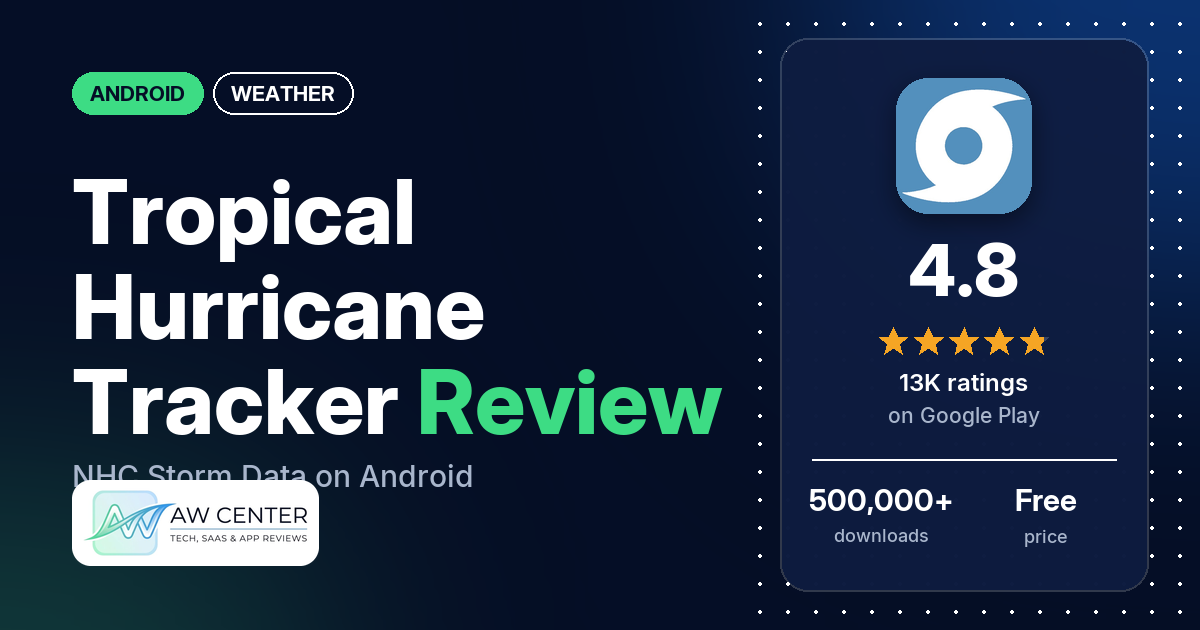
Tropical Hurricane Tracker is a free Android app that pulls hurricane maps, NOAA forecasts, model tracks and push alerts for the Atlantic and Pacific basins into one place. It shows ads, which you can remove with an in-app purchase.
Quick verdict
If you live on the US Gulf or Atlantic coast and want National Hurricane Center data on your phone without opening several websites, this app does that job. It has a 4.8-star rating from 13,092 ratings. Several reviewers praise how much storm detail it holds, several call it easy to use, and several rely on its alerts. The complaints in our sample are about the “Gulf of America” label on its map, location and notification prompts, and map or radar glitches. Only about 3% of all ratings are 1 or 2 stars. It’s built for tropical storms, and the listing names no everyday forecast. Don’t rely on a single app for severe weather warnings; check official alerts too.
Tropical Hurricane Tracker at a glance
| Developer | JPL Technical Solutions |
|---|---|
| Store listing | Tropical Hurricane Tracker on Google Play |
| Price | Free, with in-app purchases of $1.99 to $6.99 per item |
| Ads | Yes |
| Play Store rating | 4.8 stars from 13,092 ratings (92% are 5-star, counted against all ratings) |
| Downloads | 500,000+ |
| Version / last updated | 5.1.14 / October 19, 2026 |
| Requires | Not in our data |
| First released | July 27, 2020 |
| Data checked | October 25, 2026 |
What is Tropical Hurricane Tracker?
It’s a storm-tracking app from JPL Technical Solutions (JPL Tech). The listing says it covers hurricanes, tropical storms and disturbances in the Atlantic, Central Pacific and Eastern Pacific basins, and that it was built to be easier to move around in than apps “cluttered with information”. The developer’s replies describe it as a personal project that pulls data from public sources such as NOAA and the National Hurricane Center (NHC) into a phone-friendly format. It has been on Google Play since July 2020.
Key features
- Tracking maps by region: Central Pacific, Eastern North Pacific and Atlantic, plus an interactive global map.
- Forecasts and models: NOAA forecasts and ensemble models. Reviewers and the developer’s replies mention track and intensity models (spaghetti models) under each storm’s banner.
- Push notifications: storm alerts. The developer’s replies say you can turn them off by region or by storm.
- History: historic seasonal maps and historic storm tracks.
- Reference and safety: the Saffir-Simpson scale and safety and preparedness information.
- Feedback in the app: the listing asks users to suggest features through the app, and the developer’s replies point people to the in-app feedback section.
Tropical Hurricane Tracker vs. what a weather app should have
Our checklist is written for general weather apps, and most of its forecast rows don’t apply to a storm tracker, so expect a lot of “Not listed”. “Listed” means the Google Play listing names it, “Partial” means it covers part of it, and “Reviews and developer replies” means we found it there instead.
Must have
| Feature | Status | Notes |
|---|---|---|
| Current conditions and feels-like | Not listed | |
| Hourly forecast | Not listed | |
| Daily forecast (7+ days) | Not listed | The listing names NOAA forecasts for storms. |
| Chance of precipitation | Not listed | |
| Wind, humidity, UV index | Not listed | |
| Severe weather alerts | Partial | Push notifications for tropical storms. Not a source of official local warnings. |
| Radar map | Reviews and developer replies | A June 2026 reply says a new radar feed lets you zoom in further. Several reviewers report map or radar problems. |
| Home-screen widgets | Not listed | |
| Current location and search | Reviews and developer replies | GPS location, or a manual zip code in Settings, per the developer’s replies. |
| Unit options (°F/°C) | Not listed |
Should have
| Feature | Status | Notes |
|---|---|---|
| Notification or lock-screen weather | Not listed | |
| Air quality | Not listed | |
| Multiple saved locations | Not listed | One reviewer asks to save family locations. |
| Choice of data source | Not listed | Data comes from NOAA and the NHC, per the developer’s replies. |
| Layout customization | Not listed | |
| Light and dark themes | Not listed | |
| Sunrise, sunset, moon phase | Not listed | |
| Multiple languages | Not listed |
Nice to have
| Feature | Status | Notes |
|---|---|---|
| Animated wind or global map | Partial | An interactive global map is listed. A 2025 reply says the satellite and radar animation’s data source was ending. |
| Side-by-side provider comparison | Not listed | Ensemble models are listed. |
| Photography times (golden/blue hour) | Not listed | |
| Weather photos | Not listed | |
| Pollen | Not listed | |
| Lightning strike information | Not listed | |
| Custom temperature alerts | Not listed | |
| Rain-incoming notifications | Not listed | |
| Written forecast summary | Partial | NOAA forecasts are listed, and one reviewer mentions forecast discussions. |
For storms it covers the basics this checklist can measure: maps, models, alerts and history. For everyday weather you’ll need a separate app.
Where the data comes from
The developer’s replies name the sources below. Each reply is dated and may no longer be current.
| Content | Source, per the developer’s replies | Reply date |
|---|---|---|
| Atlantic storm content | The US National Hurricane Center | October 2026 |
| The Map tab | Default Google Maps | October 2026 |
| Western Pacific, Indian Ocean and Southern Hemisphere storms | Listed in the Other tab | May 2026 |
| Radar | A newer data feed that allows zooming in further | June 2026 |
| Model data | Models run every 6 hours and are available on a 2 hour delay | September 2024 |
| Storm names | The National Hurricane Center | August 2026 |
Common problems and fixes
Most of these come from 1- to 3-star reviews, which make up about 4% of all ratings. Several of the reports are from 2022 to 2024, and menu names may differ in newer versions.
| Problem | What reviewers report | What the developer’s replies say |
|---|---|---|
| Too many notifications | A few reviewers, 2023 to 2025. | Open the menu at the top left, go to the Notifications section and turn off regions or storms you don’t care about (2023 and 2024). |
| Want storm distances for someone else’s location | A few reviewers, 2022 and 2024. | In Settings, change the location to Manual and type in a zip code (2022 and 2024). |
| Don’t want to allow location or notifications | Several reviewers, 2024 to 2026. | Both are optional. Location adds location-based alerts and storm distances, and the app works with them turned off (2024 to 2026). |
| “Gulf of America” on the map | Several reviewers, May 2025 to October 2026. | The Map tab uses default Google Maps and Atlantic content comes from the NHC, so the naming is outside the developer’s control (2025 and 2026). |
| Can’t find models or storm details | A few reviewers, 2021 to 2024. | Tap the active storm’s banner to see track models, intensity models and past and future positions (2021, 2022 and 2024). |
| Satellite and radar animation gone | One reviewer, October 2025. | The public data source was ending, and the current data was a workaround while the developer looked for a new one (October 2025). |
| Still seeing ads after paying | One reviewer, October 2024. | Go to the premium section and tap “Restore Purchases” (October 2024). |
| App icon doesn’t show up | Two reviewers, 2024 and 2025. | It shows up as “Hurricane” on your device (2024). |
Pros (from user reviews)
- Lots of storm detail: several reviewers praise how much information it has. One says they used to need three apps and now use one, and another points to “all the NOAA & NHC products plus spaghetti models and historical data”. A few find it hard to find things, and one says “Much is hidden away” until you tap around.
- Easy to use: several reviewers call it simple, clear or easy to navigate. A few disagree, calling it clunky, confusing or hard to read.
- Alerts: several reviewers rely on its notifications about storms forming or updating. A few others say it sends too many.
- Reliable: several reviewers call it accurate or reliable. A few say its data was late or stopped updating, including one in July 2026.
- Long-term use: several reviewers say they have used it for years or every season, two of them for five years or more. Reviewers mention using it in Florida, South Texas, Southeast Louisiana, Mississippi, Puerto Rico and Savannah, Georgia.
- Ads that stay out of the way: a few reviewers say the ads aren’t intrusive. Several others complained about ads between 2020 and 2025 (see Cons).
- History and global storms: two reviewers like the historical maps, and two like tracking hurricanes and typhoons in the same app.
Cons (from user reviews)
- “Gulf of America”: several reviewers, from May 2025 to October 2026, object to the map’s label for the Gulf of Mexico. One says they took a star off for it. The developer’s replies say the map is Google Maps and the Atlantic content is from the NHC.
- Permission prompts: several reviewers don’t want to grant location access, especially in the background, and one says it kept asking to allow notifications. The developer’s replies say every permission is optional.
- Map and radar: several reviewers report a map or radar that doesn’t work, shows blank, can’t zoom, or lost its satellite and radar animation. The developer replied in June 2026 that a new radar feed zooms further.
- Crashes and freezes: several reviewers say the app closed, froze or kicked them out, two of them in 2026. A November 2024 reply says a menu freeze was fixed in v3.31.2.
- Ads: several reviewers, all between 2020 and 2025, complain about ads, from a banner at the top to ads that one says covered the top half of the screen. None of the 2026 reviews in our sample complain about ads.
- Location: a few reviewers say the app put them in the wrong place, and a few others wanted to follow a relative’s location (see Common problems for the fix).
- Coverage outside the US: a few reviewers wanted the western Pacific or Indian Ocean. A May 2026 reply says those regions are in the Other tab.
- Too many notifications: a few reviewers, one of whom says they got 20 a day in 2023.
The reviews we read include extra low-star reviews on purpose, so complaints are overrepresented here. Across all ratings, 92.5% are 5-star and 3.1% are 1 or 2 stars.
Rating breakdown
| Stars | Ratings | Share |
|---|---|---|
| 5 | 12,108 | 92.5% |
| 4 | 455 | 3.5% |
| 3 | 122 | 0.9% |
| 2 | 70 | 0.5% |
| 1 | 333 | 2.5% |
Source: Google Play ratings histogram, checked October 25, 2026. The histogram adds up to 13,088 ratings, 4 fewer than the total, and the shares are of the histogram total.
Pricing
The app is free to download and shows ads. In-app purchases run from $1.99 to $6.99 per item, and the developer’s replies say a purchase removes the ads; the listing doesn’t break down the options. One reviewer is on their second renewal of a “one-year ad-free plan” and would buy a lifetime plan if one were discounted. Another says “At only .99 yearly this app is fantastic”, which you should check against the current store price. The developer’s replies say the ads pay for the server costs and that the ad-removal price is set to break even.
Privacy and permissions
We couldn’t read the Google Play data safety section for this app, so we make no claim about what it declares there. The listing links to a privacy policy at jpltech.com.
The Play Store’s permissions list shows: Google Play license check, approximate location (network-based), control vibration, download files without notification, draw over other apps, full network access, modify or delete the contents of your USB storage, precise location (GPS and network-based), prevent device from sleeping, read the contents of your USB storage, receive data from Internet, run at startup, and view network connections. Several reviewers object to the location requests. The developer’s replies say location is used for location-based alerts and storm distances, that background location is only needed for alerts while the app is closed, and that the app works with every permission denied.
Who it’s for
This app suits you if you live where hurricanes hit, want NHC forecasts, model tracks and storm alerts in one place, and don’t mind a banner ad or a small payment to remove it. It’s also handy if you follow storms near family, since you can set a manual zip code. It’s a weaker fit if the “Gulf of America” label on the map bothers you, if you want a full daily forecast or radar app, or if your main interest is typhoons in the western Pacific. Whatever you use, don’t rely on a single app for severe weather warnings; check official alerts too.
FAQ
Is Tropical Hurricane Tracker free?
Yes, it’s free to download and shows ads. In-app purchases cost $1.99 to $6.99 per item, and the developer’s replies say paying removes the ads. If you paid and still see ads, a 2024 reply says to tap “Restore Purchases” in the premium section.
Does Tropical Hurricane Tracker need my location?
No. The developer’s replies say location and notification access are optional, and the app works with them turned off. Location adds location-based alerts and storm distances. You can also set a manual zip code in Settings.
Why does the map say Gulf of America?
The developer’s replies say the Map tab uses default Google Maps and the Atlantic content comes from the US National Hurricane Center, so the names come from those sources. Several reviewers object to the label in their reviews.
Does it track typhoons outside the US?
The listing names the Atlantic, Central Pacific and Eastern Pacific basins. A May 2026 developer reply says the Western Pacific, Indian Ocean and Southern Hemisphere are covered in the Other tab. A few reviewers found coverage outside the US thin.
How this review was put together
We haven’t tested Tropical Hurricane Tracker. This review is based on public information from official sources: the app’s Google Play or App Store listing and rating breakdown, the developer’s website when there is one, and recent user reviews on the store with the developer’s replies. Features and claims are the developer’s own descriptions; what users like and dislike comes from the store reviews. Everything was checked on October 25, 2026. Apps change with every update, so check the store listing before you install.