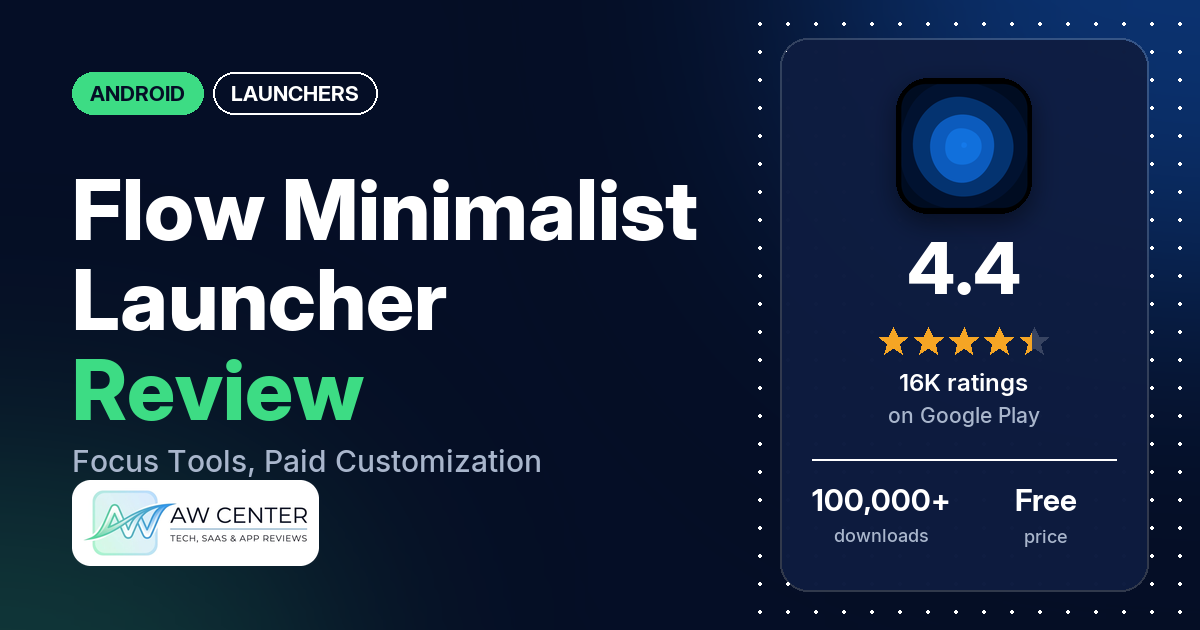
Flow (listed as “Minimalist Launcher – Flow”) is an Android home screen built to cut phone use: your most used apps with their screen time, a categorized app drawer, focus mode, app blocking and productivity widgets. It’s free with no ads; reviewers say much of the customization needs Premium, and our data lists in-app purchases from $11.88 to $29.99.
Quick verdict
If you want a launcher that shows your screen time everywhere and can block distracting apps, Flow has the tools, and several reviewers say it helped them use their phone less. Several also like its clean look. Before you pay, though, read the complaints: several reviewers say too much is locked behind Premium, several report widgets that crash or don’t update, and a few paid and couldn’t get Premium to unlock or restore. About 9.9% of all ratings are 1 or 2 stars.
Flow at a glance
| Developer | Thinklikepro |
|---|---|
| Store listing | Minimalist Launcher – Flow on Google Play |
| Price | Free, with in-app purchases of $11.88 to $29.99 per item |
| Ads | None |
| Play Store rating | 4.4 stars from 15,822 ratings (71% are 5-star) |
| Downloads | 100,000+ |
| Version / last updated | 40.1.4 / May 31, 2026 |
| Requires | Not in our data |
| First released | May 12, 2022 |
| Data checked | October 25, 2026 |
What is Flow?
Flow replaces your home screen with a minimal one. The listing says the home screen shows only your most used apps, each with its screen time, and that swiping up opens an app drawer sorted into categories such as most used, social media and productivity, again with screen time next to each app. It adds focus mode, digital detox, app time limits and widgets for your Google calendar, a to-do list and app usage. It has been on Google Play since May 2022.
Key features
- Minimal home screen: your most used apps, shown with their screen time.
- Categorized app drawer: swipe up for apps grouped by category, with a search bar and screen time beside each app.
- Focus mode and digital detox: block apps and set app time limits.
- Productivity widgets: a calendar widget for your Google events, a to-do list and an app usage widget.
- Double-tap to lock: through the Accessibility Service, which the listing says also powers app blocking and is optional and off by default.
Flow vs. what a launcher app should have
“Listed” means the Google Play listing names the feature, and “Partial” means it covers part of it. “Reviews only” and “Reviews and developer replies” mean we found it there instead, and “Not listed” means we found it nowhere.
Must have
| Feature | Status | Notes |
|---|---|---|
| Home screen with the apps you choose | Partial | Your most used apps appear there. A few reviewers want more favorites, and two say the limit is 10. |
| Searchable, sortable app list | Listed | Categories and search. A few reviewers say sorting or categories don’t work as they’d like. |
| Folders or grouping | Partial | Automatic categories. One reviewer asks for folders and manual categories. |
| Hiding apps | Reviews only | Two reviewers say hiding apps is a Premium feature. |
| Easy setup as the default launcher | Reviews only | Two reviewers say Flow didn’t stay the default launcher, and a few got stuck in setup. |
| Gestures and navigation settings | Partial | Double-tap to lock is listed. A few reviewers report gesture problems. |
| Usable free tier | Partial | Free with no ads. Several reviewers say most customization needs Premium. |
Should have
| Feature | Status | Notes |
|---|---|---|
| Notification filtering | Not listed | |
| Icon styles and third-party icon packs | Reviews and developer replies | A 2023 developer reply announced icon pack support, but a January 2026 reviewer says it doesn’t support icon packs. |
| Themes, wallpapers and backgrounds | Reviews only | Two reviewers say changing the wallpaper is a Premium feature. |
| Font and text-size options | Not listed | Several reviewers want more control over fonts, colors or the clock. |
| Built-in widgets | Listed | Calendar, to-do and app usage. |
| Standard Android widgets from other apps | Reviews only | Several reviewers say widgets crash, won’t add or don’t update. |
| Renaming apps | Not listed | One reviewer asks for it. |
| Backup and restore | Not listed | |
| Works without internet | Not listed |
Nice to have
| Feature | Status | Notes |
|---|---|---|
| Focus tools (screen-time stats, app timers, blocking) | Listed | Two reviewers found ways around the blocking. |
| Double-tap to lock the screen | Listed | Two reviewers say it’s a Premium feature. |
| Extra sort options | Not listed | |
| Automatic light and dark themes | Not listed | |
| Notification dots or badges | Not listed | |
| Website shortcuts | Not listed | One reviewer couldn’t add a web shortcut to favorites. |
| Tablet and e-reader support | Not listed | |
| No ads | Listed | The Play Store listing shows no ads. |
| One-time purchase for all devices | Reviews only | Reviewers mention a lifetime Premium option alongside monthly and yearly plans. Nothing says whether it covers several devices. |
The focus tools are covered in the listing. Customization and outside widgets are the weak spots in reviews.
Common problems and fixes
Most of these come from low-star reviews; 1- to 3-star ratings make up 16.8% of all ratings. The developer replied to very few reviews in our sample.
| Problem | What reviewers report | What the developer’s replies say |
|---|---|---|
| Paid, but Premium won’t unlock or restore | A few reviewers, January to October 2026. Two say the Restore button sits under the navigation bar. | For a duplicate charge, email the duplicate invoice to [email protected] for a refund (March 2026). |
| Can’t reach support | Several reviewers say they got no reply, and two dislike that support ran through Telegram. | Support is moving to email at [email protected] (April 2026). |
| Widget edit menu opens when you scroll | A few reviewers, July to October 2026. One accidentally deleted widgets. | No developer reply in our sample. |
| Widgets don’t update or won’t add | Several reviewers, 2025 and 2026. | No developer reply in our sample. |
| Screen time shows far too many hours | A few reviewers, January to March 2026. | No developer reply in our sample. |
| Flow doesn’t stay the default launcher | Two reviewers, May and September 2026. | No developer reply in our sample. |
Pros (from user reviews)
- Less screen time: several reviewers say it helped them cut screen time, stay focused or do a digital detox. Two found ways around the blocking, by opening an app from recents or through a link.
- Clean design: several reviewers call it clean, minimal or smooth; one praises “the buttery flow”. Two disagree, one calling it ugly.
- Widgets and timers: a few reviewers like the widgets, and two like the built-in pomodoro timer.
- Light: two reviewers say it’s light on memory, one recommending it for phones with 2 to 3 GB of RAM. Several others say it lags (see Cons).
Cons (from user reviews)
- Paywall: several reviewers say most features need Premium. Two say hiding apps is paid, two say double-tap to lock is paid, and two say changing the wallpaper is paid. One calls $29.99 “steep for premium”.
- Premium problems: a few reviewers paid but couldn’t unlock or restore Premium, and a few who paid say it wasn’t worth it.
- Widgets: several reviewers say widgets crash, won’t add or show stale information, and a few say the edit menu pops up whenever they scroll.
- Lag and crashes: several reviewers say it lags, including one on an S23, and several report crashes or freezes.
- Support and updates: several reviewers got no reply from support. A few say updates were slow or had stopped; the app was last updated in May 2026, and one April 2026 reviewer thanks the developer for fixes.
- Customization limits: several reviewers want control over fonts, colors, the clock or what appears on the home screen, a few of them after paying for Premium.
- Other gripes: a few want more favorites, a few want the keyboard to open automatically in the app drawer, a few say the screen-time count is far too high, a few dislike AI-generated wallpapers or features, and a few won’t grant the permissions it asks for. One says the app offered 50% off for a 5-star review.
The sample adds extra low-star reviews, so complaints are overrepresented above. Across all ratings, 71.3% are 5-star and 9.9% are 1 or 2 stars.
Rating breakdown
| Stars | Ratings | Share |
|---|---|---|
| 5 | 11,263 | 71.3% |
| 4 | 1,877 | 11.9% |
| 3 | 1,095 | 6.9% |
| 2 | 312 | 2.0% |
| 1 | 1,251 | 7.9% |
Source: Google Play ratings histogram, checked October 25, 2026. The histogram adds up to 15,798 ratings, 24 fewer than the 15,822 total, and the shares are of the histogram total.
Pricing
Flow is free with no ads. Our data lists in-app purchases from $11.88 to $29.99 per item, and the listing doesn’t describe the plans. Reviewers mention monthly, yearly and lifetime Premium options, one quoting $29.99 (March 2026), and one mentions a 7-day free trial. Reviewers say Premium unlocks things like hiding apps, double-tap to lock, wallpapers and more widgets. If you buy lifetime, note the restore problems a few reviewers describe.
Privacy and permissions
We couldn’t read the Google Play data safety section for this app, so we make no claim about what it declares there. The listing says the Accessibility Service, used for double-tap lock and app blocking, is optional and disabled by default, and that no personal data is collected, stored or shared through it.
The Play Store’s permissions list shows: Google Play license check, approximate location (network-based), choose widgets, close other apps, control vibration, expand/collapse status bar, full network access, modify or delete the contents of your USB storage, precise location (GPS and network-based), prevent device from sleeping, read calendar events plus confidential information, read the contents of your USB storage, receive data from Internet, set an alarm, set wallpaper, update component usage statistics, and view network connections. A few reviewers refused to grant the permissions it asks for at setup, including usage access.
Who it’s for
Flow suits you if you want screen-time numbers in front of you and tools to block or limit apps, and you’re willing to pay for Premium to make the launcher your own. It’s a weaker fit if you want a free launcher with full customization, depend on third-party widgets, or need responsive support. Try the free version, and if you buy, check that Premium unlocks before you rely on it.
FAQ
Is Flow launcher free?
It’s free with no ads. In-app purchases run from $11.88 to $29.99, and reviewers say features such as hiding apps, double-tap to lock and changing the wallpaper need Premium.
How do I contact Flow launcher support?
An April 2026 developer reply, answering a reviewer who disliked having to use Telegram, says support is moving to email at [email protected]. Several reviewers say they didn’t get a reply.
Why does Flow need the Accessibility Service?
The listing says it uses the Accessibility Service for double-tap to lock and for blocking apps in focus mode and digital detox. It says the service is optional, off by default, and collects no personal data.
How this review was put together
We haven’t tested Flow. This review is based on public information from official sources: the app’s Google Play or App Store listing and rating breakdown, the developer’s website when there is one, and recent user reviews on the store with the developer’s replies. Features and claims are the developer’s own descriptions; what users like and dislike comes from the store reviews. Everything was checked on October 25, 2026. Apps change with every update, so check the store listing before you install.