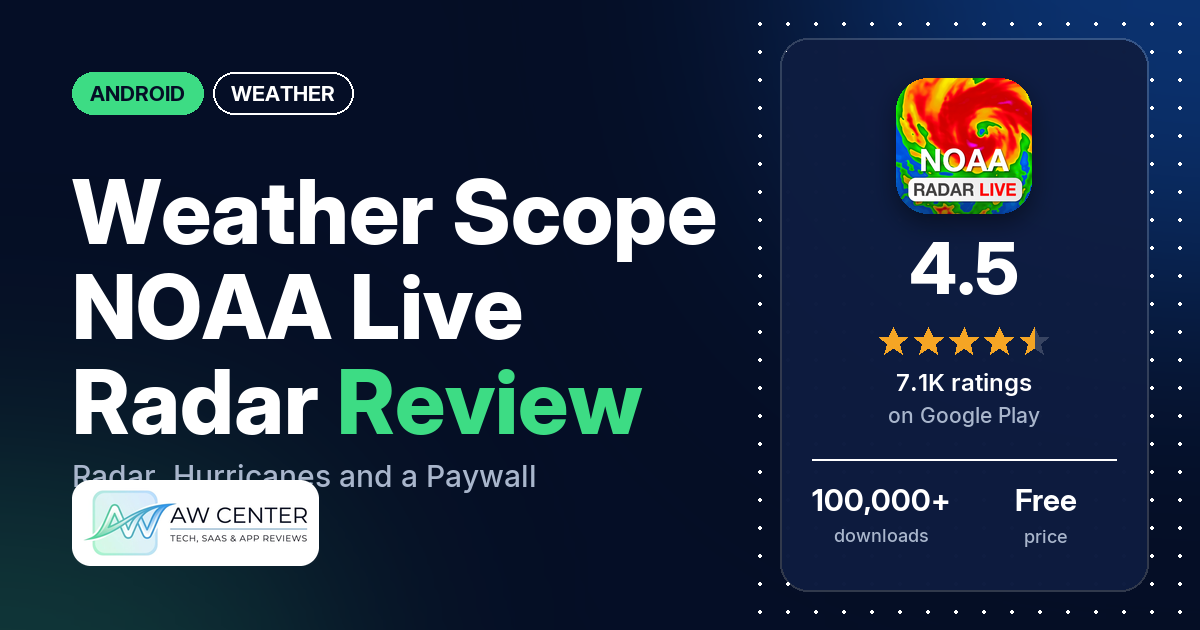
Weather Scope NOAA Live Radar is an Android weather app from Aviator Assistant that combines NOAA radar, forecasts from Apple’s WeatherKit, a hurricane tracker, lightning alerts and aviation weather. It has a free version with ads, reviewers say it opens on an upgrade screen, and in-app purchases run from $7.99 to $69.99.
Quick verdict
If you want a good-looking radar app with hurricane tracking and aviation layers, Weather Scope has plenty of fans: several reviewers praise its radar, accuracy and design. The catch is the business model. Several reviewers say the app isn’t free, and a few describe it opening on a subscription screen; the developer’s replies say you can tap the “X” in the top-right corner to keep using the free version. Several also complain about ads and pop-ups and about slow loading. About 4.2% of all ratings are 1 or 2 stars. Don’t rely on a single app for severe weather warnings; check official alerts too.
Weather Scope NOAA Live Radar at a glance
| Developer | Aviator Assistant |
|---|---|
| Store listing | Weather Scope NOAA Live Radar on Google Play |
| Price | Free, with in-app purchases of $7.99 to $69.99 per item |
| Ads | Yes |
| Play Store rating | 4.5 stars from 7,052 ratings (72% are 5-star) |
| Downloads | 100,000+ |
| Version / last updated | 3.13.4 / September 12, 2026 |
| Requires | Not in our data |
| First released | May 23, 2023 |
| Data checked | October 25, 2026 |
What is Weather Scope NOAA Live Radar?
It’s a radar and forecast app from Aviator Assistant. The listing explains where the data comes from: current weather and forecasts from Apple’s WeatherKit, radar overlays and aviation products from Aviator Assistant, hurricane data from the National Hurricane Center, and other weather data from NOAA under its open data guidelines. It says the NOAA logo is used with permission and that Weather Scope “does not represent the National Oceanic and Atmospheric Administration or any other government entity”. The app came out in May 2023.
Key features
- NOAA radar and forecasts: real-time radar for rain, snow and storms, with minute-by-minute updates and 10-day outlooks.
- Hurricane tracker: storm paths, wind speeds and potential impacts from the National Hurricane Center.
- Lightning alerts: the listing says you get an alert when lightning is detected nearby.
- Custom alerts: weather notifications in different tones, such as informative, playful or techie.
- Interactive map: live radar, storm tracking and NOAA forecast overlays in one place, with radar themes such as Dark Skies, Black & White and Universal Blue. The listing calls the radar animation patent-pending.
- Local forecasts: temperature, humidity, wind speed and more.
- Aviation weather: aviation weather data and real-time air traffic tracking.
Weather Scope NOAA Live Radar vs. what a weather app should have
“Listed” means the Google Play listing names the feature, and “Partial” means it covers part of it. “Reviews and developer replies” means we found it there instead, and “Not listed” means we found it nowhere.
Must have
| Feature | Status | Notes |
|---|---|---|
| Current conditions and feels-like | Partial | Temperature, humidity and wind are listed. One reviewer in 2025 says there’s no “feels like” temperature. |
| Hourly forecast | Partial | Minute-by-minute updates are listed; an hourly forecast isn’t named. |
| Daily forecast (7+ days) | Listed | 10-day outlooks. One reviewer says the longer forecast needs a subscription. |
| Chance of precipitation | Partial | The listing names rain forecasts. |
| Wind, humidity, UV index | Partial | Wind and humidity; no UV index is mentioned. |
| Severe weather alerts | Partial | Lightning alerts and the hurricane tracker. Official watches and warnings aren’t mentioned. |
| Radar map | Listed | A developer reply points to Single-Site Radar under map layers for more detail. |
| Home-screen widgets | Reviews and developer replies | A May 2025 reply said widgets were coming, and a July 2026 reviewer mentions the widget. |
| Current location and search | Partial | Uses your location. A few reviewers say it showed the wrong place, and one couldn’t change the pinned home location. |
| Unit options (°F/°C) | Not listed |
Should have
| Feature | Status | Notes |
|---|---|---|
| Notification or lock-screen weather | Not listed | One reviewer asks for an ongoing current-conditions notification. |
| Air quality | Not listed | |
| Multiple saved locations | Not listed | |
| Choice of data source | Not listed | The listing names WeatherKit, NOAA and Aviator Assistant as sources and doesn’t mention a choice. |
| Layout customization | Partial | Radar themes. |
| Light and dark themes | Partial | A Dark Skies radar theme is listed. |
| Sunrise, sunset, moon phase | Not listed | |
| Multiple languages | Not listed |
Nice to have
| Feature | Status | Notes |
|---|---|---|
| Animated wind or global map | Partial | Animated radar on an interactive map; no wind animation is mentioned. |
| Side-by-side provider comparison | Not listed | |
| Photography times (golden/blue hour) | Not listed | |
| Weather photos | Not listed | |
| Pollen | Not listed | |
| Lightning strike information | Listed | One reviewer says they didn’t get lightning alerts. |
| Custom temperature alerts | Partial | Customizable alerts; temperature alerts aren’t named. |
| Rain-incoming notifications | Partial | Minute-by-minute updates and a rain tracker; rain notifications aren’t named. |
| Written forecast summary | Not listed |
The aviation weather and air traffic tracking fall outside this checklist. The listing aims them at pilots and aviation enthusiasts.
Common problems and fixes
Most of these come from low-star reviews; 1- to 3-star ratings make up 11.1% of all ratings. The developer’s replies are dated, and newer versions may behave differently.
| Problem | What reviewers report | What the developer’s replies say |
|---|---|---|
| App opens on a subscription screen and seems to need payment | Several reviewers, 2024 to 2026. | Tap the “X” in the top-right of the upgrade screen to continue with the free version (2026). |
| Hurricane notifications keep coming with no way to turn them off | Two reviewers, September 2026: one says they kept coming with notifications off, the other found no way to opt out. | An option to disable hurricane notifications was coming in the next update (September 2026). |
| Wrong home location, or can’t change it | A few reviewers, 2024 to 2026. | Make sure location access is enabled for the app. The ability to set your location was planned for a future update (July 2026). |
| Radar not detailed enough | One reviewer, October 2026. | Try Single-Site Radar under map layers (October 2026). |
| Can’t cancel a subscription | Two reviewers, July and September 2026. | Subscriptions are managed by Google Play or at www.weatherscope.com; email [email protected] for help (2026). |
| Premium not restored | Two reviewers, January 2025 and January 2026, one after getting a new phone. | Use “Restore Purchases” in the app, then contact support (2026). One reviewer says support restored it after a few emails. |
| Ads cover the whole screen | One reviewer, June 2026. | Ads should only appear at the bottom; email details so the team can investigate (June 2026). |
Pros (from user reviews)
- Accurate: several reviewers call it accurate or reliable, and one says it got them through a Nor’easter on Cape Cod “with great accuracy”. A few disagree, including one in Belgium who says it missed hard rain and one who says it showed good weather before a dangerous offshore trip.
- Radar and maps: several reviewers praise the radar, one saying “I can see the entire radar screen not like others”. One wanted more detail and was pointed to Single-Site Radar.
- Looks: several reviewers call it beautiful, gorgeous or “top notch” in appearance. A few dislike the graphics or navigation.
- Detail: several reviewers say it’s detailed or informative, and one likes its “filters for ALL weather checking”.
- Easy to use: a few reviewers find it easy to use, while a few others find it complicated.
Cons (from user reviews)
- Paywall: several reviewers say the app isn’t free or that everything costs money, and a few say the listing should make that clear. The developer’s usual reply is to tap the “X” on the upgrade screen to use the free version. One reviewer says the free radar only shows the current hurricane picture plus 60 minutes.
- Ads and pop-ups: several reviewers complain about full-screen ads or pop-ups when the app opens. One says an ad sits where the back button is, and another says the ad banner makes the app hard to close.
- Slow to open: several reviewers say it takes a long time to load, one putting it at 10 to 20 seconds.
- Subscriptions: two reviewers struggled to cancel, a few report charges they didn’t expect, and two say Premium wasn’t restored, one after switching phones. Two say the trial is too short.
- Location: a few reviewers say it showed the wrong town or state, or wouldn’t let them change the home location.
- Hurricane alerts: one reviewer says hurricane notifications kept coming after they turned notifications off, and another found no way to opt out. The developer replied that a fix was coming.
- Freezes: a few reviewers report freezing or lag, one during an EF4 tornado.
- NOAA confusion: two reviewers object to the NOAA name: one accuses the app of pretending to be NOAA, and another expected NOAA weather to be free. The listing says it doesn’t represent NOAA; a developer reply says it is “authorized by NOAA”.
The sample adds extra low-star reviews, so complaints are overrepresented above. Across all ratings, 72.4% are 5-star and 4.2% are 1 or 2 stars.
Rating breakdown
| Stars | Ratings | Share |
|---|---|---|
| 5 | 5,099 | 72.4% |
| 4 | 1,161 | 16.5% |
| 3 | 486 | 6.9% |
| 2 | 36 | 0.5% |
| 1 | 262 | 3.7% |
Source: Google Play ratings histogram, checked October 25, 2026. The histogram adds up to 7,044 ratings, 8 fewer than the 7,052 total, and the shares are of the histogram total.
Pricing
Weather Scope is free to download and shows ads; Premium removes them, per the developer’s replies. In-app purchases run from $7.99 to $69.99 per item, and the listing doesn’t break down the plans. From reviews and replies: one reviewer quotes $12.99 a month (November 2025), and the developer replied that a yearly plan works out to less than $4 a month. Reviewers also mention a 3-day free trial and a lifetime subscription. A May 2026 reply says alerts are available in the free version. Subscriptions can be managed in Google Play or at www.weatherscope.com, per the developer’s replies.
Privacy and permissions
We couldn’t read the Google Play data safety section for this app, so we make no claim about what it declares there. The listing says location is used for navigation over a moving map and for local weather.
The Play Store’s permissions list shows: approximate location (network-based), control vibration, full network access, modify or delete the contents of your USB storage, precise location (GPS and network-based), prevent device from sleeping, read the contents of your USB storage, receive data from Internet, and view network connections. One reviewer points out that the privacy policy allows sharing data for targeted ads, and the developer’s reply says the policy explains that sharing, which it says supports the service.
Who it’s for
Weather Scope suits you if you want a radar app with hurricane tracking, lightning alerts and aviation layers, and you’re willing to either pay for Premium or dismiss the upgrade screen and live with ads. The listing pitches its aviation weather at pilots, and one boater recommends it to other boaters. It’s a weaker fit if you want a free app that opens straight to the radar, if slow loading bothers you, or if you need to turn off hurricane alerts (a fix was promised in September 2026). For severe weather, check official alerts too.
FAQ
Is Weather Scope free?
There’s a free version with ads. Reviewers say the app opens on an upgrade screen, and the developer’s replies say to tap the “X” in the top-right corner to continue for free. In-app purchases run from $7.99 to $69.99, and one reviewer quotes $12.99 a month.
Is Weather Scope made by NOAA?
No. It’s made by Aviator Assistant. The listing says weather data comes from NOAA under its open data guidelines and that the app doesn’t represent NOAA or any other government entity. Forecasts come from Apple’s WeatherKit.
How do I stop Weather Scope hurricane notifications?
In September 2026 one reviewer said hurricane notifications kept coming even with notifications off, and another found no way to opt out. The developer’s replies that month say an option to disable them was coming in the next update. Check the app’s notification settings after updating.
How do I cancel a Weather Scope subscription?
The developer’s replies say subscriptions are managed through Google Play or at www.weatherscope.com. For help, they point to [email protected].
How this review was put together
We haven’t tested Weather Scope NOAA Live Radar. This review is based on public information from official sources: the app’s Google Play or App Store listing and rating breakdown, the developer’s website when there is one, and recent user reviews on the store with the developer’s replies. Features and claims are the developer’s own descriptions; what users like and dislike comes from the store reviews. Everything was checked on October 25, 2026. Apps change with every update, so check the store listing before you install.