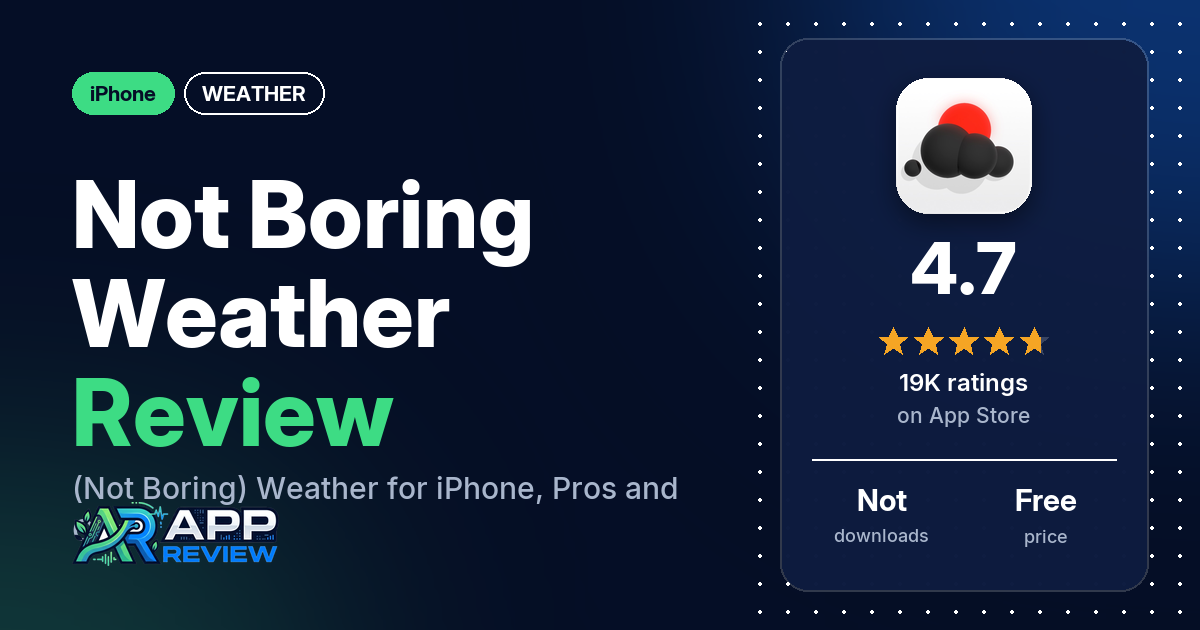
(Not Boring) Weather is a free iPhone weather app from Not Boring Software LLC. The listing describes a design “inspired by 3D video games,” with weather from several providers and a paid upgrade. The listing says it has no ads, and home screen widgets come with the upgrade.
Quick verdict
If you want checking the weather to feel like something other than a chore, (Not Boring) Weather is built for that. Many reviewers in our App Store sample praise the design, and many say the app is fun to use. Several also praise the sound effects, the minigame and achievements, or the skins. The most common complaint is that widgets need a paid plan, so if you want them on your home screen, expect to pay. Several reviewers also find the app hard to use, too thin on detail, or missing a radar. Several say the subscription costs too much.
(Not Boring) Weather at a glance
| Developer | Not Boring Software LLC |
|---|---|
| Store listing | (Not Boring) Weather on the App Store |
| Price | Free, with an optional paid upgrade. Our data doesn’t include in-app purchase prices; see Pricing for prices reviewers quote. |
| Ads | The listing says “No ads, no data tracking.” |
| App Store rating | 4.7 stars from 18,568 ratings |
| Downloads | Not in our data |
| Version / last updated | 3.51 / September 11, 2026 |
| Requires | iOS 18.0 or later |
| First released | February 15, 2021 |
| Data checked | October 14, 2026 |
What is (Not Boring) Weather?
(Not Boring) Weather is a weather app built around its look and feel. The listing says you can “feel the rain, hear the thunder, and watch the wind blow across your screen,” and calls the design “playful yet functional.” It says forecasts come from “Accuweather, Foreca, Apple Weather, and the National Weather Service.” The listing also says the app has won awards, including an Apple Design Award. It is one of five Not Boring apps, and a membership covers all of them.
Key features
- Weather details: temperature changes, air quality (AQI), pollen, cloud cover, visibility, wind direction, rainfall, humidity and UV index.
- Minute Forecasts: the listing says these show when rain will start or the sky will clear, down to the minute.
- Widgets: home screen and lock screen widgets for temperature, conditions, rain, air quality, UV index and wind. The listing names realtime widgets as part of the upgrade.
- Severe weather alerts: the listing names heat waves, storms, floods, hurricanes and blizzards.
- Moon phases: moon phase and illumination, showing when the next full and new moon are expected.
- Air quality and pollen forecasts: AQI scores and pollen levels over the coming hours or days. The listing names AQI and pollen among the upgrade features.
- Custom app icons and skins: skins that change the design of the whole app, with new icons, skins and artist collaborations added over time.
- Minigame and surprises: a minigame called Cloudburst and hidden surprises.
(Not Boring) Weather vs. what a weather app should have
The Status column shows where we found each feature. “Listed” means the App Store listing names it. “Partial” means the listing covers part of it. “Not listed” means the listing doesn’t name it. “Reviews only” means reviewers describe it but the listing doesn’t. Notes add what reviewers say where it matters. This checklist is a first version for weather apps and will change as we review more of them.
Must have
| Feature | Status | Notes |
|---|---|---|
| Current conditions and feels-like | Partial | Real-time temperature and conditions are listed; feels-like is not. One reviewer mentions checking the feels-like temperature in the app. |
| Hourly forecast | Reviews only | The listing names Minute Forecasts. Reviewers describe an hourly view; one says it covers only the next 24 hours. |
| Daily forecast of 7+ days | Not listed | Reviewers mention a daily view, but our data doesn’t show how many days it covers. |
| Chance of precipitation | Partial | Rainfall and Minute Forecasts are listed; chance of precipitation is not named. |
| Wind, humidity, UV index | Listed | |
| Severe weather alerts | Listed | |
| Radar map | Not listed | Several reviewers say the app has no radar. |
| Home-screen widgets | Listed | Many reviewers say widgets need a paid plan. |
| Current location and search | Not listed | |
| Unit options (°F/°C) | Not listed |
Should have
| Feature | Status | Notes |
|---|---|---|
| Notification or lock-screen weather | Listed | Lock screen widgets |
| Air quality | Listed | Named among the upgrade features |
| Multiple saved locations | Not listed | |
| Choice of data source | Reviews only | The listing names four sources. One reviewer praises being able to change the source. |
| Layout customization | Partial | Skins change the app’s design. One reviewer wants to customize the main screen. |
| Light and dark themes | Not listed | Two reviewers say there is no dark mode in the free version. |
| Sunrise, sunset, moon phase | Partial | Moon phases are listed; sunrise and sunset are not. |
| Multiple languages | Not listed |
Nice to have
| Feature | Status | Notes |
|---|---|---|
| Animated wind or global map | Not listed | |
| Side-by-side provider comparison | Not listed | |
| Photography times (golden/blue hour) | Not listed | |
| Weather photos | Not listed | |
| Pollen | Listed | Named among the upgrade features |
| Lightning strike information | Not listed | |
| Custom temperature alerts | Not listed | |
| Rain-incoming notifications | Not listed | Minute Forecasts are listed, but not notifications. |
| Written forecast summary | Not listed |
Common problems reviewers report
The data we collected doesn’t include developer replies, so this table lists the problem, what reviewers say, and when it was reported. The listing links to a support page at notboring.software/support. Newer versions may behave differently.
| Problem | What reviewers report | When |
|---|---|---|
| Widget shows “unlock” or a black screen after paying | A few reviewers who paid say the widget didn’t work: one saw “tap to unlock,” one a black screen, and one says the app kept asking them to pay again. | 2025 to 2026 |
| Widget doesn’t update | One reviewer says the widget temperature updates only after opening the app. Another says widgets no longer switch between light and dark. | 2026 |
| Paid skins or wallpaper not unlocked | One reviewer says they couldn’t change skins after paying for the Plus Plan. Another says they were charged for a wallpaper shown as free and never received it. | 2026 |
| Swipes don’t register | One reviewer says switching between hourly and daily forecasts, or between panels, often takes more than one try. | 2025 |
| Upgrade pop-up on every launch | Two reviewers say a subscription pop-up appears each time they open the app. | 2025 to 2026 |
Whatever weather app you use, don’t rely on one app alone for severe weather warnings. Check official alerts from your national weather service too.
Pros (from user reviews)
- Design: many reviewers, from 2025 to 2026, praise the design, graphics or animations. A few others say the main screen gives too much space to large numbers or empty space, and one calls the interface “juvenile, clumsy.”
- Fun to use: many reviewers say the app is fun, and several say it makes them want to check the weather. A few disagree: two call it boring, and one says it is “neither a compelling weather tool nor a compelling weather toy.”
- Sound effects: several reviewers praise the sound effects, and two mention the sounds of wind and rain. One reviewer turned the sound effects off, and another calls the animations and sounds “dopey.”
- Minigame, achievements and surprises: several reviewers mention enjoying the achievements, popping clouds for the minigame, or finding hidden surprises. One reviewer says an achievement didn’t unlock when it should have.
- Skins and customization: several reviewers praise the skins, themes or customization. A few are less happy: one says most skins aren’t to their taste and some are hard to read, one says the skins don’t carry over to widgets, and others want to customize the main screen or the widgets.
- Free version: several reviewers say the free version is good enough to use without paying. Many others object that widgets need a paid plan; see Cons.
- Enough information: several reviewers say the app gives the weather information they need. Several others say it gives too little detail; see Cons.
- Easy to use: a few reviewers call the app easy to use or intuitive. Several others find it hard to use; see Cons.
- Accuracy: a few reviewers say the forecasts are accurate. A few others say forecasts were off; see Cons.
- No ads: a few reviewers say the app has no ads, which matches the listing. One reviewer says they saw ads after paying, and another calls the locked widget an upsell ad.
- Widgets: a few reviewers praise the widgets. Several report widget problems; see Cons.
- Privacy: two reviewers say they appreciate that the app doesn’t collect their data.
Cons (from user reviews)
- Widgets need a paid plan: many reviewers, from 2025 to 2026, complain that widgets need a paid plan. It is the most common complaint in our sample. Two say there is no way to try a widget before paying, and one reviewer, in July 2025, says earlier versions had free widgets that later updates removed. Two others say the paid plan offers little beyond widgets.
- Hard to use: several reviewers say the interface is unintuitive or that information is hard to find. Two say precipitation for the coming days is hard to reach, and one says swipes often need more than one try. One other says there is a learning curve but it is worth the effort.
- Too little detail: several reviewers say the app doesn’t give enough weather information to be useful. A few say there is no hour-by-hour forecast beyond the next 24 hours or none they could find, and a few say they still go back to another weather app for some information.
- No radar: several reviewers say the app has no radar or weather maps, and a few of them say they would use it more or pay for it if it had one.
- Price: several reviewers say the subscription costs too much, and several ask for a one-time or lifetime purchase instead. One reviewer, in December 2025, says lifetime premium is worth it.
- Widget problems: several reviewers report widgets that didn’t work, showed “unlock” or a black screen, didn’t update the temperature, or no longer switch between light and dark. A few of them say this happened after paying.
- Billing and support: a few reviewers report billing problems, such as a second yearly charge after cancelling, a charge for a wallpaper shown as free, or a price that went up by a dollar. One reviewer says they emailed support twice and got no reply.
- Forecasts off: a few reviewers say forecasts were inaccurate, for example rain when it said sunny or a temperature lower than actual.
- Apple Watch: a few reviewers ask for an Apple Watch app or complications.
- Dark mode and upgrade pop-ups: two reviewers say the free version has no dark mode, and two say an upgrade pop-up appears every time they open the app.
Our data doesn’t include a star breakdown of the 18,568 ratings, so we can’t say how common these complaints are across all of them.
Pricing
You can use (Not Boring) Weather for free; the listing says it “is free to use for as long as you need.” The listing says an upgrade adds realtime widgets, faster forecasts, more in-depth data like AQI and pollen, and free skins, app icons and wallpapers. A “Super !Boring” membership unlocks all five Not Boring apps. Our data doesn’t include in-app purchase prices. A few 2026 reviewers quote $14.99 or $15 a year for the paid plan, and one of them calls it the Plus version. Another 2026 reviewer quotes $50 a year for a plan that includes all the apps. In 2025, one reviewer says it cost $15 to use the widgets, and another says the price went from $14.99 to $15.99. Reviewers give different accounts of whether a monthly plan is offered, so check the listing for current plans and prices.
Privacy and permissions
We couldn’t read the App Store privacy label for (Not Boring) Weather, and our data doesn’t include its permissions list, so we make no claim about what data it collects. The listing says “No ads, no data tracking” and that the developer is “100% member-supported.” Two reviewers say they appreciate that the app doesn’t collect their data.
Who it’s for
(Not Boring) Weather fits you if you want the weather to be fun to check and you enjoy skins, sounds and small games. Reviewers say you can use the free version without paying, as long as you don’t need widgets. It’s a weaker fit if you want a radar map, lots of detail at a glance, or free home screen widgets, or if you’d rather pay once than subscribe.
FAQ
Is (Not Boring) Weather free?
Yes. The App Store lists it as free, and the listing says it is free to use for as long as you need. A paid upgrade adds realtime widgets, AQI and pollen data, and skins. A few 2026 reviewers quote $14.99 or $15 a year for it.
Are the widgets free in (Not Boring) Weather?
The listing names realtime widgets as part of the paid upgrade. Many reviewers in our sample complain that widgets need a paid plan, and two say there is no way to try one first. One reviewer, in July 2025, says earlier versions had free widgets that later updates removed.
Does (Not Boring) Weather have radar?
The listing doesn’t mention radar, and several reviewers in our sample say the app has none. Two of them say they use another weather app for radar.
Where does (Not Boring) Weather get its forecasts?
The listing names AccuWeather, Foreca, Apple Weather and the National Weather Service. One reviewer says you can change the weather source, and a few say the app draws on Apple Weather data. Don’t rely on one app alone for severe weather warnings; check official alerts too.
How this review was put together
We haven’t tested (Not Boring) Weather ourselves. This review is built from the App Store listing, the app’s overall rating, and 250 user reviews from Apple’s public US reviews feed dating from January 2025 to October 2026. We took the newest reviews the feed returns (up to five pages). The data we collected doesn’t include a star breakdown or developer replies. Feature descriptions come from the store listing, and we checked the bigger claims against what reviewers report. Where reviewers disagreed, we’ve said so. Older reviews may describe earlier versions of the app. Information was checked October 14, 2026, and features, prices and ratings can change, so check the store listing for current details.