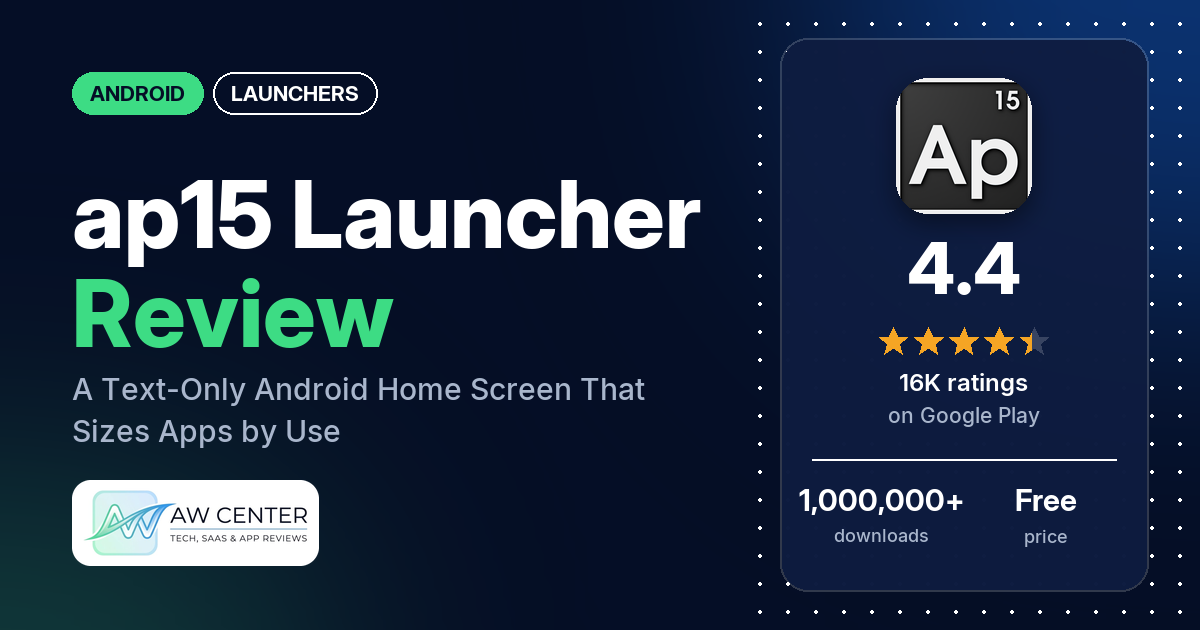
ap15 Launcher replaces your Android home screen with a wall of app names in text, and the apps you open most get bigger. It’s free with no ads and has 4.4 stars from 16,399 ratings, but you should read the Cons before installing: several reviewers from December 2025 to February 2026 say it crashed their phone or left it on a black screen, and most of them had to factory reset it.
Quick verdict
If you want a home screen made of words instead of icons, ap15 sizes each app name by how often you open it, so your favorites stand out on their own; a Pro rule can also move them to the top. Several reviewers love the minimal look and the text options. The complaints are serious, though. Several reviewers say the launcher crashed their phone or left it on a black screen until they did a factory reset, and most of those reports are recent. Several others say dual (clone) apps don’t appear, gesture navigation doesn’t work well with it, or app sizes keep shifting.
ap15 Launcher at a glance
| Developer | Apseren Industries (no website listed) |
|---|---|
| Store listing | ap15 Launcher on Google Play |
| Price | Free, with in-app purchases of $0.99 to $10.99 per item |
| Ads | None |
| Play Store rating | 4.4 stars from 16,399 ratings (69% are 5-star) |
| Downloads | 1,000,000+ |
| Version / last updated | Varies with device / January 28, 2026 |
| Requires | Not in our data |
| First released | May 31, 2015 |
| Data checked | October 26, 2026 |
What is ap15 Launcher?
ap15 is a “lightweight home screen replacement focused on minimalism and efficiency,” the listing says. There is no app drawer; the listing says apps that aren’t favorites are still “easily accessible” without one. ap15 counts how often you open each one and gives the most used ones more emphasis. By default the 30% you use most are shown in larger text. You can change the color, size, shadow and font of all the names, and the name, color and shadow of single apps.
Key features
- Usage-based layout: counts how often you open apps and makes your favorites stand out.
- No app drawer: the listing says apps you rarely use are “still easily accessible without the need to open an app drawer.”
- Text styling: color, size, shadow and font for all apps, and name, color and shadow per app.
- Screen options: hide the top and bottom system bars, and set a solid color or image as the background.
- Notifications in the list: see which apps have notifications directly in the app list.
- Hidden apps: hide apps you never use.
- Pro features: search (including hidden apps), advanced display rules such as “30% most used at the top” or “All the same size,” custom background patterns, and double tap to lock the screen (needs accessibility permission).
- Languages: Chinese, Croatian, French, German, Hindi, Italian, Portuguese, Russian and Spanish.
ap15 Launcher vs. what a launcher app should have
“Listed” means the Google Play listing names the feature, “Partial” means it covers part of it, and “Reviews only” or “Reviews and developer replies” means it shows up only there. “Not listed” means neither the listing nor the reviews in our sample show it. Reviewers describe ap15 as a text launcher, so icon packs don’t apply here.
Must have
| Feature | Status | Notes |
|---|---|---|
| Home screen with the apps you choose | Partial | ap15 picks favorites by usage; several reviewers say sizes and order keep changing |
| Searchable, sortable app list | Partial | All apps on one screen; search and display rules are Pro |
| Folders or grouping | Not listed | One reviewer asks for app groups |
| Hiding apps | Listed | One reviewer says hidden apps are hard to get back to; search that includes hidden apps is Pro |
| Easy setup as the default launcher | Reviews only | A few reviewers found setup confusing at first but got used to it |
| Gestures and navigation settings | Partial | Hiding system bars is listed; several reviewers report trouble with gesture navigation |
| Usable free tier | Listed | Free with no ads; search, rules, patterns and double tap to lock are Pro |
Should have
| Feature | Status | Notes |
|---|---|---|
| Notification management | Partial | Shows which apps have notifications; a few reviewers report bugs with it |
| Themes, wallpapers and backgrounds | Listed | Solid color or image; a few reviewers couldn’t change colors, and two report wallpaper trouble |
| Font and text-size options | Listed | Two reviewers find the font choice limited |
| Built-in widgets | Not listed | A few reviewers note there are no widgets or clock |
| Android widgets from other apps | Not listed | |
| Renaming apps | Listed | Name per app |
| Backup and restore of the layout | Not listed | |
| Working offline | Not listed | The permissions include full network access |
Nice to have
| Feature | Status | Notes |
|---|---|---|
| Focus tools | Not listed | |
| Double tap to lock | Listed | Pro; needs accessibility permission |
| Extra sort options | Partial | Usage-based rules (Pro) |
| Automatic light and dark themes | Not listed | |
| Notification dots or badges | Partial | Notifications show in the list; one reviewer asks for badges |
| Website shortcuts | Reviews only | One reviewer says adding a home screen shortcut from the browser doesn’t work |
| Tablet support | Reviews only | One reviewer uses it on a tablet; another says it crashed their tablet |
| No ads | Listed | |
| One-time purchase for all devices | Not listed | A few reviewers say the app stopped recognizing their Pro purchase |
Common problems and fixes
Only two developer replies are in our data, both from September 2020, so most rows have no fix. Replies may be out of date, and newer versions may behave differently.
| Problem | What reviewers report | Developer’s reply |
|---|---|---|
| Phone crashes, black screen or bootloop | Several reviewers, most from December 2025 to February 2026; two name Honor phones. They say the phone restarted to a black screen or got stuck, and several had to factory reset. One says it happened before they even set ap15 as the default. | None in our data |
| Dual apps or work profile apps missing | Several reviewers say clone apps (for example a second WhatsApp) don’t appear; a few say work profile apps don’t either (2020 to 2024) | None in our data |
| Gesture navigation | Several reviewers say recent apps or gestures don’t work with ap15, or that buttons stay on screen; two name Xiaomi phones (2022 to 2025) | None in our data |
| Can’t change font or background color | A few reviewers (2021 to 2024) | September 2020, to a reviewer asking how to change font color: “Long press anywhere on the screen.” |
| App names too big | Several reviewers say names keep growing or change size and place (2019 to 2022) | September 2020: “Change the max and min text size in the launcher preferences.” |
| Pro purchase not recognized | A few reviewers were asked to pay again, or lost Pro on a new phone (2020 to 2023) | None in our data |
Pros (from user reviews)
- A distinctive, minimal look: several reviewers praise how it looks, with words like “simple. practical. elegant.” and “Very stylish and sophisticated.”
- Lots of text options: several reviewers like the control over text. One sets every name to the same size, aligned left, in a monospace font; another mentions “Tons of options for text size, color, font.”
- Easy once set up: several reviewers call it simple or easy to use. A few found setup confusing at first but say they got used to it.
- Light: a few reviewers call it lightweight, a battery saver or easy on storage. Two others, in 2018 and 2023, say it drained their battery.
- Long-time users: a few reviewers have used it for years, including two since 2018.
- Cheap Pro: one reviewer calls the Pro upgrade low-cost.
Cons (from user reviews)
- Phones that crash or need a factory reset: several reviewers say ap15 crashed their phone, left it on a black screen or stuck it in a bootloop, and several had to factory reset. One says they lost all their data. Most of these reports are from December 2025 to February 2026, and two name Honor phones. One says the phone crashed the moment they opened the app, before setting it as default. The listing was last updated on January 28, 2026; one crash-and-reset report, from February 20, 2026, came after it.
- Dual and work apps missing: several reviewers say cloned apps, such as a second WhatsApp, don’t show up, and a few say work profile apps are missing, including one with the paid version.
- Gesture navigation: several reviewers say they can’t see recent apps or use gestures with ap15, or can’t get rid of the navigation buttons.
- Sizes that won’t sit still: several reviewers say app names keep growing or change size and position, which makes apps hard to find. One wants a fixed size and place for each app for free. The listing names an “All the same size” rule, but it’s part of Pro.
- Color and wallpaper: a few reviewers couldn’t change the text or background color. One says ap15 left their wallpaper black, and another says it “Crashed my wallpaper.”
- Notification bugs: a few reviewers say notification highlighting gets in the way. Two say a security app stays red all the time, and one says you can’t open an app from the home screen while it has a notification.
- Lost Pro: a few reviewers say the app asked them to pay again or didn’t recognize Pro on a new phone.
- Other complaints: a few each mention freezing or slowness, and no widgets or clock. Two question the network permission or the app’s data use. Two wonder whether the app is still developed.
Rating breakdown
| Stars | Ratings | Share |
|---|---|---|
| 5 | 11,286 | 69.2% |
| 4 | 2,765 | 17.0% |
| 3 | 643 | 3.9% |
| 2 | 482 | 3.0% |
| 1 | 1,125 | 6.9% |
Source: Google Play ratings histogram, checked October 26, 2026. The histogram adds up to 16,301 ratings, slightly fewer than the 16,399 total, and the shares are of the histogram total.
About one rating in ten is 1 or 2 stars. Our review sample took 40 reviews from each star level plus the latest 100, so complaints are over-represented in it compared with the ratings as a whole.
Pricing
ap15 is free and has no ads. In-app purchases range from $0.99 to $10.99 per item, and the listing marks search, advanced rules, background patterns and double tap to lock as Pro. Our data doesn’t say which purchase unlocks Pro or whether it is a one-time payment. A few reviewers say the app later asked them to pay again or didn’t carry Pro to a new phone.
Privacy and permissions
We couldn’t read the Google Play data safety section for ap15, so we make no claim about what data it collects or shares. The permissions in our data are: expand or collapse the status bar, full network access, view network connections, read, modify or delete the contents of USB storage, modify system settings and set wallpaper. Double tap to lock needs accessibility permission, the listing says. Two reviewers question the network access or the data the app uses, and a third claims it collects location data; location isn’t in the permissions list in our data.
Who it’s for
ap15 suits you if you want a text-only home screen that arranges itself around the apps you use, with a lot of control over fonts and colors, and you don’t need widgets. It’s a poor fit if you rely on dual apps, a work profile or gesture navigation, since several reviewers report trouble with each. Given the recent reports of phones that needed a factory reset, back up your phone before you try it. Two of those reports name Honor phones.
FAQ
Is ap15 Launcher safe to install?
Several reviewers, most from December 2025 to February 2026, say ap15 crashed their phone or left it on a black screen, and several had to factory reset it. Two of them name Honor phones. The app was updated on January 28, 2026, and one crash-and-reset report, from February 20, 2026, came after that update. Back up your phone first.
Is ap15 Launcher free?
Yes, it’s free with no ads. In-app purchases cost $0.99 to $10.99 per item, and search, advanced rules, background patterns and double tap to lock are Pro features.
Why are my app names getting bigger in ap15?
ap15 makes the apps you open most stand out; by default the 30% you use most get larger text. In September 2020 the developer told one reviewer to change the max and min text size in the launcher preferences. The Pro rules include “All the same size.”
Does ap15 show dual apps and work profile apps?
Several reviewers say dual (clone) apps don’t appear, and a few say work profile apps are missing, in reports up to 2024. The listing doesn’t mention either.
How this review was put together
We haven’t tested ap15 Launcher. This review is based on public information from official sources: the app’s Google Play or App Store listing and rating breakdown, the developer’s website when there is one, and recent user reviews on the store with the developer’s replies. Features and claims are the developer’s own descriptions; what users like and dislike comes from the store reviews. Everything was checked on October 26, 2026. Apps change with every update, so check the store listing before you install.