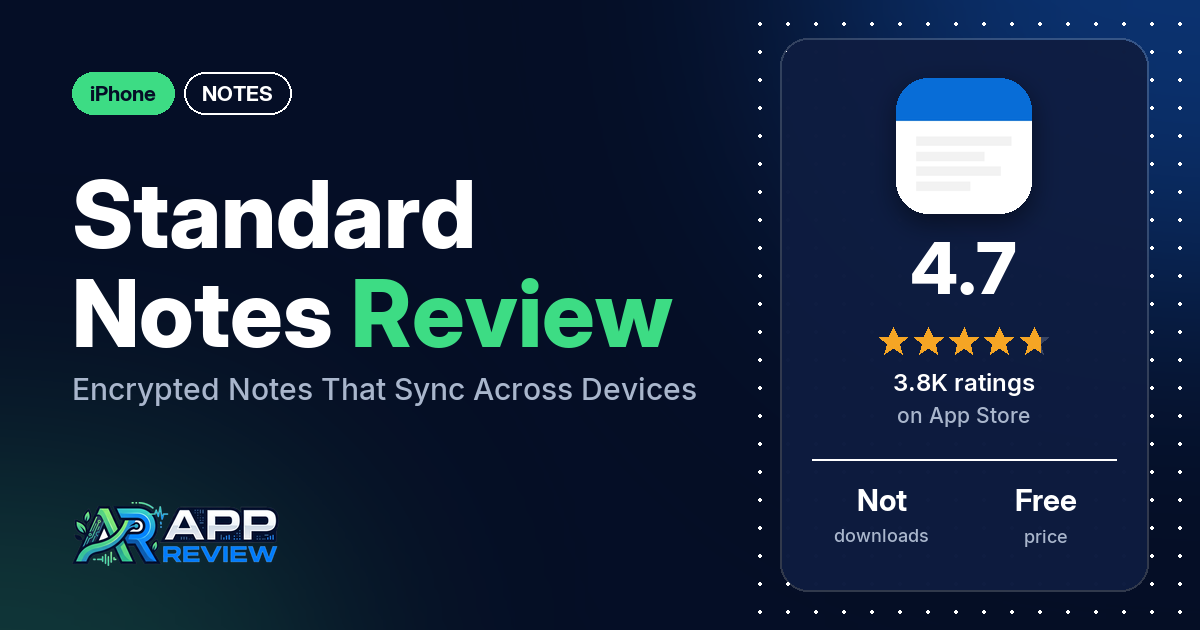
Standard Notes is a free notes app for iPhone that its App Store listing describes as private, end-to-end encrypted and synced across your devices.
Quick verdict
Standard Notes suits you if you want private notes that sync across several devices, including non-Apple ones. In our sample of App Store reviews, the most common praise goes to encryption, privacy and security, and to sync; many reviewers mention each. The most common complaints are sign-in problems, reported from 2022 to 2026, and blank or white screens, most of them from 2022 and 2023. Price is the other sore point. Several reviewers say the paid plan is too expensive, and several object that formatting needs a paid plan. The listing says the core app is free, with optional paid subscriptions.
Standard Notes at a glance
| Developer | Standard Notes Ltd. |
|---|---|
| Store listing | Standard Notes on the App Store |
| Price | Free, with optional paid subscriptions |
| Ads | Not stated in the listing |
| App Store rating | 4.7 stars from 3,754 ratings |
| Downloads | Not in our data |
| Version / last updated | 3.202.7 / September 30, 2026 |
| Requires | iOS 15.1 or later |
| First released | October 13, 2017 |
| Data checked | October 14, 2026 |
What is Standard Notes?
Standard Notes is a notes app built around privacy. The listing says your notes are end-to-end encrypted, “so only you can read your notes. Even we can’t read the contents of your notes.” The listing names iPhone, iPad, Mac and web browsers, and says the code is open source so anyone can audit it. Reviewers disagree about the app’s ties to Proton: a few, writing from 2024 to 2026, say Proton bought the company, while one 2025 reviewer says it did not merge with Proton. The listing doesn’t mention Proton.
Key features
- Encryption: the listing says notes are end-to-end encrypted with XChaCha-20 encryption, and that the code is open source.
- Sync: the listing says notes sync across your devices, with no limit on the number of devices or notes.
- Offline access: the listing says you can read your downloaded notes without a connection.
- Locking: passcode lock, plus Touch ID and Face ID protection.
- Organization: a tagging system, and the ability to pin, lock, protect and move notes to trash. The listing says you can recover deleted notes until the trash is emptied.
- Paid subscriptions: the listing names productivity editors (such as Markdown, Code and Spreadsheets), themes (such as Midnight, Focus and Solarized Dark), and cloud tools including daily backups of your encrypted data sent to your email or to a cloud provider such as Dropbox or Google Drive.
Standard Notes vs. what a notes app should have
The Status column shows where we found each feature. “Listed” means the App Store listing names it. “Partial” means the listing covers part of it. “Reviews only” means reviewers describe it but the listing doesn’t. “Not listed” means neither the listing nor the reviews in our sample show the app has it. This checklist is a first version for notes apps and will change as we review more of them.
Must have
| Feature | Status | Notes |
|---|---|---|
| Fast note creation | Partial | The listing says the focus is making it “easy to write notes wherever you are” but names no quick-capture feature |
| Organization (tags, folders or flags) | Listed | Tags, pinning and trash; a few reviewers ask for folders |
| Search or filtering | Reviews only | A few reviewers mention search; a few others want search inside a single note |
| Sync across devices | Listed | No device limit, per the listing |
| Send or export text to other apps | Reviews only | A few reviewers mention exporting notes; two say sharing a note by email or to other apps is hard |
| Home-screen widget | Not listed | |
| Backup or recovery | Listed | Trash recovery; daily backups with a paid subscription. Two reviewers mention version history, and two mention local backups |
Should have
| Feature | Status | Notes |
|---|---|---|
| Markdown | Listed | A paid editor, per the listing |
| Dictation or voice capture | Not listed | |
| Themes and dark mode | Partial | Paid themes are listed; dark mode isn’t named. Two 2024 reviewers couldn’t find a dark mode, while another says dark mode is in the free version |
| Font and layout customization | Reviews only | One reviewer says a font size option exists but doesn’t work; one says changing the font needs a paid plan; a few say the text is too small |
| Share-extension capture | Not listed | One 2022 reviewer says there are no share targets |
| Siri or Shortcuts support | Not listed | |
| Smartwatch capture | Not listed |
Nice to have
| Feature | Status | Notes |
|---|---|---|
| Automation or scripting | Not listed | |
| AI/LLM integration | Not listed | One reviewer likes that there is no AI |
| Images or attachments | Reviews only | One reviewer says images come only through a separate Files extension; several ask for easier image support |
| Collaboration on a note | Not listed | |
| Web or Windows access | Listed | Web browsers are listed; reviewers also name Windows, Android and Linux |
| Note lock or encryption | Listed | |
| Accessibility | Reviews only | One 2021 reviewer who uses VoiceOver says the app is usable but only a partial success |
Common problems reviewers report
Our data has no developer replies, so there are no fixes here. Each row gives the problem and when reviewers reported it. Newer versions may behave differently.
| Problem | What reviewers report | When |
|---|---|---|
| Can’t sign in | Several reviewers say they couldn’t log in; two say the app got stuck generating keys | 2022 to 2026 |
| Logged out again and again | A few reviewers say the app keeps logging them out or asking them to log in | 2023 to 2026 |
| Problems with Lockdown Mode on | A few reviewers. One says the app starts slowly with Lockdown Mode on; the others say they couldn’t sign in. One says turning Standard Notes off under Lockdown Mode’s “Configure Web Browsing” setting fixed it, and one said in 2023 that a workaround stopped working on iOS 16.4 | 2023 to 2026 |
| Blank, white or black screen | Several reviewers, most of them in 2022 and 2023. One reviewer thanked the developers in March 2023 for fixing the iPad app, without saying what was wrong | 2022 to 2026 |
| App won’t open or crashes on launch | A few reviewers | September to October 2022 |
| Keyboard won’t hide or covers the note | Several reviewers; two of them on spreadsheet notes | 2021 to 2026 |
| Paid features didn’t unlock | Several reviewers say they paid or started a trial but the paid features stayed locked or the subscription wasn’t recognized | 2021 to 2025 |
| Lost notes | Several reviewers say notes or text disappeared | 2022 to 2025 |
Pros (from user reviews)
- Encryption and privacy: many reviewers praise the app’s encryption, privacy or security, and several of them name end-to-end encryption. Two disagree: one says some temporary files on macOS are plain-text notes, and another says the password lock is delayed and calls the app “not actually that secure.”
- Sync: many reviewers say sync works well. Several report sync problems, one of them while also praising sync: two got duplicate or conflicted copies of notes, one says importing notes broke sync, and one says notes wouldn’t sync to a new iPhone.
- Works beyond Apple devices: several reviewers like that it runs across platforms, including non-Apple ones, and name Windows, Android, Linux and the web. Two say sign-in failed on an iPhone while their other devices worked.
- Self-hosting: several reviewers say they run their own server for their notes or value the option, though the listing doesn’t mention self-hosting. A few say setup was straightforward or that the documentation helped; a few say it took effort.
- Simple and clean: several reviewers call the app simple, clean or free of clutter, while several others say the interface is cluttered, dated or needs polish.
- Easy to use: it’s easy to use or intuitive for several reviewers. Several others find it hard to use or learn.
- Note types and Markdown: the choice of note types and editors gets praise from several reviewers. Several like the Markdown support and a few like the spreadsheet notes, but one says a newer Markdown editing mode caused slow loads and hangs.
- Tags: tags keep their notes organized, several reviewers say. A few would rather have folders.
- Lock and sign-in protection: several reviewers praise options such as password-protected notes, an app lock with a passcode or biometrics, and two-factor sign-in. A few report problems with these, such as a missing Face ID option or protected notes that wouldn’t unlock.
- Support: customer support gets praise from several reviewers, from 2021 to 2025. A few complain: one says in August 2026 that they can’t get support to respond to an account issue, one says a bug report got a reply but no follow-up, one calls support unhelpful after an import broke sync, and one says the support email bounced.
- Free version: the free version, or how much of the app is free, gets praise from several reviewers. Several others object that formatting needs a paid plan (see Cons).
- Reliability: several reviewers call it reliable or say they’ve had no problems; the bug reports under Cons tell the other side.
Cons (from user reviews)
- Sign-in problems: several reviewers say they couldn’t log in or kept getting logged out, from 2022 to 2026, a few of them in 2026. A few link the problem to Lockdown Mode (see the table above).
- Blank screens: a blank, white or black screen comes up in reports from several reviewers, most of them in 2022 and 2023.
- The 2022 redesign: several reviewers in October to December 2022 say an update made the app worse. A few cite new bugs, a few dislike the new look, and two say the buttons became too small. A few reviewers, in 2022 and 2025, say the text is too small to read.
- Price: several reviewers say the paid plan is too expensive, though several others say the subscription is worth it.
- Formatting needs a paid plan: several reviewers object that the free version is plain text only, or that formatting needs a paid plan. One names checkboxes and one names folders. Two say features moved from free to paid.
- Paid features didn’t unlock: several reviewers paid or started a trial and say the paid features stayed locked.
- Keyboard: the keyboard won’t hide or covers part of the note, several reviewers say. Two of them hit this on spreadsheet notes.
- Lost notes: several reviewers say notes or text disappeared, from 2022 to 2025. Two others say their notes’ formatting changed: one says Super notes turned into HTML code after their subscription ended, and one says all formatting changed to plain text.
- Images: several reviewers want an easier way to add images or attachments to notes.
- Themes: in reviews from 2022 to 2024, several reviewers say the chosen theme or dark mode doesn’t stick or switches at the wrong time.
- Missing tools: a few want search inside a single note, a few say the swipe-back gesture is missing or doesn’t work properly, and a few want the app to remember their place in a note. Two want an undo button, and two couldn’t get their notes to sort.
Our data doesn’t include a star breakdown of the 3,754 ratings, so we can’t say how common these complaints are across all of them.
Pricing
Standard Notes is free. The listing says the free app includes sync across all your devices, offline access, no limit on devices or notes, passcode and Face ID or Touch ID protection, and tags. It says optional paid subscriptions add productivity editors, themes and cloud backup tools. Our data doesn’t include current prices, so these come from reviewers: $120 a year in October 2024, July 2025 and March 2026, and $119 a year in May 2026. One April 2025 reviewer quoted $10 a month, while a few reviewers from 2023 to 2026 say there is no monthly option. One reviewer quoted a $39 yearly offline license in January 2025. Before you subscribe, check the listing for current pricing.
Privacy and permissions
We couldn’t read the App Store privacy label for Standard Notes, so we make no claim about what data it collects, and our data doesn’t include a permissions list. The listing says notes are end-to-end encrypted, that “only you can read your notes,” and that the code is open source. A few reviewers say there is no way to recover your password, which two of them see as a good sign and one complains about. One reviewer says some temporary files on macOS are plain-text notes.
Who it’s for
Standard Notes fits you if you want your notes encrypted and synced across several devices, especially if some of them aren’t Apple’s or you want to run your own server. It’s a weaker fit if you want rich formatting without paying, need images in your notes, or want a monthly plan (a few reviewers say there isn’t one). Given the sign-in reports, keep your password safe and make sure you can log in on a new device before you rely on it.
FAQ
Is Standard Notes free?
Yes. The listing says the free app includes sync across all your devices, offline access, tags and app locking, with no limit on devices or notes. Optional paid subscriptions add extra editors, themes and cloud backup tools. Reviewers in 2025 and 2026 quoted about $120 a year, so check the listing for current prices.
Is Standard Notes end-to-end encrypted?
The listing says it is, with XChaCha-20 encryption, and that the code is open source so anyone can audit it. Many reviewers in our sample praise its encryption, privacy or security. A few reviewers say there is no way to recover a lost password, so keep yours somewhere safe.
Can you self-host Standard Notes?
The listing doesn’t mention self-hosting, but several reviewers in our sample say they run their own server for their notes. A few of them mention Docker. A few say the setup was straightforward, and a few others say it took effort.
Does Standard Notes work with Lockdown Mode?
A few reviewers in our sample report problems with Lockdown Mode on, most of them unable to sign in. One reviewer in September 2025 says turning Standard Notes off under Lockdown Mode’s “Configure Web Browsing” setting fixed it. Newer versions may behave differently.
How this review was put together
We haven’t tested Standard Notes ourselves. This review is built from the App Store listing, the app’s overall rating, and 250 user reviews from Apple’s public US reviews feed dating from March 2021 to October 2026. We took the newest reviews the feed returns (up to five pages). The data we collected doesn’t include a star breakdown or developer replies. Feature descriptions come from the store listing, and we checked the bigger claims against what reviewers report. Where reviewers disagreed, we’ve said so. Older reviews may describe earlier versions of the app. Information was checked October 14, 2026, and features, prices and ratings can change, so check the store listing for current details.