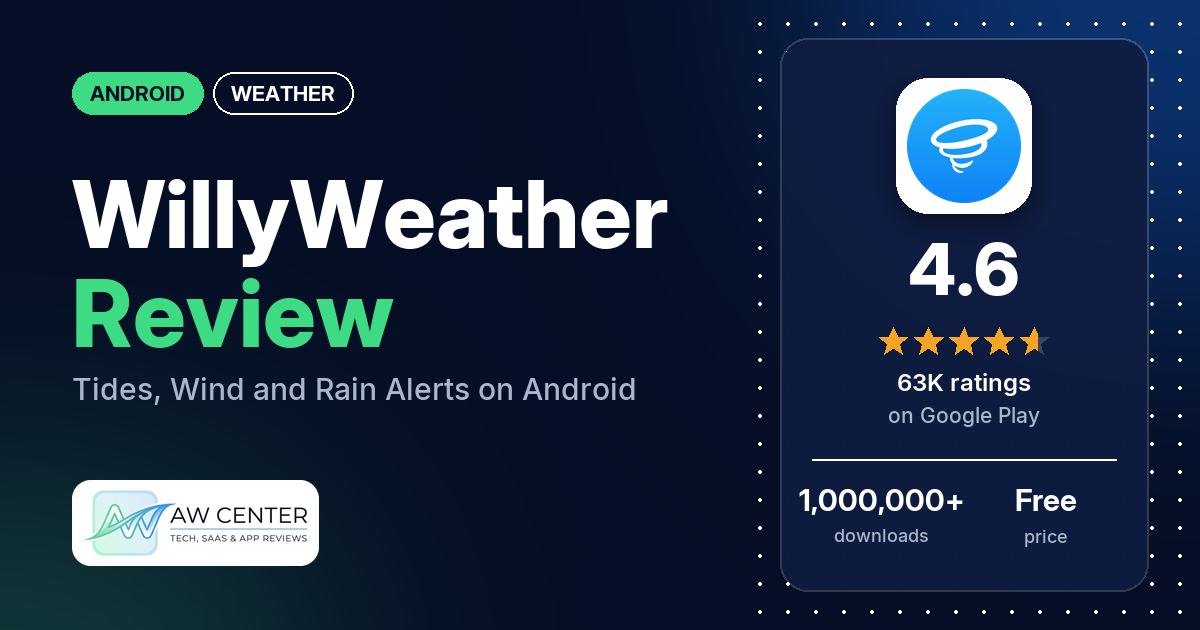
WillyWeather is a free Android weather app with ads, built around radar, tides, swell, wind and rain forecasts. It has a 4.6-star rating from 62,920 ratings, but many reviewers say its forecasts miss, and several single out the wind forecast.
Quick verdict
If you fish, swim in the sea or plan around rain, WillyWeather puts tides, swell, wind graphs and rain alerts in one app. The rain alerts get praise from several reviewers, and several call the forecasts accurate. Inaccurate forecasts are still the most common complaint, and several say the wind forecast misses. Ads and the subscription each draw complaints from several reviewers. Developer replies from May and September 2026 say it covers only Australia, the UK and the USA. Low ratings are a small share overall: 5.3% of the ratings in the Google Play star breakdown are 1 or 2 stars.
WillyWeather at a glance
| Developer | WillyWeather |
|---|---|
| Store listing | WillyWeather on Google Play |
| Price | Free, with in-app purchases of $3.49 to $36.00 per item |
| Ads | Yes |
| Play Store rating | 4.6 stars from 62,920 ratings (78.3% of the star breakdown is 5-star) |
| Downloads | 1,000,000+ |
| Version / last updated | 4.2.3 / November 2, 2026 |
| Requires | Not in our data |
| First released | September 24, 2018 |
| Data checked | November 2, 2026 |
What is WillyWeather?
WillyWeather is a weather app with radar, satellite, tide, swell, wind, UV and rain forecasts, plus moon phases and sunrise and sunset times. The US listing says it fine-tunes forecasts to the coordinates of over 175,000 US locations, including beaches, rivers, parks, lakes and islands, and that its weather data comes from NOAA. Developer replies say the app also covers Australia and the UK, and several reviewers compare it with BOM.
Key features
- Forecasts: six-day NOAA forecasts for each location with min and max temperatures and written weather descriptions, and rainfall probability for the week ahead.
- Radar and satellite: NOAA radar and a national satellite view of cloud cover, both on Google Maps, with pan and zoom.
- Tides and swell: tide times built from NOAA port data with offsets WillyWeather generates for specific locations, and swell height, period and direction for each US beach and surf spot.
- Wind and UV: a NOAA wind forecast interpolated to each location, and hourly UV index forecasts with alerts for extreme conditions.
- Live conditions: current temperature, feels-like temperature, rain today, rain in the last hour, humidity, pressure, wind speed, direction and gusts, and dew point.
- Sun and moon: sunrise and sunset with first and last light, and moon phases with rise and set times.
- Warnings and graphs: NOAA warnings targeted to affected locations, and tide, swell and wind graphs up to seven days ahead.
WillyWeather vs. what a weather app should have
“Listed” means the Google Play listing names the feature, and “Partial” means it covers part of it. “Reviews only” and “Reviews and developer replies” mean reviews or the developer’s replies show the app has it. “Not listed” means the listing doesn’t name it; the notes say what reviewers report.
Must have
| Feature | Status | Notes |
|---|---|---|
| Current conditions and feels-like | Listed | Real-time observations with feels-like temperature. |
| Hourly forecast | Partial | The listing names hourly UV forecasts only. |
| Daily forecast of 7+ days | Partial | Six-day forecasts; graphs run up to seven days ahead, and rainfall probability covers the week ahead. |
| Chance of precipitation | Listed | Rainfall probability for the week ahead. |
| Wind, humidity, UV index | Listed | |
| Severe weather alerts | Listed | NOAA warnings targeted to affected locations. |
| Radar map | Listed | NOAA radar on Google Maps. |
| Home-screen widgets | Reviews only | Several reviewers report widget problems. |
| Current location and search | Reviews only | One reviewer mentions a “Use Current Location” setting. |
| Unit options (°F/°C) | Not listed |
Should have
| Feature | Status | Notes |
|---|---|---|
| Notification or lock-screen weather | Not listed | One reviewer asks for an ongoing weather notification. |
| Air quality | Not listed | |
| Multiple saved locations | Reviews and developer replies | One reviewer says favourites are capped at 30; two say they are limited to one country. |
| Choice of data source | Not listed | |
| Layout customization | Reviews only | One reviewer mentions a custom grid. |
| Light and dark themes | Reviews and developer replies | A December 2024 reply says there’s no in-app toggle; the app follows the phone’s dark or light mode. |
| Sunrise, sunset, moon phase | Listed | |
| Multiple languages | Not listed |
Nice to have
| Feature | Status | Notes |
|---|---|---|
| Animated wind or global map | Reviews only | One reviewer mentions a wind-direction map with arrows, new as of July 2026. |
| Side-by-side provider comparison | Not listed | |
| Photography times (golden/blue hour) | Partial | First light and last light only. |
| Weather photos | Not listed | |
| Pollen | Not listed | Two reviewers ask for it. |
| Lightning strike information | Not listed | |
| Custom temperature alerts | Partial | The listing names UV alerts; one reviewer mentions custom alerts. |
| Rain-incoming notifications | Reviews only | Reviewers describe voice alerts that say how many minutes until rain starts or stops. |
| Written forecast summary | Listed | Detailed weather descriptions. |
The listing also covers tides, swell and wind graphs, which this checklist doesn’t score.
Where the forecast data comes from
| Country | What our data says | Source |
|---|---|---|
| USA | NOAA forecasts, radar, satellite, tides, wind and warnings | Listing |
| Australia | Reviewers say it uses BOM data; an October 2025 reply calls Bureau data “the gold standard in Australia” | Reviews and developer reply |
| UK | One reviewer says its data is based on the Met Office | Review |
| Other countries | Not covered: “we cover only Australia, the UK and USA” (September 2026) | Developer replies |
An October 2026 reply says forecasts are for your exact location and weather stations only supply live readings, which can come from a station 50 km away in rural areas. Don’t rely on a single app for severe weather warnings; check official alerts too.
Common problems and fixes
| Problem | What the developer’s replies say | When |
|---|---|---|
| App gets stuck on the radar or map page | Asks you to report it through Feedback and Support in the app. One reviewer says uninstalling and reinstalling got them back to the forecast. | October 2026 |
| Pop-up asking you to turn on phone animations | A fix is going live in the next release. | October 2026 |
| Bought ad removal years ago, now asked to subscribe | Past ad-removal purchases are still honoured, without the new subscription features. Tap “restore purchase” in the app settings. | October 2026 |
| Ads in poor taste | Most ads come through Google Ads; almost all Temu ads are now blocked. Send a screenshot to [email protected]. | September and October 2026 |
| Widget doesn’t update | Asks you to contact support through Feedback and Support. One reviewer says toggling “Use Current Location” off and on made the widget update. | 2025 |
| Location prompt at every launch | Can be resolved by changing your settings; contact support through Feedback and Support. | July 2025 |
| Text too small | Text size has limits; use your phone’s magnifier under Settings > Accessibility > Magnifier. | February 2025 |
| Can’t turn dark mode on or off | There’s no toggle in the app; it follows the phone’s dark or light mode. | December 2024 |
Menu names may differ in newer versions, and these replies may be out of date.
Pros (from user reviews)
- Rain alerts: several reviewers praise the rain alerts, including voice alerts that say how many minutes until rain starts. One reviewer says they are nearly on time for irrigation work.
- Accuracy for some: several call the forecasts accurate, and a few say it beats BOM. One other says BOM’s rain estimates come closer.
- Reliable: several call it reliable or dependable.
- Lots of information: several say it has all the weather information they need. Two want more: one calls it too light on information, the other asks for humidity and barometer detail.
- Easy to use: several call it easy to use or easy to read. A few find menus, settings or graphs hard to get through.
- Water and outdoor use: a few use it for fishing, tides, sea swimming or surfing.
Cons (from user reviews)
- Inaccurate forecasts: many reviewers say rain, temperature or general forecasts are wrong, and several name their town or area. It’s the most common complaint.
- Wind: several say the wind forecast misses, and a few say it shows much less wind than there is.
- Tides: a few say tide times are wrong.
- Ads: several complain about ads. A few call some ads inappropriate or suspect, and two mention video ads, one saying they play with the sound on.
- Subscription: several object to the paywall or the price. Two say they paid years ago and are now asked to pay again, and a few dislike the subscription prompts.
- Stuck on radar: a few reviewers in October 2026 say the app gets stuck on the radar or map page.
- Widgets: several report widget problems, and a few say the widget doesn’t update or stays on “loading”.
- Notifications: a few say alerts are too loud, too frequent or can’t be switched off.
- Location prompts: a few say the app keeps asking for location access.
- Glitches: a few report freezing, flickering or the app dropping out.
Rating breakdown
| Stars | Ratings | Share |
|---|---|---|
| 5 | 49,207 | 78.3% |
| 4 | 7,524 | 12.0% |
| 3 | 2,780 | 4.4% |
| 2 | 817 | 1.3% |
| 1 | 2,508 | 4.0% |
Source: Google Play ratings histogram, checked November 2, 2026. Shares are of the 62,836 ratings in the star breakdown; the listing shows 62,920 in total.
The reviews we read include extra 1 to 3 star reviews, so complaints show up more in them than in the ratings as a whole.
Pricing
WillyWeather is free with ads. The listing shows in-app purchases of $3.49 to $36.00 per item. Developer replies from July 2026 say a subscription removes ads, adds extra features and works on up to five devices, and a November 2025 reply lists ad removal, forecast radar and extended historical info as Premium features. A February 2025 reply says all the weather, rainfall included, is in the free version. One reviewer in October 2024 put the cost at $48 a year. If you bought ad removal in the past, an October 2026 reply says it is still honoured.
Privacy and permissions
We couldn’t read the Google Play data safety label, so we make no claim about it. The listing asks for precise and approximate location, full network access, network and Wi-Fi connection info, the contents of your USB storage, running at startup, preventing the phone from sleeping, vibration control, receiving data from the internet and the Google Play license check. A few reviewers say the app keeps asking for location access, and one says it happens even though they turned location off.
Who it’s for
WillyWeather suits you if you live in the USA, Australia or the UK and want tides, swell, wind graphs and rain alerts in one free app, and you don’t mind ads or paying to remove them. It’s a weaker fit if you need wind forecasts you can trust on the water, since several reviewers say the wind forecast misses. Skip it if you live elsewhere: developer replies say other countries aren’t covered.
FAQ
Is WillyWeather free?
Yes, it’s free with ads. The listing shows in-app purchases of $3.49 to $36.00 per item. The developer says a subscription removes ads and adds features such as forecast radar, and works on up to five devices.
Which countries does WillyWeather cover?
The developer says it covers only Australia, the UK and the USA. The Google Play listing describes the US version, with NOAA data for over 175,000 US locations. If you travel outside those countries, you’ll need another app.
Is WillyWeather accurate?
Reviewers disagree. Several call it accurate, but many say forecasts are wrong for their area, and several say the wind forecast misses. The developer says forecasts are calculated for your exact location and asks users with problems to contact support through the app.
How do I get rid of the ads in WillyWeather?
The developer says a subscription removes ads on up to five devices. If you bought ad removal in the past, the developer says it’s still honoured: tap “restore purchase” in the app settings.
How this review was put together
We haven’t tested WillyWeather. This review is based on public information from official sources: the app’s Google Play or App Store listing and rating breakdown, the developer’s website when there is one, and recent user reviews on the store with the developer’s replies. Features and claims are the developer’s own descriptions; what users like and dislike comes from the store reviews. Everything was checked on November 2, 2026. Apps change with every update, so check the store listing before you install.