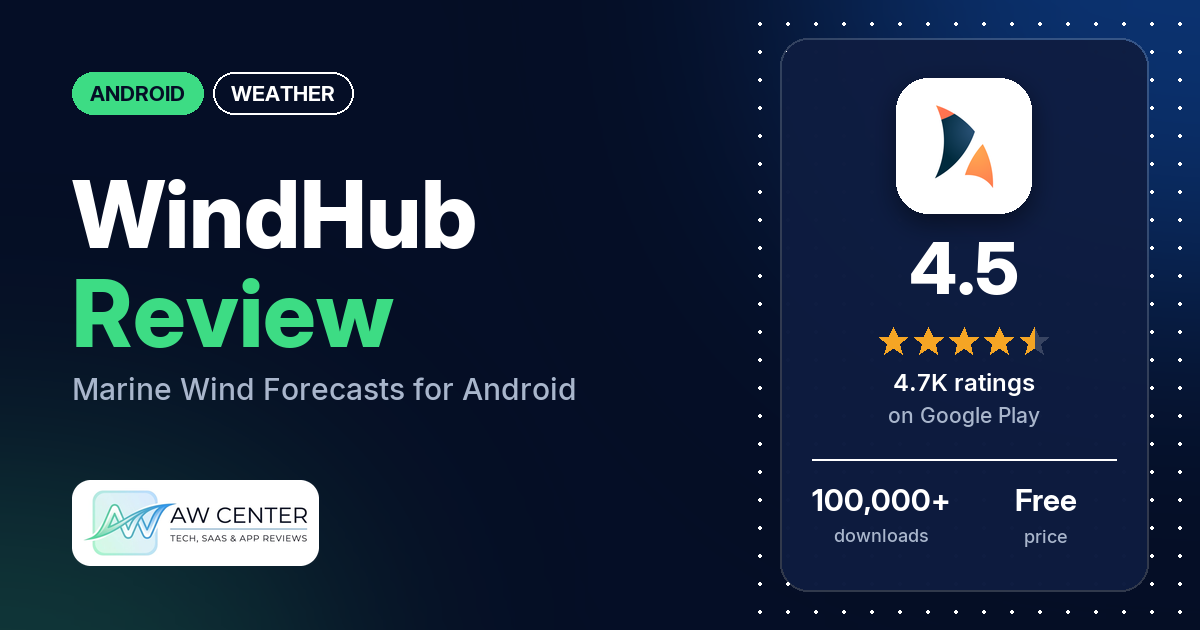
WindHub – Marine Weather is an Android wind forecast app from Windy Weather World Inc, built for sailing, boating and fishing. It’s free to download with no ads, but in-app purchases run from $19.99 to $119.99 per item, and several reviewers complain that you have to pay before it’s useful.
Quick verdict
If you sail, fish or surf and want wind forecasts from several weather models on one map, WindHub is worth a look. Several reviewers use it for exactly that, and a few praise the choice of models and how easy the app is to read. Plan on paying, though. Several reviewers say the free version does little or that the app didn’t make clear it was paid, and several say route planning is missing from the Android app. Developer replies from 2024 and 2025 say routing isn’t available on Android yet. Low ratings are a small share: 5.8% of the ratings in the Google Play histogram are 1 or 2 stars.
WindHub – Marine Weather at a glance
| Developer | Windy Weather World Inc (no developer website in our data) |
|---|---|
| Store listing | WindHub – Marine Weather on Google Play |
| Price | Free, with in-app purchases of $19.99 to $119.99 per item |
| Ads | None |
| Play Store rating | 4.5 stars from 4,670 ratings (70% are 5-star) |
| Downloads | 100,000+ |
| Version / last updated | 3.0.1 / September 16, 2026 |
| Requires | Not in our data |
| First released | July 19, 2021 |
| Data checked | November 2, 2026 |
What is WindHub – Marine Weather?
WindHub is a weather app centered on wind speed and direction. The listing pitches it at sailors, boaters and anglers: wind on an interactive map, tides, waves, live readings from nearby weather stations, nautical charts, weather fronts and isobars. Forecasts come from seven weather models, GFS, ECMWF, ICON, HRRR, WRF8, NAM and O-SKIRON, and you choose which one to view. It has been on Google Play since July 2021 and has passed 100,000 downloads.
Key features
- Wind forecasts: wind speed and direction for your location on an interactive map, plus a wind tracker that follows how the wind changes over time. The listing says this helps with predicting gusts and gust patterns.
- Forecast models: GFS, ECMWF, ICON, HRRR, WRF8, NAM and O-SKIRON.
- Marine data: tides and waves, a tide chart with tide times and heights, and nautical charts.
- Weather stations: real-time wind speed and direction from your nearest weather station.
- Precipitation map: where rain is falling and how much is expected in your area.
- Fronts and isobars: weather fronts and isobars on the map.
WindHub – Marine Weather vs. what a weather app should have
“Listed” means the Google Play listing names the feature, and “Partial” means it covers part of it. “Not listed” means the listing doesn’t name it and no review says the app has it.
Must have
| Feature | Status | Notes |
|---|---|---|
| Current conditions and feels-like | Partial | Live updates and real-time wind from nearby weather stations. Feels-like isn’t listed. |
| Hourly forecast | Not listed | |
| Daily forecast of 7+ days | Not listed | One reviewer mentions forecasts more than a day out. The number of days isn’t stated. |
| Chance of precipitation | Partial | A precipitation map shows where rain is falling and how much is expected. |
| Wind, humidity, UV index | Partial | Wind speed, direction and gust patterns. Humidity and UV aren’t listed. |
| Severe weather alerts | Not listed | |
| Radar map | Partial | A precipitation map; radar isn’t named. |
| Home-screen widgets | Not listed | |
| Current location and search | Partial | Forecasts for your location are listed; search isn’t. Two reviewers report location trouble. |
| Unit options (°F/°C) | Not listed |
Should have
| Feature | Status | Notes |
|---|---|---|
| Notification or lock-screen weather | Not listed | |
| Air quality | Not listed | |
| Multiple saved locations | Not listed | In 2021 one reviewer wrote “Save favorite location not”, and the developer’s reply asked whether they wanted that option. |
| Choice of data source | Listed | Seven weather models. A 2023 reply says the free version includes GFS, O-Skiron, O-WRF and weather station data. |
| Layout customization | Not listed | |
| Light and dark themes | Not listed | |
| Sunrise, sunset, moon phase | Not listed | |
| Multiple languages | Not listed |
Nice to have
| Feature | Status | Notes |
|---|---|---|
| Animated wind or global map | Listed | Interactive wind map and a wind tracker. One reviewer had animation that wouldn’t load until support fixed it. |
| Side-by-side provider comparison | Not listed | |
| Photography times (golden/blue hour) | Not listed | |
| Weather photos | Not listed | |
| Pollen | Not listed | |
| Lightning strike information | Not listed | |
| Custom temperature alerts | Not listed | |
| Rain-incoming notifications | Not listed | |
| Written forecast summary | Not listed |
WindHub is a wind and marine app first. The listing covers models, tides, waves and charts, and says nothing about everyday basics such as alerts, widgets or UV.
Which provider should you use?
You pick the forecast model yourself. The developer’s replies give a few pointers on which to use; they’re dated and may have changed. Accuracy depends on your region and the model.
| Model | What the listing or the developer’s replies say |
|---|---|
| GFS, O-Skiron, O-WRF | Part of the free core version, along with weather station data. Paying makes the other models available (April 2023 reply). |
| HRRR and NAM | “Created especially for United States” (August 2021 reply, to a reviewer who said the app wasn’t for US sailors). |
| Regional vs. global models | Regional models are usually more accurate than global ones; try them if forecasts seem off (December 2025 reply). |
| ECMWF, ICON, WRF8 | Named in the listing. The replies in our data say nothing more about them. |
Common problems and fixes
Most of these come from low-star reviews. The developer’s replies are dated, and menu names may differ in newer versions.
| Problem | What reviewers report | What the developer’s replies say |
|---|---|---|
| No route planning on Android | Several reviewers, June 2024 to May 2025. A few say routing was advertised. | Routing isn’t on Android yet, and most of these replies say it’s planned or being worked on (June 2024 to May 2025). A May 2025 reply says it’s available on iOS and offered help canceling and a refund. |
| Free version seems to do nothing | Several reviewers, 2021 to 2024, say you have to pay to use it or that the app didn’t make clear it was paid. | The app is freemium with free core functionality (replies from 2021 to 2023). To reach the free version, skip the sale offer with the X in the top corner (November 2024). |
| No clear way to cancel | A few reviewers, 2022 to 2025. | Cancel in Google Play: Google Play Store > Menu > Payments and subscriptions > Subscriptions (August 2022 and July 2025). |
| Free trial asks for a card | Two reviewers, 2026. | A card is standard Google Play practice for subscription trials, and you can email [email protected] for 1 month of free PRO access with no card (February 2026). The trial can be canceled any time before it ends (July 2026). |
| Nautical or depth charts missing | Two reviewers (2023 and 2024) couldn’t find the charts. One found no Canadian maps (2025), and one wants sea charts for other parts of the world (2026). | A September 2023 reply said nautical charts were only on iPhone at the time. A September 2025 reply says WindHub supports only US depth charts. |
| Charged more after subscribing | One reviewer, August 2026, says extra models and features cost $50 on top of a $40 subscription. | You shouldn’t have to pay extra for features already in your subscription; email [email protected] (August 2026). |
| Forecasts off more than a day out | One reviewer, December 2025. | Try one of the regional models (December 2025). |
| Want a refund | Two reviewers, 2024. | Email [email protected] with the email address you use on Google Play (September 2024). |
Whatever weather app you use, don’t rely on one app alone for severe weather warnings. Check official alerts too.
Pros (from user reviews)
- Wind for water sports: several reviewers use it for sailing, passage planning, fishing, surfing or kitesurfing. One calls it their favorite app for marine weather.
- Choice of models: a few reviewers praise the forecast model options, and one says they’re more clearly presented than in competing apps.
- Easy to read: it’s easy to use, a few reviewers say, and one likes it “for a quick check without information overload”. Two others say it takes time to figure out or asks too many questions up front, and one couldn’t find the NOAA depth charts.
- Accuracy: the forecasts get called accurate by a few reviewers. One finds it very accurate for current and near-future conditions but right only about half the time more than a day out, and two call the forecast poor or incorrect.
- Support: two reviewers praise the support team. One says they quickly sorted out readings and animation that wouldn’t load. A 2021 reviewer called the developer’s response “flakey”.
Cons (from user reviews)
- Little works without Pro: several reviewers, between 2021 and 2024, say they had to pay to use the app, that it does little without Pro, or that it didn’t say it was paid before they spent time on it. The developer’s replies say the core features are free.
- No route planning on Android: several reviewers couldn’t find route planning in the app. A few of them say it was advertised.
- Not as advertised: several reviewers say the app doesn’t match its advertising, from route planning to NOAA depth charts.
- Price: a few reviewers call it too expensive, including a 2026 reviewer who says extra models and features cost $50 more after a $40 subscription. One 2022 reviewer says £17.99 a year is “not that expensive”.
- Canceling: a few reviewers say there’s no clear way to cancel, and one says you have to email the developer.
- Regional gaps: a few reviewers say it falls short where they are: no Canadian maps, not working in Turkey, a request for sea charts covering other parts of the world, and one 2021 reviewer wrote “Not for US sailors.”
- Free trial: two reviewers object to the trial. One says it asks for a credit card, and the other felt scammed by it.
- Location: two reviewers report location trouble. One says it won’t work without GPS turned on, and one says it didn’t open to where they were.
The reviews we read include extra low-star reviews on purpose, so complaints are overrepresented here. Across the histogram, 70.4% of ratings are 5-star and 5.8% are 1 or 2 stars.
Rating breakdown
| Stars | Ratings | Share |
|---|---|---|
| 5 | 3,263 | 70.4% |
| 4 | 877 | 18.9% |
| 3 | 225 | 4.9% |
| 2 | 45 | 1.0% |
| 1 | 225 | 4.9% |
Source: Google Play ratings histogram, checked November 2, 2026. The histogram adds up to 4,635 ratings, 35 fewer than the 4,670 total, and the shares are of the histogram total.
Pricing
WindHub is free to download with no ads, and in-app purchases run from $19.99 to $119.99 per item. The listing doesn’t describe the plans. The developer’s replies call it freemium: a 2023 reply says the free version has the GFS, O-Skiron and O-WRF models plus weather station data, and paying makes the other models available. A 2021 reply says wind barbs, gusts and fronts are Pro features. Reviewers mention a one-year subscription, £17.99 a year in 2022 and a $40 subscription in 2026. A 2021 reply mentions a 7-day trial, and a February 2026 reply offers a free month of PRO by email if you don’t want to add a card. Check the price in the app before you subscribe.
Privacy and permissions
We couldn’t read the Google Play data safety section for this app, so we make no claim about what it declares there.
The Play Store’s permissions list shows: Google Play license check, approximate location (network-based), precise location (GPS and network-based), control vibration, full network access, receive data from Internet, prevent device from sleeping, read the contents of your USB storage, run at startup, view Wi-Fi connections, and view network connections. One reviewer complains that the app won’t work without GPS turned on.
Who it’s for
WindHub suits you if you sail, fish, surf or kite, want wind forecasts from several models on one map, and are willing to pay for Pro. If you’re in the US, a developer reply points to the HRRR and NAM models. It’s a weaker fit if you want a free everyday weather app with widgets and alerts, need route planning on Android, or need depth charts outside the US.
FAQ
Is WindHub free?
It’s free to download and has no ads, but in-app purchases run from $19.99 to $119.99 per item. The developer’s replies say the core features are free and paying unlocks more models and features. Several reviewers say the free version does too little to be useful.
Does WindHub have route planning on Android?
Not yet. Developer replies from June 2024 to May 2025 say routing isn’t on Android, and most of them say it’s planned or being worked on. A May 2025 reply says routing is available on iOS. Several reviewers say route planning is missing from the Android app. Check the listing for changes before you pay for it.
How do I cancel a WindHub subscription?
The developer’s replies say to cancel in Google Play: open the Google Play Store, then Menu, Payments and subscriptions, and Subscriptions. You can also email [email protected], and replies show the team canceling subscriptions on request. A few reviewers say they couldn’t find a way to cancel.
Which WindHub model should I use in the US?
A 2021 developer reply says the HRRR and NAM models were created especially for the United States. A 2025 reply says regional models are usually more accurate than global ones. Results depend on where you are, so compare them with official local forecasts.
How this review was put together
We haven’t tested WindHub – Marine Weather. This review is based on public information from official sources: the app’s Google Play or App Store listing and rating breakdown, the developer’s website when there is one, and recent user reviews on the store with the developer’s replies. Features and claims are the developer’s own descriptions; what users like and dislike comes from the store reviews. Everything was checked on November 2, 2026. Apps change with every update, so check the store listing before you install.