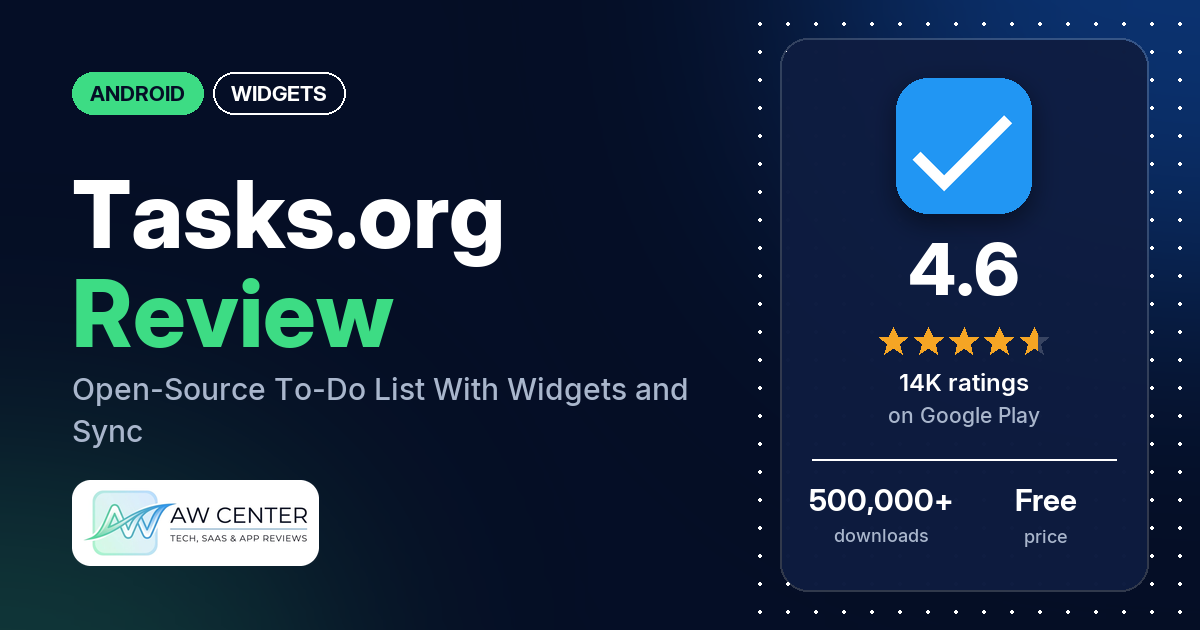
Tasks.org is a free, open-source to-do app for Android with nested subtasks, recurring tasks, location reminders and home screen widgets. It has 4.6 stars from 13,636 ratings and no ads, and the self-hosted sync options need a subscription that developer replies say starts at $1 USD a year.
Quick verdict
If you want a to-do list you can shape to your habits, with tags, filters, repeating tasks and a choice of where your tasks sync, Tasks.org gives you a lot to work with. Several reviewers call it highly customizable, and a few praise it as a companion app for Google Tasks. Reliability and setup are the weak spots: several reviewers say reminders came late or never, and several say location reminders didn’t fire or went off in the wrong place. The app also confuses several reviewers, and several object to paying a subscription to sync with their own CalDAV server.
Tasks.org at a glance
| Developer | Tasks.org, LLC |
|---|---|
| Store listing | Tasks.org on Google Play |
| Price | Free; in-app purchases ($0.99 to $29.99 per item) |
| Ads | None |
| Play Store rating | 4.6 stars from 13,636 ratings (81.3% of the star breakdown is 5-star) |
| Downloads | 500,000+ |
| Version / last updated | Varies with device / October 14, 2026 |
| Requires | Not in our data |
| First released | September 15, 2013 |
| Data checked | November 2, 2026 |
What is Tasks.org?
Tasks.org is a task manager that keeps your lists on your phone or syncs them with a service you pick. The listing names Tasks.org Cloud, Google Tasks, DAVx⁵, Microsoft To Do, CalDAV, EteSync and DecSync CC, or fully offline use. It describes the app as open source and privacy-focused, with no ads and no ad or location tracking. A March 2026 developer reply says it is the work of a solo developer who has spent 12+ years on it.
Key features
- Subtasks: nested, collapsible subtasks of unlimited depth.
- Sync: Tasks.org Cloud, Google Tasks, DAVx⁵, Microsoft To Do, CalDAV, EteSync and DecSync CC, or offline only. Drag-and-drop sorting works with Nextcloud Tasks and Apple Reminders, the listing says.
- Recurring tasks: flexible, customizable repeat options.
- Location reminders: reminders when you arrive at or leave a place.
- Filters and search: filtering and search to find tasks, plus icons and colors for your lists.
- Widgets and Wear OS: customizable home screen widgets and a Wear OS app with watch face complications.
- Backups and automation: automatic backups to internal storage, Google Drive and the Android Backup Service, and Tasker integration.
- Tasks.org Cloud: share lists with friends and family, and turn emails into tasks with a dedicated email address.
Tasks.org vs. what a widgets app should have
Listed means the store listing says it. Not listed means the listing doesn’t name it; the notes say what reviewers report. Partial, Reviews only and Reviews and developer replies mean it shows up only in part, or only outside the listing. Tasks.org is a to-do app with widgets, so rows for design editors, templates, weather, music, health data, custom data sources and charts don’t apply and are left out.
Must have
| Feature | Status | Notes |
|---|---|---|
| Home screen widgets in several sizes | Partial | The listing says “Customizable Widgets” but doesn’t name sizes. A 2024 developer reply describes a scrollable widget that can show all your tasks. |
| Lock screen widgets | Not listed | |
| Widgets that stay up to date | Partial | A few reviewers say the widget went blank or lost its tasks until they opened the app. See Common problems. |
| Transparent background | Not listed |
Should have
| Feature | Status | Notes |
|---|---|---|
| Smartwatch faces or complications | Listed | Wear OS app with watch face complications. Two reviewers report complication bugs. |
| Tap actions | Reviews only | Reviewers describe tapping a task on the widget to open it. |
| Help or support contact | Listed | [email protected], plus r/tasks on Reddit and @tasks_org on X. |
| A usable free tier | Reviews and developer replies | A June 2026 developer reply says all productivity features are free. |
| Restoring purchases on a new device | Not listed | Two reviewers say the app stopped recognizing their subscription. An August 2026 developer reply says to reinstall with the right Google account selected in the Play Store. |
Nice to have
| Feature | Status | Notes |
|---|---|---|
| Launcher compatibility | Not listed | |
| Tablet and desktop support | Reviews and developer replies | A June 2026 developer reply says a desktop app is in development and missing a lot of features. |
| Shortcuts or automation | Listed | Tasker integration. |
| One-time purchase instead of a subscription | Not listed | Several reviewers ask for one. Developer replies say subscriptions pay for development. |
| No ads | Listed | The listing says the app is ad-free. |
The widget and the watch complications sit on top of a task manager, and the listing names no widget design tools.
Common problems
These problems can depend on the phone, the Android version and the sync service, so newer versions may behave differently. Most developer replies ask reviewers to email [email protected].
| Problem | What reviewers report | When |
|---|---|---|
| Reminders late or missing | Several say reminders came late, didn’t come until they opened the app, or stopped. Developer replies point to phone makers’ background restrictions and dontkillmyapp.com. An April 2026 reply says to make sure the app has the ‘Alarms & reminders’ permission. | 2021 to October 2026 |
| Location reminders | A few say location reminders didn’t fire or worked only some of the time, and two say they went off away from the place they set. An August 2026 developer reply says to turn off swipe-to-snooze and that the latest release disables it for location reminders. | November 2025 to August 2026 |
| Crashes | Several report crashes or freezes, some after an update. Developer replies ask for logs from ‘App settings > About > Send application logs’. | 2023 to March 2026 |
| Google Tasks and Microsoft To Do sync | Several say recurring tasks or reminder times don’t sync with Google Tasks or Microsoft To Do. A December 2023 developer reply says recurring tasks aren’t part of the Google Tasks API. | 2023 to October 2026 |
| Self-hosted sync stops | A few say sync through DAVx⁵ or EteSync stopped working or needed setting up again. | April to October 2026 |
| Subscription not recognized | Two reviewers say paid sync was switched off as if they had no subscription. An August 2026 developer reply says Google Play can change the account linked to the app, and reinstalling with the right account fixes it. | May to October 2026 |
| Widget goes blank | A few say the widget lost its tasks until they opened the app, one on Android 16 and one on a Samsung phone. A September 2025 developer reply says a possible fix was in the beta channel. | September 2025 to January 2026 |
Pros (from user reviews)
- Customization: several reviewers say you can adjust almost everything, from sorting and filters to tags and colors. One calls it customizable “almost at granular level”.
- Easy to use, for some: several call it simple or easy to use. Several others find it confusing or cluttered, so this splits reviewers.
- Recurring tasks: a few praise the repeat options. Two like that the next date can follow the day you completed the task.
- A front end for Google Tasks: a few praise it as a companion app for Google Tasks. One calls it “What Google Tasks should’ve always been”.
- Self-hosted sync: a few say it works well with DAVx⁵, Nextcloud or Radicale.
- Location reminders: a few praise reminders tied to places. One calls it the only reliable location-based reminder app they’ve found.
- Open source and fair pricing: a few like that it is open source, and a few speak well of the pricing. One calls it “fair premium pricing”.
- Widget: a few praise the widget. One keeps it on the home screen so small, non-appointment tasks stay in view.
Cons (from user reviews)
- Subscription: several reviewers object to paying. Several want a one-time purchase, and several dislike that sync with their own CalDAV, DAVx⁵ or EteSync server needs a subscription. One in June 2026 says it “wants £2.89 per month for the sync options”, and another calls $42 “a steep price for premium cloud”.
- Reminders: several say reminders came late or not at all, and a few say notifications kept coming for tasks they had completed.
- Location reminders: several say location reminders didn’t work as set. One adds that the Mapbox place search couldn’t find a store near them.
- Hard to learn: several call the app confusing, clunky or cluttered. One says it “throws everything at you”.
- Recurring task limits: several hit limits with recurring tasks, such as seeing only the next due date.
- Crashes and sync: several report crashes, and several report sync problems with Google Tasks or Microsoft To Do.
- Missing views: a few want a calendar view, and two developer replies from 2026 say one is planned. A few want a desktop app.
Rating breakdown
| Stars | Ratings | Share |
|---|---|---|
| 5 | 11,079 | 81.3% |
| 4 | 1,242 | 9.1% |
| 3 | 435 | 3.2% |
| 2 | 185 | 1.4% |
| 1 | 684 | 5.0% |
Source: Google Play ratings histogram, checked November 2, 2026. Shares are of the 13,625 ratings in the star breakdown.
Only 6.4% of the ratings in the star breakdown are 1 or 2 stars. The review sample includes extra low-star reviews, so complaints show up more often in the sample than in the ratings. The newest review in our data is from October 2026.
Pricing
Tasks.org is free on Google Play, with in-app purchases from $0.99 to $29.99 per item. What those purchases unlock isn’t in the listing, so developer replies fill in the rest: all in-app features unlock with a name-your-price subscription starting at $1 USD a year, and the version on F-Droid has every feature unlocked for free. A June 2026 reply says most users pay nothing because all productivity features are free. A September 2026 reply says Google Places location search is only for Tasks.org Cloud users. Others get Mapbox, whose data the reply says is not as good.
Privacy and permissions
We couldn’t read the Data safety section of the listing. The listing says the app has no ads and no ad or location tracking. It asks for these permissions: precise and approximate location, read calendar events plus confidential information, add or modify calendar events and send email to guests without owners’ knowledge, find accounts on the device, view configured accounts, read Google service configuration, read sync statistics, full network access, view network connections, receive data from Internet, control Near Field Communication, install shortcuts, run at startup, prevent device from sleeping and control vibration. One reviewer in October 2026 says connecting Google Tasks gave the app access to their whole Google account.
Who it’s for
It suits you if you want a to-do list with deep options: subtasks inside subtasks, repeats based on when you finished, tags and filters, and a widget on your home screen. It also suits you if you run your own Nextcloud or CalDAV server and don’t mind a subscription, which developer replies say starts at $1 USD a year. Installing from F-Droid is the free route, the developer says.
Look elsewhere if you need reminders you never have to check on, since several reviewers had them arrive late or not at all. Skip it too if you want a simple list you can learn in a minute, or a one-time purchase.
FAQ
Is Tasks.org free?
Yes, with in-app purchases from $0.99 to $29.99 per item. The developer says all productivity features are free and that every in-app feature unlocks with a name-your-price subscription starting at $1 USD a year. Developer replies also say the F-Droid version has all features unlocked for free.
Does Tasks.org sync with Google Tasks?
Yes, the listing names Google Tasks and Microsoft To Do among its sync options, along with CalDAV, DAVx⁵, EteSync, DecSync CC and Tasks.org Cloud. A few reviewers use it as a better Google Tasks app. Several say recurring tasks or reminder times don’t sync, and a December 2023 developer reply says recurring tasks aren’t part of the Google Tasks API.
Why are my Tasks.org reminders late?
The developer says the app schedules reminders on the phone, so background restrictions from the phone maker can delay or stop them. Developer replies point to dontkillmyapp.com for the fix. An April 2026 reply also says to check that the app has the ‘Alarms & reminders’ permission.
Does Tasks.org have a home screen widget?
Yes. The listing mentions customizable widgets, and a 2024 developer reply describes a scrollable widget that can show all your tasks. The same reply says the widget isn’t available if the app is installed on external storage.
How this review was put together
We haven’t tested Tasks.org. This review is based on public information from official sources: the app’s Google Play or App Store listing and rating breakdown, the developer’s website when there is one, and recent user reviews on the store with the developer’s replies. Features and claims are the developer’s own descriptions; what users like and dislike comes from the store reviews. Everything was checked on November 2, 2026. Apps change with every update, so check the store listing before you install.