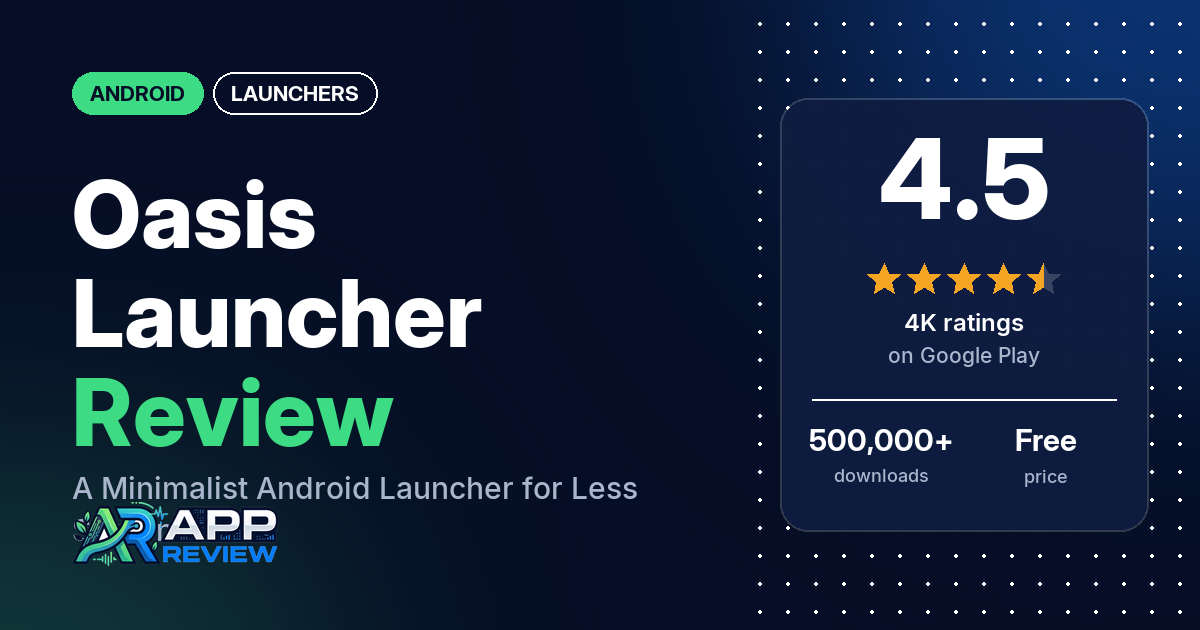
Oasis – Minimal App Launcher is a free Android launcher that replaces your home screen with a simpler one, built to help you pick up your phone less. The listing says it has no ads, even in the free version.
Quick verdict
If you want to cut your screen time and don’t mind paying for extras, consider Oasis. Reviewers in our sample praise it most often for cutting their phone use or distractions. A few also like the notes and widgets page, the customization and how easy it is to use. The complaints that come up most: a home screen that freezes or gets stuck, too many features behind the paywall, and paid Pro features that stop being recognized. About 9% of all its ratings are 1 or 2 stars, so these are minority reports, though several of them recur.
Oasis at a glance
| Developer | Crimson Labs |
|---|---|
| Store listing | Oasis – Minimal App Launcher on Google Play |
| Price | Free, with optional in-app purchases ($2.99–$24.99 per item) |
| Ads | None (the listing says it is “100% Ad-Free”, even in the free version) |
| Play Store rating | 4.5 stars from 3,973 ratings (77% of the ratings in the store’s rating breakdown are 5-star) |
| Downloads | 500,000+ |
| Version / last updated | 5.18 / September 29, 2026 |
| Requires | Not in our data |
| First released | July 21, 2023 |
| Data checked | October 14, 2026 |
What is Oasis?
Oasis replaces your phone’s home screen. The listing describes it as a minimalist launcher “designed to help you focus, reduce screen time & create a calm, productive phone experience”, with a clean home screen and app drawer, a notification filter, and a page of to-do, notes and calendar widgets. It is made by Crimson Labs, has been on Google Play since July 2023, and was last updated in September 2026. The listing says it is ad-free, even in the free version, and that the developer doesn’t collect personally identifiable data.
Key features
- Minimal home screen and app drawer: the listing describes a clean home screen and app drawer “that shows only what matters”, with folders and hidden apps.
- Notification Filter and App Interrupts: the listing says these block out the noise and help you cut screen time.
- Customization: custom themes, colours, icon packs and fonts, per the listing.
- Wallpapers: a curated collection of live and static wallpapers.
- Productivity page: a dedicated page with widgets for to-do, notes and calendar, plus built-in classic games such as Snake and 2048.
- Work profile: the listing says it supports Android’s work profile and dual apps.
- Optional permissions: the listing says the Accessibility Service is used only for the optional “Swipe for Recents” gesture, and notification access only for the Notification Filter.
Oasis vs. what a launcher app should have
The Status column shows where we found each feature. “Listed” means the Google Play listing names it. “Partial” means the listing covers part of it. “Reviews and developer replies” and “Reviews only” mean we found it outside the listing. “Not listed” means neither the listing nor the reviews in our sample show the app has it. Our launcher checklist is still new and will change as we review more launchers. It records whether the app offers a feature; it doesn’t rate how well that feature works.
Must have
| Feature | Status | Notes |
|---|---|---|
| Home screen with the apps you choose | Listed | A few reviewers say the home screen won’t scroll or apps get hidden behind the clock or search bar once they add more apps. A developer reply (July 2026) says scrolling is turned off on purpose. |
| Searchable, sortable app list | Partial | The listing names an app drawer but not search or sorting. One reviewer lists app search among the free features; one asks for search that copes with typos, and a developer reply (September 2026) says that is being fixed in the next update. |
| Folders | Listed | Two reviewers say folders need Pro. One reviewer (March 2026) says folders can now go on the home screen. |
| Hiding apps | Listed | |
| Easy setup as the default launcher | Reviews and developer replies | A few reviewers found it hard to switch back or uninstall. The developer’s replies point to “Change Default Launcher” in the app’s settings. |
| Gestures and navigation settings | Partial | The listing names an optional “Swipe for Recents” gesture. A developer reply (December 2025) mentions Settings > Gesture > Swipe up action. |
| Usable free tier | Partial | The listing says the free version is ad-free but doesn’t say what Pro adds. A few reviewers praise the free version; several say too much is behind the paywall. |
Should have
| Feature | Status | Notes |
|---|---|---|
| Notification filtering | Listed | |
| Icon styles and third-party icon packs | Listed | Developer replies in May and June 2026 say the app icons added in an update can be turned off in Settings. |
| Themes and wallpapers | Listed | Several reviewers say using your own wallpaper or background needs a paid plan. A developer reply (April 2025) says a “use default wallpaper” option shows your phone’s wallpaper. |
| Font and text-size options | Listed | A few reviewers say fonts or font size need Pro. A developer reply (August 2026) says all font sizes will be made free in the next update. |
| Built-in widgets | Listed | To-do, notes and calendar, per the listing. Two reviewers say the to-do list or calendar needs Pro. A few say there’s no weather on the home screen or ask for it. |
| Standard Android widgets from other apps | Reviews only | Two reviewers say it supports third-party or system widgets. One says they can’t tap their Google widget, and another that work-profile app widgets don’t show. |
| Renaming apps | Reviews only | Two reviewers ask for renamed apps to be sorted by their new names |
| Backup and restore | Not listed | One reviewer (April 2026) says there is no way to back up settings |
| Works without internet | Not listed |
Nice to have
| Feature | Status | Notes |
|---|---|---|
| Focus tools (app timers, blocking, a delay before opening) | Listed | App Interrupts, per the listing. One reviewer likes opening apps by solving math problems. A developer reply (April 2025) describes a Focus mode that locks the phone except for chosen apps. |
| Double-tap to turn off the screen | Reviews only | Two reviewers in April 2025 say it needs device administrator permission, and one says that stopped their fingerprint unlock working. A few reviewers in 2026 ask for it or say it’s missing. |
| Extra sort options | Not listed | |
| Automatic light and dark themes | Not listed | |
| Notification dots or badges | Not listed | |
| Website shortcuts | Not listed | One reviewer (December 2025) says they can’t add an internet shortcut |
| Tablet and e-reader support | Not listed | |
| No ads | Listed | |
| One-time purchase for all devices | Reviews and developer replies | A developer reply (November 2023) says there is both a subscription and a one-time purchase. Two reviewers say Pro didn’t carry over to another phone. |
Common problems and fixes
Most of the problems below come from reviews of 3 stars or lower, and 1- to 3-star ratings make up about 16% of all ratings. The fixes come from the developer’s replies to those reviews. Replies are dated, settings names may have changed since, and newer versions may behave differently. Where a reply blames Android, that is the developer’s view, not something we checked.
| Problem | What reviewers report | What the developer’s replies say |
|---|---|---|
| Home screen freezes or gets stuck | Several reviewers, August 2023 to August 2026, most of them in 2025. A few of them say they had to restart or reset the phone. Phones named include a Pixel 8 Pro and an S25. | Replies from March 2025 to January 2026 call it a known Android issue with third-party launchers and say giving Oasis accessibility permission fixes it. One reply (December 2025) says to choose Recent apps under Settings > Gesture > Swipe up action to get the option. One reviewer says giving accessibility permissions didn’t fix it for them. |
| Lag or a slow phone | A few reviewers, August 2023 to May 2026 | Restart the phone and try removing live wallpapers (October 2023), or turn off the animated background (November 2024). |
| Paid Pro features locked | Several reviewers, December 2023 to August 2026, most of them in 2026 | An update would mostly fix it “this week” (May 2026). Another reply says the developer was checking logs (July 2026). Pro “should 100% carry forward” to a new device on the same account (June 2024). |
| Home screen won’t scroll, or apps hide behind the clock | A few reviewers, October 2025 to July 2026 | Scrolling is turned off on purpose; reduce the font size, add folders to the home screen, or remove the Google search bar or time widget (July 2026). |
| An update changed the home screen | A few reviewers, May 2026 | App icons can be removed and the search box moved back to the top in Settings, and the time widget changed or removed (May 2026). |
| Hard to switch back to another launcher | A few reviewers, March 2024 to August 2025 | Use the “Change Default Launcher” button in the app’s settings, which opens Android’s home-app chooser (March 2024, January 2025, March 2025). |
| Screens turned black after a colour change | Two reviewers, March and April 2026 | Reinstall, or turn on Android’s developer options and “Show Layout Bounds” to find the setting, and checks were being added to prevent it (March 2026). |
| “What’s New” message stuck on the home screen | One reviewer, March 2026 | Remove a few apps from the home screen, tap “What’s New”, then add the apps back (March 2026). The reviewer says this worked. |
Pros (from user reviews)
- Less phone time and fewer distractions: the most common praise in our sample. Several reviewers say it cut their screen time or distractions or kept them from opening apps on impulse. One says their screen time fell to under an hour a day, and another that it cut their phone time in half. On the other side, one reviewer says their phone use went back to the same after a few weeks, one says the interrupts didn’t do anything, and a few question why a focus launcher includes games.
- Clean and simple: several reviewers call it clean or simple. Two others find it too bland or boring, and a few say it tries to do too much for a minimalist launcher.
- Easy to use: a few reviewers call it easy to use or easy to navigate. Two others find the controls unintuitive or the design confusing.
- Customization: a few reviewers praise the customization options. Two say there isn’t enough to customize, and several say too much of it needs Pro (see Cons).
- Notes and widgets page: a few reviewers like the notes, checklist or widgets page. Two say the to-do list or calendar needs Pro.
- Widgets from other apps: two reviewers say it supports third-party or system widgets, and one says scrolling in their Google Calendar widget was later fixed.
- Worth paying for: a few reviewers say the paid version is worth it, and one appreciates the one-time purchase. Several others object to paying a subscription for a launcher (see Cons).
- A workable free version: a few reviewers praise the free version. Several say too much is behind the paywall (see Cons).
- Regular updates: a few reviewers praise frequent updates that fix issues or add features. A few others disliked an update in May 2026 (see Cons).
- Helpful developer: two reviewers say the developer or support team helped fix their problem. Two others say their emails got no response.
Cons (from user reviews)
- Freezes and lag: several reviewers say the home screen froze, got stuck or stopped responding, and a few of them say they had to restart or reset the phone. Most of these reviews are from 2025, and a few are from 2026. A few say it was laggy or made their phone slow, and a few report crashes. The developer’s replies say giving Oasis accessibility permission fixes the freezes (see Common problems and fixes).
- Too much behind the paywall: several reviewers say too many features need Pro or the free version is too limited. Several say using your own wallpaper or background needs a paid plan, a few say fonts or font size do, and two name folders. A few complain about prompts to pay. One says features that used to be free were moved behind the paywall.
- Subscription pricing: several reviewers object to paying a subscription for a launcher. A few say it costs too much or isn’t worth the price.
- Paid Pro features stop working: several reviewers who paid say the app stopped recognizing their purchase and locked Pro features, most of them in 2026. A few say it keeps happening, every other day, every couple of weeks or several days a month. Two say Pro didn’t carry over to another phone. Two more say a lifetime purchase they had made was taken away, and a developer reply (March 2026) to one of them says the payment was reversed by their bank or didn’t go through.
- Updates that change the home screen: a few reviewers in May 2026 say an update went against the app’s minimalist purpose or changed the home screen in ways they didn’t want. Two reviewers dislike the app icons. The developer’s replies say the icons can be turned off and the search box moved back in Settings.
- Limited home-screen space: a few reviewers say the home screen won’t scroll or apps get hidden behind the clock or search bar once they add more apps.
- Hard to switch back: a few reviewers found it hard to stop using Oasis as their launcher or to uninstall it. One says they took the phone to a repair shop to get their old home screen back.
- Games in a focus app: a few reviewers object to the built-in games. A developer reply (November 2025) says you can hide them.
- Other complaints: two reviewers say a colour change turned the screens black, and one of them says there is no way to back up settings. A few say there’s no weather on the home screen or ask for it. A few in 2026 ask for double-tap to lock or say it’s missing.
About a third of the reviews in our sample are 1- or 2-star because of how the sample was drawn (see the last section). Across all ratings, about 9% are 1 or 2 stars and 77.4% are 5-star, so the problems above are reported by a small share of users.
Rating breakdown
| Stars | Ratings | Share |
|---|---|---|
| 5 | 3,065 | 77.4% |
| 4 | 271 | 6.8% |
| 3 | 271 | 6.8% |
| 2 | 156 | 3.9% |
| 1 | 196 | 5.0% |
Source: Google Play ratings histogram, checked October 14, 2026. The histogram adds up to 3,959 ratings, slightly fewer than the 3,973 total, and the shares are of the histogram total.
Pricing
You can download Oasis for free, and it has no ads. The store lists in-app purchases at $2.99 to $24.99 per item. The listing doesn’t say what the paid plans include. A developer reply from November 2023 says there is both a subscription and a one-time purchase, and two reviewers in 2026 put the lifetime unlock at $25. Several reviewers say a paid plan is needed to use your own wallpaper, and others name fonts, folders, the to-do list or the calendar. A developer reply (August 2026) says all font sizes are being made free, and another (July 2026) says there is a three-day trial. Several reviewers say their paid Pro features stopped being recognized, so check that Pro shows as active after you buy.
Privacy and permissions
We couldn’t read the Google Play data safety section for Oasis, so we make no claim about what it declares there. The listing says the developer doesn’t collect personally identifiable data. It says the Accessibility Service is used only if you turn on the optional “Swipe for Recents” gesture, and notification access only if you turn on the Notification Filter. The developer’s replies about freezes also recommend giving it accessibility permission.
The Play Store’s permissions list for the app shows: Google Play license check, expand/collapse status bar, full network access, prevent device from sleeping, read calendar events plus confidential information, set wallpaper, update component usage statistics, and view network connections. One reviewer in October 2025 said they had logs showing the app sent metadata to Facebook; we couldn’t check this, and our data has no developer reply to it.
Who it’s for
Oasis fits you if you want to use your phone less and like having notes, a to-do list and a calendar on a dedicated page. It’s a weaker fit if you want a launcher where your own wallpaper, fonts and folders come free, if you put many apps on your home screen, or if you’d rather not pay a subscription. If you buy Pro, check that it stays active, and if the home screen freezes, try the accessibility-permission fix the developer’s replies describe.
FAQ
Is Oasis launcher free?
Yes. It’s free to download and the listing says it has no ads, even in the free version. The store lists in-app purchases at $2.99 to $24.99 per item, and a developer reply from 2023 says there is both a subscription and a one-time purchase. Several reviewers say features such as using your own wallpaper need a paid plan.
Why does the Oasis home screen freeze?
Several reviewers in our sample say the home screen froze or got stuck, mostly in 2025. The developer’s replies from 2025 and January 2026 call it a known Android issue with third-party launchers and say giving Oasis accessibility permission in the phone’s settings fixes it. One reviewer says that didn’t work for them, and replies may be out of date.
How do I switch back to my old launcher?
The developer’s replies say to use the “Change Default Launcher” button in Oasis’s settings, which opens Android’s screen for choosing the home app. A few reviewers found switching back or uninstalling hard, so it’s worth finding that button before you need it.
Can I use widgets from other apps in Oasis?
Two reviewers in 2026 say Oasis supports third-party or system widgets, alongside its own to-do, notes and calendar widgets. One reviewer says work-profile app widgets don’t show, and another that they can’t tap their Google widget.
How this review was put together
We haven’t tested Oasis ourselves. This review is built from the Google Play listing, the app’s public rating breakdown, the developer’s replies to reviewers, and 210 user reviews dating from August 2023 to October 2026. We took the latest 100 reviews plus the latest 40 at each star level, so low-star reviews are over-represented compared with all ratings, and we used the rating breakdown to say how common complaints are. Feature descriptions come from the store listing, and we checked the bigger claims against what reviewers report. Settings paths come from developer replies, which are dated and may be out of date. Where reviewers disagreed, we’ve said so. Older reviews may describe earlier versions of the app. Information was checked October 14, 2026, and features, prices and ratings can change, so check the Google Play listing for current details.