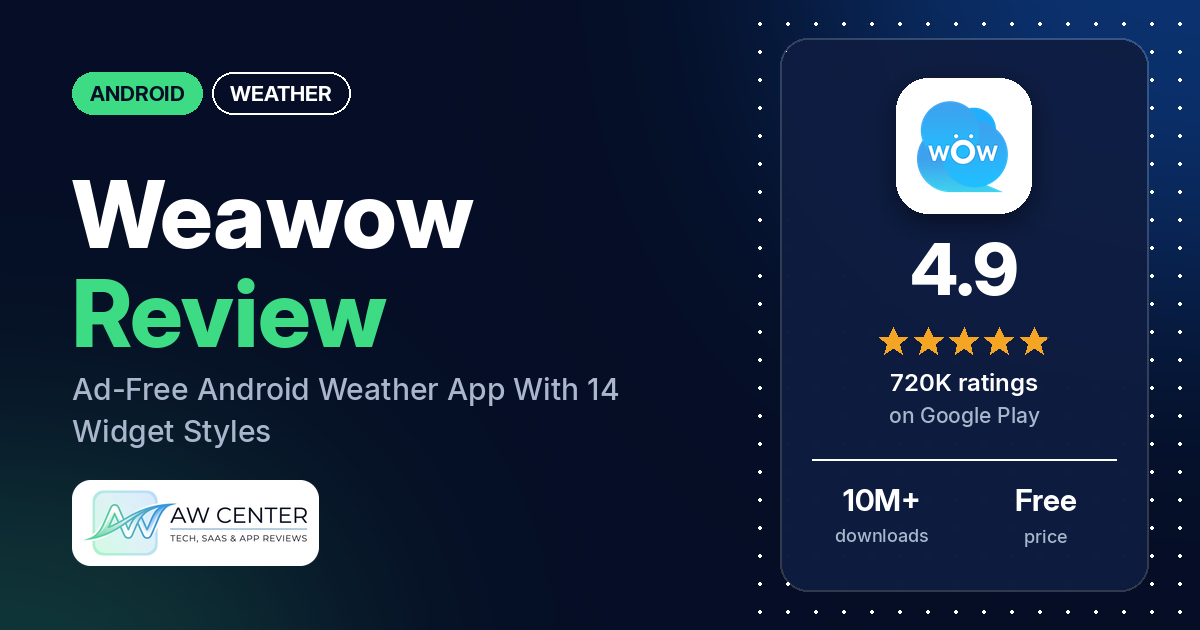
Weawow is a free Android weather app with no ads, and it lets you pick where your forecast comes from.
Quick verdict
If you want an ad-free weather app you can shape to your liking, Weawow is worth a look. Reviewers praise its customization: a big range of widgets, a global radar map and a choice of forecast providers. The weak spots, reviewers say, are forecast accuracy in some regions, widgets that don’t always refresh on their own, and a radar some find too blurry. Switching providers is easy. It solves accuracy problems for some users and not for others.
Weawow at a glance
| Developer | Weawow |
|---|---|
| Store listing | Weawow on Google Play |
| Price | Free, with optional in-app purchases ($2.00–$50.00 per item) |
| Ads | None |
| Play Store rating | 4.9 stars from about 720,000 ratings (94% are 5-star) |
| Downloads | 10M+ |
| Version / last updated | 7.1.9 / September 1, 2026 |
| Requires | Android 5.0 and up |
| First released | May 1, 2017 |
| Data checked | October 13, 2026 |
What is Weawow?
Weawow is a weather app that lets you compare forecasts from several weather providers, then shows them with customizable layouts, home-screen widgets, a global weather map and weather photos matched to your location. It has been on Google Play since 2017 and is still being updated.
Key features
- Provider comparison: NWS (NOAA), DWD, Meteo France, AEMET, MET Norway, Apple Weather, Xweather, Weatherbit, World Weather Online and OpenWeather, shown side by side in graphs. AccuWeather and Foreca unlock with a one-time donation.
- Weather data: Hourly forecasts and up to 14 days of daily forecasts (depends on provider), plus air quality (CAMS and ECMWF data), official severe weather alerts, sunrise and sunset, golden hour, blue hour and moon phases.
- Map and radar: An animated globe with precipitation, radar, wind, pressure, cloud and air-quality layers, with forecasts up to 14 days.
- Widgets and notifications: 14 widget styles from 1×1 to full screen, 8 notification layouts, and the current temperature in the status bar.
- Customization: Rearrange the layout, set priorities, pick weather icons, and choose light, dark or auto themes.
- Photos: Weather photos for each location. Users can upload their own through the Weawow website.
Reviewers and developer replies also point to recent additions: a new weather map, a customizable start screen, and (in version 7.1.9) an option to show current weather in widgets.
Weawow vs. what a weather app should have
We scored Weawow against a checklist of what people expect from an Android weather app. “Listed” means the feature appears in the Play Store description. Other statuses say where else we found it. This checks what the app offers, not how well each feature works.
Must have
| Feature | Status | Notes |
|---|---|---|
| Current conditions and feels-like | Listed | |
| Hourly forecast | Listed | |
| Daily forecast, 7+ days | Listed | Up to 14 days, depends on provider |
| Chance of precipitation | Listed | Not available with the MET Norway provider |
| Wind, humidity, UV index | Listed | UV index isn’t available with the NWS provider |
| Severe weather alerts | Listed | Coverage varies by country and provider. Some reviewers report missing or late alerts. |
| Radar map | Listed | Several reviewers found the default map layer unclear until they switched it to radar in settings |
| Home-screen widgets | Listed | 14 styles |
| Current location and search | Permissions and reviews | Location search, a GPS button and map search appear in reviews and developer replies |
| Unit options (°F/°C) | Reviews and developer replies | There’s a Units setting and an option to show both °F and °C |
Should have
| Feature | Status | Notes |
|---|---|---|
| Notification or lock-screen weather | Listed | 8 layouts |
| Air quality | Listed | Several reviewers said readings were far below official figures during wildfire smoke |
| Multiple saved locations | Listed | Bookmark with the star in search history, then swipe between them. A few reviewers had trouble finding this. |
| Choice of data source | Listed | 10 free providers, plus AccuWeather and Foreca via donation |
| Layout customization | Listed | |
| Light and dark themes | Listed | |
| Sunrise, sunset, moon phase | Listed | |
| Multiple languages | Listed | 50+ |
Nice to have
| Feature | Status | Notes |
|---|---|---|
| Animated wind or global map | Listed | |
| Side-by-side provider comparison | Listed | |
| Photography times | Listed | Golden hour and blue hour |
| Weather photos | Listed | Can be hidden or shrunk in settings |
| Pollen | Partial | Only with AccuWeather, and for the USA |
| Lightning strike information | Not listed | Several reviewers asked for it |
| Custom temperature alerts | Not listed | Reviewers asked for alerts at a chosen temperature |
| Rain-incoming notifications | Not listed | Requested by reviewers |
| Written forecast summary | Not listed | Requested by a couple of reviewers |
The listing names 8 of 10 must-haves and 8 of 8 should-haves; permissions and reviews confirm the other two must-haves (location and units). Four of nine nice-to-haves are listed, with pollen partial. Forecast accuracy isn’t on the checklist, because store data can’t verify it. It depends on which provider you pick.
Which weather provider should you use in Weawow?
You choose the provider, and providers differ, so Weawow’s biggest strength is also its biggest source of complaints. No single provider wins in the reviews: reviewers name different ones as the most accurate for their area, including Apple Weather, AccuWeather and Weatherbit. The developer’s replies to reviewers set out each provider’s limits:
| If you want… | Keep in mind |
|---|---|
| Chance of rain (%) | Not available with MET Norway, which shows rainfall amounts instead |
| UV index | Not available with NWS |
| Atmospheric pressure | Not available with NWS or AccuWeather |
| A 14-day forecast | Available with Xweather, Weatherbit, World Weather Online and Foreca |
| Pollen counts | AccuWeather only, and only in the USA |
| Snowfall | Only some providers. The comparison screen has a Snowfall button to check. |
| A reliable US forecast | Several reviews and developer replies describe slow or stale NWS data at times. The developer suggests switching NWS off if you see problems. |
| AccuWeather or Foreca | Unlocked by a donation. Reviewers are split: some say AccuWeather was the most accurate for them, others say donating didn’t improve accuracy. |
Provider details come from developer replies dated 2020 to 2026, so they may have changed. The weather map uses NOAA data regardless of the provider you choose for the main screen.
Pros (from user reviews)
- Ad-free: The most common praise by far. One reviewer noted an occasional pop-up asking for a donation.
- Customization: Reviewers like rearranging the layout, hiding modules they don’t use, and styling widgets and notifications.
- Provider choice: Many reviewers say switching providers fixed accuracy problems in their area.
- Light on permissions and battery: Several reviewers praise the small permission list and low battery use, though others report battery or data drain, so results seem to vary by device and settings.
- Detailed data and map: Reviewers single out the wind animation, air quality, moon phases and the zoomable globe.
- Community photos: Many reviewers enjoy the rotating photos, and some upload their own.
- A good replacement: Reviewers often say they switched from Google’s weather app, Yahoo Weather, Weather Underground or Dark Sky.
- Active developer: The developer replies to many reviews, usually with step-by-step instructions.
Cons (from user reviews)
- Accuracy complaints: This is the most repeated complaint in lower-rated reviews: rain or storms shown under clear skies, and the reverse. Only about 1.7% of the app’s ratings are 1 or 2 stars, so this is a minority view, but it’s consistent. The developer’s standard reply is to compare and switch providers. Some reviewers say that fixed it and others say it changed nothing.
- Regional gaps: Reviewers in Australia, Canada, the UK and India say the available providers or alerts didn’t suit their region. Australia’s Bureau of Meteorology and Environment Canada are the sources they most often ask for.
- Widgets that don’t refresh on their own: A common complaint in the 2- and 3-star reviews. Reviewers say widgets and the status bar temperature sometimes only update after opening the app, and some say the shortest automatic refresh interval is 30 minutes.
- Radar: Some reviewers find it blurry, behind other radars, or limited to a loop of about two to three hours. The developer says you can switch the default map layer to radar in settings.
- Severe weather alerts: Some reviewers report missing or late warnings, and a few want separate or audible alert notifications. In August 2026, two reviewers said warnings during severe storms didn’t show up in the app, or showed only some of them.
- Location quirks: Reports include defaulting to Tokyo when GPS fails, GPS drift indoors, and location search results that don’t show the region name.
- Permission prompts: Repeated location prompts bother some reviewers, as does the Alarms and reminders permission that widgets need on newer Android versions.
- Photo space: The large photo pushes information down the screen or makes text hard to read, some reviewers find. You can shrink or hide it in settings.
- Air quality: Several reviewers in July 2026 said air quality readings were far below official figures during wildfire smoke. The developer said it will work on adding more accurate air quality data.
- Paid providers: A few reviewers feel the best-known providers sit behind a donation, and one said access didn’t carry over to a new phone. The developer says the same Google account normally restores it and offers an activation code by email.
Rating breakdown
| Stars | Ratings | Share |
|---|---|---|
| 5 | 678,766 | 94.3% |
| 4 | 22,730 | 3.2% |
| 3 | 5,890 | 0.8% |
| 2 | 4,191 | 0.6% |
| 1 | 8,187 | 1.1% |
Source: Google Play ratings histogram, checked October 13, 2026.
Common problems and fixes
Many Weawow complaints have a fix in the developer’s replies to reviewers. Menu names may differ slightly between versions.
| Problem | Developer’s suggested fix |
|---|---|
| The app or widget shows Tokyo | The app falls back to Tokyo if it never gets a GPS response. Open Google Maps once to get a GPS fix, or restart the device, or set your location with the search button. |
| Widget shows the day’s high instead of the current temperature | Settings > Widget on the home screen > Contents > Current weather. Version 7.1.9 added this option for some widgets. |
| Widget or notification doesn’t refresh | Tap the widget once so the app can finish loading, and make sure battery saver isn’t blocking background activity. On newer Android versions you may also need to allow the Alarms and reminders permission. |
| Forecast seems wrong or slow | Scroll to the bottom of the main screen, tap Weather provider, and compare. If you use NWS, try switching it off. |
| Map shows rain where there is none, or defaults to wind | Custom layout > Weather map > Default weather type > Radar. In the map itself, tap the Precipitation button and choose Radar. |
| The big photo takes up the screen or hides the text | Custom layout > Overview > Photo size > Small or Off. A darkness filter for the photo is also available. |
| Location shows a full street address | Settings > Current location > Place Name Format > Simple place name. |
| You want °F and °C together | Custom layout > Overview > Edit > Display both °F and °C. |
| You can’t switch between saved locations | Tap the search button, star the place in your search history, then swipe left or right on the main screen. The Edit button on the search screen reorders them. |
| Widget disappears after a restart | Open the app once after restarting. If widgets still vanish, the developer says the phone’s default launcher is often the cause, and a different launcher may help. |
Whatever weather app you use, don’t rely on one app alone for severe weather warnings. Check official alerts from your national weather service too.
Pricing
You can use Weawow for free. The store lists in-app purchases at $2.00 to $50.00 per item, and donations are optional. If you want AccuWeather and Foreca, a one-time donation unlocks them permanently. Several reviewers said they donated, and some mention a donation pop-up now and then.
Privacy and permissions
The listing’s Data safety section says the app collects no user data, shares none with third parties, and encrypts data in transit. It also says there is no way to request data deletion. The Play Store lists these permissions: approximate and precise location, view network connections, full network access, run at startup, prevent the device from sleeping, and set an alarm.
Some older reviews (2022 to 2024) mention an optional “Providing location data” setting. The developer said at the time that it is off by default and that location data goes to third parties only if you turn it on. We couldn’t confirm from the current listing whether that setting still exists, so check the app’s settings if privacy matters to you.
Who it’s for
Weawow suits you if you want an ad-free weather app with a lot of widget and layout control and don’t mind picking a forecast provider that works in your area. It’s a good fit if you’re replacing a weather app that disappeared or filled up with ads. It’s a weaker fit if you depend on widgets that refresh by themselves every few minutes, need dependable severe weather alerts, or live somewhere the free providers cover poorly.
FAQ
Is Weawow free?
Yes. It has no ads, and donations are optional. A one-time donation unlocks AccuWeather and Foreca.
How do I switch weather providers in Weawow?
Open the app, scroll to the bottom, tap Weather provider, and pick one from the comparison chart.
Why does Weawow show the wrong weather?
Weawow shows forecasts from the provider you choose, so accuracy depends on that provider and on your region. The developer’s usual advice is to compare providers, switch off NWS if it’s slow, and set your location with map search.
Why does the Weawow widget show Tokyo?
The app falls back to Tokyo when it can’t get a GPS response. The developer’s replies to reviewers say that opening Google Maps for a GPS fix or restarting your phone often helps.
Does Weawow give a 14-day forecast?
Only with some providers. The developer lists Xweather, Weatherbit, World Weather Online and Foreca.
Does Weawow have radar?
Yes. The map includes precipitation and radar layers, and you can set radar as the default layer in the map settings.
Does Weawow work outside the US?
Yes, and it includes regional providers such as DWD, Meteo France, AEMET and MET Norway. Some reviewers in Australia, Canada and India said the available providers or alerts didn’t cover their area well, so compare providers early.
Does Weawow collect my data?
The Data safety section says the app doesn’t collect or share user data. It does ask for location permission, though.
How this review was put together
We haven’t tested Weawow. This review is based on public information from official sources: the app’s Google Play or App Store listing and rating breakdown, the developer’s website when there is one, and recent user reviews on the store with the developer’s replies. Features and claims are the developer’s own descriptions; what users like and dislike comes from the store reviews. Everything was checked on October 13, 2026. Apps change with every update, so check the store listing before you install.