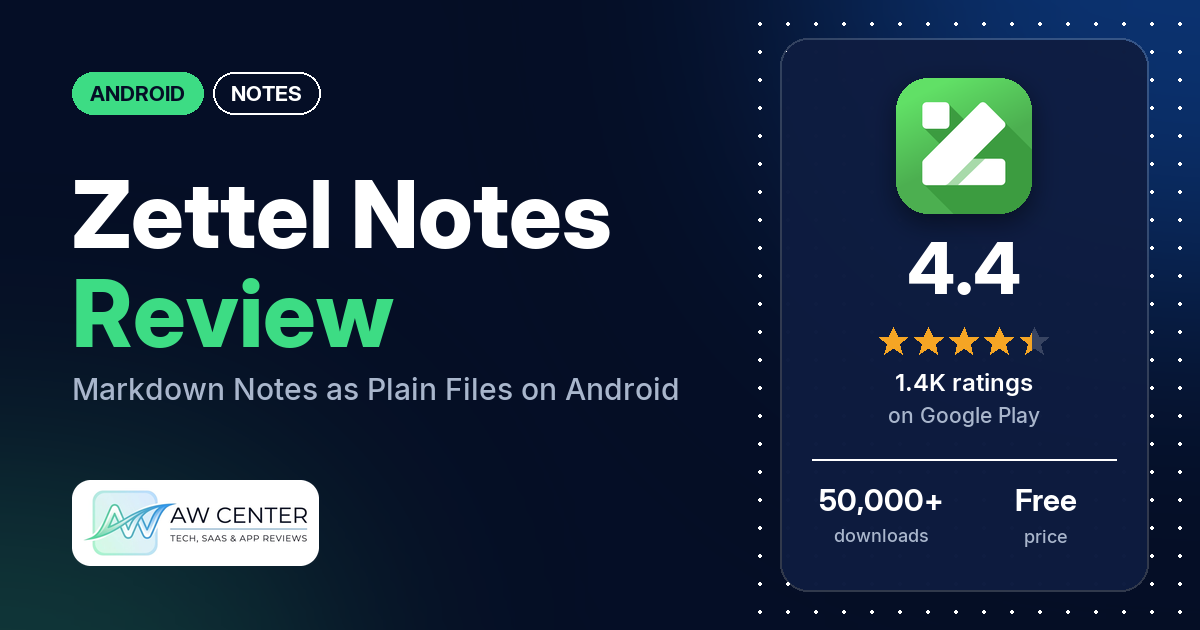
Zettel Notes is a free Android notes app that saves every note as its own Markdown file; the listing says this means “no vendor lock-in.” It has no ads and no in-app purchases, works offline, and can sync through Dropbox, Git, WebDAV or SFTP if you set it up.
Quick verdict
If you keep notes in Markdown files and want an Android app that reads and writes them, Zettel Notes is worth a look. Several reviewers praise its Markdown support, and several use it on the same notes as Obsidian, Zettlr or a desktop editor. The main worry is lost work. Several reviewers say notes or recent edits disappeared, and several of those reviews are from 2026. Several others find it hard to learn or can’t get it to open a folder of notes they already have. In the store’s rating breakdown, 11.8% of ratings are 1 or 2 stars and 77.7% are 5 stars.
Zettel Notes at a glance
| Developer | dax7 |
|---|---|
| Store listing | Zettel Notes : Markdown App on Google Play |
| Price | Free, no in-app purchases |
| Ads | None |
| Play Store rating | 4.4 stars from 1,444 ratings (77.7% of the ratings in the store’s rating breakdown are 5-star) |
| Downloads | 50,000+ |
| Version / last updated | 3.1.2 / October 25, 2026 |
| Requires | Not in our data |
| First released | May 29, 2021 |
| Data checked | November 3, 2026 |
What is Zettel Notes?
Zettel Notes is a Markdown notes app for Android. The listing calls it a “Private Zettelkasten and Markdown Note Taking Solution” and says it stores “your notes as separate markdown files, ensuring no vendor lock-in.” It works offline, and sync is optional. To use notes you already have, the listing says to add their folder as a repository from the Repositories option in the menu. The app starts with a sample note.
Key features
- Files: notes saved as plain text files in MD, TXT or ORG format, with multiple note folders (the listing also calls them vaults or repositories) and subfolders.
- Note types: task notes, audio notes, bookmark notes and others, all stored as plain text files, plus templates.
- Editor: Markdown formatting, HTML tags, LaTeX, keyboard shortcuts and Zettelkasten support.
- Finding notes: full text search, saved searches, a calendar view, bookmarks and pins, and sorting alphabetically or by edited time, creation time, words or how often you open a note.
- Sync: Dropbox, Git, WebDAV and SFTP. The listing says sync is optional.
- Security: App Lock, PGP key or password encryption, and a keys manager.
- Sharing: share a note as PDF, HTML, a launcher shortcut or a pinned notification, and share a web page or text from any app into a new or existing note.
- Extras: a recycle bin, a plugin system, a Tasker plugin, and Material design themes and fonts.
- Languages: the listing names 19, including English, Arabic, Chinese, French, German, Hindi, Persian, Russian, Spanish and Vietnamese.
Zettel Notes vs. what a notes app should have
“Listed” means the Google Play listing names the feature. “Partial” means the listing covers part of it. “Reviews only” means only reviewers mention it. “Not listed” means neither the listing nor the reviews in our sample show it. The checklist records whether a feature exists, not how well it works.
Must have
| Feature | Status | Notes |
|---|---|---|
| Fast note creation | Partial | The listing names templates, launcher shortcuts and sharing text from any app into a new note. One reviewer uses home-screen icons to jot down notes |
| Organization (tags, folders or flags) | Listed | Multiple note folders, subfolders, bookmarks and pins |
| Search or filtering | Listed | Full text search and saved searches |
| Sync across devices | Listed | Dropbox, Git, WebDAV and SFTP; a few reviewers couldn’t find the sync settings |
| Send or export text to other apps | Listed | Share as PDF or HTML |
| Home-screen widget | Reviews only | A few reviewers praise the widgets |
| Backup or recovery | Listed | The listing names a recycle bin for recovering notes; it doesn’t name backups. A developer reply (July 2025) points to Settings > Backup and Restore |
Should have
| Feature | Status | Notes |
|---|---|---|
| Markdown or plain-text formatting | Listed | |
| Dictation or voice capture | Partial | Audio notes are listed; speech-to-text is not |
| Themes and dark mode | Partial | Material design themes are listed; dark mode isn’t named. One reviewer likes the night mode |
| Font and layout customization | Partial | The listing names fonts; layout options aren’t named |
| Share-sheet capture | Listed | Share a web page or text from any app |
| Google Assistant or app shortcuts | Partial | The listing names sharing a note as a launcher shortcut; no Google Assistant support is named |
| Smartwatch capture | Not listed |
Nice to have
| Feature | Status | Notes |
|---|---|---|
| Automation or scripting | Listed | Plugin system and Tasker plugin |
| AI/LLM integration | Not listed | |
| Images or attachments | Partial | Audio and bookmark notes are listed; one reviewer says it supports images, videos and audio |
| Collaboration on a note | Not listed | |
| Web or Windows access | Not listed | A few reviewers ask for a desktop, web or iOS app |
| Note lock or encryption | Listed | App Lock and PGP key or password encryption |
| Accessibility | Not listed | One reviewer (April 2022) calls the grey light theme an accessibility problem |
The listing covers files, sync and encryption in detail. It doesn’t mention a widget, though a few reviewers use one.
Common problems reviewers report
The developer has replied to many of the reviews in our sample, so some rows include what a reply says. Reports and replies are dated, and newer versions may behave differently.
| Problem | What reviewers report | When |
|---|---|---|
| Notes or edits lost | Several reviewers say notes or recent changes disappeared. Two say edits were lost after switching to another app. One says chunks vanished from the top of a note while typing, and the revision history was missing them too. One says the app deleted all the files on an SSH host; the developer’s reply (July 2026) says the deleted files should be in the app’s recycle bin | May 2023 to October 2026 |
| Existing notes folder won’t open or edit | Several reviewers couldn’t open or edit Markdown files they already had, a few of them in Obsidian folders. One (July 2026) says an update removed the all-files permission and the app can now only edit files in its own folder. Developer replies to some of them say to create a new repository and select the notes folder, with a July 2025 reply giving the path Menu > Repositories > Add button | July 2022 to August 2026 |
| Can’t find the sync settings | A few reviewers couldn’t work out how to set up Dropbox or WebDAV sync. A developer reply (December 2022) says to long press a repository and pick WebDAV, SFTP or Dropbox | November 2022 to July 2026 |
| Git sync fails | A few reviewers say Git sync with GitHub or GitLab didn’t work or stalled. One later updated the review to say the problem was fixed; a developer reply (September 2024) points to version 2.7.0 | February 2022 to December 2024 |
| Scrolling or cursor problems while editing | Two reviewers say they can’t scroll the page while editing, and two say the cursor jumps to the end of the note. A developer reply (May 2026) asks one of them whether the lock during editing mode was on | December 2022 to May 2026 |
| Crashes | A few reviewers report crashes. A developer reply (January 2022) says a crash occurs when you select a quick note and later delete that note, and promises a fix in the next update | January 2022 to August 2026 |
| Inline math doesn’t render | A few reviewers say inline LaTeX math doesn’t render. A developer reply (January 2026) points to Settings > Editor and Viewer > Single Dollar for Inline LateX | June 2022 to January 2026 |
Pros (from user reviews)
- Markdown support: several reviewers praise how it handles Markdown, and one calls it the “best MD editor ever.”
- Works with other note apps: several reviewers use it on the same notes as Obsidian, Zettlr, zk or a desktop Markdown editor. Several others couldn’t get it to open or edit notes they already had (see the table above).
- Sync choices: several reviewers praise the sync, naming Dropbox, WebDAV, Git or Syncthing. A few couldn’t find the sync settings, and a few had Git sync problems.
- Features: several reviewers praise its feature set. A few call it customizable.
- Easy to use: several reviewers call it easy to use or simple, while about as many find it complicated, hard to learn or bloated.
- Look: opinions split. Several reviewers like the interface, and several others dislike the design (see Cons).
- Free and ad-free: several reviewers like that it’s free or has no ads. Two say plugins or add-ons cost extra.
- Privacy and encryption: several reviewers praise privacy, security or encryption. A few raise encryption issues: one wants instructions for decrypting notes outside the app, one asks how to change an encryption password (a developer reply from December 2023 says that isn’t possible yet), and one says an encrypted note could be deleted without the password.
- Speed: a few reviewers call it fast, responsive or smooth. A few others say it struggles with large or long notes.
- Widgets: a few reviewers praise the widgets.
- Developer: a few reviewers say the app is well maintained or regularly updated, and a few praise the developer’s support, quick replies or a fix.
Cons (from user reviews)
- Lost notes and edits: several reviewers say notes or recent changes disappeared, several of them in 2026.
- Hard to learn: several reviewers find it complicated, hard to learn or bloated. One four-star reviewer says the documentation “doesn’t include enough ‘how to’.”
- Design: several reviewers dislike the interface; their words include “dated,” “ugly” and “terrible.” One says the light theme is “actually Grey Theme.”
- Existing files: several reviewers couldn’t open or edit a folder of notes they already had.
- Google Drive: a few reviewers ask for Google Drive sync. A developer reply (September 2025) says Google Drive support was removed “due to certain certification restrictions by google,” and one from December 2025 says it “would not be possible” because of Google Drive API requirements.
- Android only: a few reviewers want a desktop, web or iOS version. A developer reply (March 2024) says a desktop app is planned “in near future.”
- Sample notes: a few reviews from 2022 complain about the number of default notes. A developer reply (December 2022) says the initial notes were updated, and the listing now says the app starts with a sample note.
Rating breakdown
| Stars | Ratings | Share |
|---|---|---|
| 5 | 1,111 | 77.7% |
| 4 | 66 | 4.6% |
| 3 | 84 | 5.9% |
| 2 | 12 | 0.8% |
| 1 | 157 | 11.0% |
Source: Google Play ratings histogram, checked November 3, 2026. The histogram adds up to 1,430 ratings, slightly fewer than the 1,444 total, and the shares are of the histogram total.
Pricing
Zettel Notes is free, with no ads and no in-app purchases. The listing says it is “Free of cost, without ads, and no hidden permissions.” It also names a plugin system, and two reviewers say plugins or add-ons cost extra. A developer reply (August 2024) says plugins aren’t needed to use the main app, are paid “to support main app,” and can be downloaded free from the developer’s F-Droid repository. Plugin prices aren’t in our data.
Privacy and permissions
We couldn’t read the Google Play data safety section for Zettel Notes, so we make no claim about what it shows. The listing says there is “No collection of user (except crash reports)” and that the app works offline. A developer reply (September 2023) says, “Apart from data logged by google play store, I don’t log any data whatsoever.” The permissions list has seven entries: control vibration, full network access, install shortcuts, prevent device from sleeping, record audio, run at startup, and view network connections. For your own notes, the listing names App Lock and PGP key or password encryption.
Who it’s for
Zettel Notes suits you if you want your notes as plain Markdown files on your phone, with optional sync through Dropbox, Git, WebDAV or SFTP and no ads. It also suits you if you already use Obsidian, Zettlr or another Markdown editor and want a phone app for the same notes, though several reviewers had trouble getting it to open an existing folder. Keep your own backups: several reviewers say notes or edits went missing. Look elsewhere if you need Google Drive sync, a desktop or iPhone version, or an app you can learn in a few minutes.
FAQ
Is Zettel Notes free?
Yes. The app is free, with no ads and no in-app purchases, and the listing says it is “Free of cost.” Two reviewers say plugins or add-ons cost extra. A developer reply (August 2024) says plugins aren’t required and can be downloaded free from the developer’s F-Droid repository.
Does Zettel Notes sync with Google Drive?
The listing names Dropbox, Git, WebDAV and SFTP sync, not Google Drive. A developer reply from September 2025 says Google Drive support was removed because of Google’s certification restrictions, and a December 2025 reply says it “would not be possible.” A few reviewers ask for it.
Can Zettel Notes open my Obsidian notes?
Several reviewers use it on the same notes as Obsidian, Zettlr or another Markdown editor. Developer replies say to create a new repository and select your existing notes folder in phone storage. Several reviewers couldn’t get existing files to open or edit, and one (July 2026) says an update limited editing to the app’s own folder.
Is Zettel Notes open source?
No. A developer reply from September 2024 says, “Zettel Notes is closed source.” The listing says notes are stored as separate Markdown files.
How this review was put together
We haven’t tested Zettel Notes. This review is based on public information from official sources: the app’s Google Play or App Store listing and rating breakdown, the developer’s website when there is one, and recent user reviews on the store with the developer’s replies. Features and claims are the developer’s own descriptions; what users like and dislike comes from the store reviews. Everything was checked on November 3, 2026. Apps change with every update, so check the store listing before you install.