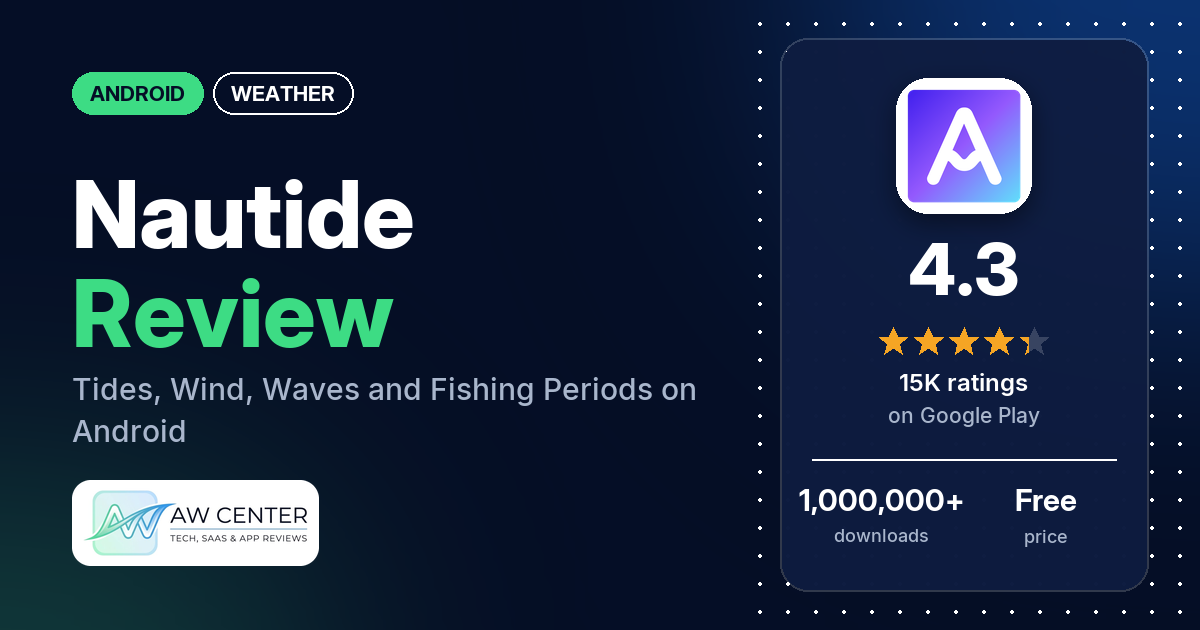
Nautide: Tides, Wind, Waves + is a free Android app with tide charts, wind, waves, fishing periods and coastal weather for more than 25,000 coastal stations. It shows ads, and the listing says you need a subscription to activate all the sections and remove them.
Quick verdict
If you fish, dive or plan days on the water and want tides, wind, swell and weather in one place, Nautide covers a lot: several reviewers praise how much information it holds, and several use it to plan fishing trips. Ads are the most common complaint in the reviews in our data. Several reviewers say you have to watch ads to see forecasts or tide data for later days, and several say those ads fail to load, freeze or don’t unlock the day. The subscription draws complaints too, with several others calling it expensive. Crashes come up in several reviews, several say readings didn’t match what they saw, and several find it hard to use. It has 4.3 stars on Google Play, and 13.3% of the ratings in its rating breakdown are 1 or 2 stars.
Nautide at a glance
| Developer | Igoox |
|---|---|
| Store listing | Nautide: Tides, Wind, Waves + on Google Play |
| Price | Free, with in-app purchases of $6.99 to $44.99 per item |
| Ads | Yes |
| Play Store rating | 4.3 stars from 15,293 ratings (72.7% of the ratings in the store’s rating breakdown are 5-star) |
| Downloads | 1,000,000+ |
| Version / last updated | 5.3.24 / July 29, 2026 |
| Requires | Not stated |
| First released | July 23, 2018 |
| Data checked | November 3, 2026 |
What is Nautide?
Nautide is a tide, marine and coastal weather app from Igoox. The listing describes it as “all the information you need to know to plan activities at sea” and says it covers more than 25,000 coastal stations around the world. The listing’s last line reads “© tides4fishing official app”, and a few reviewers compare it with tides4fishing. You can download it free “with restrictions”; a subscription activates all the sections and removes the ads.
Key features
- Tides: daily tide charts, tidal coefficient, high and low tides, tide heights and a monthly tide table.
- Wind: wind at land and at sea, with wind speed, gusts, wind force and an hourly wind table.
- Waves: swell height and direction, wave period and an hourly surf table.
- Fishing activity: an hourly activity chart, solunar periods and a monthly table with major and minor fishing periods.
- Sun and moon: sunrise, sunset, moonrise, moonset, azimuth, moon phases, eclipses and transits.
- Barometer: a fishing barometer, pressure graph and hourly pressure table with a trend indicator.
- Weather and marine: coastal conditions such as cloud cover, visibility, temperature, precipitation, wind chill, humidity and dew point, plus an open-water marine forecast with water temperature.
- Air quality: major air pollutants and particulate matter, with an hour-by-hour forecast.
Nautide vs. what a weather app should have
“Listed” means the Google Play listing names the feature, “Partial” means it covers part of it, and “Reviews and developer replies” means we found it only in user reviews or the developer’s replies to them. Nautide is a tide and marine app first, so several general weather rows don’t apply.
Must have
| Feature | Status | Notes |
|---|---|---|
| Current conditions and feels-like | Partial | The listing names weather conditions at the coast and wind chill; it doesn’t use the term feels-like |
| Hourly forecast | Partial | The listing names hourly weather, wind, surf, marine and pressure tables |
| Daily forecast of 7+ days | Reviews and developer replies | A developer reply (December 2025) says the free version shows a 7-day forecast by viewing sponsored ads, and PRO shows forecasts up to 1 year ahead |
| Chance of precipitation | Partial | The listing names precipitation, not the chance of it |
| Wind, humidity, UV index | Partial | Wind and humidity are listed; UV index is not |
| Severe weather alerts | Not listed | |
| Radar map | Not listed | A developer reply (February 2025) mentions maps, but not radar |
| Home-screen widgets | Reviews and developer replies | A developer reply (February 2025) says there are over 20 widgets in different sizes; a few reviewers report widget problems |
| Current location and search | Reviews and developer replies | A developer reply (July 2026) says the app has a location search; one reviewer in July 2026 says there is no location search and GPS didn’t find a nearby station |
| Unit options (°F/°C) | Reviews and developer replies | A developer reply (August 2024) points to a “Wind Speed” units setting; a reply in September 2026 says wind, wave and pressure units can’t currently be set independently |
Should have
| Feature | Status | Notes |
|---|---|---|
| Notification or lock-screen weather | Reviews and developer replies | A developer reply (August 2023) mentions a “schedule periodic events” option for notifications; a few reviewers want alerts for future days |
| Air quality | Listed | Major pollutants and particulate matter, hour by hour |
| Multiple saved locations | Reviews and developer replies | A developer reply (June 2025) says favorite stations are stored locally |
| Choice of data source | Not listed | |
| Layout customization | Not listed | |
| Light and dark themes | Reviews and developer replies | A developer reply (February 2025) mentions a dark theme |
| Sunrise, sunset, moon phase | Listed | Also moonrise, moonset, eclipses and transits |
| Multiple languages | Not listed |
Nice to have
| Feature | Status | Notes |
|---|---|---|
| Animated wind or global map | Not listed | |
| Side-by-side provider comparison | Not listed | |
| Photography times (golden/blue hour) | Not listed | |
| Weather photos | Not listed | |
| Pollen | Not listed | |
| Lightning strike information | Not listed | |
| Custom temperature alerts | Not listed | |
| Rain-incoming notifications | Not listed | |
| Written forecast summary | Not listed |
The listing focuses on sea data: tides, swell, marine forecasts and fishing periods. It doesn’t mention weather alerts. Don’t rely on this or any single app for severe weather warnings; check official alerts too.
Common problems and fixes
The fixes below come from the developer’s replies to reviews, dated by reply. They may have changed since, and menu names can differ by version.
| Problem | What reviewers report | Developer’s suggested fix | When |
|---|---|---|---|
| Ads for other days don’t load, freeze or don’t unlock the day | Several reviewers | Check that no VPN, ad blocker or Private DNS is active and try another connection; if days still don’t unlock, email [email protected] with a screenshot (October 2026 reply) | November 2024 to October 2026 |
| App won’t open, crashes or stops loading | Several reviewers, naming phones such as a Samsung S24 Ultra and a Pixel 9 | A reply in April 2025 says a bug that stopped the app opening when using widgets was fixed in version 5.3.6. A reply in July 2026 suggests clearing the app’s cache or using Settings > “Reset app to fix problems” | August 2023 to September 2026 |
| Readings don’t match conditions | Several reviewers, about temperature, wind, swell, sea state or tide times | A reply in August 2026 says a temporary issue with the weather data provider on August 17 caused wrong temperatures and is resolved. A reply in August 2024 says wind units are set in Settings (“Wind Speed”) | July 2022 to August 2026 |
| Saved stations or settings not kept | A few reviewers | A reply in June 2025 says favorite stations are stored locally, so they must be re-entered after changing device or clearing app data, and “Restore Purchases” in Settings brings back PRO | July 2024 to September 2026 |
| Bottom buttons hidden under Android’s navigation controls | A few reviewers, two of them on a Samsung S23 with One UI 7 | Replies in May 2025 say the latest update fixed it | April to May 2025 |
| Trouble cancelling the subscription | Two reviewers | Cancel from your Google Play account > Subscriptions (January 2026 reply), or Settings > Subscription > “Manage my subscription” (January 2023 reply) | January 2023 to January 2026 |
Pros (from user reviews)
- Lots of information in one app: several reviewers praise how much it holds; one in July 2026 calls it “everything under one roof to plan your day”. Several others find it hard to use (see Cons).
- Fishing trips: several reviewers say it is useful for fishing, and several use it to plan trips. A few doubt the fish activity predictions; one in November 2026 says they caught fish when it showed no activity and nothing when it showed high activity.
- Accurate for some: several reviewers call it accurate, including one in the Tampa Bay area of Florida and one in Malaysia. Several others report readings that didn’t match conditions (see Common problems).
- Easy to use: a few reviewers say it is easy to use.
- Long-time users: a few reviewers have used it for years; one in July 2026 says about 5 years.
- Diving: two reviewers use it for diving.
Cons (from user reviews)
- Ads: many reviewers complain about ads, more than any other topic. Several say you have to watch ads to see forecasts or tide data for later days, and several say those ads fail to load, freeze or don’t unlock the day. A few report unwanted content: a crypto scam ad, an NSFW ad and fake virus warnings, which a developer reply (April 2026) says usually come from a bad ad. A developer reply (July 2026) says they don’t control the specific ads shown and will report inappropriate ones to their ad provider.
- Subscription price: several reviewers call the subscription expensive. Two say the price went up, and one in May 2026 says it costs “18.00 per month”. Two want a one-time purchase instead.
- Locked content: several reviewers say you have to pay to see more of the data, such as later days. A developer reply (June 2025) says the free version includes 7 days of data and longer forecasts need a subscription.
- Hard to use: several reviewers find it confusing, busy or hard to navigate, in reviews written between March 2021 and July 2026.
- Crashes and loading: several reviewers say the app wouldn’t open, crashed or stopped loading.
- Wrong readings: several reviewers say readings didn’t match what they saw, including one in August 2026 who saw a 30 kt gale and a blizzard on the app in flat calm. The developer’s replies to that review and to another review written the same day say a temporary weather provider issue caused wrong data.
- Saved stations lost: a few reviewers say saved stations or settings weren’t kept.
- Widgets: a few reviewers report widget problems, such as widgets not working or not being resizable. Two older reviews, from 2021 and 2023, said there were no widgets at all; a developer reply in February 2025 says there are over 20.
- Compared with tides4fishing: a few reviewers compare it unfavourably with tides4fishing or its website.
- Requests: a few want alerts for future days, a few want stations for places that are missing (naming Seychelles and Nuuk), and two want more unit choices.
- Support: a few reviewers say support didn’t reply to them; one in February 2024 says replies to reviews were quick.
Across all ratings, 10.1% are 1-star and 3.1% are 2-star, while 72.7% are 5-star.
Rating breakdown
| Stars | Ratings | Share |
|---|---|---|
| 5 | 11,105 | 72.7% |
| 4 | 1,192 | 7.8% |
| 3 | 954 | 6.2% |
| 2 | 477 | 3.1% |
| 1 | 1,550 | 10.1% |
Source: Google Play ratings histogram, checked November 3, 2026. The histogram adds up to 15,278 ratings, slightly fewer than the 15,293 total, and the shares are of the histogram total.
Pricing
Nautide is free to download, with ads. Google Play lists in-app purchases from $6.99 to $44.99 per item. The listing says the free download comes “with restrictions” and that a subscription activates all the sections and removes the ads; it doesn’t list plan prices. A developer reply (December 2025) says the free version shows a 7-day forecast if you watch sponsored ads, and PRO shows forecasts up to 1 year in advance. One reviewer in May 2026 says it costs “18.00 per month”, and two say the price has gone up. A developer reply (July 2025) says your price won’t change while your subscription stays active.
Privacy and permissions
We couldn’t read the Google Play data safety section, so we make no claim about what it declares. The permissions list includes approximate location (network-based), precise location (GPS and network-based), read calendar events plus confidential information, add or modify calendar events and send email to guests without owners’ knowledge, pair with Bluetooth devices, full network access, view network connections, modify or delete the contents of your USB storage, read the contents of your USB storage, prevent device from sleeping, run at startup and Google Play license check. A developer reply (February 2025) mentions calendar integration. Another (June 2025) says favorite stations are stored locally and “Nautide doesn’t store any user data”.
Who it’s for
Nautide suits you if you fish, dive or spend time on the coast and want tides, wind, swell, fishing periods and weather in one app, and you’re willing to pay for PRO or put up with ads. Several reviewers say it holds a lot of information, and several use it to plan fishing trips. Look elsewhere if you want a simple tide-times app, if watching ads to see later days would bother you, or if a subscription doesn’t fit how often you’d use it. Reviewers disagree on accuracy: several call it accurate and several say readings were off, so compare it with local sources for your spot.
FAQ
Is Nautide free?
Nautide is free to download, with ads and in-app purchases from $6.99 to $44.99 per item. The listing says a subscription is needed to activate all the sections and remove the ads. A developer reply (December 2025) says the free version shows a 7-day forecast if you watch sponsored ads.
How far ahead can Nautide show tides and forecasts?
The listing names a monthly tide table and a monthly fishing activity table but doesn’t give a range. A developer reply (December 2025) says PRO shows forecasts up to 1 year in advance, and the free version shows 7 days through sponsored ads.
Why won’t Nautide unlock tomorrow’s forecast after an ad?
Several reviewers say the ads fail to load, freeze or don’t unlock the day. A developer reply (October 2026) suggests checking that no VPN, ad blocker or Private DNS is active and trying another connection. If the day still doesn’t unlock, the reply asks you to email [email protected] with a screenshot.
Is Nautide the same as tides4fishing?
The listing ends with “© tides4fishing official app”. A few reviewers compare it unfavourably with tides4fishing or its website. A developer reply (February 2025) lists GPS search, maps, offline mode, dark theme, notifications and calendar integration among its features.
How this review was put together
We haven’t tested Nautide. This review is based on public information from official sources: the app’s Google Play or App Store listing and rating breakdown, the developer’s website when there is one, and recent user reviews on the store with the developer’s replies. Features and claims are the developer’s own descriptions; what users like and dislike comes from the store reviews. Everything was checked on November 3, 2026. Apps change with every update, so check the store listing before you install.