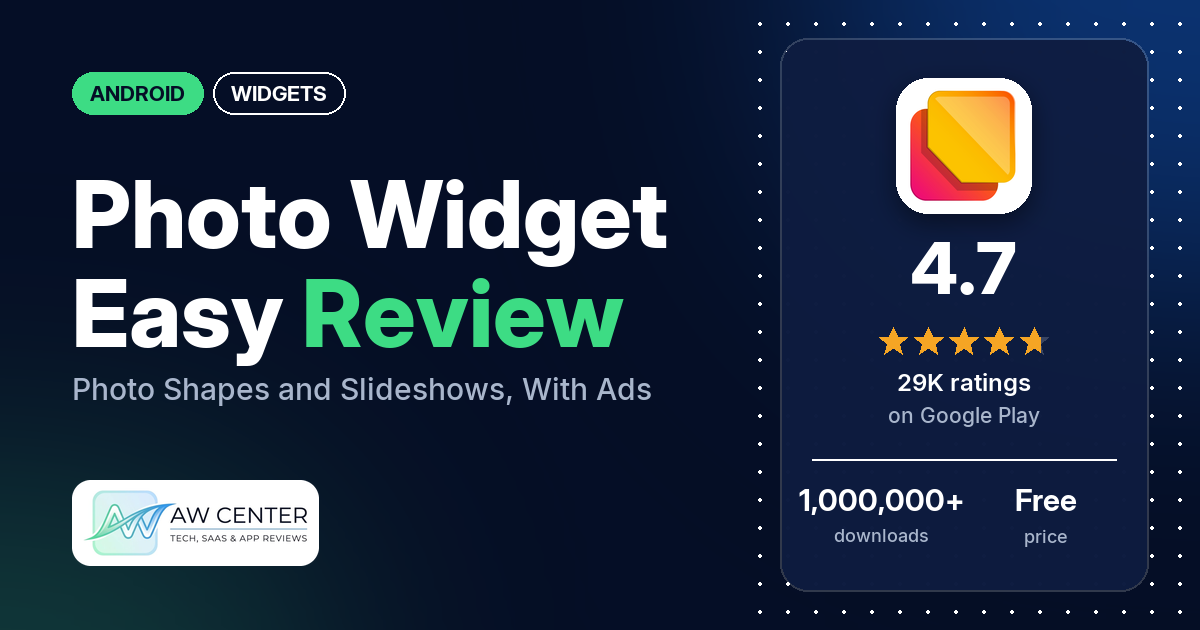
Photo Widget Easy is a free Android app that puts your own photos on the home screen, cut into shapes such as a heart, a circle or a star, one at a time or as a slideshow. It shows ads and sells in-app purchases from $2.99 to $59.99 per item, and ads are the most common complaint in the reviews we read.
Quick verdict
Want a favourite photo on your home screen with little fuss? Several reviewers call Photo Widget Easy easy to use, and it holds a 4.7-star rating from 28,762 ratings. You pay for that with ads: many reviewers complain about them, and several say an ad plays when they add or change a widget. The other common complaint is reliability. Several reviewers say their photos disappeared from a widget, never loaded or were swapped for another image, and several others say the slideshow stopped changing. Several also object to features behind the paid tier or to the subscription price. Across all of Google Play, only 4.5% of ratings are 1 or 2 stars.
Photo Widget Easy at a glance
| Developer | Nbow Developer |
|---|---|
| Store listing | Photo Widget Easy on Google Play |
| Price | Free, with in-app purchases ($2.99 to $59.99 per item) |
| Ads | Yes |
| Play Store rating | 4.7 stars from about 28,762 ratings (84% are 5-star) |
| Downloads | 1,000,000+ |
| Version / last updated | 16.0 / April 26, 2026 |
| Requires | Not in our data |
| First released | March 15, 2022 |
| Data checked | November 3, 2026 |
What is Photo Widget Easy?
Photo Widget Easy is a home screen widget for your own pictures. The listing says it shows “your favourite photo on your home screen like iOS 26 style” and calls the app “free to use”. The listing describes eight shapes, two ways to crop, and a slideshow built from several photos in your gallery. Nbow Developer makes it. It has been on Google Play since March 2022, and the newest version in our data, 16.0, is from April 2026.
Key features
- Shapes: eight layouts: Rectangle, Heart Shape, Circle, Hexagon, Star, Cloud, Sun and Fancy Shape.
- Photo slideshow: pick several images from the gallery and the widget shows them as a slideshow.
- Cropping: a center crop option and a built-in Custom Crop.
- Corners and grid: rounded corners with an adjustable corner radius, and images in a grid.
- PNG and transparent images: the listing says you can set a PNG image on the home screen and suggests transparent images.
- Unlimited widgets: the listing says “you can put unlimited number of widgets”.
- Phone brands: the listing says it works on all Android devices and names Oppo, Vivo, Xiaomi and Samsung.
- Setup: long-press or pinch the home screen, open Widget, find “Photo Widget For Home Screen” and drag it to the home screen.
Photo Widget Easy vs. what a widget app should have
“Listed” means the Google Play listing names the feature, and “Partial” means it covers part of it. “Reviews only” means we found it in user reviews, not the listing. “Not listed” means the listing doesn’t mention it. Photo Widget Easy shows photos only, so many rows for widget editors don’t apply to it.
Must have
| Feature | Status | Notes |
|---|---|---|
| Home Screen widgets in several sizes | Partial | The listing names eight shapes and unlimited widgets, not sizes. A few reviewers praise the size options; a few others had trouble getting the size they wanted. |
| Lock Screen widgets | Not listed | |
| Design editor (text, images, shapes, layout) | Partial | Images, shapes, cropping, corner radius and grid. The listing doesn’t mention text. |
| Ready-made designs or templates | Not listed | The listing’s eight “Layouts” are shapes |
| Common data (time, date, weather, calendar, battery) | Not listed | Photos only |
| Widgets that stay up to date | Reviews only | Reviewers mention a slideshow interval setting. Several reviewers say photos disappeared or didn’t load, and several others say the slideshow stopped changing. |
| Transparent or wallpaper-matching backgrounds | Partial | The listing suggests transparent images but doesn’t name a background setting. A few reviewers say transparent images don’t work for them; two say they got a black or white background. |
Should have
| Feature | Status | Notes |
|---|---|---|
| Smartwatch faces or complications | Not listed | |
| Tap actions that open apps | Reviews only | One reviewer (April 2026) says a photo can open an app, a contact or a website |
| Sharing or importing designs | Not listed | |
| Music or now-playing data | Not listed | |
| Health and fitness data | Not listed | |
| Help, tutorials or a support contact | Partial | The listing has short “How to add Widget?” steps. Developer replies give an email address, [email protected]. |
| A usable free tier | Listed | The listing says the app is “free to use”. Several reviewers say some features need the paid tier. |
| Restoring purchases on a new device | Not listed |
Nice to have
| Feature | Status | Notes |
|---|---|---|
| Custom data sources (JSON, API) | Not listed | |
| Charts and gauges | Not listed | |
| Launcher integration and compatibility | Reviews only | Two reviewers say it works well with Smart Launcher |
| Tablet and desktop support | Not listed | |
| Shortcuts or automation integration | Not listed | |
| One-time purchase instead of a subscription | Reviews only | One reviewer (January 2026) mentions £12.99 for lifetime next to a subscription |
| No ads | Not listed | Google Play marks the app as containing ads. Developer replies say the Pro version removes them. |
It covers photo shapes and slideshows and nothing else: the listing doesn’t mention clock, weather or text widgets.
Common problems
Most of these reports come from 1- to 3-star reviews, and only 4.5% of all Google Play ratings are 1 or 2 stars. Widget behaviour depends on the Android version and the phone, and newer versions of the app may behave differently. Developer replies are dated and may no longer apply.
| Problem | What reviewers report | When | What developer replies say |
|---|---|---|---|
| Photos disappear, don’t load or get replaced | Several reviewers say photos vanished from a widget, never loaded or were replaced by another image. A few say it happened after restarting the phone, and a few saw a stock or placeholder image instead of their photo. One names a Pixel 8a, and one Android 16. | April 2024 to September 2026 | Two replies in January 2026 say “we will fix this issue soon” |
| Slideshow stops changing | Several reviewers say the shuffle or interval setting stopped changing photos or never worked. One names an S21 Ultra. | March 2024 to February 2026 | A February 2026 reply says the issue will be fixed soon |
| Crashes, freezes or lag | Several reviewers say the app crashed, froze, lagged or was slow. One names Android 15, and one says their phone froze when adding a photo. | April 2024 to October 2026 | A January 2026 reply to one crash report says the issue will be fixed soon |
| Cropping or adjusting photos | A few reviewers had trouble cropping a photo or fitting it to a shape. Two say the custom crop doesn’t work. | September 2024 to September 2026 | |
| Blurry photos | A few reviewers say the photo on the widget turned blurry or low-resolution | March 2024 to July 2026 | |
| Transparent images don’t work | A few reviewers say transparent images don’t work; two say the image got a black or white background | March 2024 to October 2026 | A January 2026 reply says the problem is solved in the latest version. One reviewer still reports a black background in October 2026. |
Pros (from user reviews)
- Easy to use: the most common specific praise. Several reviewers call it easy, simple or straightforward to use. A few found it hard to figure out.
- It does the job: several reviewers say it works as expected or gets the job done. The reliability reports in Cons show it doesn’t for everyone.
- Shapes and sizes: several reviewers praise the shapes, sizing or customization. One wants more shapes, and one wishes all shapes were free.
- Compared with other widget apps: several reviewers rate it above other widget apps. Two like that it doesn’t need coins or points, as some other widget apps do.
- Light on ads, for some: several reviewers say it has few ads or none. Many others say the opposite (see Cons).
- Free: a few reviewers point out that it’s free.
- Launchers and phones: two reviewers say it works well with Smart Launcher, and two say it suits Samsung phones.
Cons (from user reviews)
- Ads: many reviewers complain about the ads, which makes this the most common complaint by a clear margin. Several say an ad plays when they add, apply or change a widget, and a few say ads play with sound. Developer replies to ad complaints from January to August 2026 say the free app needs ad revenue and that you can buy the Pro version to stop seeing ads.
- Photos disappear or stop loading: several reviewers say their photos vanished, didn’t load or were replaced by another image (see Common problems).
- Features behind the paid tier: several reviewers complain that features need a paid upgrade, or that the app keeps pushing one. One (July 2026) says flipping between photos used to be free and now needs a purchase; another (April 2026) wishes all shapes were free.
- Subscription and price: several reviewers object to a subscription or to the price, and two say they would rather pay once. One reviewer (February 2026) says they were charged twice for a monthly subscription; the developer’s reply asks them to send an email.
- Slideshow: several reviewers say the slideshow stopped changing. Two reviewers (August and September 2026) say a photo stays up for 2 minutes and ask for shorter intervals.
- Crashes and lag: several reviewers report crashes, freezes, lag or slowness.
- Photo quality and cropping: a few reviewers say photos turned blurry, and a few had trouble cropping or fitting a photo to a shape.
- Transparent images and size: a few reviewers say transparent images didn’t work, and a few couldn’t get the widget size they wanted.
- Data and network: a few reviewers raise data or network concerns (see Privacy and permissions).
- Single complaints: no GIF support (the developer’s December 2025 reply says Android doesn’t support GIFs), tapping one widget opening another, repeated rating prompts, and storage use.
The reviews we read include far more low ratings than Google Play as a whole. Across all ratings, 84.4% are 5-star and 4.5% are 1 or 2 stars.
Rating breakdown
| Stars | Ratings | Share |
|---|---|---|
| 5 | 24,261 | 84.4% |
| 4 | 2,666 | 9.3% |
| 3 | 533 | 1.9% |
| 2 | 426 | 1.5% |
| 1 | 853 | 3.0% |
Source: Google Play ratings histogram, checked November 3, 2026. The histogram adds up to 28,739 ratings, slightly fewer than the 28,762 total, and the shares are of the histogram total.
Pricing
Photo Widget Easy is free to download, shows ads, and sells in-app purchases from $2.99 to $59.99 per item on Google Play. The listing doesn’t say what the purchases unlock. Developer replies from 2026 say the Pro version removes ads, and one reviewer (July 2025) says the slideshow interval and shuffle are part of the paid version. Reviewers quote these prices: “a subscription or £12.99 for lifetime” (January 2026), “16$ or a 2$ monthly subscription” (November 2025), and “15 bucks or a monthly fee for the ad free version” (January 2026). These prices may have changed, so check the store before you buy.
Privacy and permissions
We couldn’t read the Google Play data safety section for Photo Widget Easy, so we make no claim about what it declares there. The Play Store’s permissions list shows seven: choose widgets, full network access, prevent device from sleeping, receive data from Internet, reorder running apps, run at startup, and view network connections. One reviewer (November 2025) says the app tries to connect to the internet all the time, with firewall alerts even with the screen off. Another (October 2026) objects to the app collecting data and sharing it with other companies. Replying to a third reviewer in January 2026, the developer said: “No we do not collect any data. Your consent is for advertisers which is google ads.”
Who it’s for
Pick Photo Widget Easy if you want one favourite photo, or a small slideshow, on your home screen in a heart, circle, star or other shape, and you can put up with ads. Several reviewers find it easy to use. Skip it if ads bother you and you don’t want to pay, if you need widgets that never lose their photo, or if you want a slideshow that changes faster than every 2 minutes. If you plan to use transparent PNGs, reviewers report mixed results.
FAQ
Is Photo Widget Easy free?
Yes, it’s free to download and the listing calls it “free to use”. It shows ads, and Google Play lists in-app purchases from $2.99 to $59.99 per item. Developer replies say the Pro version removes ads, and several reviewers say some features need the paid tier.
Why did my photo disappear from the widget?
Several reviewers report photos that vanished, didn’t load or were replaced by another image, and a few say it happened after restarting the phone. Two developer replies in January 2026 say the issue will be fixed soon. Newer versions may behave differently.
Can Photo Widget Easy show a slideshow?
Yes. The listing says you can pick several images from your gallery and make a slideshow. Several reviewers say the slideshow stopped changing photos, and two say a photo stays up for 2 minutes before it changes. One reviewer (July 2025) says the interval and shuffle settings are part of the paid version.
Does it support transparent PNG images?
The listing says you can set a PNG image and suggests transparent images. A few reviewers say transparent images didn’t work for them, and two say they got a black or white background. A January 2026 developer reply says the problem is solved in the latest version, but one reviewer still reports a black background in October 2026.
How this review was put together
We haven’t tested Photo Widget Easy. This review is based on public information from official sources: the app’s Google Play or App Store listing and rating breakdown, the developer’s website when there is one, and recent user reviews on the store with the developer’s replies. Features and claims are the developer’s own descriptions; what users like and dislike comes from the store reviews. Everything was checked on November 3, 2026. Apps change with every update, so check the store listing before you install.