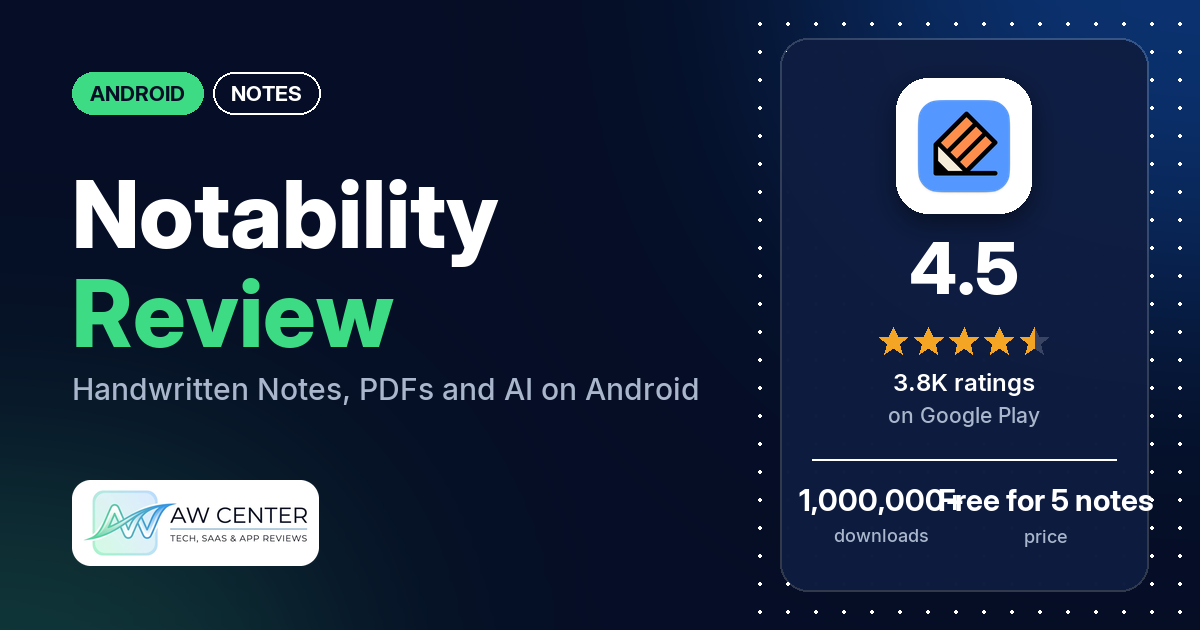
Notability: AI & PDF Notes is a notes app from Ginger Labs for handwriting, typing, marking up PDFs and recording audio with transcripts. It has been on Google Play since July 28, 2026. The listing says it is free to create 5 notes; unlimited notes, AI-powered tools, live transcripts and sync come with a subscription.
Quick verdict
If you take handwritten notes on Android, especially for study, Notability is worth a look. Several reviewers are glad to have it on Android, and several say it works well for study. The weak spot is performance. Many reviewers say the app lags, freezes or is slow, and several report crashes or say the Android app falls short of the iPad or iOS version. Developer replies say the Android app is newer and the team is closing the gap. In the store’s rating breakdown, 73.5% of ratings are 5 stars and 6.4% are 1 or 2 stars.
Notability: AI & PDF Notes at a glance
| Developer | Ginger Labs |
|---|---|
| Store listing | Notability: AI & PDF Notes on Google Play |
| Price | Free for 5 notes; in-app purchases from $2.49 to $99.99 per item |
| Ads | None |
| Play Store rating | 4.5 stars from 3,765 ratings (73.5% of the ratings in the store’s rating breakdown are 5-star) |
| Downloads | 1,000,000+ |
| Version / last updated | 1.10.1 / October 30, 2026 |
| Requires | Not in our data |
| First released | July 28, 2026 |
| Data checked | November 3, 2026 |
What is Notability: AI & PDF Notes?
It is a notebook app that mixes handwriting, typed text, images and PDFs in one workspace. The listing aims it at students and professionals. It adds a voice recorder with real-time transcripts that the listing says syncs to the moment you write, plus AI tools for summaries, quizzes and flashcards. The listing says your notes are available “across the web, and Android and Apple devices.” Developer replies from September and October 2026 say Notability for Android is newer than the iPad app.
Key features
- Writing: handwriting, typing and sketching with digital ink, whiteboard pens, highlighters, annotation and text tools, and switching between handwriting and typing.
- Documents: import PDFs, DOCs, presentations and reports, write on them, and fill out forms.
- Voice recorder: real-time transcription in calls, meetings and lectures. The listing says the recording “syncs to the exact moment you write.”
- AI tools: automated meeting takeaways and summaries, personalized quizzes and flashcards, and chatting with your lecture notes.
- Organizing and search: customizable folders and subjects, and search across handwriting, transcripts, typed text and PDFs.
- Layout and presenting: two notes side by side, full-screen presenting with a laser pointer, and templates from the Notability Gallery. A developer reply (September 2026) says Android templates “don’t have the gallery you get on iPad yet.”
- Sharing: share a PDF of a notebook in one tap, and create a shared workspace to collaborate.
- Subscription features: unlimited notes, AI-powered productivity and study organizer tools, handwriting recognition and math conversion, live audio transcripts, and auto-backup and sync across devices.
Notability: AI & PDF Notes vs. what a notes app should have
“Listed” means the Google Play listing names the feature. “Partial” means the listing covers part of it. “Not listed” means the listing doesn’t name it. The checklist records whether a feature is named, not how well it works.
Must have
| Feature | Status | Notes |
|---|---|---|
| Fast note creation | Partial | The listing says you can use it “to take quick notes”; it names no quick-capture shortcut |
| Organization (tags, folders or flags) | Listed | Customizable folders and subjects. Two reviewers say files get stuck in the Unfiled section |
| Search or filtering | Listed | Search across handwriting, transcripts, text and PDFs. One reviewer (August 2026) can’t search in documents as on iPad |
| Sync across devices | Listed | Listed as a subscription feature. Several reviewers report sync problems |
| Send or export text to other apps | Partial | Share a PDF of a notebook in one tap; text export isn’t named |
| Home-screen widget | Not listed | |
| Backup or recovery | Listed | Auto-backup, as a subscription feature. One reviewer says the backup is in .note files that Notability itself can’t read |
Should have
| Feature | Status | Notes |
|---|---|---|
| Markdown or plain-text formatting | Partial | Typing and text tools are listed; Markdown isn’t |
| Dictation or voice capture | Listed | Voice recorder with transcripts |
| Themes and dark mode | Not listed | A few reviewers say dark mode or a dark template is missing or limited |
| Font and layout customization | Not listed | One reviewer asks for custom fonts |
| Share-sheet capture | Not listed | |
| Google Assistant or app shortcuts | Not listed | |
| Smartwatch capture | Not listed |
Nice to have
| Feature | Status | Notes |
|---|---|---|
| Automation or scripting | Not listed | |
| AI/LLM integration | Listed | Summaries, quizzes, flashcards and chat with your notes; the listing puts AI-powered tools among the subscription features |
| Images or attachments | Listed | Images, photos, PDFs and other documents. One reviewer (August 2026) says they can’t add pictures |
| Collaboration on a note | Listed | Shared workspace |
| Web or Windows access | Partial | Web is listed; Windows isn’t named |
| Note lock or encryption | Not listed | |
| Accessibility | Not listed |
The listing is built around handwriting, PDFs, audio and AI study tools. It says nothing about widgets, dark mode or locking notes.
Common problems reviewers report
Reports are dated, and newer versions may behave differently. Several developer replies ask people to update the app and then contact support from Settings, then Help, then Contact Support.
| Problem | What reviewers report | When |
|---|---|---|
| Lag, freezes or slow loading | Many reviewers say the app lags, freezes or is slow. Several say pages or images are slow to load, a few say the pen or handwriting lags, and two say the lasso or selection tool freezes or lags. A developer reply (August 2026) confirms undo slowed down after an update and says a fix is in the works. Another (August 2026) says the team knows about handwriting lag on e-ink devices like the Ainote Air 2 | July 2026 to November 2026 |
| Crashes | Several reviewers say the app crashes or closes, some while writing. Developer replies dated September 3, 2026 say a fix for one reviewer’s crash on opening was released that day and a hotfix for Android crashes went out that week. One reviewer later says the app works properly again after installing the latest update; another says it works better now (they had to clear the cache and memory) but still crashes after a couple of pages | August 2026 to October 2026 |
| Notes not saving, not loading or disappearing | Several reviewers say notes didn’t save, wouldn’t open, showed up blank or incomplete, or went missing. A developer reply (October 2026) to one of them says, “Please do not delete the app,” and asks them to update and contact support | August 2026 to October 2026 |
| Sync between devices | Several reviewers say sync doesn’t work or misses notes, including between iOS and Android. Developer replies (September 2026) say notes reach other devices only when each one is signed in to the same account | September 2026 to October 2026 |
| Palm rejection or pen placement | A few reviewers say palm rejection doesn’t work well, and two say strokes appear away from where the pen touches the screen | August 2026 to October 2026 |
| Zoom jumps to another page | A few reviewers say zooming moves them to a different page or several pages back. A developer reply (September 2026) says the page shifting on zoom isn’t right | September 2026 |
| Sign-in problems | A few reviewers can’t sign in. One says the app reports no Wi-Fi when they tap their Google account, one can’t sign in with a work account, and one with an iPad subscription says the app rejects their email and password | September 2026 to October 2026 |
| Eraser leaves marks | A few reviewers say the eraser doesn’t work properly or leaves lines behind | August 2026 to October 2026 |
| Dark mode | A few reviewers say dark mode or a dark template is missing or limited; one says it only changes the background, so pen colors don’t switch | September 2026 to October 2026 |
Pros (from user reviews)
- On Android at last: several reviewers are glad the app is on Android, and a few of them say they used it on an iPad before.
- Study use: several reviewers say it works well for students or for studying. One names the flashcards and the built-in AI.
- Features: several reviewers praise the feature set. One likes the rainbow tool and the templates.
- Writing feel: a few reviewers say writing is smooth or the app doesn’t lag. Many others report lag, freezes or slowness (see the table above).
- Updates: a few reviewers say the app got better after updates, from smoother writing to fewer crashes.
- Plan without AI: one reviewer is glad there’s a plan without the AI features. A developer reply (August 2026) answers, “Good to hear the plan without AI features fits what you need.”
Cons (from user reviews)
- Performance: many reviewers say it lags, freezes or is slow, and several report crashes.
- Behind the iPad version: several reviewers say the Android app falls short of the iPad or iOS app, on speed or on features. Missing items they name include the template gallery, moving the toolbar, stickers and searching inside documents. A developer reply (September 2026) says Android templates “don’t have the gallery you get on iPad yet.”
- Price: several reviewers say it costs too much, and a few want a one-time purchase.
- Toolbar: several reviewers say the toolbar or the undo and redo bar gets in the way, or ask to move or collapse it.
- Support: a few reviewers say it’s hard to get help. Two say support is an AI bot.
- Hard to learn: a few reviewers find the app confusing or hard to figure out.
- Account required: two reviewers object to having to sign up. A developer reply (August 2026) calls it a “fair point about having to make an account before you can start a note.”
- Billing: one reviewer (October 2026) says a refund was refused an hour after buying a yearly subscription. Another (September 2026) mentions an annual subscription canceled 3 months early and says emails went unanswered.
Rating breakdown
| Stars | Ratings | Share |
|---|---|---|
| 5 | 2,747 | 73.5% |
| 4 | 430 | 11.5% |
| 3 | 320 | 8.6% |
| 2 | 101 | 2.7% |
| 1 | 140 | 3.7% |
Source: Google Play ratings histogram, checked November 3, 2026. The histogram adds up to 3,738 ratings, slightly fewer than the 3,765 total, and the shares are of the histogram total.
Pricing
The app is free to create 5 notes, the listing says. A subscription adds unlimited notes, AI-powered productivity and study organizer tools, handwriting recognition and math conversion, live audio transcripts, and auto-backup and sync across devices. In-app purchases run from $2.49 to $99.99 per item, and plan prices aren’t in our data. A developer reply (August 2026) names a free Starter tier plus Plus and Pro plans “for people who want additional features.” On one-time purchases, a developer reply (September 2026) says, “We don’t offer a one-time purchase right now,” and an August 2026 reply says Classic isn’t available through Google Play, but a Classic purchase made at notability.com/pricing carries over when you sign in to the same account on Android.
Privacy and permissions
We couldn’t read the Google Play data safety section for Notability, so we make no claim about what it shows. The permissions list has eight entries: Google Play license check, full network access, prevent device from sleeping, read calendar events plus confidential information, record audio, run at startup, take pictures and videos, and view network connections. The listing links to a privacy policy at notability.com/privacy. A developer reply from August 2026 acknowledges that you have to make an account before you can start a note.
Who it’s for
Notability suits you if you write by hand on Android and want PDFs, audio recordings and typed notes in one notebook, or if you study and want quizzes and flashcards built from your notes. Several reviewers say they’re glad to have it on Android, a few of them after using it on an iPad. Try the 5 free notes before paying, though. Many reviewers report lag, freezes or slowness, several report crashes, and several say the Android app trails the iPad version. Look elsewhere if you want a one-time purchase on Google Play, if dark mode matters to you, or if you don’t want to make an account.
FAQ
Is Notability free on Android?
Partly. The listing says Notability is free to create 5 notes, and a subscription adds unlimited notes, AI-powered tools, live transcripts and sync. In-app purchases range from $2.49 to $99.99 per item. A developer reply from August 2026 names a free Starter tier plus Plus and Pro plans.
Does Notability on Android sync with an iPad?
The listing says your notes are available across the web, Android and Apple devices, and it lists sync as a subscription feature. Several reviewers say sync misses notes or doesn’t work. Developer replies from September 2026 say notes reach other devices only when each device is signed in to the same account.
Can I buy Notability once instead of subscribing?
Not through Google Play, the developer’s replies say. A September 2026 reply says there is no one-time purchase right now. An August 2026 reply says Classic isn’t sold through Google Play, but Classic bought at notability.com/pricing carries over when you sign in to the same account on Android.
Is the Android app the same as the iPad version?
Several reviewers say it isn’t, pointing to lag and to missing items such as the template gallery and searching inside documents. Developer replies from September and October 2026 say Notability for Android is newer than the iPad app and that the team is closing the gap release by release.
How this review was put together
We haven’t tested Notability: AI & PDF Notes. This review is based on public information from official sources: the app’s Google Play or App Store listing and rating breakdown, the developer’s website when there is one, and recent user reviews on the store with the developer’s replies. Features and claims are the developer’s own descriptions; what users like and dislike comes from the store reviews. Everything was checked on November 3, 2026. Apps change with every update, so check the store listing before you install.