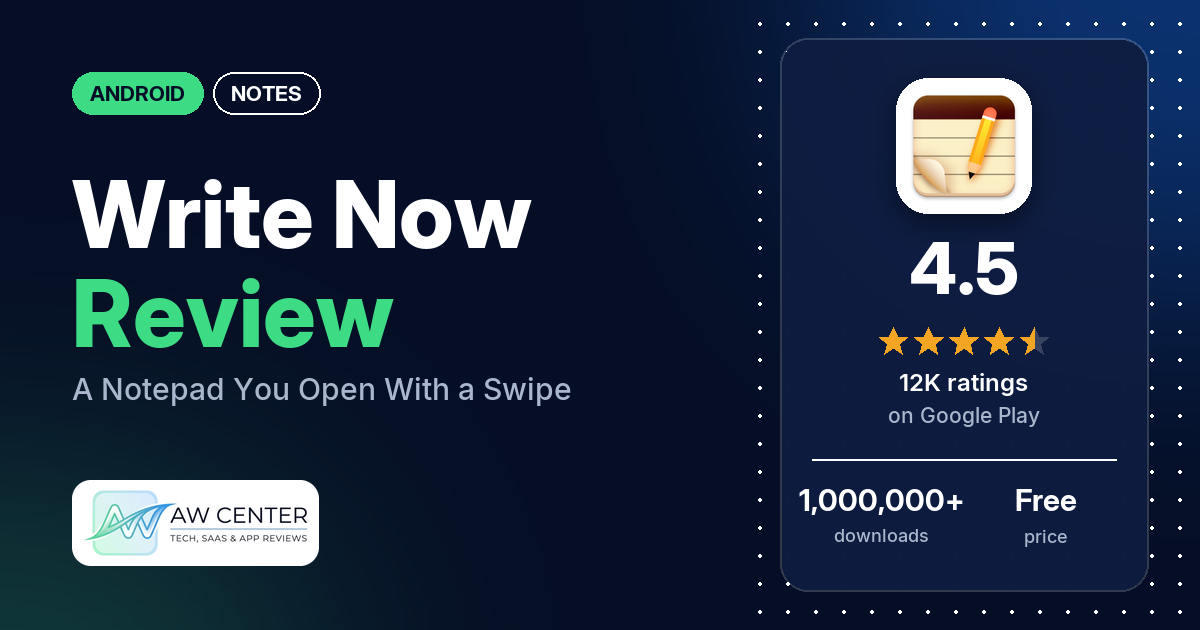
Write Now – Notepad is a free Android notes app with no ads. The listing’s headline feature is NowPad: a swipe opens a note anywhere on your phone, without leaving the app you’re in.
Quick verdict
If you want a plain notepad you can reach in one swipe, Write Now is worth a look. It holds 4.5 stars from 11,564 ratings, and several reviewers call it easy to use or simple. Where it falls short is keeping your notes safe. A few reviewers say the text of a note vanished, several had backup or Google sync errors, and several had trouble moving their notes to a new phone. Older reviews also report crashes, though the newest of those is from January 2021. Back up your notes yourself, and often.
Write Now at a glance
| Developer | AeroDroid |
|---|---|
| Store listing | Write Now – Notepad on Google Play |
| Price | Free, with in-app purchases of $2.99 per item |
| Ads | None |
| Play Store rating | 4.5 stars from 11,564 ratings (76% are 5-star) |
| Downloads | 1,000,000+ |
| Version / last updated | 2.5.5 / February 8, 2026 |
| Requires | Not in our data |
| First released | July 8, 2012 |
| Data checked | November 5, 2026 |
What is Write Now?
Write Now is a notepad from AeroDroid that has been on Google Play since July 2012. The listing calls its swipe-to-open note NowPad and suggests using it while you take a call, browse, text, check email, play a game or look up directions. It also says the app was rebuilt from the ground up for users from before August 2020, and that notes move to the new app automatically after the upgrade.
Key features
- NowPad: swipe to open a note on top of whatever app you’re using.
- Password protection: the listing promises password protection and “advanced encryption” for your notes.
- Pin to notifications: keep a note in the notification tray so it’s one tap away.
- No ads: the listing says so plainly, and the Play Store data agrees.
- Rebuilt app: the listing names improved encryption, deleted note recovery, improved exporting and sharing, and better accessibility support as part of the rebuild.
Write Now vs. what a notes app should have
“Listed” means the Google Play listing names the feature, and “Partial” means it names part of it. “Reviews only” and “Reviews and developer replies” mean we found it only in user reviews or the developer’s answers to them. “Not listed” means the listing doesn’t name it.
Must have
| Feature | Status | Notes |
|---|---|---|
| Fast note creation | Listed | NowPad opens a note with a swipe from any app. |
| Organization (tags, folders or flags) | Reviews only | A few reviewers mention folders, one of them folders inside folders. |
| Search or filtering | Reviews only | One reviewer in 2024 mentions a search function. One in 2023 says there is none. |
| Sync across devices | Not listed | A few reviewers say syncing to Google never worked for them. |
| Sharing or exporting | Listed | The listing names “improved exporting/sharing”. A few reviewers say exporting is hard or doesn’t give plain text. |
| Home-screen widget | Reviews and developer replies | One reviewer likes the free widget. A 2021 developer reply says the widget has one size whose width you can adjust. |
| Backup or recovery | Partial | Deleted note recovery is listed. Backup isn’t, and several reviewers report backup or sync errors. |
Should have
| Feature | Status | Notes |
|---|---|---|
| Markdown or plain-text formatting | Not listed | A few reviewers say you can’t make text bold, italic or underlined. |
| Dictation or voice capture | Permissions and reviews | The app asks to record audio. One reviewer likes voice notes; a few say recording or the microphone didn’t work. |
| Themes and dark mode | Not listed | Several reviewers ask for dark mode or themes. |
| Font and layout customization | Not listed | One reviewer in 2017 says you couldn’t change the font. |
| Share-sheet capture | Not listed | |
| Google Assistant or app shortcuts | Not listed | |
| Smartwatch capture | Not listed |
Nice to have
| Feature | Status | Notes |
|---|---|---|
| Automation or scripting | Not listed | |
| AI/LLM integration | Not listed | |
| Images or attachments | Not listed | A few reviewers ask to add pictures to notes. |
| Collaboration on a note | Not listed | |
| Web or Windows access | Not listed | One reviewer in 2024 asks how to use it on a PC. |
| Note lock or encryption | Listed | Password protection and encryption. Two reviewers want one lock for the whole app instead of locking each note. |
| Accessibility features | Partial | The listing mentions “better accessibility support” without details. |
Write Now is built around quick capture and locked notes. Formatting, images, dark mode and sync across devices are missing from the listing.
Common problems
These come from user reviews. The app was last updated on February 8, 2026 (version 2.5.5), and the listing says it was rebuilt for users from before August 2020, so older reports may not apply to the current version. Developer replies quoted below are dated and may be out of date.
| Problem | What reviewers report | When |
|---|---|---|
| Crashes while writing | Several reviewers say the app closed or crashed mid-note, and several of them lost what they had typed. | July 2017 to January 2021 |
| Note text disappears | A few reviewers say a note went blank or its text was erased. One says the note stayed in the list with its text gone and couldn’t be restored from the trash bin; another says the title changed to “Untitled”. | July 2024 to September 2026 |
| Backup, Google sync or cloud errors | Several reviewers. A few of them paid for premium, Plus or cloud and say backup or sync still failed. One in January 2026 found a backup option but no way to restore. | July 2022 to March 2026 |
| Notes don’t move to a new phone | Several reviewers lost notes when they changed phones or reinstalled, or found no way to carry them over. | July 2017 to September 2025 |
| Export is hard to use | A few reviewers. One says there is no PDF or text export and that exports come out as .Snapshot files; another asks how to turn .wnx files into .txt. | September 2019 to June 2025 |
| NowPad trigger gets in the way or won’t start | A few reviewers. One in 2026 says a trigger area at the top corners blocks the three-dot menu, and you have to turn off display over other apps to reach the settings. | November 2016 to September 2026 |
| Voice recording doesn’t work | A few reviewers say recordings didn’t play back or the microphone didn’t work; one says the app reported the microphone permission as not granted on Android 13. | December 2015 to September 2026 |
| “Clear this note” prompt on opening | A few reviewers say the app kept asking to clear a note every time they opened it. | March 2016 to February 2020 |
| No reply from support | A few reviewers say they got no answer or couldn’t get through. | October 2017 to September 2026 |
Some answers from developer replies, all from before 2024: you can still change a note’s title by tapping it (April 2021), you can reorder a checklist by dragging the checkbox in edit mode (August 2021), and the widget has one size whose width you set by tapping and holding until two dots appear (April 2021). In November 2020 the developer said a note with a forgotten password can’t be recovered, because each note is encrypted with its own password.
Pros (from user reviews)
- Easy to use: several reviewers call it easy to use or simple. A few others found it tricky or hard to use.
- Quick to open: several reviewers like how fast they can get to a note. One wants to close the gesture note by tapping outside it and says you can’t select or copy text inside it.
- No ads: the lack of ads comes up in a few reviews.
- Folders: a few reviewers like the folders, and one has wanted folders inside folders “for so long”.
- Long-term use: it has kept a few reviewers for years, by their own account.
Cons (from user reviews)
- Lost notes: a few reviewers say a note’s text disappeared, and several had trouble keeping their notes when they changed phones or reinstalled.
- Backup and sync: several reviewers had backup, Google sync or cloud errors, and a few of them had paid for the feature. One reviewer says backup is easy.
- Crashes in older versions: several reviewers say it crashed while they typed. The newest of those reports is from January 2021.
- Exporting: getting notes out as text or PDF is harder than a few reviewers want.
- Missing features: several reviewers ask for dark mode or themes. A few ask for images in notes, and a few want bold, italic or underlined text.
- The 2020 rebuild: several reviewers preferred the old app or lost something they used after an update, such as the old export or a choice of widget sizes. One says the new version runs more smoothly.
- Smaller complaints: a few have checklist complaints or requests, such as unchecking everything at once or moving crossed-out items to the bottom. Two forgot a note or folder password, and two say the app is slow to load.
The reviews we read include extra low-star reviews on purpose, so complaints are overrepresented here. Across all ratings, 75.7% are 5-star and 7.9% are 1 or 2 stars.
Rating breakdown
| Stars | Ratings | Share |
|---|---|---|
| 5 | 8,748 | 75.7% |
| 4 | 1,369 | 11.8% |
| 3 | 530 | 4.6% |
| 2 | 228 | 2.0% |
| 1 | 684 | 5.9% |
Source: Google Play ratings histogram, checked November 5, 2026. The histogram adds up to 11,559 ratings, 5 fewer than the 11,564 total, and the shares are of the histogram total.
Pricing
Write Now is free to download and has no ads. The Play Store lists in-app purchases of $2.99 per item, and the listing doesn’t say what they include. A 2023 developer reply calls the upgrade Write Now Plus and says Google Play handles the purchase. One reviewer in July 2023 paid for cloud, got an error and says they are “Down $2.99”. If you buy it for backup, check that backup and restore both work before you rely on them.
Privacy and permissions
We couldn’t read the Google Play data safety section for this app, so we make no claim about what it declares there.
The Play Store’s permissions list shows: add or remove accounts, control vibration, draw over other apps, full network access, modify or delete the contents of your USB storage, prevent device from sleeping, read the contents of your USB storage, receive data from Internet, record audio, run at startup, take pictures and videos, and view network connections.
In an August 2016 reply, before the rebuild, the developer said Write Now never collects or sends user data and only goes online to check for updates. That reply is old, and the current permissions list includes account and network access, so treat it as dated.
Who it’s for
Write Now suits you if you jot down short notes and lists while using other apps and want them one swipe away, with no ads. Several reviewers use it for things like grocery lists, journals or stories. Skip it if you need formatting, pictures in notes, dark mode or sync across devices. And if your notes matter, keep your own copies: reviewers report lost text, failed backups and notes that didn’t make it to a new phone.
FAQ
Is Write Now free?
Yes. Write Now is free to download and has no ads. The Play Store lists in-app purchases of $2.99 per item, and a 2023 developer reply calls the upgrade Write Now Plus.
What is NowPad in Write Now?
NowPad is the note you open with a swipe from anywhere on your phone, without leaving the app you’re in. The listing suggests using it during a call, while browsing or while texting. A few reviewers say the trigger area got in the way or wouldn’t work on their phone.
Can I lock notes in Write Now?
Yes. The listing promises password protection and encryption for notes. Two reviewers say you have to lock each note separately rather than the whole app. In a November 2020 reply, the developer said a note can’t be recovered if you forget its password.
Does Write Now back up or sync my notes?
The listing mentions deleted note recovery and improved exporting, but not sync. Several reviewers had backup, Google sync or cloud errors, and several had trouble moving their notes to a new phone. Keep your own copy of anything important.
How this review was put together
We haven’t tested Write Now. This review is based on public information from official sources: the app’s Google Play or App Store listing and rating breakdown, the developer’s website when there is one, and recent user reviews on the store with the developer’s replies. Features and claims are the developer’s own descriptions; what users like and dislike comes from the store reviews. Everything was checked on November 5, 2026. Apps change with every update, so check the store listing before you install.