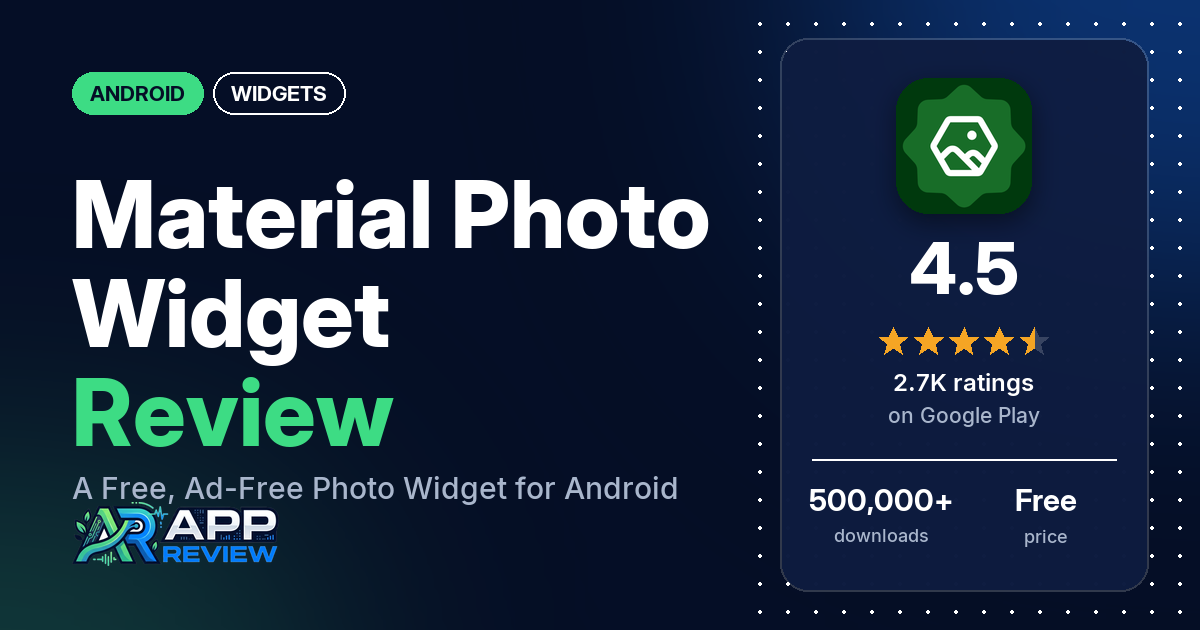
Material Photo Widget is a free Android app that puts one photo, or a slideshow of photos, on your home screen as a widget. It has no ads and no in-app purchases, and the code is on GitHub.
Quick verdict
If you want a simple, free photo widget with no ads and plenty of shape and style options, Material Photo Widget is an easy pick. Many reviewers in our sample point out that it has no ads, and several say it is free with no subscriptions or paywalled features. Ease of use comes up from several reviewers, and several praise its clean interface or its customization options. The main complaints are about reliability: widgets that stop showing photos, show a loading error or disappear; crashes; and phones that only let you add one widget. Developer replies often point to battery restrictions, phone brands or launchers as the cause. About 8% of all its ratings are 1 or 2 stars, so these are minority reports.
Material Photo Widget at a glance
| Developer | Filipe Belatti |
|---|---|
| Store listing | Material Photo Widget on Google Play |
| Price | Free (no in-app purchases listed) |
| Ads | None |
| Play Store rating | 4.5 stars from 2,708 ratings (76% are 5-star) |
| Downloads | 500,000+ |
| Version / last updated | 1.47.1 / September 22, 2026 |
| Requires | Not in our data |
| First released | November 15, 2023 |
| Data checked | October 17, 2026 |
What is Material Photo Widget?
Material Photo Widget is a home screen widget for showing your own photos. The listing calls it “a free, no-ads, open source alternative for people who want to customize their home screen”, and says the code is on GitHub. You pick photos one by one or sync a folder, choose a shape or format, and the widget can switch photos on a timer. Each widget can also act as a shortcut that opens an app or a link. It has been on Google Play since November 2023 and was last updated in September 2026.
Key features
- Photo sources: choose photos individually or sync with folders on the device.
- Slideshows: set an interval or a schedule so the widget switches photos automatically.
- Tap actions: each widget is a shortcut; a tap can show the photo full screen, open an app or open a URL.
- Appearance: borders, opacity, saturation, brightness, offset and padding can be adjusted.
- Formats and shapes: 6 formats (Shapes, Square, Tall, Wide, Original and Fill) and 28 shapes.
- Two ways to add a widget: tap “Create a new widget” in the app, or add it from the home screen’s widget menu.
- No storage permission: the listing says photos, folders and shortcut apps are chosen with Android’s own pickers, and the app has no tracking or network communication.
Material Photo Widget vs. what a widget app should have
The Status column shows where we found each feature. “Listed” means the Google Play listing names it. “Partial” means the listing covers part of it. “Reviews only” or “Reviews and developer replies” means we found it in user reviews or the developer’s replies, not the listing. “Not listed” means we found nothing in the listing to show the app has it. Material Photo Widget is a photo widget, not a widget editor, so it isn’t meant to cover every row. The table checks what the app offers, not how well each feature works.
Must have
| Feature | Status | Notes |
|---|---|---|
| Home screen widgets in several sizes | Listed | 6 formats and 28 shapes. Developer replies say widgets can be resized after placing them. A few reviewers found the widget too small or too large. |
| Lock screen widgets | Reviews only | One reviewer says it stopped working on the lock screen in 2026 and was fixed promptly |
| Design editor (text, images, shapes, layout) | Partial | Borders, opacity, saturation, brightness, offset, padding and shapes. Text isn’t in the listing; a few reviewers ask for more text options such as colour or position. |
| Ready-made designs or templates | Not listed | The listing names formats and shapes, not ready-made designs |
| Common data (time, date, weather, calendar, battery) | Not listed | Photos only. One reviewer asks for the date and time. |
| Stays up to date | Partial | Interval or schedule for slideshows, and an optional exact-alarm permission for precise timing. The listing explains how to stop Android from closing the app. Several reviewers say widgets stopped showing photos or disappeared. |
| Transparent or wallpaper-matching background | Partial | The listing names an opacity setting |
Should have
| Feature | Status | Notes |
|---|---|---|
| Tap actions that open apps | Listed | Full screen photo, an app or a URL. Two reviewers praise the tap actions; two others say a tap action didn’t work for them. |
| Help, tutorials or a support contact | Listed | “How to use” and “My widget does not appear” sections, and feedback via GitHub. Most reviews in our sample have a developer reply. One reviewer asks for a tutorial. |
| Usable free tier | Listed | The whole app is free |
| Restoring purchases or widgets on a new device | Reviews and developer replies | There are no purchases. Developer replies from 2026 mention a backup tool for widgets. |
| Sharing or importing designs | Not listed | |
| Smartwatch faces | Not listed | |
| Music, health or fitness data | Not listed |
Nice to have
| Feature | Status | Notes |
|---|---|---|
| Launcher compatibility | Reviews and developer replies | Developer replies say some phone brands and launchers get in the way of widgets. Reviewers name Lawnchair, Samsung Good Lock and the Nothing launcher, with mixed results. |
| Tablet support | Reviews only | Two reviewers use it on a tablet; both report widgets that stopped showing |
| Custom data sources, charts or automation | Not listed | |
| No subscription | Listed | Free, with no in-app purchases listed |
| No ads | Listed |
Common problems
Most of the problems below come from 1- to 3-star reviews, and only about 8% of all ratings are 1 or 2 stars. Developer replies are dated; they may have changed, and newer versions may behave differently. Several replies point to the listing’s advice: remove battery or memory restrictions from the app and allow it to “auto start”.
| Problem | What reviewers report | When | What the listing or developer replies suggest |
|---|---|---|---|
| Widget shows a loading error | Several reviewers see messages such as “loading failed. Try again?” or “failed to load”. Two say editing and saving the widget brings the photo back for a while. Two say they had already removed battery restrictions and it still happened. | April 2024 to August 2026 | Replies in January and April 2026 say to set battery use to “unrestricted” and that Samsung phones often stop the app. A July 2025 reply suggests the auto-start permission after a reboot. |
| Widgets disappear | Several reviewers say widgets vanished or became invisible, one on a tablet and one using the Lawnchair launcher | January 2025 to August 2026 | A January 2026 reply calls it a Pixel launcher issue (the reviewer later said they use Lawnchair) and suggests deleting the app data and restoring with the backup tool. An August 2025 reply says the app can’t delete a widget on its own. |
| App crashes | Several reviewers, including one who couldn’t open the app for months and one whose phone’s interface crashed | July 2025 to September 2026 | A September 2026 reply says version 1.47.1 should fix widgets that keep crashing |
| Only one widget can be added | Several reviewers | May 2024 to May 2026 | Replies say the app has no limit on widgets and point to the phone or launcher; most suggest adding the widget directly from the home screen |
| Photo cropped or wrong shape | Several reviewers say the photo isn’t shown in full, is cropped, or that only the square format works | January 2024 to October 2026 | A 2025 reply says the fixed-ratio formats show the whole image and the crop tool picks the visible part. A 2026 reply suggests the “Original” format. |
| Slideshow stuck or off schedule | A few reviewers say photos stopped switching, skipped, changed at the wrong time, or that shuffle failed | October 2024 to May 2026 | A January 2026 reply says to grant the exact alarm permission in the settings tab and remove battery restrictions |
| Endless loading | A few reviewers say the app kept loading and never finished, one when picking from Google Photos | May 2025 to March 2026 | A May 2025 reply to the Google Photos report says the app has no network permission, so it can’t download remote pictures. A March 2026 reply suggests selecting a few photos at a time. A July 2026 reply to a related crash report suggests syncing photos with Google Photos before creating the widget. |
Pros (from user reviews)
- No ads: the most common specific praise in our sample. Many reviewers say it has no ads. One reviewer says ads pop up; the developer’s reply says the app has no ads or internet access and the reviewer may be thinking of another app.
- Free, with no subscriptions: several reviewers say it has no payments, subscriptions or paywalled features, and others simply praise it as free. Developer replies from 2026 say it “will remain that way forever”.
- Easy to use: several reviewers call it easy or intuitive. One asks for a tutorial because finding all the features takes time.
- Clean interface: the clean or appealing interface gets praise from several reviewers. Two others say it is ugly or needs work.
- Customization: several reviewers praise the customization options, including one who gave it 2 stars for other reasons. A few wish they could round the corners in Fill mode, and a few want more text options.
- Works well for some: several reviewers say it works well, is stable or runs smoothly. The reliability reports in Cons show it doesn’t for everyone.
- Slideshows and shapes: a few reviewers like syncing a whole folder or having no photo limit, and a few like the shapes or the tall and narrow formats. One reviewer notes a limit of 1000 images in folder mode, which the developer’s reply confirms.
- Lightweight: a few reviewers call it lightweight.
- Responsive developer: a few reviewers say the developer is helpful, responds quickly or is open to feedback. Most reviews in our sample have a developer reply.
- Privacy: two reviewers mention no data collection or no excessive permissions.
Cons (from user reviews)
- Widgets stop showing photos or disappear: the most common complaint in our sample. Several reviewers say a widget showed a loading error, and several say widgets disappeared. A few say they had already removed battery restrictions and it still happened. The reports run from 2024 to August 2026.
- Crashes and endless loading: several reviewers say the app or its widgets crashed, or that it crashed their phone’s interface, and a few say the app kept loading and never finished.
- Only one widget: several reviewers couldn’t add more than one widget. Developer replies say there is no limit in the app and suggest adding widgets from the home screen.
- Cropping and formats: several reviewers say the photo isn’t shown in full or in the shape they chose, or that only the square format works.
- Slideshow timing: a few reviewers say the slideshow stopped switching, skipped photos, changed too often or that shuffle failed.
- Widget size: a few reviewers say the widget is too small, too large or stuck at one size. Developer replies say you can resize it after placing it.
- Animated GIFs: a few reviewers in 2025 ask for animated GIFs or say GIFs don’t animate, and developer replies then said support would come later. In 2026, one reviewer praises GIF widgets, one says GIFs don’t work on a Redmi 9 with Android 12, and one couldn’t set a GIF widget to open an app. The listing doesn’t mention GIFs.
- Other complaints: two reviewers say an update broke something, one naming version 1.21.1 on Samsung Good Lock. Two report trouble with Google Photos, while one says it works fine for them. One reviewer says 4K photos look pixelated.
Just under a quarter of the reviews in our sample are 1- or 2-star because of how the sample was drawn (see the last section). Across the rating breakdown, about 8% are 1 or 2 stars and 76.5% are 5-star, so the problems above are reported by a small share of users.
Rating breakdown
| Stars | Ratings | Share |
|---|---|---|
| 5 | 2,050 | 76.5% |
| 4 | 270 | 10.1% |
| 3 | 154 | 5.7% |
| 2 | 25 | 0.9% |
| 1 | 180 | 6.7% |
Source: Google Play ratings histogram, checked October 17, 2026. The histogram adds up to 2,679 ratings, slightly fewer than the 2,708 total, and the shares are of the histogram total.
Pricing
You pay nothing for Material Photo Widget: it’s free on Google Play, with no in-app purchases listed and no ads. The listing calls it open source. Developer replies in June and August 2026 say the app is “completely free and will remain that way forever”. Several reviewers mention that it has no payments or subscriptions.
Privacy and permissions
We couldn’t read the Google Play data safety section for Material Photo Widget, so we make no claim about what it declares there. The Play Store’s permissions list shows two permissions: prevent device from sleeping, and run at startup. The listing explains that the startup permission restores widgets after a restart, and that an optional exact-alarm permission lets photos switch at precise intervals. It says the app needs no storage permission, uses Android’s own pickers for photos and folders, and has “no tracking or network communication”. Developer replies also say the app has no internet access, which is why photos stored only in Google Photos may not load.
Who it’s for
Material Photo Widget fits you if you want family photos, a slideshow or a single picture on your home screen, with shapes and borders, and you don’t want ads or payments. Its tap actions let a widget open an app, and one reviewer uses it to show a QR code for gym access. It’s a weaker fit if your phone is aggressive about closing background apps, if your photos live only in the cloud, or if you want text overlays you can style freely. Animated GIF widgets get mixed reports: two 2026 reviewers use them, and one says they don’t work on their phone. If a widget stops showing photos, the listing’s advice is to remove battery restrictions and allow auto start.
FAQ
Is Material Photo Widget really free?
Yes. You get it free on Google Play, with no in-app purchases listed and no ads, and the listing calls it open source. Developer replies in 2026 say it will stay free. Many reviewers in our sample mention the lack of ads, and several mention the lack of payments or subscriptions.
Why does my Material Photo Widget show “loading failed” or disappear?
Several reviewers report this. The listing says Android can stop the app to save battery, and advises you to remove battery or memory restrictions and allow it to auto start. Developer replies in 2026 say the same and name Samsung phones and the Pixel launcher. A few reviewers say they had already removed battery restrictions and the problem continued.
Can I add more than one Material Photo Widget?
Developer replies say the app has no limit on the number of widgets. Several reviewers say they could only add one, and the replies suggest you add each widget from the home screen’s widget menu, since some phones and launchers get in the way.
Can Material Photo Widget show a slideshow?
Yes. The listing says you can set an interval or a schedule so the widget switches photos automatically, and you can sync a folder instead of picking photos one by one. A few reviewers say the slideshow got stuck or changed at the wrong time; a January 2026 developer reply suggests granting the exact alarm permission and removing battery restrictions.
How this review was put together
We haven’t tested Material Photo Widget ourselves. This review is built from the Google Play listing, the app’s public rating breakdown, and 175 user reviews dating from January 2024 to October 2026. We took the latest 100 reviews plus the latest 40 at each star level, so low-star reviews are over-represented compared with all ratings, and we used the rating breakdown to say how common complaints are. Most reviews in our sample have a developer reply, and we’ve dated the replies we quote. Feature descriptions come from the store listing, and we checked the bigger claims against what reviewers report. Where reviewers disagreed, we’ve said so. Older reviews may describe earlier versions of the app. Information was checked October 17, 2026, and features, prices and ratings can change, so check the Google Play listing for current details.