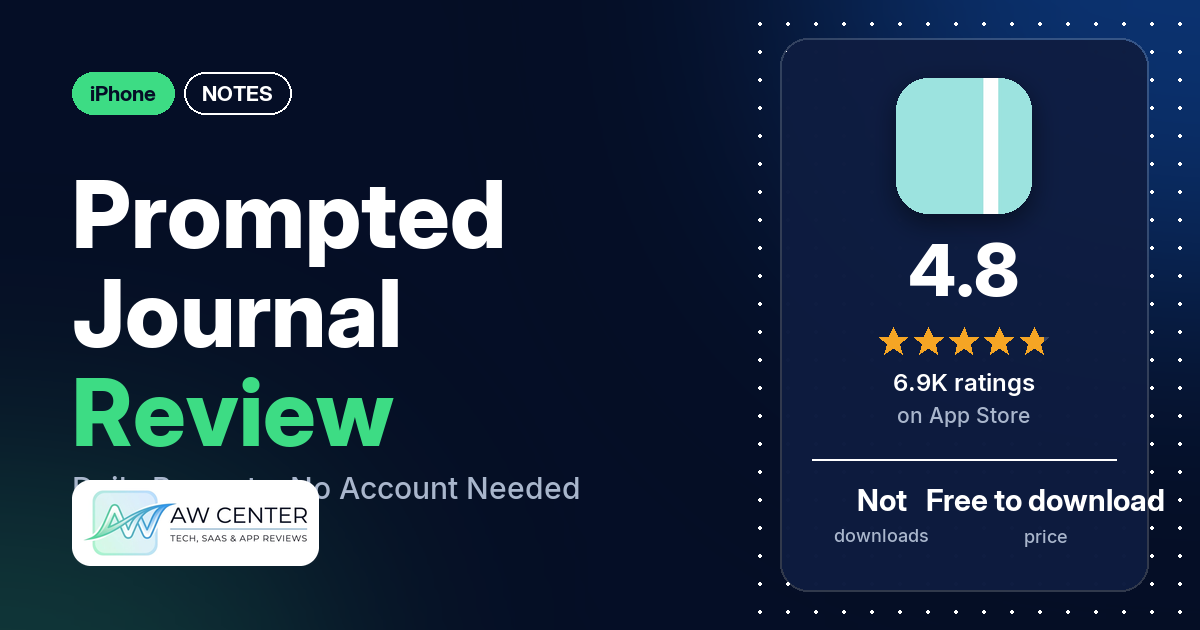
Prompted Journal – Shadow Work is an iPhone journal app from Oatmeal Apps that gives you a prompt to write about, with “Dive Deeper” questions under each one. It’s free to download, it has 4.8 stars from 6,906 App Store ratings, and the listing says your entries are stored on your device with no account required.
Quick verdict
Prompted Journal is an easy one to try if a blank page stops you and you’d like a question waiting, plus a reminder to sit down and write. Many reviewers praise the prompts, and several say it got them journaling even though they had disliked it or never stuck with it before. Several point out that there are no ads, and several say the free version is enough for them.
Money is the most common complaint: several reviewers want more of it free, such as more prompts or the Dive Deeper questions. Most reviews in our data were written before 2025, and the newest is from July 2026, so they describe older versions than 6.6.0. We also have no star breakdown; the data we collected doesn’t include one for all the ratings.
Prompted Journal at a glance
| Developer | OATMEAL APPS PTE. LTD. |
|---|---|
| Store listing | Prompted Journal – Shadow Work on the App Store |
| Price | Free to download; our data has no in-app purchase prices (reviewers mention a Premium subscription) |
| Ads | Not stated in the listing; several reviewers say there are no ads |
| App Store rating | 4.8 stars from 6,906 ratings |
| Downloads | Not in our data |
| Version / last updated | 6.6.0 / August 31, 2026 |
| Requires | iOS 16.4 or later |
| First released | October 21, 2018 |
| Data checked | November 10, 2026 |
What is Prompted Journal?
The listing calls it a “daily journal and diary” and a “self-care companion.” You get a prompt, write your answer, and can open extra questions if you want to go further. There are 190+ prompts in the library, you can write your own, and reminders nudge you to come back each day. The app’s name includes “Shadow Work,” yet the listing’s description never uses the term. A few reviewers note that the app is made by a team of two.
Key features
- Prompts: a library of 190+ journal prompts, the listing says, and you can create your own.
- Dive Deeper: follow-up questions that come with each prompt.
- Reminders: daily reminders to help you keep the habit.
- PDF export: print, email or save your entries as a PDF.
- Privacy: entries are stored on your device, and no account is required.
Prompted Journal vs. what a notes app should have
“Listed” means the App Store listing names the feature, “Partial” means it covers part of it, and “Reviews only” means reviewers describe it but the listing doesn’t. “Not listed” means neither the listing nor the reviews in our data show it. Prompted Journal is a prompt-based journal, so most of the general notes features below aren’t part of what it describes.
Must have
| Feature | Status | Notes |
|---|---|---|
| Fast note creation | Not listed | |
| Organization (tags, folders or flags) | Not listed | |
| Search or filtering | Not listed | |
| Sync across devices | Not listed | The listing says entries are stored on your device |
| Sharing or exporting text | Listed | PDF export to print, email or save |
| Home-screen widget | Not listed | One reviewer asks for a lock screen or home screen widget |
| Backup or recovery | Partial | PDF export lets you save entries; one reviewer says the app reminds you to save PDF versions |
Should have
| Feature | Status | Notes |
|---|---|---|
| Markdown or plain-text formatting | Not listed | |
| Dictation or voice capture | Reviews only | A few reviewers write by dictation or talk to text |
| Themes and dark mode | Reviews only | One reviewer says the themes section needs the membership and asks for a black background; another says color changing isn’t free |
| Font and layout customization | Not listed | |
| Share-extension capture | Not listed | |
| Siri or Shortcuts support | Not listed | |
| Smartwatch capture | Not listed |
Nice to have
| Feature | Status | Notes |
|---|---|---|
| Automation or scripting | Not listed | |
| AI/LLM integration | Not listed | One reviewer chose it over prompted journals that use AI |
| Images or attachments in notes | Not listed | |
| Collaboration on a note | Not listed | |
| Web or Windows access | Not listed | |
| Note lock or encryption | Reviews only | One reviewer mentions logging in with Face ID; another says a password needs a paid plan |
| Accessibility features called out by users | Reviews only | One reviewer with impaired sight uses dictation; another says the pink and white color contrast isn’t accessible for visually impaired users |
It does one thing: prompts, reminders and a private place to answer them. If you want folders, tags, search or sync, the listing doesn’t mention any of them.
Common problems reviewers report
The data we collected doesn’t include developer replies, so this table shows each problem and when it was reported, not an official fix. All of these reports predate version 6.6.0, which may behave differently.
| Problem | What reviewers report | When |
|---|---|---|
| Extras need a paid plan | Several reviewers want more free: more prompts, the Dive Deeper questions, color changing or a password | August 2023 to August 2024 |
| Screen space | A few reviewers: one on iPad with iPadOS 18, one in landscape mode, one who wants the app to use the whole screen | November 2024 to April 2025 |
| Asked for a review too soon | Two reviewers say the app asked for a review before they had really used it | August 2024 and April 2025 |
| Editing past entries | One reviewer says that after an update, editing an old entry zooms out to a blank background so you can’t see what you type | August 2024 |
| Prompts stopped coming | One reviewer got no new prompt after prompt 99 and wasn’t sure if it was a bug or a paid limit | August 2023 |
Pros (from user reviews)
- The prompts: many reviewers praise the prompts and questions, and a few say they aren’t generic or the same thing over and over. Not everyone agrees: one reviewer in August 2024 found them repetitive, and one in January 2024 says some are more interesting than others.
- A habit that sticks: several reviewers say it got them journaling even though they had disliked it or never stuck with it before. Two of them mention ADHD.
- A place to start: several reviewers like having a question when they don’t know what to write.
- Easy to use: several reviewers call it easy or simple. One reviewer in October 2024 found it confusing and hard to navigate.
- Dive Deeper: several reviewers find the extra questions helpful when they get stuck. Two say they work on the free version; two others say they now need a paid plan or wish more were free.
- No ads: several reviewers point out that there are no ads, and two say the app tells you so before your first prompt or in a message from the developers.
- Free version: several reviewers say the free version is enough for them, and several who paid say it was worth it.
- Looking back: several reviewers like rereading old entries, and several like that prompts come back so you can compare your old and new answers.
- Reminders: several reviewers say the reminders help, and a few like that there’s no pressure to write every day or that skipping a day is fine.
- The look: several reviewers like the design, and one names the pink color of the icon and the app.
- How it feels to use: several reviewers say it has helped their mental health, anxiety or mental well-being. Two mention therapy clients: one says they are a therapist trying it for clients, and one has recommended it to “some of my therapy clients.”
- Privacy: a few reviewers value that no account is needed or that their entries stay private.
Cons (from user reviews)
- Paid extras: several reviewers want more of the app free. A few want more prompts than they get, and one of them says unlimited prompts need paying. Two say the Dive Deeper questions are paid, and one says a password and writing three pages need paying.
- Screen space: a few reviewers want the writing area to use more of the screen, including one on iPad and one in landscape mode.
- Review requests: two reviewers were asked to rate the app before they had really used it.
- The prompt on every entry: two reviewers ask for a way to remove the prompt from their entries.
- Smaller reports: one reviewer had trouble editing old entries after an update, one stopped getting prompts after prompt 99, and one says the prompt date stays put when you skip a day.
- Requests: individual reviewers ask for a lock screen or home screen widget, Apple Pencil handwriting, a black background as a one-time purchase, and optional biblical references or affirmations. On the Pencil, another reviewer says it already works on their iPad.
Most reviews in our data are 5 stars. The data we collected doesn’t include a star breakdown of all 6,906 ratings, so we can’t say how common these complaints are across all of them.
Pricing
Prompted Journal is free to download. The listing doesn’t describe a paid plan, and our data has no in-app purchase prices. Reviewers mention a Premium subscription: one in September 2023 says it cost “$20 For The Year,” and one in May 2024 was “happy to pay the $20 bucks.” Several reviewers say the free version is enough, and one says there are no ads whether you pay or not. Check the current price in the App Store before you subscribe.
Privacy and permissions
We couldn’t read the App Store privacy label for Prompted Journal, so we make no claim about what data it collects. The listing says your entries are stored on your device and that no account is required, and it links to a privacy policy on oatmealapps.com. A few reviewers value that no account is needed or that their entries stay private.
Who it’s for
Prompted Journal suits you if you want to journal but stall at a blank page, and you like the idea of a daily question, a reminder and no account. It also fits if you want to look back at your old answers: reviewers say prompts come back so you can compare how you answered months earlier. It’s a weaker fit if you want a general notes app: the listing doesn’t mention folders, tags, search, sync or attachments. If you want unlimited prompts, one reviewer says they need paying, and two say Dive Deeper questions are paid.
FAQ
Is Prompted Journal free?
It’s free to download, and several reviewers say the free version is enough for them. Reviewers also mention a Premium subscription, and two quote $20 (one says for a year). Several say some extras, such as more prompts or the Dive Deeper questions, need a paid plan.
Does Prompted Journal have ads?
The listing doesn’t say, but several reviewers say there are no ads. Two say the app itself tells you it’s ad-free.
Do I need an account to use Prompted Journal?
No. The listing says no account is required and that your entries are stored on your device. It also lets you export entries as a PDF to print, email or save.
Is Prompted Journal a shadow work app?
“Shadow Work” is in the app’s App Store name, but the listing’s description doesn’t use the term; it describes a daily journal with self-reflection prompts. One reviewer in October 2023 compares it to “the shadow work journal that went viral on TikTok, but for free.”
How this review was put together
We haven’t tested Prompted Journal. This review is based on public information from official sources: the app’s Google Play or App Store listing and rating breakdown, the developer’s website when there is one, and recent user reviews on the store with the developer’s replies. Features and claims are the developer’s own descriptions; what users like and dislike comes from the store reviews. Everything was checked on November 10, 2026. Apps change with every update, so check the store listing before you install.