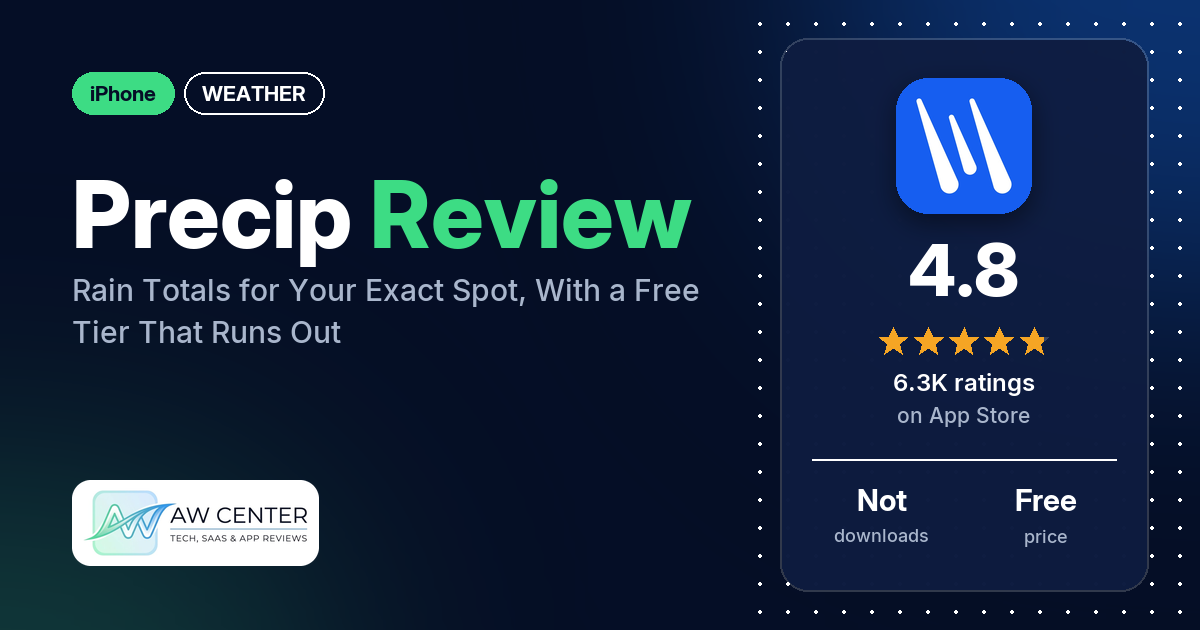
Precip – Rain Forecast & Alert is an iPhone app from Precipitation Inc. that shows how much rain fell at your exact spot, using NOAA radar, and alerts you when rain passes a threshold you set. It’s free for recent totals, live radar and the current month’s history. Many reviewers call it accurate, while several say the free version’s limits run out quickly.
Quick verdict
If you water a garden, farm, or check on a property you can’t see, Precip answers one question well: how much did it rain there? Accuracy is the praise that comes up most, and several reviewers say it lands close to their own rain gauge. Several others say it was far off, including on snow. Expect friction with the free version too: several reviewers say its cap on checks runs out quickly. A few in 2026 also say the app freezes. The newest review in our data is from November 2026. Don’t rely on a single app for severe weather warnings; check official alerts too.
Precip at a glance
| Developer | Precipitation Inc. |
|---|---|
| Store listing | Precip – Rain Forecast & Alert on the App Store |
| Price | Free; paid upgrade (prices not in our data) |
| Ads | Not stated in the listing |
| App Store rating | 4.8 stars from 6,284 ratings |
| Downloads | Not in our data |
| Version / last updated | 4.8.2 / November 6, 2026 |
| Requires | iOS 15.0 or later |
| First released | April 15, 2024 |
| Data checked | November 10, 2026 |
What is Precip?
Precip calls itself a virtual rain gauge. The listing says it shows rainfall totals at your locations from high-resolution NOAA radar, with years of history, an animated radar map, rain alerts and blended forecasts from multiple weather models. It names farmers, builders, landscapers, gardeners and weather nerds as its users. The free version works without signing in; more saved locations, full history, extended forecasts and premium map layers need the upgrade.
Key features
- Rain totals: totals at your exact spot or anywhere on the map, for the past 12h, 24h, 48h, week, month, year or a custom range. Tap any day to see hour-by-hour rainfall.
- History: years of history, so you can compare this year with normals and past years.
- Radar map: an animated radar with rain accumulation overlays. Tap anywhere to read totals, and add wind, soil moisture and premium data layers.
- Alerts and reports: custom rainfall threshold notifications for each location, National Weather Service severe weather alerts, and daily email reports for your team.
- Ensemble forecasts: the listing says Precip blends multiple weather models and shows you when they disagree.
- Winter data: snowfall totals, snow depth and frost layers.
- Support: the listing says you can chat with the developer inside the app.
Precip vs. what a weather app should have
Precip is built around rain totals, so its listing skips many general weather features. “Listed” means the App Store listing names the feature, “Partial” means it names part of it, “Reviews only” means only reviewers mention it, and “Not listed” means the listing doesn’t mention it.
Must have
| Feature | Status | Notes |
|---|---|---|
| Current conditions and feels-like | Not listed | |
| Hourly forecast | Not listed | Hour-by-hour rainfall for any day you tap is listed; an hourly forecast isn’t |
| Daily forecast of 7+ days | Reviews only | The listing says extended forecasts come with the upgrade; two reviewers describe a two-week rain forecast |
| Chance of precipitation | Reviews only | One reviewer in May 2026 says forecasts include probabilities of precipitation |
| Wind, humidity, UV index | Partial | A wind map layer is listed; humidity and UV index aren’t |
| Severe weather alerts | Listed | National Weather Service alerts |
| Radar map | Listed | Animated radar with rain accumulation overlays |
| Home-screen widgets | Not listed | |
| Current location and search | Partial | Totals at your exact spot or anywhere on the map; the listing doesn’t mention search |
| Unit options (°F/°C) | Not listed |
Should have
| Feature | Status | Notes |
|---|---|---|
| Notification or lock-screen weather | Not listed | |
| Air quality | Not listed | |
| Multiple saved locations | Listed | More saved locations come with the upgrade |
| Choice of data source | Not listed | The listing says it blends multiple weather models |
| Layout customization | Not listed | |
| Light and dark themes | Not listed | |
| Sunrise, sunset, moon phase | Not listed | |
| Multiple languages | Not listed |
Nice to have
| Feature | Status | Notes |
|---|---|---|
| Animated wind or global map | Partial | An animated radar and a wind layer are listed; the listing doesn’t say the wind layer is animated |
| Side-by-side provider comparison | Partial | The listing says it shows when weather models disagree; one reviewer says you can show European (ECMWF) and American (NOAA) model predictions next to Precip’s |
| Photography times (golden/blue hour) | Not listed | |
| Weather photos | Not listed | |
| Pollen | Not listed | |
| Lightning strike information | Not listed | |
| Custom temperature alerts | Not listed | Alerts are for rainfall thresholds |
| Rain-incoming notifications | Partial | Rainfall threshold alerts are listed; one reviewer says it advises when precipitation is in the area |
| Written forecast summary | Not listed |
Rain totals and their history get the deepest coverage; general forecasts get much less. Whatever weather app you use, don’t rely on one app alone for severe weather warnings. Check official alerts from your national weather service too.
Pros (from user reviews)
- Accurate rain totals: the praise that comes up most. Many reviewers call Precip accurate, and several say it matches their own rain gauge closely. One in September 2026 says their scientific gauge and Precip are always within .01 of each other. A farmer in November 2026 says it was within .1 inch over two rains, reading high both times. Several others say it was far off; see Cons.
- Rain at places you’re not: several reviewers use it to check rain at a second home, farm fields, project sites, hiking spots or a friend’s place. One in July 2026 who plans prescribed burns in southeast Georgia checks the exact burn site each morning before the crew drives out. A farmer in June 2026 has 30 fields spread over a wide area.
- Your exact spot: several reviewers like getting rain for their exact spot instead of an area average. One in July 2026 says it’s “not just a repeat of what fell on the airport 20 miles away.”
- Easy to use: several reviewers call it easy to use or easy to navigate. Several others find parts of it hard to use; see Cons.
- Snow totals: several reviewers like it for snow. One in the Adirondacks in June 2026 says it shows how much snow is coming and how much fell, and one in March 2026 wants to know at bedtime whether to get up early to clear the driveway. Several others say snow totals were far off.
- Watering and farm decisions: several reviewers use it to decide when to water a garden, lawn or new plantings, and several use it for farms and crops.
- The look: several reviewers praise the look, design or graphics. One in August 2026 says the type is too light to read well.
- History: a few reviewers like the historical data. One in May 2026 likes the cumulative graphs and being able to pick a year.
- Responsive developer: a few reviewers say the developer or support team was helpful. One in August 2026 says the developer replied right away with instructions that worked.
Cons (from user reviews)
- Totals or forecasts off: several reviewers say the numbers were wrong. A few compared Precip with their own measurements: one in June 2026 says it showed 2.24 inches when the rain gauge showed 3.8, and one in September 2026 says it was off by half an inch. Two say it showed 0 when it had rained. Several say snow totals were far off: one in March 2026 says it showed 3.4 inches of snow on a day it only rained a little, and one in January 2026 says 6 inches of snow showed as .16 of an inch. A few say forecasts were wrong, such as rain for most of a Sunday that never came (April 2026).
- Free-version limits: several reviewers say the free version caps how many spots you can check. They give different caps: 14 a day (May 2026), 12 (February 2026) and 5 (December 2025). A few say just touching or moving the map uses up those checks. Two say the free version only shows the past 24 hours, and a few say it felt like a free trial that ended.
- Price: a few reviewers call the upgrade too expensive. One in June 2026 who pays for a plan suggests plans with 5, 10 or 15 saved locations. See Pricing for the prices reviewers quote.
- Freezing: a few reviewers from August to November 2026 say the app freezes or locks up. One in November 2026 says they have to restart their iPad every time. A few paying users say it stopped working properly; one in September 2026 says they delete and reinstall it every day.
- Location prompts: a few reviewers say the app keeps asking for location access or wants it always on. One in September 2026 says it asks even when set to “while using only.”
- Hard to use: several reviewers find parts of it awkward. A few say adding, changing or deleting locations is hard. One in July 2026 says a change made the timeframes slow to switch, and one in April 2026 wants more peaks and trailheads in the map search, since they look up coordinates on Google and paste them in.
- Sign-in trouble: two reviewers report account problems. One in August 2025 says the app asked them to make an account, then lost their saved locations.
- Notifications: one reviewer in August 2026 can’t turn off notifications for some locations without turning off all of them.
Most reviews in our sample are 5-star, and the App Store rating is 4.8 from 6,284 ratings. The data we collected doesn’t include a star breakdown, so we can’t say how common these complaints are across all ratings.
Pricing
Precip is free to download, and the listing says the free version gives recent totals, live radar and the current month’s history, and works without signing in. Paying adds more saved locations, full history, extended forecasts and premium layers. Prices aren’t in the listing, and our data doesn’t include in-app purchase prices. Reviewers quote $20 a month (October 2026), “a minimum $25 a year” (January 2026) and $50 (February 2026); one in February 2026 thinks they read $100 a year. One in May 2026 says they have a Pro 15-location plan that also exports weather data. Reviewers also disagree on how many locations are free: two in June 2026 say two, and one in October 2025 has five stored on the free version. Check the App Store before you subscribe.
Privacy and permissions
We couldn’t read the App Store privacy label for Precip, and our data doesn’t include a permissions list, so we make no claim about what data it collects. The listing says the free version works without signing in and links to terms at precip.ai/terms. A few reviewers say the app keeps asking for location access or wants it always on.
Who it’s for
Precip fits you if you want to know how much rain fell at a garden, field, job site or second home without walking out to a gauge. The listing names farmers, builders, landscapers and gardeners. If you need exact numbers for decisions, keep your own rain gauge to compare, since several reviewers report totals far from theirs. It’s a weaker fit if you want to explore the map freely without paying, because several reviewers say the free check limit runs out fast.
FAQ
Is Precip free?
Yes, for the basics. The listing says the free version gives recent totals, live radar and the current month’s history without signing in. More saved locations, full history, extended forecasts and premium layers need the upgrade, and several reviewers say the free version limits how many spots you can check.
How accurate are Precip’s rain totals?
Reviewers disagree. Many call Precip accurate, and several say it matches their own rain gauge closely. Several others say totals were far off, sometimes by more than an inch of rain or by several inches of snow.
Does Precip work outside the United States?
The listing doesn’t say which countries it covers. One reviewer in May 2026 says you can’t add locations outside the US.
Can Precip alert me when it rains?
Yes. The listing says you can set custom rainfall threshold notifications for each location, and it lists National Weather Service severe weather alerts and daily email reports for your team.
How this review was put together
We haven’t tested Precip. This review is based on public information from official sources: the app’s Google Play or App Store listing and rating breakdown, the developer’s website when there is one, and recent user reviews on the store with the developer’s replies. Features and claims are the developer’s own descriptions; what users like and dislike comes from the store reviews. Everything was checked on November 10, 2026. Apps change with every update, so check the store listing before you install.