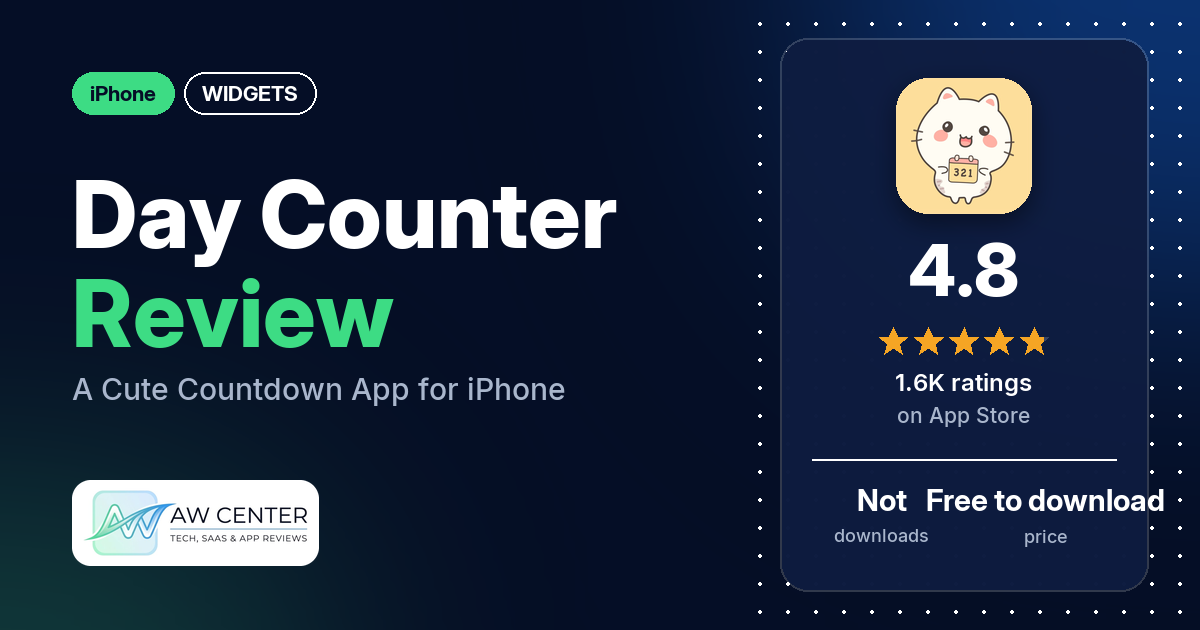
Day Counter is a free iPhone app that counts down to events, counts up from past dates, and keeps track of birthdays, holidays and expiration dates. It has 4.8 stars from 1,622 App Store ratings, and many reviewers call it cute.
Quick verdict
If you want a cute countdown app for birthdays and events and would rather pay little or nothing, Day Counter is worth a look. Many reviewers praise the look, several like the cat artwork, and several call it easy to use. Several say a lot works for free, and a few say that includes the widgets. Most reviews in our sample are 5 stars. Where it slips: a few reviewers report a count or reminder that was off by one day, and two want holidays to carry over to the next year without redoing them by hand. Several have a complaint or a wish about the widgets, from more designs to more time units.
Day Counter at a glance
| Developer | Inner Grow Limited |
|---|---|
| Store listing | Day Counter on the App Store |
| Price | Free to download; in-app prices not in our data (two reviewers mention a lifetime premium purchase) |
| Ads | Not stated in the listing; a few reviewers say there are no ads |
| App Store rating | 4.8 stars from 1,622 ratings |
| Downloads | Not in our data |
| Version / last updated | 1.8.3 / October 21, 2026 |
| Requires | iOS 15.0 or later |
| First released | January 23, 2022 |
| Data checked | November 10, 2026 |
What is Day Counter?
The listing calls it “A cute day counter and reminder app.” You add a date and it shows how many days are left, or how many have passed. It names five uses: event countdowns, counting up days since, upcoming holidays, birthday countdowns with reminders, and food and item expiration dates. Inner Grow Limited makes it, and it first came out on January 23, 2022.
Key features
- Countdowns: count down to events and dates.
- Count up: see how many days have passed since a date.
- Holidays: the listing names upcoming holidays.
- Birthdays: birthday countdowns and reminders. One reviewer says it shows how old the person is turning.
- Expiration dates: track when food and other items expire.
- Widgets: the listing doesn’t mention them, but several reviewers use the app’s widgets, and one describes a Lock Screen widget.
- Other details from reviews: one reviewer says tapping the day count switches between years, months, days and weeks, and another says you can group events by category and stack related ones.
Day Counter vs. what a widget app should have
“Listed” means the App Store listing names the feature, “Partial” means it covers part of it, and “Reviews only” means reviewers describe it but the listing doesn’t. “Not listed” means neither the listing nor the reviews in our sample show it. Day Counter is a countdown app, so the rows for smartwatch faces or complications, music or now-playing data, health and fitness data, custom data sources (JSON, API), and charts and gauges are left out.
Must have
| Feature | Status | Notes |
|---|---|---|
| Home Screen widgets in several widget families | Not listed | Several reviewers use the app’s widgets, but none names the Home Screen or widget sizes |
| Lock Screen widgets | Reviews only | One reviewer in May 2026 uses a Lock Screen countdown widget and says the text is very small |
| Design editor | Not listed | One reviewer says the widget design and color don’t seem to be customizable |
| Ready-made designs | Reviews only | Reviewers mention cat artwork, backgrounds and icons; two ask for more or cuter widget designs |
| Common data (time, date) | Partial | The listing names countdowns to events and dates and counting up days since; it doesn’t mention time, weather, calendar or battery data |
| Widgets stay up to date | Not listed | One reviewer in January 2024 says the widget showed as a black square |
| Transparent backgrounds | Not listed |
Should have
| Feature | Status | Notes |
|---|---|---|
| Tap actions that open apps | Not listed | |
| Sharing or importing designs | Not listed | Reviewers mention sharing lists or a calendar, not designs; one in September 2025 says the share feature isn’t working for them |
| Help or support contact | Reviews only | One reviewer emailed through the app’s feedback section and got a reply; another says emails are ignored |
| Usable free tier | Reviews only | Several reviewers say a lot is free; two complain about what needs premium |
| Restoring purchases on a new device | Not listed |
Nice to have
| Feature | Status | Notes |
|---|---|---|
| Live Activities or Dynamic Island | Not listed | |
| Tablet support | Not listed | |
| Shortcuts or automation | Not listed | |
| One-time purchase | Reviews only | Two reviewers mention a lifetime premium purchase |
| No ads | Reviews only | A few reviewers say there are no ads; none in our sample reports ads |
The listing is short and never mentions widgets. What’s known about them comes from reviewers.
Common problems reviewers report
The data we collected doesn’t include developer replies, so this table shows each problem and when it was reported, not an official fix. No reviewer names an iOS version. Older reports may describe earlier versions, and version 1.8.3 may behave differently.
| Problem | What reviewers report | When |
|---|---|---|
| Count or reminder off by one day | A few reviewers; two say the app thought today was a day later than it was, one says reminders come a day early, and one says the extra day was fixed after the staff worked on it | October 2025 to March 2026 |
| Holidays have to be redone each year | Two reviewers want holidays to carry over to the next year without redoing them by hand; one says holidays and birthdays don’t start up again after they pass, one says holidays have to be entered by year | April 2025 and January 2026 |
| App closes or won’t open | Two reviewers; one says reinstalling and restarting didn’t help, the other says a later update fixed it | May 2023 and June 2024 |
| Widget shows a black square | One reviewer, who stopped using the widget rather than reinstall and lose their countdowns | January 2024 |
| Share feature not working | One reviewer | September 2025 |
Pros (from user reviews)
- The look: many reviewers call Day Counter cute, matching the listing’s own word for it. Several single out the cats. One would rather the widgets were as cute as the app, instead of “minimalist cat silhouettes.”
- Easy to use: several reviewers call it easy, simple or user friendly. A few found it hard to use or confusing, one of them only at first, and one finds the reminders confusing to set up.
- A lot is free: several reviewers say you can do a lot without paying. Free widgets come up in a few reviews, and one says other countdown apps made them pay for a Lock Screen widget. A few others say the app gave them premium for free. Two disagree: one says it’s “not much unless you pay,” and one objects to paying for premium features.
- Widgets: several reviewers like the widgets. One says the widget lets you see your countdowns without opening the app.
- Customization: several reviewers praise the customization options. A few want more, such as a background color choice or a widget design they can change.
- Helps you remember: several reviewers say it helps them remember dates, and several use it for birthdays.
- No ads: a few reviewers say there are no ads. None in our sample reports ads.
- A fair price: a few reviewers call the price modest, reasonable or worth it.
- Bugs fixed: a few reviewers say a bug they hit was fixed, and two say the developer acted on their report. One reviewer in March 2026 says the developers ignore customer emails.
Cons (from user reviews)
- Off by one day: a few reviewers, between October 2025 and March 2026, say a countdown or reminder was a day off. One of them says the staff fixed it.
- Widget wishes and faults: several reviewers have a complaint or a request about the widgets. A few have complaints about the widget design: two want more or cuter designs, and one says the design and color don’t seem customizable. One wants the widget to show years and months, one says the Lock Screen widget text is too small to read, and one says the widget turned into a black square in January 2024.
- Request: holidays that carry over: two reviewers want holidays to carry over to the next year without redoing them by hand. One says holidays and birthdays don’t start up again after they pass, and one says holidays have to be entered by year. One more says some holidays and birthdays show “101 days since my B day.”
- Crashes: two reviewers say the app closed itself or wouldn’t open, in May 2023 and June 2024. The earlier one says a later update fixed it.
- Request: times of day: a few reviewers want to add a time, whether for the event, the notification or a birth time.
- Request: more time units: two reviewers ask for weeks, months or years. One of them says the app shows these when you tap the count, but the widget doesn’t.
- Other complaints: one reviewer says the share feature isn’t working, and one asks to share a calendar live with someone. One says an event disappeared after they reopened the app, and one couldn’t add some dates.
Most reviews in our sample are 5 stars, and a few are 1 or 2 stars. The data we collected doesn’t include a star breakdown of all 1,622 ratings, so we can’t say how common these complaints are across all of them.
Pricing
Day Counter is free to download. The listing doesn’t mention premium or name any prices, and our data has none. Reviewers describe a premium version. One in February 2024 says they bought the “lifetime Pro version for 5.99,” and one in September 2026 says it’s “only six dollars for a lifetime.” One in October 2024 mentions a “WEEK LONG free trial for premium.” Our data doesn’t say what premium adds. Check the App Store for current prices before you buy.
Privacy and permissions
We couldn’t read the App Store privacy label for Day Counter, so we make no claim about what data it collects. Our data has no permissions list either. The listing links to Apple’s standard Terms of Use (EULA). One reviewer says there is a feedback section in the app for contacting the developer.
Who it’s for
Day Counter suits you if you want a cute countdown app for birthdays, holidays and events, with widgets, and you’d rather not pay much. Look at the cons first if any of these matter to you: a few reviewers ask for a way to add a time of day, two want holidays to carry over to the next year without redoing them by hand, and one wants the widget to show years and months. If the exact day count matters, check that it matches your calendar after you add your first event.
FAQ
Is Day Counter free?
Day Counter is free to download, and our data has no in-app prices. Several reviewers say a lot works for free, and a few say that includes the widgets. Two reviewers mention a lifetime premium purchase, one quoting 5.99 in February 2024 and one “six dollars” in September 2026.
Does Day Counter have widgets?
The listing doesn’t mention widgets, but several reviewers use them, and one describes a Lock Screen countdown widget. Two reviewers ask for more or cuter widget designs. One says the Lock Screen widget text is very small.
Why is my Day Counter countdown off by one day?
A few reviewers, between October 2025 and March 2026, say a countdown or reminder was a day off. One of them says the staff fixed the problem after they reported it. The data we collected doesn’t include developer replies, so we can’t give an official fix.
Do birthdays and holidays repeat every year in Day Counter?
The listing names birthday countdowns and upcoming holidays but doesn’t say whether they repeat. Two reviewers want holidays to carry over to the next year without redoing them by hand: one says holidays and birthdays don’t start up again after they pass, and one says holidays have to be entered by year.
How this review was put together
We haven’t tested Day Counter. This review is based on public information from official sources: the app’s Google Play or App Store listing and rating breakdown, the developer’s website when there is one, and recent user reviews on the store with the developer’s replies. Features and claims are the developer’s own descriptions; what users like and dislike comes from the store reviews. Everything was checked on November 10, 2026. Apps change with every update, so check the store listing before you install.