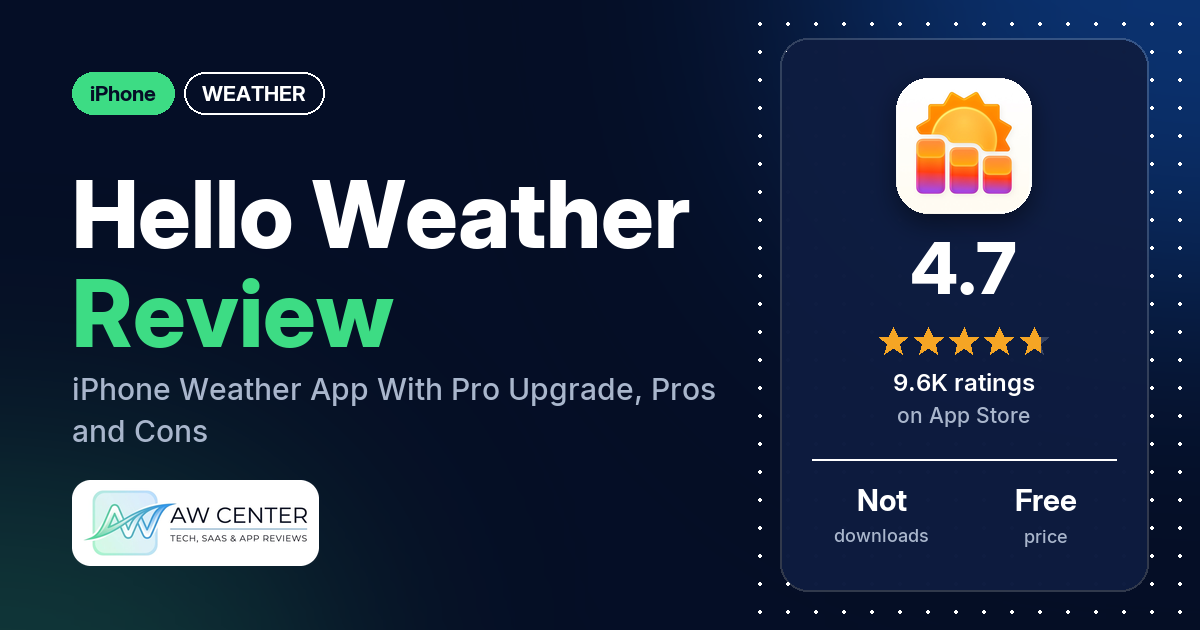
Hello Weather is a free iPhone weather app from Electric Dream Machine LLC. The free version uses Apple Weather data and, the listing says, has “No ads or gimmicks.” Widgets, notifications and other data sources such as The Weather Channel, AccuWeather and Foreca come with the paid Pro upgrade.
Quick verdict
If you want a weather app that is quick to read and lets you pick where the forecast comes from, Hello Weather fits. Many reviewers in our App Store sample praise the design, and many say it is easy to use. Many also like choosing the data source. The complaints are spread out. Several reviewers object that widgets and other features need Pro. The 2025 redesign put off several others, and several say forecasts were off for their area. The listing tells you to pick the source that works best for your area, so it’s worth trying more than one.
Hello Weather at a glance
| Developer | Electric Dream Machine LLC |
|---|---|
| Store listing | Hello Weather on the App Store |
| Price | Free, with a Pro upgrade the listing describes. Our data doesn’t include its price; see Pricing for prices reviewers quote. |
| Ads | The listing says “No ads or gimmicks.” |
| App Store rating | 4.7 stars from 9,617 ratings |
| Downloads | Not in our data |
| Version / last updated | 27.1.1 / October 20, 2026 |
| Requires | iOS 17.0 or later |
| First released | January 12, 2016 |
| Data checked | November 12, 2026 |
What is Hello Weather?
Hello Weather is a weather app for iPhone, iPad and Apple Watch made by what the listing calls “a tiny indie company.” It shows current conditions, hourly and daily forecasts, minute-by-minute rain and weather alerts, in a design the listing says “you can read in seconds.” Tap a stat, such as wind, and you get a chart with more detail. The listing says the app “translated those esoteric stats into human words,” so you don’t need to know what dewpoint means. It also says the app was App of the Day in 2026 and has been “featured globally since 2018.”
Key features
- Forecasts: current conditions, hourly and daily forecasts, minute-by-minute rain estimates and weather alerts.
- Detail charts: tap the wind card or any other stat for a chart.
- Data sources: the free version is “powered by Apple Weather.” Pro adds “The Weather Channel, AccuWeather, Foreca, and others,” and the listing says you can switch back and forth to compare.
- Radar: basic radar is free; radar animation and layers are Pro.
- Widgets and Apple Watch: Home Screen and Lock Screen widgets, an Apple Watch app and complications, all listed under Pro.
- Notifications: rain, severe weather alerts and future forecasts, listed under Pro.
- Air quality and pollen: Pro, “with certain data sources.”
- Units: unit customization, including showing Fahrenheit and Celsius at the same time.
- Look: automatic color themes and dark mode for free; icon sets, themes and custom app icons with Pro. The listing also says you can tune the layout, charts and data points.
- Languages: the listing says the app “speaks 27 languages.”
Hello Weather vs. what a weather app should have
“Listed” means the App Store listing names the feature, “Partial” means it names part of it, and “Not listed” means it doesn’t. “Reviews only” means reviewers describe it but the listing doesn’t. Several listed features are Pro only; the notes say which. This checklist is a first version for weather apps and will change as we review more of them.
Must have
| Feature | Status | Notes |
|---|---|---|
| Current conditions and feels-like | Partial | Current conditions are listed; feels-like temperature is not named. One reviewer says the 2025 update removed feels-like temperatures from the daily bars. |
| Hourly forecast | Listed | One reviewer says the redesign shows about 36 hours ahead. |
| Daily forecast of 7+ days | Partial | Daily forecasts are listed, but not how many days. Several reviewers ask for a longer forecast. |
| Chance of precipitation | Partial | Minute-by-minute rain is listed; chance of rain is not named. One reviewer mentions hourly rain odds. |
| Wind, humidity, UV index | Partial | The wind card is listed; humidity and UV index are not named. |
| Severe weather alerts | Listed | Alert notifications are Pro. |
| Radar map | Listed | Basic radar is free; animation and layers are Pro. |
| Home-screen widgets | Listed | Pro only. |
| Current location and search | Not listed | One reviewer wants to enter a zip code instead of confirming their location each time. |
| Unit options (°F/°C) | Listed | Includes Fahrenheit and Celsius at the same time. |
Should have
| Feature | Status | Notes |
|---|---|---|
| Notification or lock-screen weather | Listed | Lock Screen widgets and notifications, both Pro. |
| Air quality | Listed | Pro, with certain data sources. |
| Multiple saved locations | Reviews only | One reviewer keeps locations saved for family members in different cities. |
| Choice of data source | Listed | Apple Weather in the free version; more sources with Pro. |
| Layout customization | Listed | The listing says you can tune layout, charts and data points; it doesn’t say which of these need Pro. |
| Light and dark themes | Listed | Automatic color themes and dark mode are free. |
| Sunrise, sunset, moon phase | Not listed | One reviewer asks what happened to sunrise and sunset times. |
| Multiple languages | Listed | 27 languages. |
Nice to have
| Feature | Status | Notes |
|---|---|---|
| Animated wind or global map | Not listed | |
| Side-by-side provider comparison | Partial | The listing says you can switch sources back and forth to compare, not view them side by side. |
| Photography times (golden/blue hour) | Not listed | |
| Weather photos | Not listed | |
| Pollen | Listed | Pro, with certain data sources. |
| Lightning strike information | Reviews only | One reviewer says the app includes lightning. |
| Custom temperature alerts | Not listed | |
| Rain-incoming notifications | Listed | Rain notifications are Pro. |
| Written forecast summary | Reviews only | One reviewer mentions a full text forecast, and another praises the summaries for each day. |
Which data source should you use?
The free version uses Apple Weather. With Pro, the listing names The Weather Channel, AccuWeather and Foreca “and others,” and tells you to “pick the source that works best for your area.” A few reviewers say the best source depends on where you live. One prefers Weatherbit, and another says the Weather Company works best for their location. A few reviewers in 2023 were unhappy that the app moved them from Dark Sky data to Apple Weather. Air quality and pollen depend on the source too. Whatever you pick, don’t rely on one weather app alone for severe weather warnings; check official alerts as well.
Common problems reviewers report
The data we collected doesn’t include developer replies, so this table lists the problem, what reviewers say and when they said it. The listing says the developers are “always just an email away.” Newer versions may behave differently.
| Problem | What reviewers report | When |
|---|---|---|
| App spins and doesn’t load | A few reviewers say the app kept spinning or never finished loading. One says re-downloading used to fix it until it stopped working; another deleted and reinstalled with no luck. | June 2024 to July 2025 |
| Widget, app or watch not refreshing | A few reviewers say widgets, the app or the watch fell behind. Two say it updated only when they opened the app, and two say it went hours without new data. One of them says widgets and watch complications were out of date “sometimes by up to 12 or 16 hours.” | 2023 to 2026 |
| Apple Watch app won’t open | A few reviewers say the watch app won’t open, and two of them say it started with the update. One other says the app is no longer compatible with their Apple Watch after the update. | July 2025 |
| Watch complication shows wrong or confusing data | One reviewer says the watch face shows wrong data while tapping it shows the correct info. Another says tapping the complication shows confusing screens and often ends on an empty screen or a random number. | July to September 2025 |
| Values that don’t match each other | A few reviewers report numbers that disagree within the app: wind direction differing between pages, daily highs and lows not matching the hourly forecast, and a widget saying “clear” while the app says “mostly sunny.” | July 2025 to January 2026 |
| Stuck on the free trial screen | One reviewer says they can’t get past the first “free trial” screen. | April 2026 |
Pros (from user reviews)
- Design: the look, layout and interface get praise from many reviewers, and several call it clean or uncluttered. Several others criticize the 2025 redesign; see Cons.
- Easy to read and use: many reviewers say the app is easy to use or quick to scan. One says it shows “detail just one click away.” Several others found the redesign harder to use.
- Choice of data source: many reviewers like being able to pick the forecast provider, and a few say it lets you find the most accurate source for where you live. Several others complain that the other sources need Pro.
- 2025 redesign: many reviewers praise the 2025 update, mentioning new detail cards, customization and an extended hourly view. Several others disliked it; see Cons.
- Privacy: several reviewers praise the privacy policy or say the app doesn’t collect their data. This matches the listing, which says the developers will “never track you, sell ads, collect data.”
- Accuracy: forecasts are accurate or reliable, several reviewers say. Several others say forecasts were wrong for their area; see Cons.
- Price and support: several reviewers call the Pro price fair or reasonable. Several also describe the developers or support as responsive or helpful; one says the developer sorted out a subscription mix-up that Apple didn’t fix.
- Radar: several reviewers like the radar. One calls it “quick to load and easy to follow.” Several others criticize it; see Cons.
- No ads: several reviewers mention that the app has no ads, which matches the listing.
- Fahrenheit and Celsius together: a few reviewers like seeing both at once, and one uses it to learn Celsius.
Cons (from user reviews)
- Features behind the paywall: several reviewers object to how much needs Pro. Several name widgets in particular, two say the Apple Watch complication or watch widgets need paying, and a few want a one-time fee instead of a subscription. One reviewer wants to see what Pro does before buying.
- The 2025 redesign: several reviewers disliked the redesign. Their complaints include more pop-ups, less information on screen, a harder-to-read weekly chart and a cluttered layout. A few miss the old sun icon. Two say the “classic” layout didn’t bring the old app back, and one says that layout is a paid feature.
- Forecasts off: for several reviewers, forecasts were wrong. Examples include a temperature about 10 degrees off or rain shown when no other service showed it.
- Radar: the radar draws criticism from several reviewers. They mention slow loading, past and future radar in separate views, a future radar that “flies,” and a wish for smoother animation.
- Apple Watch problems: several reviewers report watch trouble, such as an app that won’t open, complications that don’t update, or confusing screens. See the problems table above.
- Slow to refresh: data in the app, widgets or watch can lag behind, several reviewers say.
- Short forecast range: several reviewers ask for a longer daily or hourly forecast; 10 or 12 days come up.
- Price: a few reviewers say Pro costs too much or complain about price increases.
- Requests: two reviewers ask for CarPlay support. One asks for a rain alert just before rain starts, and one wants to move sections around on the main screen.
Several reviewers in 2023 and 2024 said the app had no weather notifications or alerts. A few reviewers in 2025 say an update added notifications, and the current listing names severe weather alert notifications under Pro.
Our data doesn’t include a star breakdown of the 9,617 ratings, so we can’t say how common these complaints are across all of them.
Pricing
Hello Weather is free to download. The listing says it is “free to use, but it’s way better if you upgrade for the Pro stuff.” Free covers Apple Weather forecasts, minute-by-minute rain, basic radar, automatic color themes and dark mode, and unit options. Pro adds widgets, notifications, the Apple Watch app, more data sources, radar animation and layers, air quality and pollen with certain sources, and extra themes and icons. Our data doesn’t include Pro prices. One reviewer, in July 2025, quotes “$2 a month and $20 a year” for the pro plan. One reviewer in March 2025 quotes “$45 for lifetime access,” and another in January 2024 a “$45.00 one-time subscription fee.” Several reviewers say they bought a lifetime plan, though one in July 2025 says a lifetime price is “not on offer.” Two reviewers mention family plans. Check the App Store for current prices.
Privacy and permissions
We couldn’t read the App Store privacy label for Hello Weather, and our data doesn’t include a permissions list, so we make no claim about what the label says. The listing says: “We’ll never track you, sell ads, collect data, or do anything like that.” Several reviewers say the privacy policy is a reason they use the app.
Who it’s for
Hello Weather suits you if you want a clean screen that is quick to read, and you’d like to pick your forecast source. It also fits if privacy matters to you, given what the listing says about data. Pay for Pro if you want widgets, notifications, the Apple Watch app or sources other than Apple Weather. Look elsewhere if you want widgets without paying, or if the radar and Apple Watch complaints in Cons matter to you.
FAQ
Is Hello Weather free?
Yes. The App Store lists it as free, and the free version has Apple Weather forecasts, minute-by-minute rain, basic radar and no ads. A Pro upgrade adds widgets, notifications, the Apple Watch app and more data sources. Our data doesn’t include the Pro price.
Are Hello Weather widgets free?
No. The listing names Home Screen and Lock Screen widgets as Pro features. Several reviewers complain about this, and one says a widget that used to work started asking for payment. One reviewer in 2024 mentioned a free widget, but the current listing puts widgets under Pro.
Which weather sources does Hello Weather use?
The free version uses Apple Weather. Pro adds sources the listing names as The Weather Channel, AccuWeather, Foreca “and others,” and you can switch between them. Many reviewers like this choice, and a few say it lets you find the most accurate source for where you live.
Does Hello Weather have severe weather alerts?
The listing names weather alerts in the app and notifications for severe weather alerts with Pro. A few reviewers in 2025 say an update added notifications, and one reviewer says push notifications never worked for them. Don’t rely on one app alone for severe weather warnings; check official alerts too.
How this review was put together
We haven’t tested Hello Weather. This review is based on public information from official sources: the app’s Google Play or App Store listing and rating breakdown, the developer’s website when there is one, and recent user reviews on the store with the developer’s replies. Features and claims are the developer’s own descriptions; what users like and dislike comes from the store reviews. Everything was checked on November 12, 2026. Apps change with every update, so check the store listing before you install.