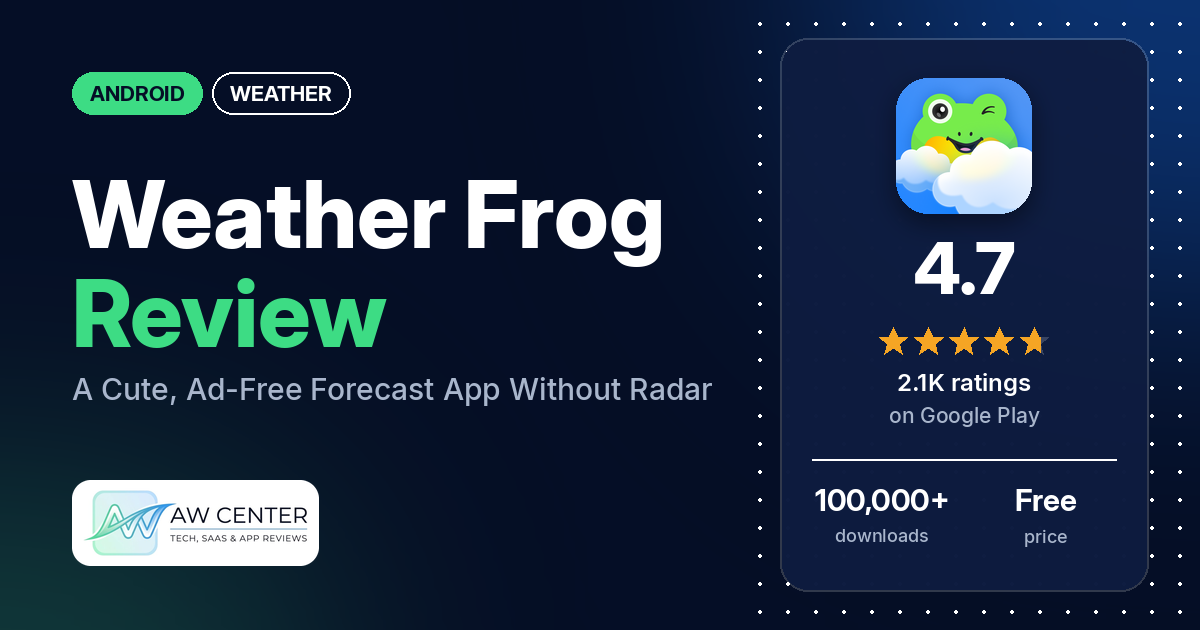
Weather Frog: Local Forecast is a free Android weather app from Digitalchemy with hourly forecasts, a feels-like temperature, home screen widgets and a cartoon frog that suggests what to wear. Google Play lists no ads, and many reviewers call the forecasts accurate.
Quick verdict
If you want a simple forecast app with no ads and a friendly character, Weather Frog fits. Many reviewers call it accurate and many like the frog, several mention the lack of ads, and several find it easy to use. A few say the forecast was wrong for them, and single reviewers miss a radar map, a dark mode, a longer hourly forecast and a choice of weather provider. Don’t rely on a single app for severe weather warnings.
Weather Frog at a glance
| Developer | Digitalchemy, LLC |
|---|---|
| Store listing | Weather Frog: Local Forecast on Google Play |
| Price | Free, with in-app purchases ($1.99 – $14.99 per item) |
| Ads | None listed on Google Play |
| Play Store rating | 4.7 stars from about 2,104 ratings (87% are 5-star) |
| Downloads | 100,000+ |
| Version / last updated | 2.3.0 / November 19, 2026 |
| Requires | Not in our data |
| First released | November 18, 2025 |
| Data checked | November 21, 2026 |
What is Weather Frog?
Weather Frog is a general weather app for your current location or any city you search. The listing describes current conditions, an hourly forecast, an extended forecast, weather alerts, home screen widgets and clothing recommendations based on the forecast. A frog character changes with the weather. The developer’s replies and contact address call the app Weather Plus, so you may see both names.
Key features
- Conditions and forecast: current conditions, an hourly forecast, minimum and maximum temperatures, and an extended forecast. The listing says you can view wind, humidity, visibility, UV levels and precipitation details.
- Feels like: a feels-like temperature that takes wind and humidity into account.
- Precipitation and alerts: rain and snow, precipitation probability, fog and visibility, thunderstorms, and weather alerts.
- What to wear: clothing recommendations based on temperature, rain, wind and UV levels, such as whether you need a jacket or an umbrella.
- Locations: your current location or a search for any city worldwide, with saved places you can switch between.
- Sunrise and sunset: times for your location.
- Widgets: a home screen widget with the current temperature, hourly forecast and important updates, in a choice of layouts.
Weather Frog vs. what a weather app should have
The Status column shows where we found each feature. “Listed” means the Google Play listing names it. “Partial” means the listing covers part of it. “Not listed” means the listing doesn’t name it. “Reviews only” and similar values mean we found it in reviews or developer replies instead.
Must have
| Feature | Status | Notes |
|---|---|---|
| Current conditions and feels-like | Listed | Feels-like temperature and daily minimum and maximum |
| Hourly forecast | Listed | One reviewer in April 2026 says hourly data is only available for today; a May 2026 reply says the team is looking into longer hourly forecasts |
| Daily forecast of 7+ days | Partial | The listing says “extended forecast” without a length; reviewers in July 2026 mention a 7-day and a 16-day forecast |
| Chance of precipitation | Listed | Precipitation probability |
| Wind, humidity, UV index | Listed | One reviewer in June 2026 says it doesn’t show when it will be windy or give UV ratings for each day |
| Severe weather alerts | Listed | The listing doesn’t name alert sources |
| Radar map | Not listed | One reviewer in November 2026 uninstalled it for lacking radar |
| Home-screen widgets | Listed | One reviewer asks for a transparent widget |
| Current location and search | Listed | Current location or any city worldwide |
| Unit options (°F/°C) | Reviews and developer replies | Not in the listing; a November 2026 reply points to Settings > Units |
Should have
| Feature | Status | Notes |
|---|---|---|
| Notification or lock-screen weather | Not listed | One reviewer in September 2026 asks for weather in the status bar |
| Air quality | Not listed | |
| Multiple saved locations | Listed | Save places and switch between them |
| Choice of data source | Not listed | The same September 2026 reviewer says the description doesn’t name the weather provider and asks for a choice of providers |
| Layout customization | Partial | A choice of widget layouts is listed; a reply says the app offers different appearances |
| Light and dark themes | Not listed | An August 2026 reply says a dedicated dark mode isn’t available yet |
| Sunrise, sunset, moon phase | Partial | Sunrise and sunset are listed; moon phase isn’t |
| Multiple languages | Not listed |
Nice to have
| Feature | Status | Notes |
|---|---|---|
| Animated wind or global map | Not listed | |
| Side-by-side provider comparison | Not listed | |
| Photography times (golden/blue hour) | Not listed | Sunrise and sunset times are listed |
| Weather photos | Not listed | |
| Pollen | Not listed | |
| Lightning strike information | Not listed | Thunderstorms are listed as a condition |
| Custom temperature alerts | Not listed | |
| Rain-incoming notifications | Not listed | General weather alerts are listed |
| Written forecast summary | Not listed | Clothing recommendations are listed |
Common problems and fixes
The developer replies to most reviews in our sample, usually with thanks and an email address. The replies below are the ones that give a fix or an answer. They are dated, and menu names may differ in your version.
| Problem | What reviewers report | Developer reply |
|---|---|---|
| Temperature looks far off | One reviewer in November 2026 saw 8 degrees when it was 49. | November 10, 2026: the gap may be a Celsius and Fahrenheit setting, so check Settings > Units. |
| Forecast doesn’t match the weather | A few reviewers say the forecast was wrong, including one in May 2026 who saw 100% rain for several days that didn’t come. | May 14, 2026: “Forecast data can sometimes change or vary by location,” and the team asks you to email your city. |
| No dark mode | One reviewer in August 2026 asks for it. | August 19, 2026: a dedicated dark mode isn’t available yet, and the suggestion goes to the team. |
| Hourly forecast only for today | One reviewer in April 2026 asks for hourly data for tomorrow and later. | May 4, 2026: hourly predictions for later days are a popular request and the team is looking into it. |
| No radar | One reviewer in November 2026 uninstalled the app for lacking radar. | November 6, 2026: the team will share the feedback with developers. |
Whatever weather app you use, don’t rely on one app alone for severe weather warnings. Check official alerts from your national weather service too.
Pros (from user reviews)
- Accuracy: many reviewers call the forecasts accurate, though a few hedge with words like “usually” or “mostly.” One reviewer in November 2026 says its predictions are usually more accurate than the app their colleagues use. A few others say it was wrong; see Cons.
- The frog: many reviewers like the frog and the cute design. One in September 2026 says the frog that changes with the weather adds whimsy. One reviewer in November 2026 says they don’t like the little frog.
- No ads: several reviewers say the app has no ads, including one in July 2026 who says there are none even in the free version.
- Easy to use: several reviewers say it is easy to use, read or navigate.
- What-to-wear tips: a few reviewers like the clothing and umbrella tips.
Cons (from user reviews)
- Wrong forecasts: a few reviewers say the forecast or temperature was wrong, including one in July 2026 who says it repeatedly predicted rain when other apps didn’t.
- Missing features: single reviewers in 2026 ask for radar, a dark mode, a transparent widget, weather in the status bar, hourly data beyond today, rainfall amounts by hour, wind and UV by day, and a choice of weather providers.
- Privacy: two reviewers raise privacy concerns. One in September 2026 says the app has 10 trackers, including Amazon trackers; the developer replied asking where they saw that information.
- Changed app: two reviewers say an earlier frog or version disappeared or changed; a reply in May 2026 says the app is not going anywhere.
Rating breakdown
| Stars | Ratings | Share |
|---|---|---|
| 5 | 1,823 | 88.1% |
| 4 | 93 | 4.5% |
| 3 | 15 | 0.7% |
| 2 | 62 | 3.0% |
| 1 | 77 | 3.7% |
Source: Google Play ratings histogram, checked November 21, 2026. Shares are of the 2,070 ratings in the breakdown; the listing shows 2,104 ratings in total.
Most ratings are 5 stars, and 1- and 2-star ratings together are 6.7% of the breakdown. The app was first released in November 2025, so the ratings cover under a year. Our review sample includes extra low-star reviews, so complaints are overrepresented in it compared with the rating breakdown.
Pricing
Weather Frog is free to download, and Google Play lists in-app purchases from $1.99 to $14.99 per item. The listing doesn’t say what the purchases unlock, and it lists no ads. Several reviewers say the free version has no ads. One reviewer in September 2026 says they would never pay for the app because of the trackers they found. Prices may differ by country and change over time, so check the store before you buy.
Privacy and permissions
We couldn’t read the Google Play data safety section for Weather Frog, so we make no claim about what data it collects or shares. The permissions list includes precise location (GPS and network-based), approximate location (network-based), full network access, view network connections, run at startup, prevent device from sleeping, control vibration and Google Play license check. Two reviewers raise privacy concerns, and one counts 10 trackers; we haven’t verified that count. The developer’s replies say it takes privacy and consent concerns seriously.
Who it’s for
Weather Frog fits you if you want a clean forecast with hourly data, a feels-like temperature, widgets and what-to-wear tips, without ads. It’s a weaker fit if you need a radar map, a dark mode, hourly forecasts beyond today or a choice of weather provider, or if tracker counts matter to you. If you need official warnings, keep a national weather service app as well.
FAQ
Is Weather Frog free?
Yes, to download. Google Play lists in-app purchases from $1.99 to $14.99 per item and lists no ads. The listing doesn’t say what the purchases unlock.
Does Weather Frog have ads?
Google Play lists no ads. Several reviewers say there are none, including one in July 2026 who says that holds in the free version.
Does Weather Frog have a radar map?
The listing doesn’t mention one. One reviewer in November 2026 uninstalled the app because it has no radar, and the developer’s reply says the feedback will go to the development team.
Is Weather Frog the same as Weather Plus?
The developer’s replies and contact address call the app Weather Plus. The Google Play listing we checked is titled Weather Frog: Local Forecast, and the replies refer to the same frog character.
How this review was put together
We haven’t tested Weather Frog. This review is based on public information from official sources: the app’s Google Play or App Store listing and rating breakdown, the developer’s website when there is one, and recent user reviews on the store with the developer’s replies. Features and claims are the developer’s own descriptions; what users like and dislike comes from the store reviews. Everything was checked on November 21, 2026. Apps change with every update, so check the store listing before you install.