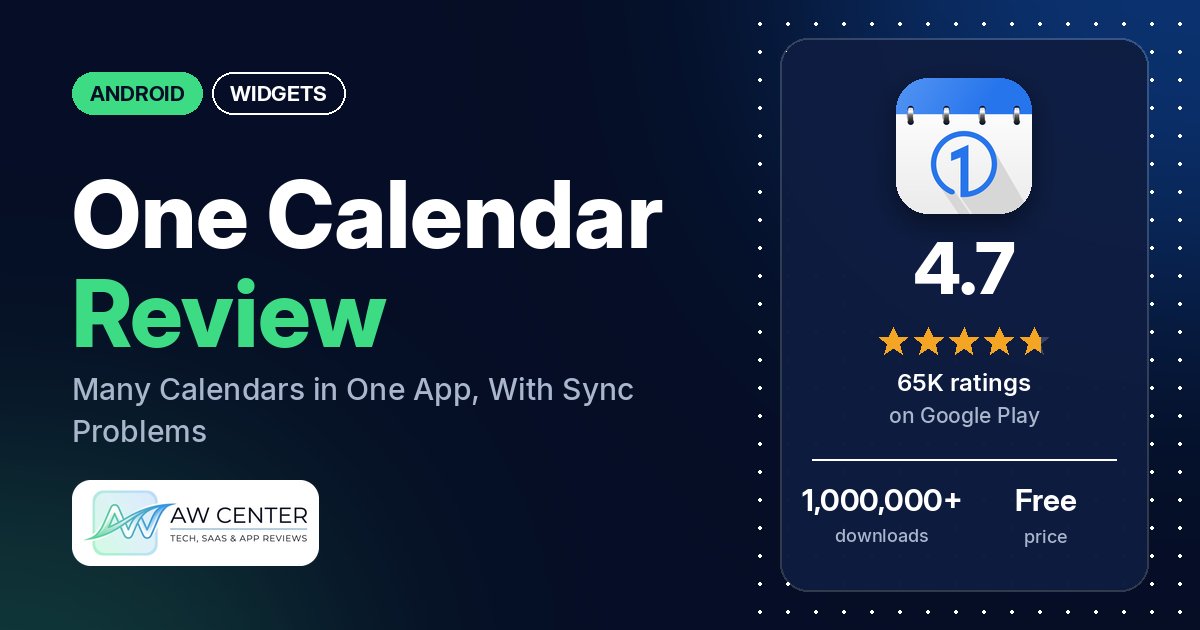
One Calendar is an Android app from Code Spark that puts calendars from Google, Outlook, iCloud, Exchange, Yahoo, Nextcloud, Synology and other providers into one view. It is free to download, Google Play lists no ads, and it has 4.7 stars from about 64,994 ratings.
Quick verdict
If you keep calendars with more than one provider, say Google at work and iCloud at home, One Calendar is built for that, and many reviewers praise how well it combines them and syncs. Several like that it works on several platforms, and several find it easy to use. The risk is sync: many reviewers say syncing failed or stopped, mostly with Outlook, CalDAV and Yahoo, and several say support never answered. Several also want more than one reminder per event, and several report widget problems. Test your own accounts during the free use before you pay for premium.
One Calendar at a glance
| Developer | Code Spark |
|---|---|
| Store listing | One Calendar on Google Play |
| Price | Free, with in-app purchases ($5.99 per item) |
| Ads | None listed on Google Play |
| Play Store rating | 4.7 stars from about 64,994 ratings (83% are 5-star) |
| Downloads | 1,000,000+ |
| Version / last updated | 10.110.3 / November 6, 2026 |
| Requires | Not in our data |
| First released | April 27, 2018 |
| Data checked | November 21, 2026 |
What is One Calendar?
One Calendar shows several calendars in one overview. The listing names Google, Live, Outlook, iCloud, Exchange, Office365, Yahoo, Nextcloud, Synology, GMX, Mailbox.org and ownCloud “and more,” and says you can view and manage appointments, events and birthdays. It says the app is also available on iOS, macOS and Windows. The listing is short: it says nothing about widgets, views, reminders or premium features, so most of what follows about those comes from reviewers.
Key features
- Many providers in one view: the listing says it integrates your calendars into one overview, from the providers named above.
- Appointments, events and birthdays: the listing says you can view and manage all of them.
- Other platforms: the listing says it is available on Android, iOS, macOS and Windows.
- From reviewers: different colors for different calendars, a year view, a widget for the home screen, attachments and repeating events, and inviting other people to events.
One Calendar vs. what a widgets app should have
“Listed” means the Google Play listing names the feature, “Partial” means it covers part of it, and “Not listed” means the listing doesn’t mention it. One Calendar is a calendar app with a widget, so rows such as music, health data and custom data sources don’t really apply. Because the listing is short, many rows rely on reviewers.
Must have
| Feature | Status | Notes |
|---|---|---|
| Home Screen widgets, in several sizes | Reviews only | Reviewers describe a widget; one in October 2025 mentions a 4×1 size and says a larger widget can be resized to 4×1 |
| Lock Screen widgets | Not listed | |
| Design editor (text, images, shapes, layout) | Reviews only | Reviewers mention colors for events and calendars and a customizable background; one in June 2026 says the month widget font is too small and there is no setting to change it |
| Ready-made designs or templates | Not listed | One reviewer in December 2025 asks for more themes |
| Common data (time, date, weather, calendar, battery) | Partial | Calendar events and birthdays are listed. One reviewer in July 2025 mentions a weather feature that is metric only |
| Widgets that stay up to date | Reviews only | One reviewer in August 2026 wants better automatic syncing for the widget, and one in October 2025 says the widget date was stuck on last week |
| Transparent or wallpaper-matching backgrounds | Not listed |
Should have
| Feature | Status | Notes |
|---|---|---|
| Smartwatch faces or complications | Not listed | |
| Tap actions that open apps | Reviews only | One reviewer in April 2026 says tapping the widget often opens the app where you left off, not at the event you tapped |
| Sharing or importing designs | Not listed | |
| Music or now-playing data | Not listed | |
| Health and fitness data | Not listed | |
| Help, tutorials or a support contact | Reviews and developer replies | Not in the listing; developer replies give a support email and a feature request site, and several reviewers say support never answered |
| A usable free tier | Partial | Free to download; a few reviewers say some features need premium, and one in September 2023 says locking calendar colors behind premium was a change |
| Restoring purchases on a new device | Not listed | One reviewer in November 2023 says the app drops their premium license every few weeks |
Nice to have
| Feature | Status | Notes |
|---|---|---|
| Custom data sources (JSON, API) | Not listed | CalDAV, ICS and Nextcloud calendars are supported as calendar sources |
| Charts and gauges | Not listed | |
| Launcher integration and compatibility | Not listed | One reviewer in May 2026 says the app doesn’t work on a Cozyla device |
| Tablet and desktop support | Partial | The listing says Android, iOS, macOS and Windows; it doesn’t mention tablets |
| Shortcuts or automation integration | Not listed | |
| One-time purchase instead of a subscription | Partial | Google Play lists a $5.99 per item purchase; the listing doesn’t say whether it is one-time. One reviewer in February 2026 says they bought a “permanent license” |
| No ads | Listed | Google Play lists no ads |
Common problems and fixes
The developer replied to many reviews in our sample, and most replies are the same line asking you to email support. The replies below are the ones that give a reason or a fix. They are dated, and your version may differ.
| Problem | What reviewers report | Developer reply |
|---|---|---|
| Sync fails or stops | Many reviewers, from 2024 to 2026, say a calendar wouldn’t sync or stopped syncing, most often with Outlook, CalDAV, Yahoo, Exchange and iCloud. | Most replies ask you to email support. March 16, 2024: the developer’s own Yahoo test accounts no longer work, which “seems to be something at Yahoo.” January 16, 2026, about Yandex over CalDAV: “We are looking into this.” |
| CalDAV tasks missing | One reviewer in January 2026 says tasks aren’t integrated. | January 30, 2026: task integration is done by installing OneTask as well. |
| Contacts permission | A few reviewers object to the contacts permission, and some say the app won’t add a calendar without it. | August 29, 2025: contacts access is needed to show birthdays and create invites, and it can’t be disabled yet. March 27, 2026: contacts permissions are necessary for birthdays and invites. |
| Can’t go far into the past or future | One reviewer in July 2025 can’t go beyond 5 years either way, and one in June 2026 says events can only be set 2 years ahead. | July 25, 2025: this is due to quota limits that some accounts have, such as Microsoft and Google. |
| Spam calendar entries | A few reviewers report spam entries, some about a PayPal or gift card payment. | August 28, 2026: “This is a weakness at Google, not OneCalendar.” March 2025: the entries aren’t coming from OneCalendar and were probably imported from the email inbox. |
| Features not supported | Reviewers ask for importing several events from one ICS file and for ordering calendars. | September 22, 2025 and May 1, 2025: not supported, and the reply asks you to post a feature request. |
| Widget blank or stuck | Several reviewers report widget problems, such as widgets that show “loading” or a date that is wrong. | Replies ask you to email support. |
One reviewer mentions a weather feature in the widget that is metric only. If you use it, don’t rely on a single app for severe weather warnings.
Pros (from user reviews)
- Combining calendars: many reviewers praise seeing several calendars in one place, including Google, iCloud, Outlook and Exchange together. One reviewer in November 2026 who moved from Apple to Android says it kept their family calendars working.
- Sync: many reviewers say syncing works well, and several say it works with Nextcloud, Synology or CalDAV. One reviewer in October 2026 says a CalDAV calendar syncs quickly with Thunderbird on PC and Android. Many others say sync failed; see Cons.
- Several platforms: several reviewers say it works across Android, Windows and Apple devices.
- Easy to use: several reviewers call it easy or simple to use.
- Colors and family use: a few reviewers like different colors for different calendars or events, and a few use it for a family calendar.
- Widget: two reviewers praise the widget, including one in August 2026 who calls it clean and easy to use and says it handles Exchange and Gmail.
Cons (from user reviews)
- Sync failures: many reviewers, from 2024 to 2026, say syncing failed, stopped or wouldn’t connect. Several name Outlook, several name CalDAV, and a few name Yahoo or iCloud. One paying reviewer in February 2026 says sync with Outlook failed for two months.
- Support: several reviewers say they got no response from support. Most developer replies in our sample are one line asking the reviewer to email support.
- Reminders: several reviewers want more than one reminder per event, and two ask for snooze.
- Widgets: several reviewers report widget problems, including a blank or loading widget, a font that is too small, and settings that apply to every widget.
- Editing and dates: a few reviewers say they can’t edit recurring events and must recreate them, and a few say appointments moved by a day or their times changed. Two say the month view doesn’t show times.
- Permissions and spam: a few reviewers object to the contacts permission, and a few report spam entries.
- Missing support: a few reviewers say local or device calendars can’t be added, and a few say shared Exchange or Outlook calendars aren’t fully supported.
- Lost data: a few reviewers say appointments vanished or were deleted.
- Premium and nagging: a few reviewers say useful features need premium or dislike paying, and a few say the app keeps asking for a rating.
- Look: a few reviewers say the design looks old.
Rating breakdown
| Stars | Ratings | Share |
|---|---|---|
| 5 | 54,069 | 83.2% |
| 4 | 6,610 | 10.2% |
| 3 | 1,887 | 2.9% |
| 2 | 408 | 0.6% |
| 1 | 2,006 | 3.1% |
Source: Google Play ratings histogram, checked November 21, 2026. Shares are of the 64,980 ratings in the breakdown; the listing shows 64,994 ratings in total.
Most ratings are 5 stars, and 1- and 2-star ratings together are 3.7% of the breakdown. Our review sample includes extra low-star reviews, so complaints, sync failures especially, are overrepresented in it compared with the rating breakdown.
Pricing
One Calendar is free to download, and Google Play lists in-app purchases at $5.99 per item. The listing doesn’t say what the purchase unlocks or whether it is a subscription. Reviewers refer to a paid, premium or pro version, and one in February 2026 says they bought a “permanent license.” A few say some features need premium. One reviewer in September 2023 says locking calendar colors behind premium was a change from when it was free. A few reviewers who bought the paid version report sync problems, so try your accounts before you pay. Prices may differ by country and change over time, so check the store before you buy.
Privacy and permissions
We couldn’t read the Google Play data safety section for One Calendar, so we make no claim about what data it collects or shares. The permissions list we collected includes full network access, receive data from Internet, view network connections, run at startup, prevent device from sleeping and control vibration. It doesn’t include contacts or calendar access, but a few reviewers object to a contacts permission, and the developer’s replies say contacts access is needed to show birthdays and create invites and can’t be disabled yet.
Who it’s for
One Calendar fits you if you keep calendars with more than one provider, for example Google plus iCloud or Outlook, and want them in one app on Android, with the same app on Windows or Apple devices. It’s a weaker fit if you need more than one reminder per event, a reliable Outlook, Exchange or Yahoo connection, or a widget with times in the month view. If your calendars are with a provider that reviewers report problems with, test it first.
FAQ
Is One Calendar free?
Yes, to download. Google Play lists in-app purchases at $5.99 per item and lists no ads. The listing doesn’t say what the purchase unlocks.
Which calendars does One Calendar work with?
The listing names Google, Live, Outlook, iCloud, Exchange, Office365, Yahoo, Nextcloud, Synology, GMX, Mailbox.org and ownCloud “and more.” Reviewers report both successes and failures, and many of the failures involve Outlook, CalDAV and Yahoo.
Does One Calendar have a widget?
Reviewers describe a home screen widget, and two praise it. Several report widget problems, such as a blank widget or a font that is too small. The listing doesn’t mention widgets.
Can I set more than one reminder per event?
Several reviewers say you can’t, and two ask for snooze. The listing doesn’t mention reminders.
How this review was put together
We haven’t tested One Calendar. This review is based on public information from official sources: the app’s Google Play or App Store listing and rating breakdown, the developer’s website when there is one, and recent user reviews on the store with the developer’s replies. Features and claims are the developer’s own descriptions; what users like and dislike comes from the store reviews. Everything was checked on November 21, 2026. Apps change with every update, so check the store listing before you install.