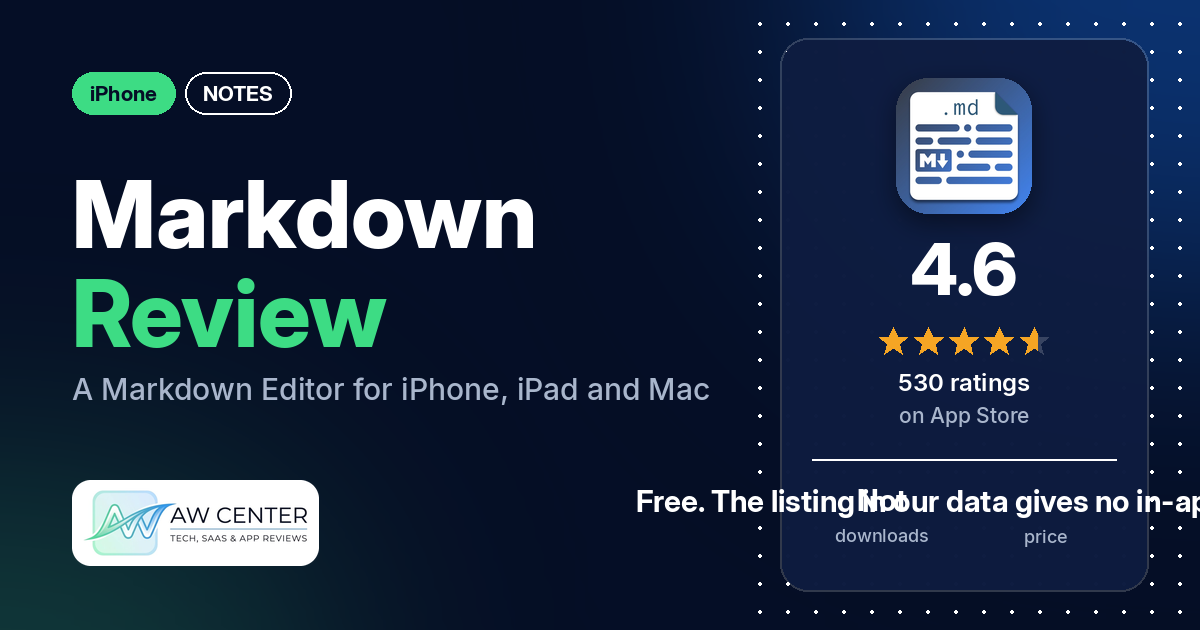
Markdown is a Markdown editor for iPhone, iPad and Mac from Teleprompter LLC. The listing says it renders headings, lists, tables and images as you type, and exports to PDF, HTML or raw Markdown. The overall rating is 4.6, but most of the written reviews we read give 1 or 2 stars, and several describe the cursor jumping to the end of the document while they edit.
Quick verdict
If you mainly want to read Markdown files or turn them into PDF or HTML, the listing covers that well, and a few reviewers praise the features. Think twice before relying on it for editing. Several reviewers say the cursor jumps to the end of the document when they type or delete, and several say changes didn’t save or files went missing. Several others couldn’t create or open files. The newest cursor report is from June 2026, before the update on September 30, 2026. One review has come in since then, a feature request, so we can’t say whether those problems are fixed. Try it on a copy of a file first.
Markdown at a glance
| Developer | Teleprompter LLC |
|---|---|
| Store listing | Markdown on the App Store |
| Price | Free. The listing in our data gives no in-app purchase prices |
| Ads | Not stated in the listing; one reviewer says there are no ads |
| App Store rating | 4.6 stars from about 530 ratings |
| Downloads | Not in our data |
| Version / last updated | 2.0.1 / September 30, 2026 |
| Requires | iOS 15.0 or later |
| First released | January 24, 2020 |
| Data checked | November 21, 2026 |
What is Markdown?
It is a file-based Markdown editor. You open or create Markdown documents, write them in raw Markdown or in a prettified view, and export the result. The listing’s description calls the app Markdown Pro and says it runs on iPhone, iPad and Mac, with a live preview beside your text on iPad and Mac.
Key features
- Editing: a prettified editor that renders headings, lists, quotes, code blocks and images inline, or raw Markdown with syntax highlighting and line numbers, switchable with one tap. Smart list continuation, task lists with tappable checkmarks, snippets, find and replace, and autosave.
- Tables: a graphical table editor for adding and removing rows and columns, with multiline cells and column alignment.
- Export: PDF, HTML or raw Markdown, sent to another app or saved to Files. The listing says your documents and exports stay on your device.
- Files and storage: works with the Files app, iCloud Drive, Dropbox, Box, Google Drive and other file providers.
- Customization: light and dark mode, a choice of syntax highlighting theme, and a custom editor font and size.
- Mac and iPad: keyboard shortcuts, menu bar commands, multiple windows, documents as native tabs on Mac, and drag and drop.
Markdown vs. what a notes app should have
“Listed” means the App Store listing names the feature. “Partial” means the listing covers part of it. “Not listed” means the listing doesn’t name it. This is a document editor more than a notes app, so several rows are expected gaps. The checklist records whether a feature is named, not how well it works.
Must have
| Feature | Status | Notes |
|---|---|---|
| Fast note creation | Not listed | No quick-capture shortcut is named. Two reviewers say they couldn’t create a new file |
| Organization (tags, folders or flags) | Partial | Files and cloud storage providers are listed; tags and flags aren’t |
| Search or filtering | Partial | Find and replace is listed; searching across documents isn’t |
| Sync across devices | Partial | The listing names iCloud Drive and other file providers, not a sync service of its own. One reviewer says Google Drive syncing works; several report failed saves or files that wouldn’t open |
| Send or export text to other apps | Listed | PDF, HTML or raw Markdown, sent to any app or saved to Files |
| Home-screen widget | Not listed | |
| Backup or recovery | Not listed | Several reviewers say changes or files were lost |
Should have
| Feature | Status | Notes |
|---|---|---|
| Markdown or plain-text formatting | Listed | Prettified or raw editor. One reviewer (November 2023) says it didn’t format standard tables, bold or italic |
| Dictation or voice capture | Not listed | |
| Themes and dark mode | Listed | Light and dark mode, syntax highlighting themes |
| Font and layout customization | Listed | Custom editor font and size |
| Share-extension capture | Not listed | |
| Siri or Shortcuts support | Not listed | |
| Smartwatch capture | Not listed |
Nice to have
| Feature | Status | Notes |
|---|---|---|
| Automation or scripting | Not listed | Built-in snippets for headings, links, lists and tables are listed |
| AI/LLM integration | Not listed | |
| Images or attachments | Listed | Images render inline. One reviewer (November 2026) asks for an image folder that matches each document’s name |
| Collaboration on a note | Not listed | |
| Web or Windows access | Partial | iPhone, iPad and Mac are listed; web and Windows aren’t |
| Note lock or encryption | Not listed | |
| Accessibility | Not listed |
The listing is strongest on editing, tables and export. Syncing, search across files and backup are where it says the least, and where reviewers report the most trouble.
Common problems reviewers report
The data we collected doesn’t include developer replies, so there are no fixes here, only the problem and when it was reported. Newer versions may behave differently.
| Problem | What reviewers report | When |
|---|---|---|
| Cursor jumps to the end | Several reviewers say the cursor jumps to the end or bottom of the document when they type or delete a character, and some say this makes editing impossible. One of them says they now edit in another app and use this one for export | August 14, 2021 to June 20, 2026 |
| Changes not saved or files missing | Several reviewers say text vanished, edits reverted, or a file disappeared after they closed it. Single reviewers name files on iCloud Drive, OneDrive, Google Drive and Dropbox. One says a loop of save errors stopped only after they turned off mobile data | August 14, 2021 to February 27, 2026 |
| Can’t create or open files | Several reviewers say they couldn’t create a new file, or that Markdown files wouldn’t open or were grayed out, including files from Google Drive. One says the pro version creates a file but won’t open it | June 13, 2020 to May 1, 2026 |
| No save as Markdown, no autosave | Three reviewers say there is no way to save a .md file, or no autosave. The listing says autosave is always on and that you can export raw Markdown | January 28, 2022 to November 24, 2025 |
| Formatting and highlighting | One reviewer says it can’t format standard Markdown tables, bold or italic. Another says code isn’t colored when they enter the language | February 1 to November 11, 2023 |
| Cache behavior | One reviewer says files from a Proton Drive folder load from a local cache instead of the synced offline folder. Another says the app seems to cache old versions and saves every file it opens | August 4, 2024 to January 2, 2026 |
Pros (from user reviews)
- Features: a few reviewers praise the feature set. One likes the View pane and the PDF and HTML export, and says it beats 1Writer.
- Export to PDF: two reviewers praise the PDF export, and one calls making a shareable PDF very easy.
- Speed: two reviewers call it fast, and one adds that it is lightweight.
- Price: one reviewer says it is free, and another says it has no ads or purchases.
- Against other apps: two reviewers rate it above other Markdown apps, one naming 1Writer and one pointing to the many Markdown apps from unknown developers.
Cons (from user reviews)
- Cursor jumps: several reviewers say it jumps to the end of the document while they edit, from 2021 to June 2026.
- Lost changes: several reviewers say edits didn’t save or files disappeared, and two say they lost an hour of writing.
- Files: several reviewers couldn’t create or open Markdown files, some on cloud storage.
- Interface: two reviewers find the interface unintuitive or kludgy.
The data we collected has no star breakdown, so the article doesn’t include a rating table.
Pricing
Our data has no in-app purchase prices, and the listing price is Free. The description calls the app Markdown Pro, and one reviewer (January 2025) says they switched to the pro version. We can’t say what that version costs or adds.
Privacy and permissions
We couldn’t read the App Store privacy label for Markdown, so we make no claim about what data it collects. The listing says your documents and exports stay on your device. One reviewer (February 2026) says a loop of save errors ended only after they turned off mobile data, and says this made them suspicious. Our data doesn’t explain it either way.
Who it’s for
Markdown suits you if you want to read Markdown files, edit tables in a graphical editor, or export documents to PDF or HTML on an iPhone, iPad or Mac. Keep your original files backed up elsewhere. Look elsewhere if you need to edit long files on your phone, because several reviewers say the cursor jumps while they type, or if you need search across files, a widget or Shortcuts, which the listing doesn’t name.
FAQ
Is Markdown free?
The listing price is Free. The description calls the app Markdown Pro, and one reviewer mentions a pro version, but our data doesn’t give any in-app purchase prices.
Does Markdown save automatically?
The listing says autosave is always on. Several reviewers say changes didn’t save or files disappeared, though, and a few say there is no autosave or no way to save a .md file. The saving reports date from 2021 to February 2026, so check a test file before you trust it with real work.
Can Markdown open files from Google Drive or iCloud Drive?
The listing says it works with the Files app, iCloud Drive, Dropbox, Box, Google Drive and other file providers. One reviewer (April 2021) syncs Markdown files from Google Drive without trouble. Others report files that wouldn’t open or couldn’t be created, including on Google Drive and iCloud Drive.
Can I export a Markdown file to PDF?
Yes, according to the listing: it says you can export to PDF, HTML or raw Markdown. Two reviewers praise the PDF export, and one calls it very easy.
How this review was put together
We haven’t tested Markdown. This review is based on public information from official sources: the app’s Google Play or App Store listing and rating breakdown, the developer’s website when there is one, and recent user reviews on the store with the developer’s replies. Features and claims are the developer’s own descriptions; what users like and dislike comes from the store reviews. Everything was checked on November 21, 2026. Apps change with every update, so check the store listing before you install.