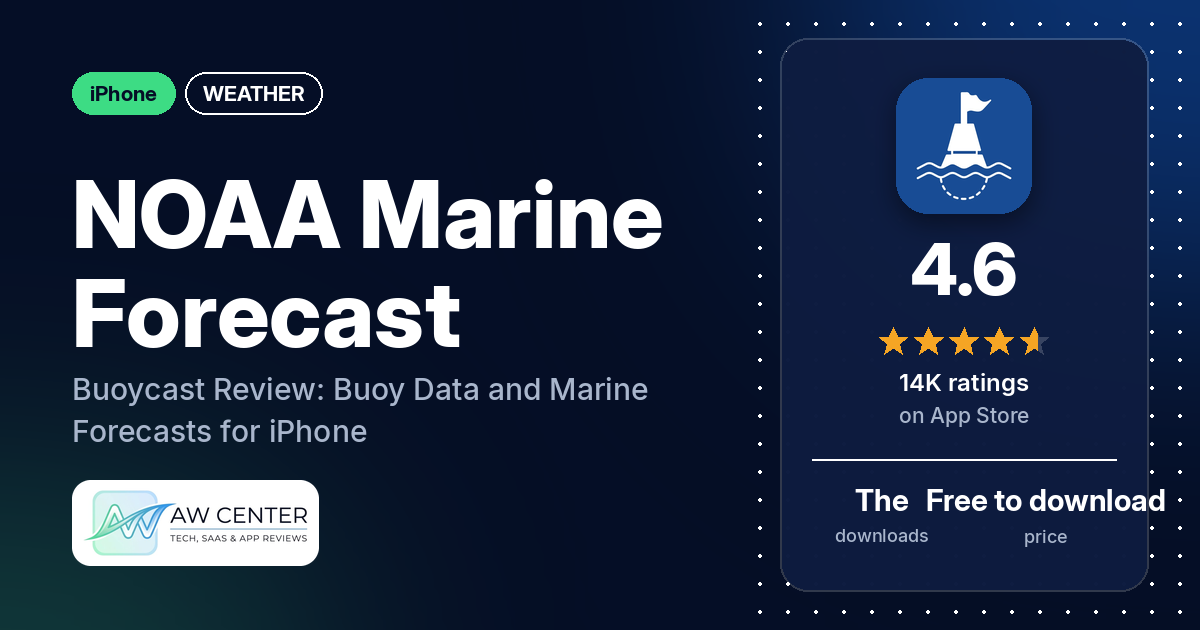
NOAA Marine Forecast: Buoycast is an iPhone app that shows live readings from NOAA buoys, plus NOAA marine forecasts, tides and alerts. It has 4.6 stars from 13,706 App Store ratings, but much of it, including maps, widgets and alerts, is under the Pro subscription, and many reviewers say buoys they open show no data.
Quick verdict
Buoycast suits you if you want the nearest NOAA buoy on one screen before you head out on the water. Several reviewers call it easy to use, several praise its accuracy, and a few like the tides. Several also praise the developer’s support. The weak spots are data and price: many reviewers say buoys show no data, several say wave heights are missing, and several say the app keeps pushing the Pro upgrade or hides features behind it. If your waters have few buoys, check the app’s coverage first, because several reviewers say their area or favorite buoy wasn’t there. Every review we read was posted before the latest release, which the listing says rebuilds the app, so newer versions may behave differently.
NOAA Marine Forecast: Buoycast at a glance
| Developer | Skipjack Studios, LLC |
|---|---|
| Store listing | NOAA Marine Forecast: Buoycast on the App Store |
| Price | Free to download; Buoycast Pro is $2.99/month, $19.99/year, or $29.99/year with Family Sharing, with a 7-day free trial |
| Ads | The listing names “No ads” as a Buoycast Pro feature |
| App Store rating | 4.6 stars from 13,706 ratings |
| Downloads | The listing says 200,000+ downloads |
| Version / last updated | 5.1.0 / October 6, 2026 |
| Requires | iOS 18.0 or later |
| First released | April 29, 2017 |
| Data checked | November 21, 2026 |
What is NOAA Marine Forecast: Buoycast?
Buoycast shows you the wind, waves and water temperature measured by NOAA buoys, with NOAA marine forecasts, tides and NOAA alerts layered on top. The listing says it covers 1,000+ NOAA NDBC buoys and 300+ coastal and offshore forecast zones, and that your closest buoy is on the home screen. The listing names boaters, anglers, sailors, kayakers and coastal homeowners as its users.
Key features
- Buoy readings: real-time wind, waves, temperature and pressure from NOAA NDBC buoys, with a severity gauge and a plain-language summary on every buoy.
- Marine forecasts: NOAA marine forecasts from 300+ coastal and offshore zones.
- Weather and tides: current and hourly weather for your location, tide predictions for today, and sunrise, sunset and moon phase.
- Apple Watch and sync: an Apple Watch app with buoy observations, forecasts and tides, and iCloud sync across iPhone, iPad and Apple Watch.
- Alerts (Pro): threshold notifications when wind, waves, gusts, temperature or pressure at a buoy crosses a line you set, and NOAA watches, warnings and advisories as push notifications.
- Maps and detail (Pro): interactive weather maps with animated radar, precipitation, wind, temperature, clouds and pressure; 12-hour history and Forecast vs. Observations.
- Extras (Pro): Home and Lock Screen widgets, Apple Watch complications, custom layout, on-device AI condition summaries on iPhone 15 Pro and newer, and no ads.
NOAA Marine Forecast: Buoycast vs. what a weather app should have
“Listed” means the App Store listing names the feature, “Partial” means it covers part of it, and “Reviews only” means reviewers mention it but the listing doesn’t. Many rows marked Listed are Pro features, and the app is built around buoys, so a few rows describe land weather it doesn’t focus on.
Must have
| Feature | Status | Notes |
|---|---|---|
| Current conditions and feels-like | Partial | Current weather for your location is listed; feels-like is not named |
| Hourly forecast | Listed | |
| Daily forecast of 7+ days | Not listed | The listing doesn’t give a forecast length; one reviewer says the app states a 5-day marine forecast in the free version |
| Chance of precipitation | Not listed | Precipitation appears as a Pro map layer |
| Wind, humidity, UV index | Listed | |
| Severe weather alerts | Listed | NOAA watches, warnings and advisories as push notifications are a Pro feature |
| Radar map | Listed | Pro |
| Home-screen widgets | Listed | Pro |
| Current location and search | Partial | Your closest buoy opens first; search is not named |
| Unit options (°F/°C) | Not listed |
Should have
| Feature | Status | Notes |
|---|---|---|
| Notification or lock-screen weather | Listed | Pro |
| Air quality | Not listed | |
| Multiple saved locations | Listed | The listing mentions your favorite spots |
| Choice of data source | Not listed | |
| Layout customization | Listed | Custom Layout, Pro |
| Light and dark themes | Not listed | |
| Sunrise, sunset, moon phase | Listed | |
| Multiple languages | Not listed |
Nice to have
| Feature | Status | Notes |
|---|---|---|
| Animated wind or global map | Listed | Animated wind and radar maps, Pro |
| Side-by-side provider comparison | Partial | Forecast vs. Observations compares forecasts with buoy readings, Pro |
| Photography times | Not listed | |
| Weather photos | Not listed | |
| Pollen | Not listed | |
| Lightning strike information | Not listed | |
| Custom temperature alerts | Listed | Threshold notifications include temperature, Pro |
| Rain-incoming notifications | Not listed | |
| Written forecast summary | Listed | NOAA marine forecasts and a plain-language summary on every buoy |
On paper it covers buoys, marine forecasts and tides. The listing names no air quality, pollen or lightning data.
Common problems reviewers report
The data we collected doesn’t include developer replies, so this table shows what reviewers report and when, not an official fix. These reports describe earlier versions, and the latest release may behave differently.
| Problem | What reviewers report | When |
|---|---|---|
| Buoys show no data | Many reviewers say buoys, including the closest one, show no data or that readings are missing. One says NOAA’s own page shows data for the same buoys, and one says it began after an update | August 2017 to September 2022 |
| No wave heights | Several reviewers say they can’t find wave heights or wave forecasts. Two mention Lake Ontario | September 2017 to June 2022 |
| Missing buoys or areas | Several reviewers say a buoy or area they need isn’t in the app, such as a Maine buoy and the Mississippi Gulf Coast, and one says there is only one buoy near Buffalo, New York | June 2017 to July 2022 |
| Upgrade prompts | Several reviewers say features or information are locked behind Pro, or that the app keeps pushing the upgrade | August 2020 to August 2022 |
| Review requests | A few reviewers say the app asks for a review too often | July 2021 to August 2022 |
Pros (from user reviews)
- Easy to use: several reviewers call it easy, simple or clear. Several others say it is hard to navigate, so this splits.
- Accuracy: several reviewers say it is accurate or reliable, and one says it is “Freaky accurate” for Puget Sound. Several others say the data is off or inaccurate, and one says a small craft advisory it showed wasn’t real.
- Tides: a few reviewers praise the tides. A few others say tides don’t work or are incomplete.
- Developer support: several reviewers praise the developer’s support, and two say a problem was fixed within hours or right after they emailed.
- Alerts: two reviewers praise the notifications. One says small craft advisory alerts keep them aware of unsafe conditions, and the other says wind advisories let their family secure the house before the wind hits.
Cons (from user reviews)
- Missing buoy data: many reviewers say buoys show no data or only some readings.
- Wave heights: several reviewers say they can’t find wave heights, even though the listing says waves are part of the buoy data. Several of them say they paid for the app and still couldn’t find wave information.
- Paywall and upgrade prompts: several reviewers say too much is locked behind Pro or that the app pushes the upgrade. A few say the app asks for a review too often.
- Coverage: several reviewers say a buoy or area they need isn’t in the app. Two of them say it isn’t the developer’s fault.
- Navigation: several reviewers say it is clunky or hard to find things.
- Purchase trouble: a few reviewers describe problems with a purchase: Pro features not unlocking, an iPad that still showed ads, or a charge they say they didn’t confirm.
The data we collected doesn’t include a star breakdown of all 13,706 ratings, so we can’t say how common these complaints are across all of them.
Pricing
Buoycast is free to download. The listing says Buoycast Pro comes with a 7-day free trial, then an auto-renewing subscription at $2.99/month, $19.99/year, or $29.99/year with Family Sharing. Features the listing puts under Pro include threshold notifications, maps, widgets, Apple Watch complications and no ads. Two reviewers in 2020 mention paying “9.99” and “11 bucks”, and one reviewer in 2021 says they bought the one-year subscription and regretted it. One reviewer in 2022 says they couldn’t find how long the trial lasts. Two reviewers say NOAA offers similar information for free, and one of them says the free version told them little.
Privacy and permissions
We couldn’t read the App Store privacy label for Buoycast, so we make no claim about what data it collects. The listing links a privacy policy on the developer’s site. Our data doesn’t include a permissions list.
Who it’s for
Buoycast fits you if you boat, fish or kayak near buoys the app covers and want readings, forecasts and tides in one place. Try the free version first: several reviewers say the buoy they cared about was missing or showed no data, and several say they couldn’t find wave heights. It’s a weaker fit if you want land weather, air quality or pollen. Don’t rely on a single app for severe weather warnings. Check official alerts from NOAA and your national weather service too.
FAQ
Is Buoycast free?
Buoycast is free to download. Buoycast Pro is a subscription at $2.99/month, $19.99/year, or $29.99/year with Family Sharing, and the listing says it starts with a 7-day free trial. Check the App Store for current prices.
Does Buoycast show wave height?
The listing says buoy readings include waves, with wave height, period and direction in its data list. Several reviewers say they couldn’t find wave heights, including a few who say they paid for Pro or a subscription. Reviews are from earlier versions, so check the latest release.
Does Buoycast work on Apple Watch and iPad?
The listing says there is an Apple Watch app and iCloud sync across iPhone, iPad and Apple Watch. One reviewer says Pro removed ads on their iPhone but not on their iPad.
Can Buoycast send alerts?
The listing says Pro sends threshold notifications for wind, waves, gusts, temperature or pressure at a buoy, and NOAA watches, warnings and advisories. Two reviewers praise the notifications they get.
How this review was put together
We haven’t tested NOAA Marine Forecast: Buoycast. This review is based on public information from official sources: the app’s Google Play or App Store listing and rating breakdown, the developer’s website when there is one, and recent user reviews on the store with the developer’s replies. Features and claims are the developer’s own descriptions; what users like and dislike comes from the store reviews. Everything was checked on November 21, 2026. Apps change with every update, so check the store listing before you install.