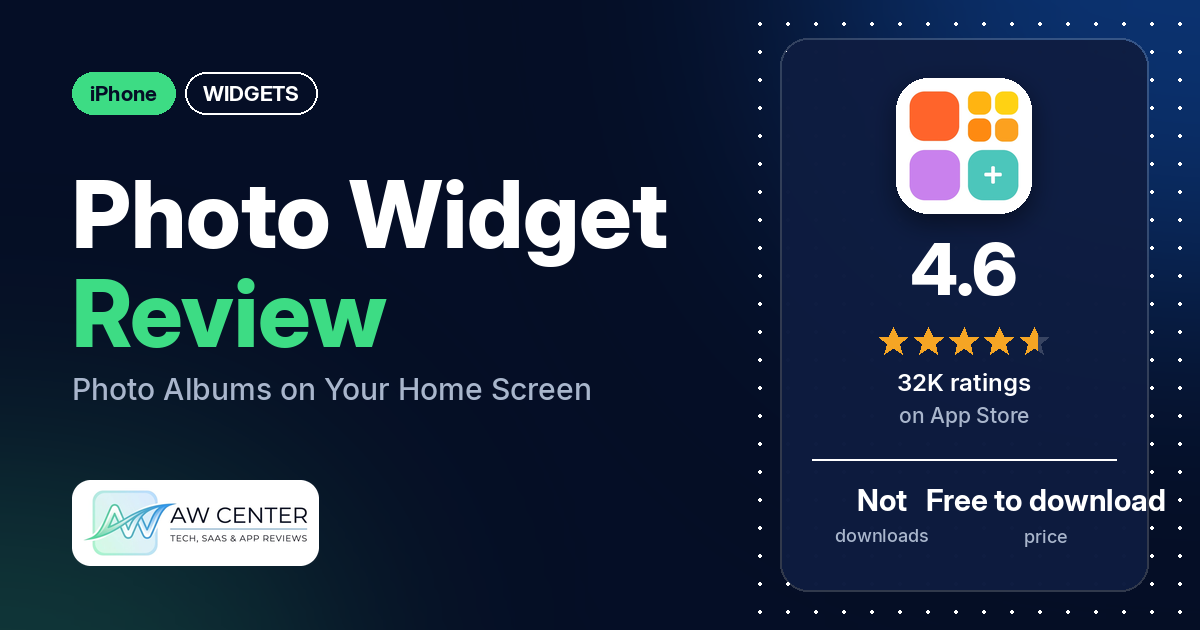
Photo Widget is an iPhone and iPad app that shows your photo albums on the Home Screen and swaps the picture on a schedule you set. It is free to download, but many reviewers say a recent update added a logo watermark, and several say it added photo limits, for people who don’t subscribe.
Quick verdict
If you want a simple way to rotate your own photos on the Home Screen, Photo Widget has long been an easy pick: reviewers praise how little setup it needs, and older reviews call it free. That has changed. The listing now describes an auto-renewing subscription, and many reviewers from September 2026 onward say unpaid use brings a watermark over the photos, and several say a cap of 10 photos. Reviews of the app’s reliability are mixed, with reports of the widget missing from the widget list and of photos not rotating on time. If you only want a rotating album and don’t want to subscribe, read the Cons first.
Photo Widget at a glance
| Developer | Impala Studios B.V. |
|---|---|
| Store listing | Photo Widget on the App Store |
| Price | Free to download; the listing describes an auto-renewing subscription, weekly (with a 3-day free trial) or yearly, with prices shown in the app |
| Ads | Not stated in the listing |
| App Store rating | 4.6 stars from 31,719 ratings |
| Downloads | Not in our data |
| Version / last updated | 1.2.11 / November 17, 2026 |
| Requires | iOS 18.0 or later |
| First released | September 21, 2020 |
| Data checked | November 21, 2026 |
What is Photo Widget?
Photo Widget turns pictures from your camera roll into Home Screen widgets for iPhone and iPad. The listing says you can create a widget in 3 steps, choose from multiple widget sizes, and set how often the photos refresh. A newer Shared Albums feature lets the people closest to you see the same album on their Home Screens.
Key features
- Photo widgets: add photos straight from your camera roll and show them on iPhone and iPad Home Screens.
- Widget sizes: the listing says you can choose from multiple sizes.
- Refresh timing: you set how often the photos change.
- Date: the listing says you can optionally show today’s date.
- Shared Albums: marked new in the listing; albums you share show up on other people’s Home Screens.
- Help: the listing points to a Frequently Asked Questions section in the app Settings and to a support email address.
Photo Widget vs. what a widget app should have
“Listed” means the App Store listing names the feature. “Partial” means the listing covers part of it. “Reviews only” means reviewers describe it but the listing doesn’t. “Not listed” means neither the listing nor the reviews we read show it. Photo Widget is a single-purpose photo app, so the design and data rows mostly come out empty by design: the listing says it has “No complex customization.”
Must have
| Feature | Status | Notes |
|---|---|---|
| Home Screen widgets, in several sizes | Listed | iPhone and iPad; multiple sizes |
| Lock Screen widgets | Not listed | |
| Design editor | Not listed | The listing says there is no complex customization |
| Ready-made designs | Not listed | |
| Time, date, weather and calendar data | Partial | The listing only mentions an optional date |
| Refresh settings | Listed | Several reviewers say photos don’t change on time; see the problems table |
| Transparent backgrounds | Not listed | One reviewer asks for transparent widgets |
Should have
| Feature | Status | Notes |
|---|---|---|
| Smartwatch widgets or faces | Not listed | |
| Tap actions that open apps | Not listed | Two reviewers ask for tap-to-open-app behavior from widgets |
| Sharing and importing designs | Partial | Shared Albums share photos with other people, not widget designs |
| Music or now-playing data | Not listed | |
| Health and fitness data | Not listed | |
| Help, tutorials or support | Listed | In-app FAQ and a support email address |
| Usable free tier | Partial | Many reviewers from September 2026 onward describe a watermark; several describe a 10-photo cap |
| Restoring purchases | Not listed |
Nice to have
| Feature | Status | Notes |
|---|---|---|
| Custom data sources | Not listed | |
| Charts and gauges | Not listed | |
| Live Activities and Dynamic Island | Not listed | |
| Tablet support | Listed | The listing says iPad Home Screens |
| Shortcuts integration | Not listed | |
| One-time purchase, no subscription | Not listed | The listing describes an auto-renewing subscription |
| No ads | Not listed | Many reviewers complain about ads |
The listing describes photo widgets only and doesn’t mention clock, weather or text widgets or design tools.
Common problems reviewers report
The data we collected doesn’t include developer replies, so there are no fixes here. Each row gives the problem and when reviewers reported it. Widget behavior depends on the iOS version, and newer versions of the app may behave differently.
| Problem | What reviewers report | When |
|---|---|---|
| Watermark over photos | Many reviewers say a large app logo now sits over the photos on the widget unless you pay | September 12, 2026 to November 5, 2026 |
| Lock icon or banner on the widget | Several reviewers say a lock icon or promotional banner covers part of the widget and asks for an upgrade | September 10, 2026 to September 12, 2026 |
| Photo limit | Several reviewers say free use is now capped, and those who name a number all say 10 photos | September 11, 2026 to September 20, 2026 |
| App missing from the widget list | Several reviewers say Photo Widget doesn’t appear when they try to add a widget | May 22, 2021 to June 2, 2023 |
| Photos won’t add to an album | Several reviewers say selected photos are not added, or only some of them | March 20, 2021 to January 28, 2024 |
| Refresh interval | Several reviewers say photos don’t change on time or stay on one photo; a few ask for intervals shorter than one minute | November 28, 2020 to October 20, 2022 |
| Blurry or low-quality photos | A few reviewers say photos look blurry or pixelated on the widget | July 8, 2021 to February 12, 2023 |
| Photos cut off | Two reviewers say photos are cropped or cut off | February 12, 2021 to July 11, 2022 |
Pros (from user reviews)
- Simple to use: several reviewers say it is simple or easy to set up and use, in reviews from November 2020 to October 2024.
- Free, until recently: several reviewers call it free, in reviews dated between January 2021 and October 2024. The newer reviews describe a subscription instead.
- Photo albums that rotate: reviewers like choosing which photos show up and having them shuffle through. One reviewer in October 2023 adds a photo collection every few months and sees snapshots through the day, and one in September 2023 says a single album of 400 photos froze for a moment and then worked.
- Battery: one reviewer in January 2024 says the widgets don’t drain the battery, unlike other photo widget apps they have tried.
Cons (from user reviews)
- Watermark: many reviewers say an update added the app’s logo over their photos, and that you have to pay to remove it. One reviewer in October 2026 says it seems to have been removed, but reviewers in late October and early November 2026 still report it.
- Paywall and photo limit: several reviewers say you now have to pay to keep using more than a small number of photos, and those who give a number all say 10. A few say rotation itself is locked. Reviewers who name a price say $12; one says $13 a year.
- Ads: many reviewers complain about ads, in reviews from November 2020 to October 2026. Two reviewers say they couldn’t find a way to remove them.
- Setup and reliability: several reviewers say the app doesn’t show up in the widget list, and several say photos fail to add to an album. These reviews run from 2021 to 2024, so newer versions may behave differently.
- Refresh interval: several reviewers say photos change late, or not at all, and a few want intervals shorter than one minute.
- Photo quality: a few reviewers say photos look blurry or pixelated, and two say they are cropped.
- Billing: one reviewer in November 2026 says they were charged more than once a month.
The data we collected doesn’t include a star breakdown of the 31,719 ratings, so we can’t say how common these complaints are across all of them. Reviews from September 2026 onward are mostly 1-star, which is far lower than the 4.6 overall rating.
Pricing
Photo Widget is free to download. The listing says it is an auto-renewing subscription, available weekly (with a 3-day free trial) or yearly, billed to your Apple Account and managed in your Apple Account settings. It says prices are shown in the app, so we can’t give you the prices from our data. Reviewers who name a price say $12, and one says $13 a year. Several reviewers say the app used to be free and now isn’t.
Privacy and permissions
We couldn’t read the App Store privacy label for Photo Widget, so we make no claim about what data it collects. The listing links to the developer’s privacy policy. One reviewer says the app asks for permission to access your photos. The listing says you add photos from your camera roll.
Who it’s for
Photo Widget fits you if you want your own photos shuffling on the Home Screen with no design work, and you’re fine paying for the subscription or living with a watermark. It’s a weaker fit if you want a free app with no logo over your pictures, more than a small number of photos without paying, or widgets for anything other than photos. One reviewer says the built-in Photos widget on iPhone can already shuffle an album, which may be enough for you.
FAQ
Is Photo Widget free?
It is free to download. The listing describes an auto-renewing subscription, weekly with a 3-day free trial or yearly. Many reviewers say the free version now shows a watermark, and several say it limits you to a small number of photos.
Why is there a logo on my Photo Widget photos?
Many reviewers from September 2026 onward report an app logo watermark over their photos and say paying removes it. One reviewer in October 2026 says it was removed, but others reported it afterward. The data we collected doesn’t include developer replies.
Does Photo Widget work on iPad?
Yes. The listing says you can show photos on iPhone and iPad Home Screens. A few reviewers use it on iPad, and one says they couldn’t find the app in the widget settings there.
Can I change how often the photos switch?
Yes. The listing says you can set how often photos refresh. Several reviewers say the photos didn’t change on time, and a few say they wanted intervals shorter than one minute.
How this review was put together
We haven’t tested Photo Widget. This review is based on public information from official sources: the app’s Google Play or App Store listing and rating breakdown, the developer’s website when there is one, and recent user reviews on the store with the developer’s replies. Features and claims are the developer’s own descriptions; what users like and dislike comes from the store reviews. Everything was checked on November 21, 2026. Apps change with every update, so check the store listing before you install.