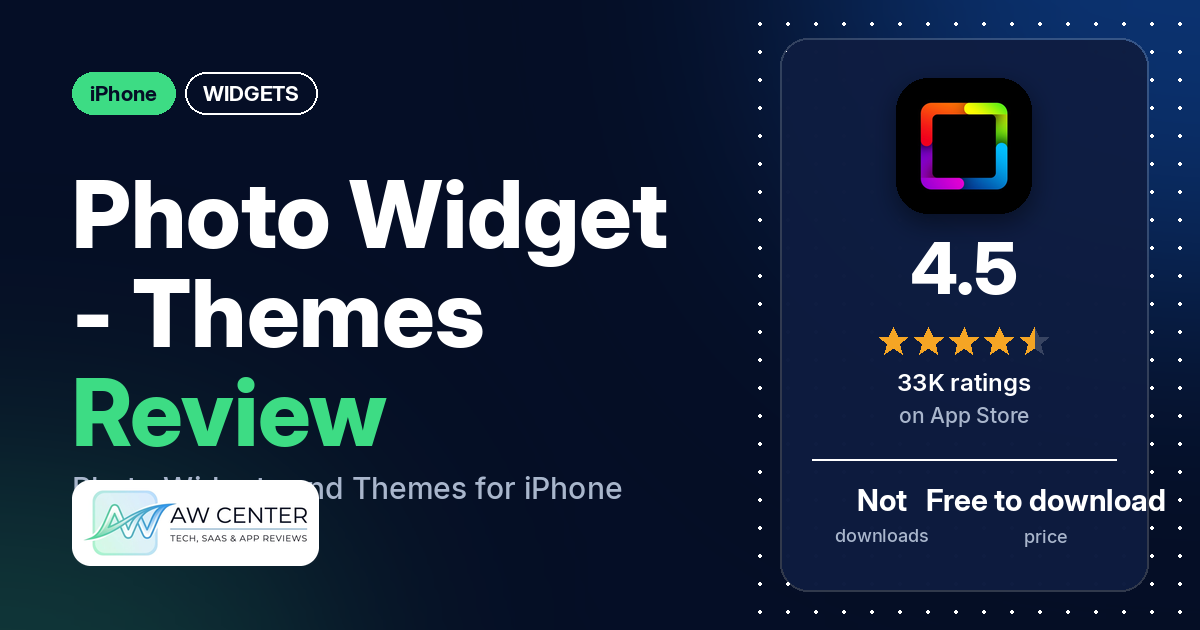
Photo Widget – Themes is an iPhone app from Laid-back Lion Apps Ltd for photo widgets, icon sets, wallpapers and other home screen widgets. It is free to download and has 4.5 stars from 33,005 App Store ratings, but many reviewers say you can’t use much of it without paying.
Quick verdict
If you want one app that covers photo widgets, icon sets, wallpapers, Lock Screen widgets and a charging animation, the listing has a long feature list. Check the price before you get attached to a design. Many reviewers say nearly every theme, background or widget they tried asked them to pay, several name a weekly subscription of about $4.99, and several say they expected a free app. A few say photo widgets turned into blank boxes, and one says setting up the charging animation gave a “something went wrong” error. A few reviewers do like the themes and widgets themselves. If you need free widgets, many reviewers say you won’t find much here.
Photo Widget – Themes at a glance
| Developer | Laid-back Lion Apps Ltd |
|---|---|
| Store listing | Photo Widget – Themes on the App Store |
| Price | Free to download; our data has no in-app purchase list |
| Ads | Not in our data |
| App Store rating | 4.5 stars from 33,005 ratings |
| Downloads | Not in our data |
| Version / last updated | 6.13 / August 25, 2026 |
| Requires | iOS 15.6 or later |
| First released | September 17, 2020 |
| Data checked | November 21, 2026 |
What is Photo Widget – Themes?
Photo Widget – Themes is a home screen customization app. The listing describes themes, icon sets, time and date widgets, photo widgets and a wallpaper maker, and says you can add frames, filters, stickers and text to your photos. It has been on the App Store since September 2020 and was last updated in August 2026. The listing’s description doesn’t mention a subscription or any prices.
Key features
- Photo widgets: pick photos, save them in albums, and make several albums in any widget size. You can crop, apply filters, add frames, text and stickers.
- Icon changer: the listing says you can choose from themes with icons, wallpaper, widgets, lock screen wallpaper and watch faces, and from hundreds of icon sets. You can also change icon colours.
- Other widgets: calendar, time and date, text, event and health widgets. The listing says the time, calendar and text widgets come in all three widget sizes, and the health widget shows steps and sleep data from HealthKit.
- Customization: a colour or a photo as the background, many fonts and font colours.
- Lock Screen widgets: a top bar quote widget and a battery widget.
- Dynamic Island: customize the notch and add emojis.
- Wallpaper maker: one colour or a combination of two, with as many saved wallpapers as you like.
- Charging animation: a short video that plays on your lock screen while the phone charges.
- Colour picker: pick a colour from a theme or icon kit and use it in your widgets so they match.
Photo Widget – Themes vs. what a widget app should have
The Status column shows where we found each feature. “Listed” means the App Store listing names it. “Partial” means the listing covers part of it. “Reviews only” means we found it in user reviews. “Not listed” means we found nothing in the listing to show the app has it. The tables record which features the app offers, not how well each one works.
Must have
| Feature | Status | Notes |
|---|---|---|
| Home Screen widgets in several families | Listed | Time and date, calendar and text widgets in all three sizes; photo widgets in any size |
| Lock Screen widgets | Listed | A top bar quote widget and a battery widget |
| Design editor (text, images, shapes, layout) | Listed | Crop, filters, frames, text and stickers for photos; fonts, font colours and backgrounds for other widgets |
| Ready-made designs or templates | Listed | Themes and hundreds of icon sets |
| Common data (time, date, weather, calendar, battery) | Partial | Time, date, calendar, battery and HealthKit steps and sleep are listed; weather is not |
| Stays up to date | Not listed | A few reviewers say photo widgets show a blank or gray box |
| Transparent or wallpaper-matching backgrounds | Partial | A colour or photo background and a colour picker are listed; transparency is not |
Should have
| Feature | Status | Notes |
|---|---|---|
| Smartwatch faces or complications | Partial | The listing names watch faces among the themes |
| Tap actions that open apps | Not listed | |
| Sharing or importing designs | Not listed | |
| Music or now-playing data | Not listed | |
| Health and fitness data | Listed | Steps count and sleep data from HealthKit |
| Help, tutorials or a support contact | Not listed | A few reviewers say the setup instructions were unclear, and one says they couldn’t find customer service |
| A usable free tier | Partial | Free to download. Many reviewers say most themes, backgrounds and widgets need a paid plan. |
| Restoring purchases on a new device | Not listed | One reviewer says their lifetime subscription stopped working after they reinstalled the app |
Nice to have
| Feature | Status | Notes |
|---|---|---|
| Custom data sources (JSON, API) | Not listed | |
| Live Activities / Dynamic Island | Listed | Customize the notch and add emojis |
| Tablet and desktop support | Not listed | |
| Shortcuts or automation integration | Reviews only | One reviewer mentions Shortcuts when setting up the charging animation, and another when attaching icons |
| One-time purchase instead of a subscription | Reviews only | A few reviewers mention a lifetime option; several mention a weekly subscription |
| No ads | Not listed | A few reviewers describe pop-up offers inside the app |
Common problems
The reports below come from recent reviews, and the app has been updated since, so newer versions may differ. Our data has no star breakdown and no developer replies.
| Problem | What reviewers report | When | What reviewers say |
|---|---|---|---|
| Photo widgets show a blank box | A few reviewers say photo widgets show a white or gray box or no pictures. Two of them say they had paid for premium. | January 2025 to August 2025 | One reviewer says they deleted and re-added the widget close to ten times without success |
| Charging animation | One reviewer says setting up the charging animation gave a “something went wrong” error | April 2026 | None in our data |
| Unclear setup | A few reviewers say they couldn’t work out how to save icons or use the app, or that the instructions weren’t accurate | August 2023 to July 2025 | None in our data |
| Pop-up offers | A few reviewers say purchase offers or premium reminders keep popping up as they use the app | November 2023 | None in our data |
| Crashes and freezes | Two reviewers: one says it crashed when downloading a widget, one says the phone froze | December 2023 and December 2025 | None in our data |
| Mature language in templates | Two reviewers say some templates or backgrounds contain vulgar language | October and November 2023 | None in our data |
Pros (from user reviews)
- Themes and widgets: a few reviewers say the themes, widgets or backgrounds look good, though some of them complain about the cost in the same review.
- Worth paying for, for one: one reviewer who has had premium for around two years calls it worth its weight in gold, then reports that the small photo widget stopped working.
- Short praise: several 4 and 5-star reviews are a line or two with no detail, such as “great” or “Good app”.
Cons (from user reviews)
- Paywall: the most common complaint in our sample. Many reviewers say they couldn’t use themes, backgrounds, icons or widgets without paying or taking a membership.
- Weekly price: several reviewers quote $4.99 or about $5 a week, and two call that about $20 a month. Reports run from August 2023 to April 2026.
- Expected a free app: several reviewers say they downloaded it expecting it to be free, and a few of them say the description or the reviews didn’t mention paying.
- Blank photo widgets: a few reviewers say photo widgets show a blank box, from January to August 2025.
- Charging animation: one reviewer says setting it up gave a “something went wrong” error.
- Lifetime plan problems: two reviewers who paid for lifetime access say it didn’t work, one after reinstalling and one because it wouldn’t install on their phone.
- Setup: a few reviewers couldn’t work out how to use it. One says it only saves photos to the camera roll, which you then attach to shortcuts one by one.
- Content and support: two reviewers say some templates or backgrounds contain vulgar language, and one couldn’t find customer service.
Pricing
The App Store lists Photo Widget – Themes as free, and the listing text we have doesn’t mention a subscription. Reviewers describe a paid plan that unlocks most themes, backgrounds and widgets. Several quote $4.99 or about $5 a week, and a few mention a lifetime option. Prices and plans may have changed since those reviews, so check the offer screen before you start. A few reviewers say you can close the first offer screen with the X button, but you hit a payment prompt on the next theme you pick.
Privacy and permissions
We couldn’t read the App Store privacy label for Photo Widget – Themes, so we make no claim about what data it collects. The listing says the health widget uses HealthKit data for steps and sleep. Our data doesn’t include a permissions list, and the listing links a terms of use page and a privacy policy page on the developer’s site.
Who it’s for
Photo Widget – Themes fits you if you want photo widgets with frames and filters, icon sets and a wallpaper maker in one place, and you’re happy to pay for them. It is a weaker fit if you want free themes or widgets, or if you need photo widgets that never go blank. If a child will be using it, note that reviewers describe frequent payment prompts and two say some templates or backgrounds contain vulgar language.
FAQ
Is Photo Widget – Themes free?
It is free to download on the App Store. Many reviewers say most themes, backgrounds and widgets need a paid plan, and several quote about $4.99 a week. Check the offer screen for the current price.
Why is my Photo Widget – Themes widget a blank box?
A few reviewers say their photo widgets showed a white or gray box or no pictures, between January and August 2025. One says they deleted and re-added the widget close to ten times without a fix. We don’t know whether the current version still does it.
Does Photo Widget – Themes have Lock Screen widgets?
Yes. The listing names a top bar quote widget and a battery widget for the Lock Screen. It also lists a charging animation that plays on your lock screen while the phone charges, which one reviewer says gave a “something went wrong” error during setup.
Can I use Photo Widget – Themes without paying?
The listing doesn’t say what is free. Reviewers report that most themes, backgrounds and widgets ask for payment, and two say they could add one widget for free before being asked to pay.
How this review was put together
We haven’t tested Photo Widget – Themes. This review is based on public information from official sources: the app’s Google Play or App Store listing and rating breakdown, the developer’s website when there is one, and recent user reviews on the store with the developer’s replies. Features and claims are the developer’s own descriptions; what users like and dislike comes from the store reviews. Everything was checked on November 21, 2026. Apps change with every update, so check the store listing before you install.