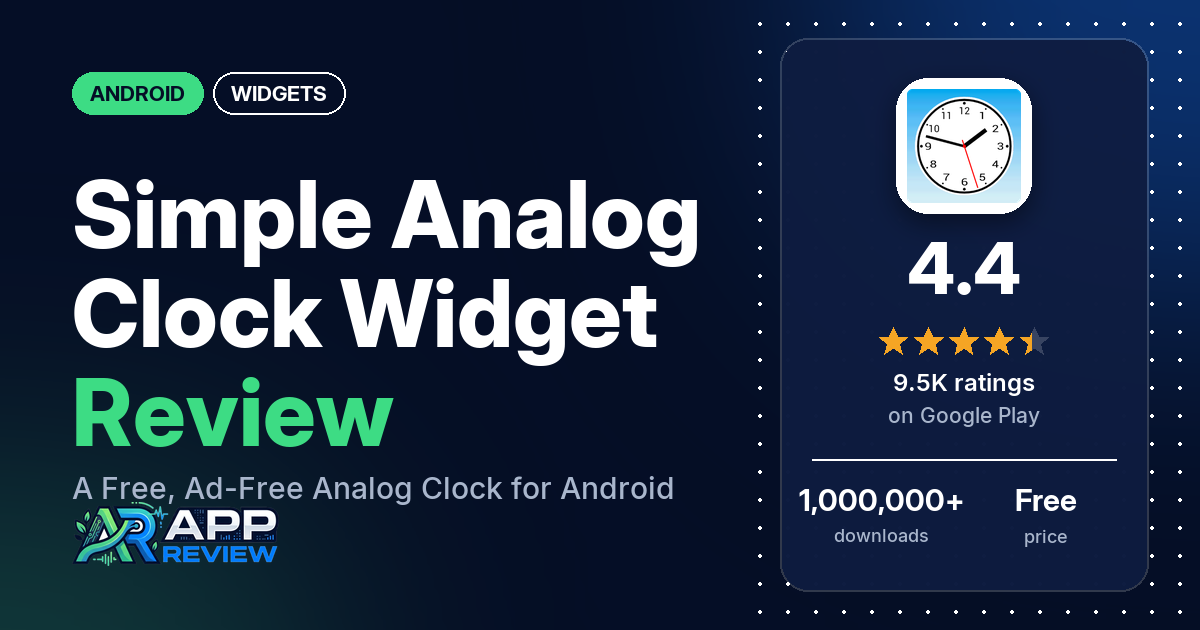
Simple Analog Clock [Widget] is a free Android app from Tomoyuki Ono that puts an analog clock, with an optional second hand and date, on your home screen.
Quick verdict
If you want a plain, free analog clock widget with no ads, Simple Analog Clock [Widget] does that job. Simplicity is the most common praise in our sample, and several reviewers say it is easy to read or looks good. The big complaint is reliability: many reviewers say the clock stops, freezes or shows the wrong time, and several say this happened even after they followed the app’s instructions. The listing says phones that block apps from starting automatically, such as Oppo, Xiaomi, Realme and Vivo models, need this app excluded. About 9% of its Google Play ratings are 1 or 2 stars.
Simple Analog Clock [Widget] at a glance
| Developer | Tomoyuki Ono |
|---|---|
| Store listing | Simple Analog Clock [Widget] on Google Play |
| Price | Free, no in-app purchases listed |
| Ads | None (Google Play doesn’t mark the app as containing ads) |
| Play Store rating | 4.4 stars from 9,540 ratings |
| Downloads | 1,000,000+ |
| Version / last updated | Varies with device / August 29, 2026 |
| Requires | Not in our data |
| First released | May 12, 2012 |
| Data checked | October 17, 2026 |
What is Simple Analog Clock [Widget]?
Simple Analog Clock [Widget] is a home screen clock widget for Android. The listing stresses that the app is a widget and describes it as a “Very simple analog clock widget, supports second hand.” It says that after you install it, you need to place the widget on your home screen yourself. The listing also says battery use is low, and that the clock stops while the screen is off.
Key features
- Second hand: the listing says the clock supports a second hand, and you can change its color.
- Sizes: the listing names 1×1, 2×2 and 3×3 widgets and says you can resize the widget freely after placing it.
- Clock face settings: the listing names settings to show hour numbers and change their text size, show hour and minute marks, change the hand thickness and show the date.
- Background and theme: the listing names a clock face background with adjustable transparency, a dark color theme and a drawing quality setting.
- Tap action: the listing mentions a “Tap action” setting with options including “Open Alarm setting” and “Do nothing”. It says that with either of these, you open the app’s preferences by tapping the app icon instead.
Simple Analog Clock [Widget] vs. what a widget app should have
The Status column shows where we found each feature. “Listed” means the Google Play listing names it. “Partial” means the listing covers part of it. “Reviews only” or “Reviews and developer replies” means we found it outside the listing. “Not listed” means we found nothing in the listing to show the app has it. The checklist records what the app offers and doesn’t measure how well each feature works.
Must have
| Feature | Status | Notes |
|---|---|---|
| Home screen widgets in several sizes | Listed | 1×1, 2×2 and 3×3, and free resizing. A few reviewers say the clock is too small or they couldn’t enlarge it. |
| Lock screen widgets | Not listed | One reviewer couldn’t find a way to put it on their lock screen. |
| Design editor (text, images, shapes, layout) | Partial | Clock face settings only: numbers, marks, hand thickness, date, background and theme. |
| Ready-made designs or templates | Reviews and developer replies | Not named in the listing. One reviewer names styles A, B and C, and a 2021 developer reply says there are many clock face styles in the preferences. Several reviewers say there are too few options or styles. |
| Common data (time, date, weather, calendar, battery) | Partial | Time and date. No weather, calendar or battery data is listed. |
| Stays up to date | Partial | The listing asks owners of phones that block auto-startup to exclude the app. Many reviewers say the clock stops or freezes (see Common problems). |
| Transparent or wallpaper-matching background | Listed | The listing names a clock face background with adjustable transparency. |
Should have
| Feature | Status | Notes |
|---|---|---|
| Usable free tier | Listed | The app is free, and Google Play lists no in-app purchases. |
| Tap actions that open apps | Partial | The listing names an “Open Alarm setting” tap action. Two reviewers want a tap to open the clock app, not just alarms. |
| Help, tutorials or a support contact | Partial | The listing has troubleshooting notes. No support contact is in our data, and one reviewer had no clue how to contact customer service. |
| Restoring purchases on a new device | Not listed | Google Play lists no in-app purchases. |
| Smartwatch faces or complications | Not listed | |
| Sharing or importing designs | Not listed | |
| Music or now-playing data | Not listed | |
| Health and fitness data | Not listed |
Nice to have
| Feature | Status | Notes |
|---|---|---|
| 12/24-hour choice | Not listed | One reviewer notes it isn’t a 24-hour clock. |
| Seconds display | Listed | A second hand. |
| Date formats | Partial | The listing names a date display, but no formats. Several reviewers ask for the day to be shown as well. |
| Time zones or a world clock | Not listed | A few reviewers ask for a time zone choice or a world clock. |
| Launcher integration and compatibility | Not listed | |
| Tablet and desktop support | Reviews only | A few reviewers mention using it on a tablet. |
| No ads | Listed | Google Play doesn’t mark the app as containing ads. |
| One-time purchase instead of a subscription | Not listed | The app is free with no in-app purchases listed. |
| Custom data sources, charts or automation | Not listed |
Common problems
Most of these reports come from 1- to 3-star reviews, and about 9% of all Google Play ratings are 1 or 2 stars. Reports run from 2017 to 2026, and newer versions may behave differently. The developer replied to some reviews in our sample. The replies below are dated and may have changed.
| Problem | What reviewers report | When | What the listing and developer replies say |
|---|---|---|---|
| Clock stops, freezes or shows the wrong time | Many reviewers say the clock stops, freezes or falls behind. Several say it still stops after they followed the app’s instructions or turned on its anti-stop setting. A few say tapping the clock gets it going again, and a few say only restarting the phone helps. A few name Xiaomi or Redmi phones. | January 2018 to September 2026 | The listing says to exclude the app from any auto-startup blocking. Replies from 2021 and 2022 suggest the “Prevent forced stop” setting in the app’s preferences. A March 2024 reply names the “Block the Stop” setting and says the device’s battery settings or a task killer may be stopping the app. A June 2025 reply says Realme devices kill background apps and suggests changing the device’s “Auto start” setting. |
| Widget missing from the widget list | A few reviewers couldn’t find or add the widget, naming Oppo, Galaxy and Xiaomi phones. | December 2017 to October 2025 | The listing says that in rare cases the widget isn’t added to the list, and suggests reinstalling the app or rebooting the phone. |
| Can’t find the settings | Several reviewers found the app hard to use or couldn’t find the settings or menu. | November 2022 to February 2026 | Replies from 2021 and 2024 say to tap the clock face to open the preferences. |
| Clock too small | A few reviewers say the clock is too small or they couldn’t enlarge it. One says it shrank after an update to Android 15 on a Xiaomi phone. | August 2022 to March 2026 | Replies from 2022 and 2023 say to long-press the widget on the home screen to resize it. |
| Blurry or low-quality face | A few reviewers say the clock looks blurry or low quality. | October 2018 to July 2025 | A June 2025 reply suggests the “Image Quality” option in the preferences. The listing names a drawing quality setting. |
| Notification icons | Two reviewers complain about the app’s icon in the notification bar, including one who sometimes gets three icons that won’t dismiss. | September to November 2023 | A March 2024 reply suggests the “Notification Icon Setting” in the app’s preferences. |
| Second hand hard to see | One reviewer says the second hand stays black in dark mode and can’t be seen. | June 2026 | A June 2026 reply suggests changing the second hand color in the preferences. |
Pros (from user reviews)
- Simple: the most common praise in our sample. Several reviewers call it simple or minimal and say that is what they wanted. Two others find it primitive or utilitarian.
- Easy to read: several reviewers say the clock is easy to read or big enough to see without glasses, and one says it is helpful for visually impaired users. One says the date is still too small to read without glasses.
- Looks: several reviewers say it looks good or beautiful. A few others don’t like the look, calling it ugly, primitive or boring.
- Options: several reviewers like the customization options. Several others say there are too few options or clock face styles, and several ask for more color choices for the hands, numbers or face.
- Works well for some: several reviewers say it works well, including one who has used it for years and says it works on Android 16. Many others report that it stops (see Cons).
- Free with no ads: a few reviewers point out that it’s free, and a few say it has no ads.
- Compared with built-in clocks: one reviewer calls it a great replacement for the Samsung clock widget, and another likes that it has numbers, unlike Google’s analog clock.
- Second hand: a few reviewers like the second hand, including one who uses it to measure their pulse. A few others say the second hand is erratic, stuck, missing or not working.
- Light on battery: a few reviewers say it uses little battery or few resources. Two others say it drained their battery.
- Easy to set up: a few reviewers call it easy to use or set up. Several others say it is hard to use or that they couldn’t find the settings.
- Favorite analog clock: a few reviewers call it the best analog clock widget.
Cons (from user reviews)
- The clock stops or freezes: the most common complaint. Many reviewers say the clock stops, freezes or shows an old time, with reports from 2018 to 2026. Several say it kept stopping after they used the app’s anti-stop setting or followed its instructions, and a few say it began after months or years of working. The listing and developer replies point to phone settings that stop apps in the background.
- Missing features: several reviewers ask for the day to be shown with the date. A few want a time zone choice or a world clock, and a few ask about alarm or timer features. Two want a tap to open the clock app, not just alarm settings.
- Size and quality: a few reviewers say the clock is too small or they couldn’t enlarge it, and a few say it looks blurry or low quality.
- Setup: a few reviewers couldn’t get the widget into their widget list, and several found the app hard to use or couldn’t find the settings.
- Confusing number at three o’clock: a few reviewers ask about an extra number where the 3 should be. One of them later says it was the date, and the listing names a “Show date” setting.
- Other reports: two say it interfered with another app (Outlook and a navigation app), two complain about its notification icon, and two say the date got stuck or disappeared. One reviewer says an update stopped the tap action from opening alarm settings.
More than a third of reviews in our sample are 1 or 2 stars because of how the sample was drawn (see the last section). Across the rating breakdown, about 9% are 1 or 2 stars and 71.2% are 5 stars, so 1- and 2-star ratings are a small share of the total.
Rating breakdown
| Stars | Ratings | Share |
|---|---|---|
| 5 | 6,768 | 71.2% |
| 4 | 1,425 | 15.0% |
| 3 | 468 | 4.9% |
| 2 | 189 | 2.0% |
| 1 | 657 | 6.9% |
Source: Google Play ratings histogram, checked October 17, 2026. The histogram adds up to 9,507 ratings, slightly fewer than the 9,540 total, and the shares are of the histogram total. Shares are rounded.
Pricing
You pay nothing for Simple Analog Clock [Widget], and Google Play lists no in-app purchases. Google Play doesn’t mark the app as containing ads, and a few reviewers say it has none. The listing names no paid version.
Privacy and permissions
We couldn’t read the Google Play data safety section for Simple Analog Clock [Widget], so we make no claim about what it declares there. The Play Store’s permissions list shows one permission: set an alarm. The listing doesn’t explain what it is used for. Two reviewers mention that it collects no data, which we couldn’t confirm. One reviewer asked why it used more than 60 MB of memory; an October 2022 developer reply says the app needs memory to generate clock faces and uses less when free space is low.
Who it’s for
Simple Analog Clock [Widget] fits you if you want a plain, free analog clock with a second hand, no ads and a few face settings, and you don’t mind checking your phone’s battery and auto-start settings. It’s a weaker fit if your phone aggressively stops background apps, since many reviewers report the clock stopping. Look elsewhere too if you want the day of the week, a time zone choice, lots of styles and colors, or a lock screen widget.
FAQ
Is Simple Analog Clock [Widget] free?
Yes. It’s free on Google Play with no in-app purchases listed. Google Play doesn’t mark the app as containing ads.
Why does the clock stop or show the wrong time?
Many reviewers in our sample report this. The listing says phones that block apps from starting automatically, such as some Oppo, Xiaomi, Realme and Vivo models, need this app excluded, and that the clock stops while the screen is off. Developer replies from 2021 to 2025 point to an anti-stop setting in the app’s preferences (“Prevent forced stop”, later “Block the Stop”) and to the phone’s battery or auto-start settings. Several reviewers say it still stopped after they tried these steps.
How do I open the settings?
Developer replies from 2021 and 2024 say to tap the clock face to open the preferences. The listing says that if you set the tap action to “Open Alarm setting” or “Do nothing”, you open the preferences by tapping the app icon instead.
Can I make the clock bigger?
The listing names 1×1, 2×2 and 3×3 widgets and says you can resize the widget freely after placing it. Developer replies from 2022 and 2023 say to long-press the widget on the home screen to resize it. A few reviewers still say the clock is too small or that they couldn’t enlarge it.
How this review was put together
We haven’t tested Simple Analog Clock [Widget] ourselves. This review is built from the Google Play listing, the app’s public rating breakdown, and 225 user reviews dating from December 2017 to October 2026. We took the latest 100 reviews plus the latest 40 at each star level, so low-star reviews are over-represented compared with all ratings, and we used the rating breakdown to say how common complaints are. The developer replied to some reviews in our sample, and we’ve dated the replies we mention. Feature descriptions come from the store listing, and we checked the bigger claims against what reviewers report. Where reviewers disagreed, we’ve said so. Older reviews may describe earlier versions of the app. Information was checked October 17, 2026, and features, prices and ratings can change, so check the Google Play listing for current details.