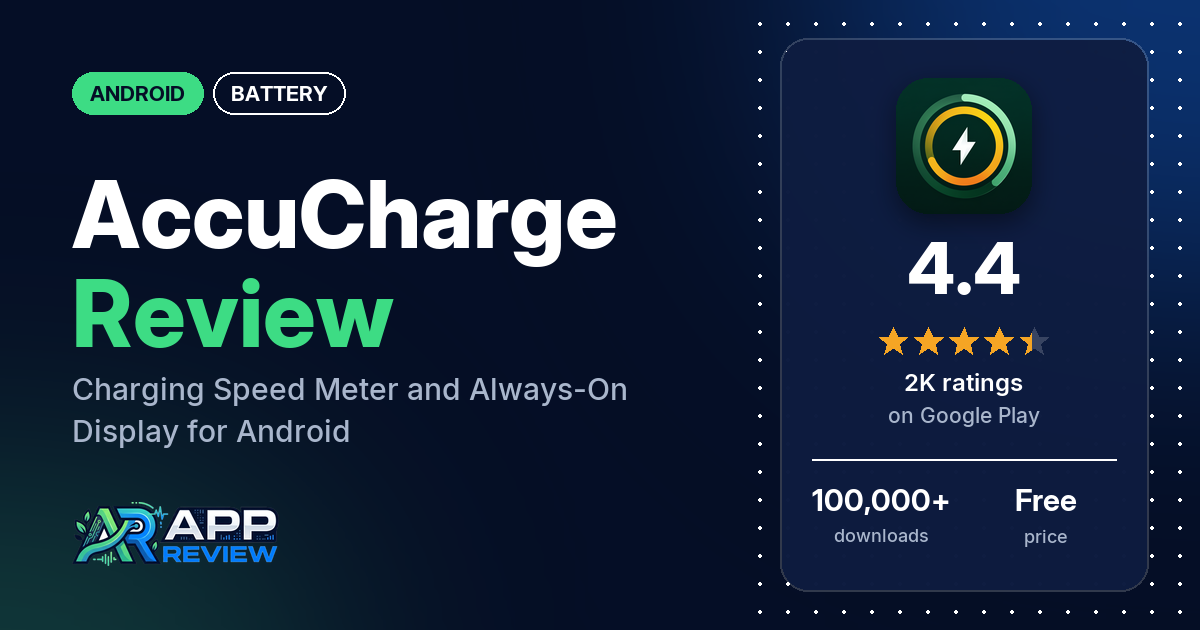
AccuCharge: Battery Speed, AOD is a free Android app that turns your screen into a charging display while you’re plugged in: live amps and watts, a battery percentage with decimals, charging animations and an always-on display. It shows ads and has in-app purchases from $1.99 to $13.00.
Quick verdict
If you like watching how fast your phone charges on a dark, good-looking screen, AccuCharge is built for that, and two reviewers single out the always-on display. Know what it doesn’t do before you install. Several reviewers believe it makes their phone charge faster; two of the developer’s replies say it doesn’t speed up charging and is there to monitor it. A few reviewers say the readings were wrong on their phone, and a few complain about ads, including one who saw fake “virus” ads. It has been on Google Play since March 2025. Across all ratings, 7.2% are 1 or 2 stars.
AccuCharge at a glance
| Developer | Androxify |
|---|---|
| Store listing | AccuCharge on Google Play |
| Price | Free, with in-app purchases from $1.99 to $13.00 per item |
| Ads | Yes |
| Play Store rating | 4.4 stars from 1,951 ratings (69.8% of the ratings in the store’s rating breakdown are 5-star) |
| Downloads | 100,000+ |
| Version / last updated | 88.0 / October 15, 2026 |
| Requires | Not in our data |
| First released | March 29, 2025 |
| Data checked | October 20, 2026 |
What is AccuCharge?
AccuCharge is a charging monitor with a display focus. When you plug in, it can show a full-screen charging view with a speedometer, current, wattage, voltage and temperature, and it can stay on as an always-on display. The listing also describes battery health tracking, charging history and app usage tracking. A developer reply from June 2026 says it doesn’t directly increase charging speed; it shows what is happening while you charge.
Key features
- Charging meter: live ampere and watt readings, fast charging detection and a customizable speedometer.
- Precise percentage: battery percentage with decimals.
- Charging screen and AOD: pitch-black, AMOLED-optimized charging animations and an always-on display that shows charging stats without unlocking.
- Health and safety readings: battery health, voltage and temperature.
- Alerts: custom battery level alerts for overcharging and low battery.
- History and usage: past charging sessions with time, speed and duration, and daily, weekly and monthly app usage.
AccuCharge vs. what a battery app should have
“Listed” means the Google Play listing names the feature, “Partial” means it covers part of it, and “Reviews only” or “Reviews and developer replies” means we found it outside the listing.
Must have
| Feature | Status | Notes |
|---|---|---|
| Full-charge alert at a level you choose | Listed | Custom battery level alerts |
| Low-battery alert at a level you choose | Listed | |
| Alerts that fire reliably in the background | Partial | Two reviewers say the app turns off or doesn’t work; a reply suggests removing battery restrictions |
| Sound and vibration options | Not listed | Two reviewers want custom tones |
| Easy to dismiss an alert | Not listed | |
| Low battery use by the app itself | Partial | The listing calls the interface battery-friendly |
Should have
| Feature | Status | Notes |
|---|---|---|
| Custom alert sound and volume | Not listed | A reply from June 2026 says custom tones will be considered |
| Quiet hours or a schedule | Not listed | |
| Battery details (temperature, voltage, current) | Listed | |
| Charge history or usage chart | Listed | |
| Help or a support contact | Reviews and developer replies | Replies point to a Help and troubleshooting section in the app and to [email protected] |
| Clear pricing | Partial | The listing shows a price range only; a reply says there is a lifetime plan |
Nice to have
| Feature | Status | Notes |
|---|---|---|
| Battery health or capacity estimates | Listed | |
| Time-left or time-to-full estimates | Reviews only | One reviewer says the time-to-full estimate was far off on a Xiaomi phone |
| Home screen widget or status bar readout | Reviews only | One reviewer likes the widget options |
| Tablet support | Not listed | |
| No ads or an ad-free option | Not listed | |
| No account required | Not listed |
Common problems and fixes
Most of these come from single reviews, but the developer’s replies give steps for each. They are dated and may have changed since.
| Problem | What reviewers report | When | What the developer’s replies suggest |
|---|---|---|---|
| App turns off or doesn’t work | Two reviewers | August 2025 and February 2026 | Remove battery restrictions and enable auto-start, or follow the in-app Help and troubleshooting section (August 2025) |
| Charging screen doesn’t open when plugged in | One reviewer | May 2026 | Turn on “While Charging” or “Always On” mode and grant the extra permissions listed in Help & Troubleshooting (May 2026) |
| Charging speed or watts look wrong | A few reviewers say speed, wattage or temperature readings were off | November 2025 to October 2026 | Give it 20 to 30 seconds after plugging in to settle (September 2026). Watts shown when not charging are the rate the phone is using the battery (November 2025) |
| Screen stays on with Hide Screen | One reviewer on a OnePlus phone | June 2026 | Fixed in version 72.0 (June 2026) |
| Scam-style ads | One reviewer saw “you have a virus” ads | February 2026 | These shouldn’t appear; send a screenshot or screen recording to [email protected] (February 2026) |
Pros (from user reviews)
- The charging display: two reviewers like the always-on display, one of them for seeing the charge in a dark room, and one likes the widget options.
- Real numbers, for some: two reviewers say the information is real. A few others say readings were off (see Cons).
- Light on ads, for some: two reviewers say they saw no ads or that ads have been reduced. A few others complain about them.
- Mostly 5-star: most reviews in our sample are 5-star.
Cons (from user reviews)
- It doesn’t charge faster: several reviewers praise it for speeding up charging. The developer’s replies to two of them say the app doesn’t speed up charging (one says not directly) and that it helps you monitor it. A March 2026 reply to another says its smart optimization reduces background usage and heat for better efficiency, so the replies aren’t fully consistent.
- Readings: a few reviewers say readings were wrong: the temperature on an iQOO 13, the speed and time to full on a Xiaomi phone, and watts that change when the phone isn’t charging.
- Ads: a few reviewers complain about ads, one in Indonesian saying there are so many they couldn’t charge, and one in February 2026 who saw “you have a virus” scam ads. Another, in December 2025, calls the app a scam that kicked them to a different website, which charged $49.99 after a 24-hour trial. The developer’s reply says the app has no 24-hour plan and that the reviewer may have clicked a misleading ad.
- Takes over the screen: two reviewers say the charging screen interrupts what they’re doing, and one says there are a lot of notifications.
- Missing options: two reviewers want custom tones for plugging in and full charge.
- Permissions: one reviewer in September 2026 calls the camera and phone permissions spyware. The developer’s reply says permissions are tied to features, such as the camera for the flash feature.
Several of the developer’s replies ask reviewers to rate the app 5 stars. Across all ratings, 7.2% are 1 or 2 stars and 69.8% are 5-star.
Rating breakdown
| Stars | Ratings | Share |
|---|---|---|
| 5 | 1,334 | 69.8% |
| 4 | 251 | 13.1% |
| 3 | 188 | 9.8% |
| 2 | 50 | 2.6% |
| 1 | 88 | 4.6% |
Source: Google Play ratings histogram, checked October 20, 2026. The histogram adds up to 1,911 ratings, fewer than the 1,951 total, and the shares are of the histogram total.
Pricing
AccuCharge is free with ads. The listing shows in-app purchases from $1.99 to $13.00 per item but doesn’t say what they unlock, and a developer reply from December 2025 says the app offers only a lifetime plan. One reviewer was charged on a website after a trial; the developer’s reply says the app has no such plan and the reviewer may have clicked a misleading ad.
Privacy and permissions
We couldn’t read the Google Play data safety section, so we make no claim about what it declares. The permissions list is long: Google Play license check, control flashlight, control vibration, draw over other apps, full network access, prevent device from sleeping, read phone status and identity, receive data from Internet, run at startup, take pictures and videos, update component usage statistics and view network connections. A developer reply from September 2026 says permissions are requested only for features that need them, such as the camera for the flash feature and others for App Usage or Show on Call.
Who it’s for
AccuCharge suits you if you want a dark, animated charging screen and always-on display with live watts and amps, and you don’t mind ads. Skip it if you’re hoping to charge faster (the developer’s replies say it won’t), if you want to compare chargers and cables and a few reports of off readings worry you, or if a long permissions list bothers you.
FAQ
Does AccuCharge make my phone charge faster?
Not according to two of the developer’s replies, which say AccuCharge doesn’t speed up charging (one says not directly) and that it monitors charging speed and battery status. A March 2026 reply mentions smart optimization that reduces background usage and heat. Several reviewers believe it charges their phone faster.
What if the AccuCharge charging readings look wrong?
A developer reply from September 2026 says to give the app 20 to 30 seconds after plugging in for the reading to settle. Another reply says watts shown when you’re not charging are the rate the phone is using the battery. A few reviewers still found the readings off on their phone.
How do I make the AccuCharge screen open when I plug in?
A developer reply from May 2026 says to turn on “While Charging” or “Always On” mode and grant the extra permissions listed in the app’s Help & Troubleshooting section. The reviewer who asked thanked the developer and raised their rating.
Is AccuCharge a subscription?
A developer reply from December 2025 says the app offers only a lifetime plan. The listing shows in-app purchases from $1.99 to $13.00 per item.
How this review was put together
We haven’t tested AccuCharge. This review is based on public information from official sources: the app’s Google Play or App Store listing and rating breakdown, the developer’s website when there is one, and recent user reviews on the store with the developer’s replies. Features and claims are the developer’s own descriptions; what users like and dislike comes from the store reviews. Everything was checked on October 20, 2026. Apps change with every update, so check the store listing before you install.