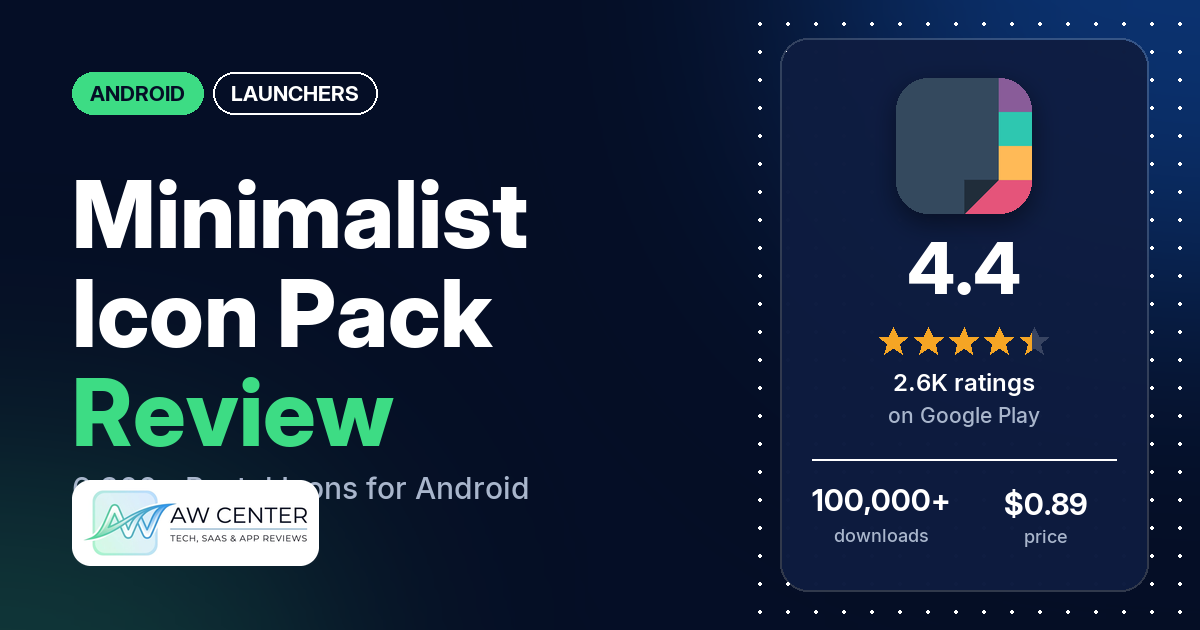
Minimalist is a $0.89 Android icon pack with more than 6,300 pastel icons and 70 wallpapers. It only works inside a launcher that supports icon packs, and it has 4.4 stars from 2,583 ratings on Google Play.
Quick verdict
If you already use a launcher such as Nova and want soft pastel icons, Minimalist is cheap and well liked: many reviewers praise the look or design, and several have used it for a long time. The weak spot is setup. Several reviewers say it didn’t work with their phone’s own launcher or that they had to install a separate one, and a few say the app’s apply screen didn’t find a launcher they had installed. Others want brighter colours, more consistent shapes or icons they requested. In the store’s rating breakdown, 11.5% of ratings are 1 or 2 stars.
Minimalist Icon Pack at a glance
| Developer | JustNewDesigns (no website listed) |
|---|---|
| Store listing | Minimalist – Icon Pack on Google Play |
| Price | $0.89, with in-app purchases from $0.49 to $5.99 per item |
| Ads | None |
| Play Store rating | 4.4 stars from 2,583 ratings (72.8% of the ratings in the store’s rating breakdown are 5-star) |
| Downloads | 100,000+ |
| Version / last updated | 8.9 / August 15, 2026 |
| Requires | Not stated |
| First released | March 27, 2017 |
| Data checked | November 5, 2026 |
What is Minimalist Icon Pack?
Minimalist swaps your app icons for its own pastel versions. It doesn’t change your home screen by itself: the listing says “A supported launcher is required to use this icon pack!” The app is a dashboard where you apply the pack, browse and search the icons, send icon requests and pick wallpapers. JustNewDesigns has published it on Google Play since March 2017.
Key features
- Icons: 6,300+ icons in pastel colours, shown in a category-based grid with preview and search.
- Folders and app drawer: custom folder icons and custom app drawer icons.
- Wallpapers: 70 wallpapers, with Muzei Live Wallpaper support.
- Dashboard: a Material-style dashboard with icon requests and an FAQ section you can search.
- Supported launchers: the listing’s list of supported launchers includes Action, ADW, Apex, Evie, GO, Lucid, Nova, Smart, Solo and ZenUI.
- Launchers not in the apply section: the listing names a second group of supported launchers that aren’t included in the app’s apply section, such as Arrow, Flick, KK and Open Launcher. It says that if you don’t find an apply section in the dashboard, you can apply the pack from a theme setting.
- Not supported: the listing says Google Now Launcher doesn’t support any icon packs, and that LG Home doesn’t support them on some devices.
Minimalist Icon Pack vs. what a launcher app should have
“Listed” means the Google Play listing names the feature, “Partial” means it covers part of it, and “Reviews only” means we found it in user reviews. Minimalist is an icon pack, so most launcher rows are your launcher’s job; it fills the icon and wallpaper rows.
Must have
| Feature | Status | Notes |
|---|---|---|
| A home screen with the apps you choose | Not listed | Provided by your launcher |
| A searchable, sortable app list | Not listed | |
| Folders or grouping | Not listed | The listing has folder icons, not folders |
| Hiding apps | Not listed | |
| Easy setup as the default launcher | Not listed | Apply from the dashboard or your launcher’s theme setting; a supported launcher is required |
| Gestures and navigation settings | Not listed | |
| A usable free tier | Not listed | Paid app |
Should have
| Feature | Status | Notes |
|---|---|---|
| Notification management or filtering | Not listed | |
| Icon styles and third-party icon packs | Listed | 6,300+ pastel icons |
| Themes, wallpapers and backgrounds | Listed | 70 wallpapers and Muzei support |
| Font and text-size options | Not listed | |
| Built-in widgets | Not listed | |
| Support for standard Android widgets | Not listed | |
| Renaming apps | Not listed | |
| Backup and restore of the layout | Not listed | |
| Working without an internet connection | Not listed |
Nice to have
| Feature | Status | Notes |
|---|---|---|
| Focus tools | Not listed | |
| Double-tap to lock the screen | Not listed | |
| Extra sort options | Not listed | |
| Automatic light and dark themes | Not listed | One reviewer asks for a dark version of the icons |
| Notification dots or badges | Not listed | |
| Website shortcuts | Not listed | |
| Tablet and e-reader support | Reviews only | One reviewer uses it with Nova on a Galaxy Tab S7 |
| No ads | Listed | Google Play shows no ads |
| A one-time purchase that covers all devices | Not listed | Paid app ($0.89) with in-app purchases |
Common problems and fixes
Every developer reply in our data dates from 2017 to 2020, so treat them as possibly out of date. Version 8.9 may behave differently.
| Problem | What reviewers report | When | What the developer’s replies suggest |
|---|---|---|---|
| Doesn’t work with the phone’s own launcher | Several reviewers, with Pixel Launcher, Samsung’s launcher and on a Xiaomi phone among others, say their built-in launcher wasn’t supported or that they had to install a separate launcher | 2018 to 2021 | Most stock launchers don’t allow icons to be changed; try Nova Launcher (May 2019). The listing says a supported launcher is required |
| Apply screen says the launcher isn’t installed, or doesn’t list it | A few reviewers, with Nova, Zen UI, Smart, Pixel Launcher and S Launcher. The Nova user says it was fixed after about a month | May 2017 to August 2021 | S Launcher was taken out of the apply section; apply from the launcher’s settings (May 2017). The listing says that if you don’t find an apply section, you can apply the pack from a theme setting |
| Not compatible with Microsoft Launcher | Two reviewers. One of them says you can still turn the icons on in Microsoft Launcher’s settings | October 2019 to January 2020 | Apply it manually from the launcher settings (October 2019) |
| Couldn’t get a refund | A few reviewers, most recently one in April 2026 who says the icons are not what the screenshots show | November 2019 to April 2026 | Email the developer for a full refund (October 2017) |
Pros (from user reviews)
- The look: many reviewers praise the look or design of the icons. Two say the icons stay easy to recognise.
- Staying power: several reviewers have used it for a long time, one “for years” with Nova Launcher Prime, and one says it never gets old.
- Coverage: several reviewers say it covers most or all of the apps they use. One on a Galaxy Tab S7 found icons even for games such as Bloons Tower Defence and COD Mobile.
- Colours: a few reviewers like the colours. One calls them “Vibrant colors”.
- Wallpapers: two reviewers praise the wallpapers along with the icons.
Cons (from user reviews)
- Launcher trouble: several reviewers couldn’t get the pack working with their launcher, from stock Pixel and Samsung launchers to Microsoft Launcher and Lawnchair v2. One reviewer in August 2024 couldn’t work out how to apply it at all.
- Muted colours: a few reviewers find the colours dull or washed out, or want them brighter. One in April 2026 says the pastel icons don’t match the screenshots, and one in 2018 says the light grays blend into a white app drawer.
- Uneven style: a few reviewers say the icons aren’t consistent. One points to the shapes, one says some look bigger than others, and one finds some icons cartoon-like. Two find some icons too generic or too simple.
- Missing icons and requests: several reviewers point to missing icons, and a few say icons they requested weren’t added.
- No masking: a few reviewers want icon masking for apps the pack doesn’t cover, and one says that without it things look unfinished. A July 2017 developer reply says masking was in an earlier version and was removed because users asked for that.
- Look-alike icons: a few reviewers mix up some icons, such as Messaging and Messenger, or two different apps called Alto.
- Picking one icon: a few reviewers found it hard to find a specific icon. One in 2017 asked for a search feature, one describes scrolling a long, unorganised list, and one says the icons are mixed up in the launcher’s icon picker.
- Refunds: a few reviewers say they couldn’t get their money back.
Rating breakdown
| Stars | Ratings | Share |
|---|---|---|
| 5 | 1,852 | 72.8% |
| 4 | 301 | 11.8% |
| 3 | 100 | 3.9% |
| 2 | 146 | 5.7% |
| 1 | 146 | 5.7% |
Source: Google Play ratings histogram, checked November 5, 2026. The histogram adds up to 2,545 ratings, slightly fewer than the 2,583 total, and the shares are of the histogram total.
Pricing
Minimalist costs $0.89, with no ads, and has in-app purchases from $0.49 to $5.99 per item. The listing doesn’t say what those purchases are. Two reviewers in July 2017 mention paid premium icon requests, and a developer reply from that month confirms their price went up. One reviewer in May 2020 says they bought it on their phone and were asked to pay again on their tablet with the same Google account.
Privacy and permissions
We couldn’t read the Google Play data safety section, so we make no claim about what it declares. The permissions list includes Google Play license check, adjust your wallpaper size, control vibration, full network access, modify or delete the contents of your USB storage, modify system settings, prevent device from sleeping, read the contents of your USB storage, receive data from Internet, run at startup, set wallpaper, view Wi-Fi connections and view network connections. The listing doesn’t explain them.
Who it’s for
Minimalist suits you if you run Nova or another launcher from the listing’s supported list and want a soft pastel look for under a dollar. Skip it if you plan to stay on your phone’s built-in launcher; several reviewers couldn’t get it working there. Look elsewhere too if you want bright colours, or a themed icon for every niche app you have.
FAQ
Does Minimalist Icon Pack work with my phone’s default launcher?
Often not. The listing says a supported launcher is required, and a 2019 developer reply says most stock launchers don’t allow icons to be changed and recommends Nova Launcher. Several reviewers, with Pixel Launcher, Samsung’s launcher and on a Xiaomi phone among others, say it didn’t work with their built-in launcher.
How do I apply it if my launcher isn’t in the apply section?
The listing says that if you don’t find an apply section in the dashboard, you can apply the pack from a theme setting. It also names several supported launchers that aren’t included in the apply section, including Arrow, Flick and Open Launcher. A 2019 developer reply tells a Microsoft Launcher user to apply it manually from the launcher settings.
Is Minimalist Icon Pack free?
No. It costs $0.89 on Google Play, with in-app purchases from $0.49 to $5.99 per item and no ads. The listing doesn’t say what the in-app purchases are; reviewers in 2017 mention premium icon requests.
Can I get a refund?
A 2017 developer reply tells a reviewer to email for a full refund, and the listing gives the email address [email protected]. A few reviewers say they couldn’t get a refund, the most recent in April 2026.
How this review was put together
We haven’t tested Minimalist Icon Pack. This review is based on public information from official sources: the app’s Google Play or App Store listing and rating breakdown, the developer’s website when there is one, and recent user reviews on the store with the developer’s replies. Features and claims are the developer’s own descriptions; what users like and dislike comes from the store reviews. Everything was checked on November 5, 2026. Apps change with every update, so check the store listing before you install.