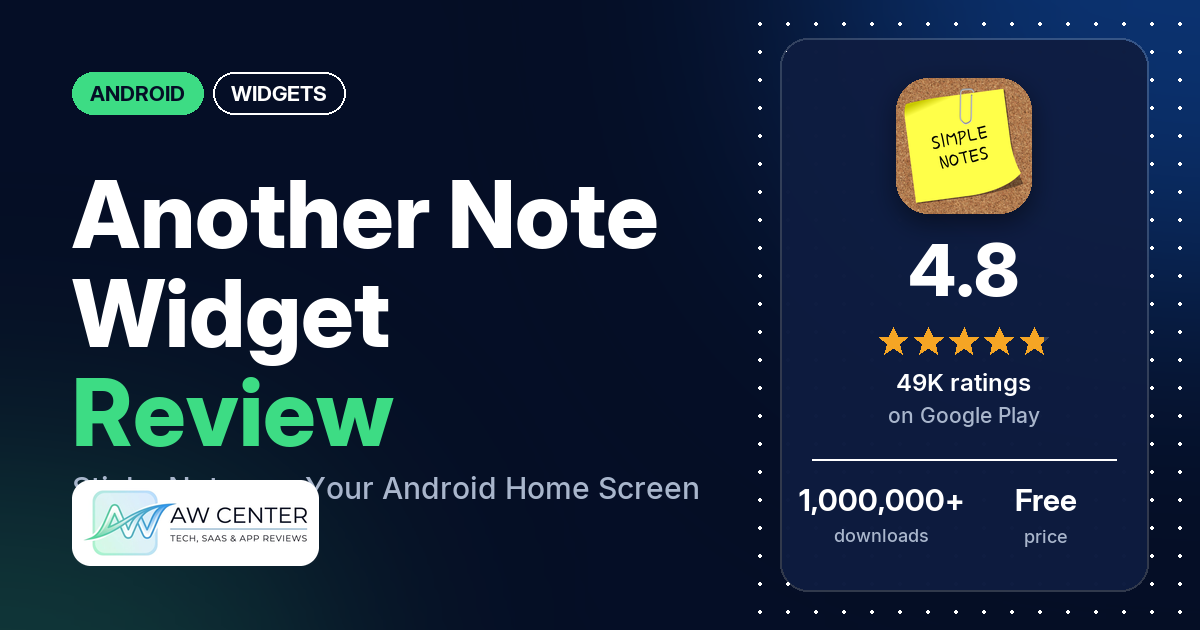
Another Note Widget: Sticky is a free Android app that puts notes on your home screen as widgets styled like sticky notes, notebook paper or a blackboard. It shows ads, and the listing says a one-time payment removes them. It holds 4.8 stars from 49,276 ratings.
Quick verdict
If you want a to-do list or a reminder that sits on your home screen where you can’t miss it, this app does that, and many reviewers use it for exactly that. Several call it easy to use and several like how customizable the notes are. A common complaint is lost notes: several reviewers say notes vanished from the home screen or were erased, a few of them after an update. The listing says notes are stored locally on your phone, so a backup plan matters. Several reviewers also say the text comes out too small or the widget wastes space.
Another Note Widget at a glance
| Developer | HAPPY NEKO |
|---|---|
| Store listing | Another Note Widget on Google Play |
| Price | Free, with in-app purchases of $2.49 per item |
| Ads | Yes |
| Play Store rating | 4.8 stars from 49,276 ratings (85% are 5-star) |
| Downloads | 1,000,000+ |
| Version / last updated | 3.12.8 / February 13, 2026 |
| Requires | Not in our data |
| First released | November 27, 2013 |
| Data checked | November 3, 2026 |
What is Another Note Widget?
It’s a note-taking widget for your home screen, which the listing describes as “perfect for short daily notes”. A developer reply (August 2026) says tapping the widget opens the editor, where you change the note’s content and look. The listing says your notes stay on your device and the app works offline. It has been on Google Play since November 2013 and has passed 1,000,000 downloads.
Key features
- Six designs: sticky note, plain papers, notebook papers, blackboard “and more”.
- 40+ themes: pins and themes such as Christmas, Halloween, Valentine’s Day, food, animals and sports.
- Text and drawing: notes can hold text with emojis or hand-drawn sketches.
- Fonts and colors: a variety of handwritten fonts, plus custom paper, pen and highlighter colors.
- Sharing: share your notes on social media such as Facebook and X.
- Local storage: the listing says all notes are stored on your device and no internet connection is needed to create, edit or view them.
- Ad-free option: a one-time payment removes the ads.
Another Note Widget vs. what a widgets app should have
“Listed” means the Google Play listing names the feature, and “Partial” means it covers part of it. “Reviews only” and “Reviews and developer replies” mean we found it only there. This is a notes widget, so the rows for weather, watch faces and health data don’t apply to it.
Must have
| Feature | Status | Notes |
|---|---|---|
| Home Screen widgets in several sizes | Partial | Home screen note widgets are listed; sizes aren’t. A developer reply (July 2026) says the widgets are resizable. |
| Lock Screen widgets | Not listed | |
| Design editor | Partial | Text, drawing, fonts and colors. No images or shapes are listed. |
| Ready-made designs | Listed | Six designs and 40+ themes |
| Common data (time, date, weather, calendar, battery) | Not listed | |
| Widgets that stay up to date | Not listed | One reviewer says the widget sometimes doesn’t update after a note is edited |
| Transparent backgrounds | Reviews only | One reviewer says you can make the background transparent so a live wallpaper shows through |
Should have
| Feature | Status | Notes |
|---|---|---|
| Smartwatch faces or complications | Not listed | |
| Tap actions that open apps | Not listed | Tapping a note opens this app’s own editor |
| Sharing or importing designs | Listed | Sharing notes to social media |
| Music or now-playing data | Not listed | |
| Health and fitness data | Not listed | |
| Help, tutorials or a support contact | Reviews and developer replies | The developer’s replies give setup steps and point to [email protected] |
| Usable free tier | Listed | Free with ads |
| Restoring purchases on a new device | Not listed |
Nice to have
| Feature | Status | Notes |
|---|---|---|
| Custom data sources (JSON, API) | Not listed | |
| Charts and gauges | Not listed | |
| Launcher integration and compatibility | Not listed | Two reviewers say it caused problems with the ZUI home app on a Lenovo Legion Duel |
| Tablet and desktop support | Not listed | One reviewer says “tap to edit” worked only now and then on an Android tablet |
| Shortcuts or automation integration | Not listed | |
| One-time purchase instead of a subscription | Listed | One-time payment for the ad-free version |
| No ads | Partial | Ads in the free version; a one-time payment removes them |
It does one job: notes on the home screen. There’s no lock screen widget, no reminders with alarms and no cloud backup in the listing.
Common problems and fixes
These come from user reviews and the developer’s replies to them. The replies are dated and may no longer match the current version, 3.12.8 (February 13, 2026).
| Problem | What reviewers report | When |
|---|---|---|
| Notes lost or gone from the home screen | Several reviewers. A few say it happened after an update, and two say notes were erased after a phone restart or power-off. Developer replies point to the app’s History feature and to Google One Backup. | April 2021 to August 2026 |
| Text too small or too much empty space | Several reviewers. A few say the size resets, has no middle size or can’t be changed on their phone (Poco M6, Moto G). Developer replies say you can resize by long-pressing the widget and dragging its edges, and that changing “Image quality” to GOOD or VERY GOOD fixes widgets that shrink. | September 2021 to September 2026 |
| App won’t open, crashes or doesn’t work | Several reviewers say the app wouldn’t open, crashed, froze or didn’t work | September 2020 to September 2024 |
| Can’t work out how to add a note | Several reviewers. Developer replies say to long-press an empty spot on the home screen, tap Widgets and drag the Another Note widget onto it, that the in-app add-to-home-screen button works only on Android 8 or newer (October 2021), and that the “+ NEW NOTE” button isn’t supported by every launcher (July 2023). | July 2017 to July 2023 |
| Note locks itself | Two reviewers. A developer reply (August 2024) says the note’s settings have an “auto lock” option that locks notes to prevent accidental changes. | August 2024 to February 2026 |
| Text is tilted | Two reviewers. A developer reply (November 2024) says to pick a different note style (Paper, Notebook paper, Round paper, Blackboard or Photo) for straight text. | April 2022 to November 2024 |
One reviewer in September 2026 says the app suddenly showed as incompatible with their Android 13 phone. The developer replied that the latest update needs at least 3GB of RAM available to prevent freezing, and that they were looking into options to re-enable access for that device setup.
Pros (from user reviews)
- Reminders and lists in plain sight: many reviewers use it to keep reminders or lists on the home screen. One reviewer writes the day’s menu on it; another calls it “a blessing” for forgetful moments.
- Easy to use: several reviewers call it easy or simple. Several others find it complicated, fussy, clunky or hard to figure out.
- Customization: several reviewers praise how customizable the notes are. A few still want more designs, colors or fonts.
- The look: several reviewers like how the notes look, and a few say they look like real sticky notes or paper.
- Drawing: a few reviewers like that you can draw as well as type.
- Free, with light ads: a few reviewers point out that it’s free or that nothing is behind a paywall, and a few say the ads are light or that they see none.
- Long-term use: a few reviewers say they have used it for years.
Cons (from user reviews)
- Lost notes: several reviewers say notes were erased or disappeared. One got them back with the History steps from a developer reply; another says trying History left them with one blank note.
- Sizing: several reviewers say the text is too small, the widget has too much empty space or the size won’t stay put. Two want a note shape other than the fixed aspect ratio.
- Stability: several reviewers say the app wouldn’t open, crashed, froze or didn’t work.
- Setup: several reviewers couldn’t work out how to add a note or find the widget.
- Editing happens in the app: a few reviewers expected to type on the widget itself. Developer replies say Android widgets don’t allow that, so editing opens the app.
- Ads: several reviewers complain about the ads.
- No backup or sync: a few reviewers want a backup, cloud or sync option; two of them mention switching to a new phone.
- Smaller complaints: two want reminder alarms. Two say the text looks tilted, two had the ZUI home app on a Lenovo Legion Duel stop working, and two raise privacy worries.
The reviews we read include extra low-star reviews on purpose, so complaints are overrepresented here. Across all ratings, 85.3% are 5-star and 3.0% are 1 or 2 stars. The newest review in our data is from October 2026.
Rating breakdown
| Stars | Ratings | Share |
|---|---|---|
| 5 | 41,909 | 85.3% |
| 4 | 4,871 | 9.9% |
| 3 | 891 | 1.8% |
| 2 | 891 | 1.8% |
| 1 | 594 | 1.2% |
Source: Google Play ratings histogram, checked November 3, 2026. The histogram adds up to 49,156 ratings, 120 fewer than the 49,276 total, and the shares are of the histogram total.
Pricing
Another Note Widget is free to download and shows ads. Google Play lists in-app purchases of $2.49 per item, and the listing says a one-time payment gets you the ad-free version. It doesn’t say what that payment costs. Two reviewers say they paid to remove ads.
Privacy and permissions
We couldn’t read the Google Play data safety section for this app, so we make no claim about what it declares there.
The listing says your notes are stored on your device, and that the ads use device IDs but never access or share note content. The Play Store’s permissions list shows: full network access, prevent device from sleeping, and view network connections. A developer reply from February 2022 says the app collects the IP address and device ID for advertising, plus crash logs. Two reviewers raise privacy worries.
A developer reply from April 2026 says the app keeps all data on your device rather than in a cloud. Developer replies suggest turning on Google One Backup so notes can be restored on a new phone.
Who it’s for
Another Note Widget suits you if you want a short list or reminder on your home screen and like notes that look like paper. It’s free if you can live with ads. Look elsewhere if you need reminder alarms, notes that sync between devices, or long notes in large text. If your notes matter, turn on a phone backup, since several reviewers lost theirs.
FAQ
Is Another Note Widget free?
Yes, it’s free to download, with ads. Google Play lists in-app purchases of $2.49 per item, and the listing says a one-time payment removes the ads.
Can I type directly on the widget?
No. Tapping a note opens the app’s editor, and one reviewer says the note updates when you leave the app. Developer replies say Android widgets don’t allow typing or drawing on them directly.
How do I get lost notes back?
A developer reply from August 2026 says to add a new note, tap it, open the menu, tap History, pick the old note and tap DUPLICATE. One reviewer says those steps brought their notes back; another says History didn’t help. Developer replies also suggest Google One Backup, since the listing says notes are stored locally on your device.
Is there an iPhone version?
No. A developer reply from October 2026 says the app is only for Android.
How this review was put together
We haven’t tested Another Note Widget. This review is based on public information from official sources: the app’s Google Play or App Store listing and rating breakdown, the developer’s website when there is one, and recent user reviews on the store with the developer’s replies. Features and claims are the developer’s own descriptions; what users like and dislike comes from the store reviews. Everything was checked on November 3, 2026. Apps change with every update, so check the store listing before you install.